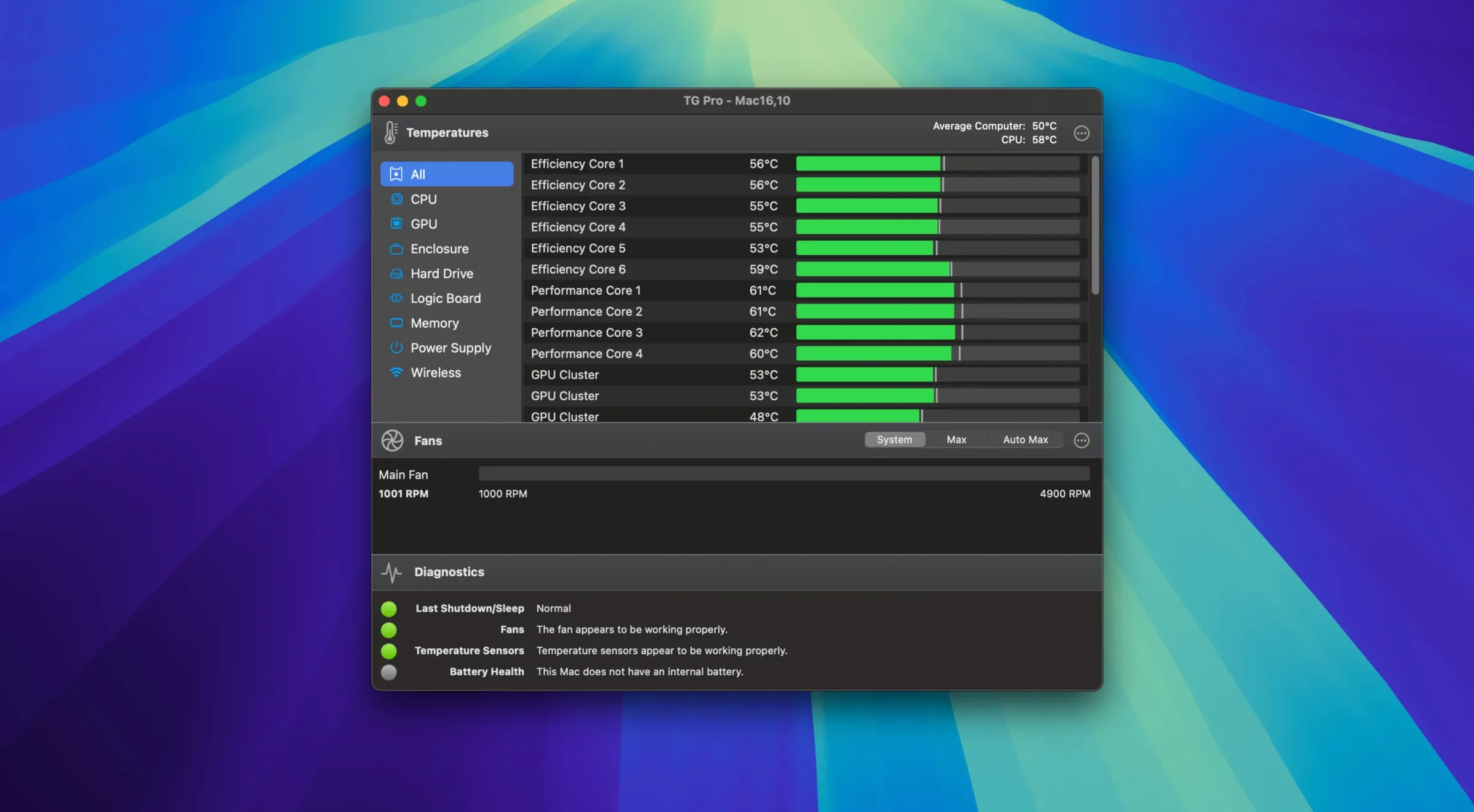
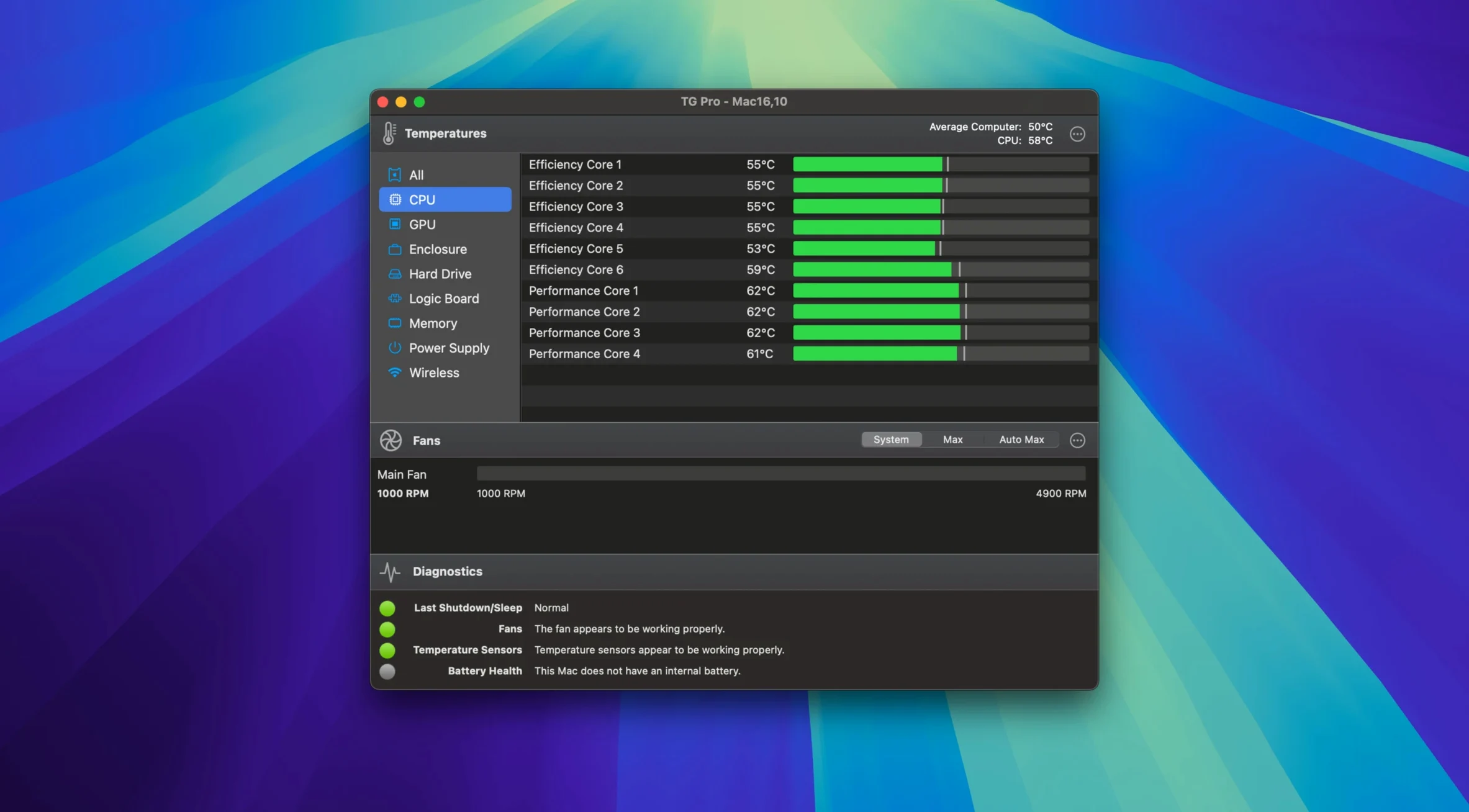
Version 2.103 lands with full fan control for M4, M4 Pro, and M4 Max Macs, plus a fix for Auto Boost rules when switching power sources.
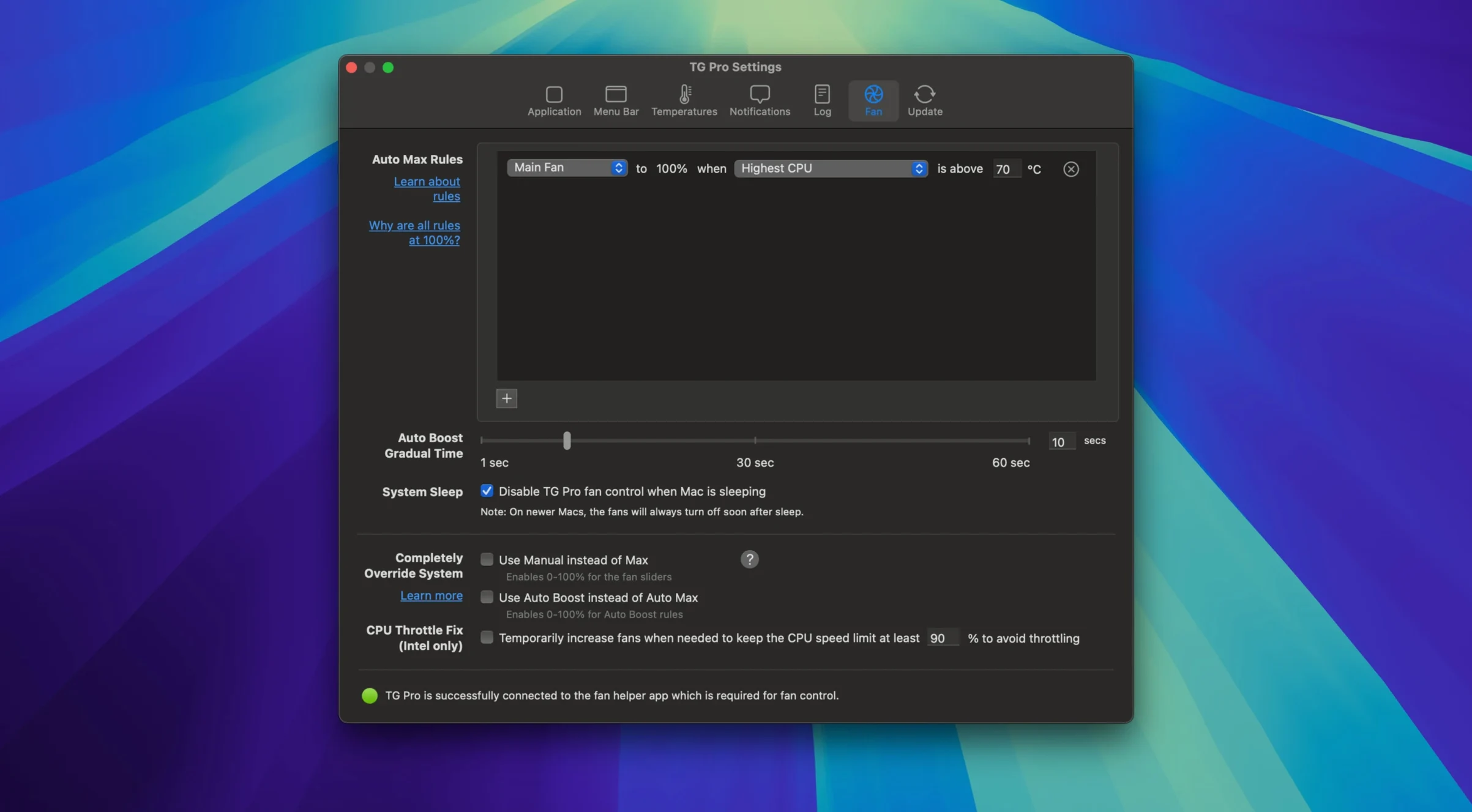
Auto Boost — conditional fan-speed rules triggered by a sensor reaching a set temperature. Rules now survive power-source changes reliably.
Diagnostics — a built-in test that stresses components while logging sensor behaviour. Useful for spotting cooling failures before they become kernel panics.
Logging — records temperature events to a file. Set thresholds for CPU, GPU, or disk, and TG Pro captures the timestamp, sensor name, and value. No staring at graphs all afternoon.
All-sensor coverage — reads from CPU, GPU, logic board, memory, Wi‑Fi chip, disks, and battery. Menu bar readout shows fan speeds and the hottest component at a glance.
Background footprint — runs lean. Low CPU draw even with logging active and multiple rules enabled.
Flip the Hidden Hackintosh Toggle Before Anything Else
A handful of defaults reward a quick tweak before you rely on TG Pro day to day.
- Hackintosh toggle — off by default. If you run macOS on non-Apple hardware, flip it in Preferences > Advanced. The app reads a broader set of SMC keys on Hackintosh builds; leaving it off on genuine Macs avoids unnecessary polling.
- Menu bar format — the default compact view shows the hottest sensor only. Switch to the extended format under Preferences > Menu Bar to display fan speeds alongside temperature. Two lines, no extra clicks.
- Logging interval — defaults to 30 seconds. For short-duration diagnostics, drop it to 5 or 10 seconds. For long background logging, raise it to 120 seconds to keep the log file lean.
- Launch at login — off out of the box. If fan rules are your primary use, enable it. Rules don't apply until the app is running.
- Alert thresholds — TG Pro ships with conservative defaults. Move CPU and GPU alert ceilings down 5–10 °C if you prefer earlier warning on thermally constrained machines like the MacBook Air.
Full Manual Fan Control Finally Arrives for M4 Chips
Three practical changes shape daily behaviour after this update.
M4 fan control lands completely. Earlier versions could read M4 sensor data but offered no manual fan override and no rule-based control. With 2.103, every fan channel on M4, M4 Pro, and M4 Max logic boards responds to the full rule engine. Owners of M4 MacBook Pros and Mac minis get the same granularity that M1–M3 users already had.
Voice dictation no longer hijacks fan speeds. Prior builds would drop manual fan settings when Siri or macOS voice dictation activated, then fail to restore them. The app now saves the pre-dictation state and reapplies it cleanly. If you keep fans locked at a fixed RPM during recording sessions or calls, the setting sticks.
Auto Boost survives power-source switching. A rule tied to a temperature sensor could previously stall when the Mac moved from battery to AC or vice versa — the threshold still read correctly, but the fan response didn't trigger. That bug is gone. Auto Boost rules now evaluate within one polling cycle after a power change, so unplugging during a render doesn't leave fans idling.
How TG Pro Fits with Other Apps and macOS
TG Pro works alongside — not against — the tools already in your workflow.
With iStat Menus or Stats. Some users run TG Pro for fan control and a second monitor app for network or disk throughput. TG Pro's menu bar readout can be collapsed to a single icon; turn off its disk and network columns in Preferences and let the other tool handle those widgets. No conflict on sensor polling — both apps read the same SMC data without fighting over it.
With HandBrake, Final Cut Pro, or DaVinci Resolve. Long exports push thermals. A common pattern: create an Auto Boost rule that ramps fans to 80% when the CPU package crosses 85 °C, leave TG Pro in the background, and let the rule fire only during heavy encodes. The app logs the temperature spike, so you can review peak thermals after an overnight batch.
With macOS Low Power Mode. Low Power Mode can cap CPU frequency on Apple Silicon Macs, which indirectly lowers thermals. TG Pro's rules don't conflict — sensors simply report lower values, and fan curves respond accordingly. If you toggle Low Power Mode mid-session, Auto Boost rules adapt without manual intervention.
With Shortcuts and Automator. TG Pro doesn't offer a scripting dictionary, but its logging output is plain text. An Automator folder action can watch the log directory and process new entries — useful for piping temperature data into a custom dashboard or a notification system.
For Hackintosh users. The advanced toggle opens sensor access on builds where SMC emulation varies. Pair TG Pro with a kext like VirtualSMC or FakeSMC and the app reads fan headers that the stock macOS tools ignore. This makes it the only fan-control layer many Hackintosh builds need.
- macOS 10.13 or later
- Intel 64-bit
Questions I get before install
Which sensors does TG Pro monitor?
It reads temperatures from the CPU, GPU, logic board, memory modules, Wi‑Fi chip, internal disks, and the battery on laptops.
Comments 0
Sign in to leave a comment.Sign inCreate an account
No comments yet. If a step is still there after you install it, say so.
More in Mac Apps
All in Mac Apps TextSniper
Extracts live text from anything on your screen straight to the clipboard.
8 steps saved
 Termius
Saves clusters of shell commands as one-tap snippets for remote servers.
21 steps saved
 Tenorshare UltData
Pulls lost contacts, messages, and media back from an iPhone or iTunes backup.
10 steps saved
 Techtool Pro
Catches directory damage before it turns into missing folders and beachballs.
9 steps saved
 Updated
TechSmith Snagit
Captures, annotates, and sends a screenshot in one loop without switching tools.
7 steps saved
 Taphouse Pro
Browses and installs Homebrew formulae through a graphical interface instead of the terminal.
6 steps saved
 Tahoe Cache Cleaner
Clears caches, logs and temporary files to free space and fix glitches.
12 steps saved
 TablePlus
Connects to PostgreSQL and MySQL in separate tabs to run queries side by side before a deploy.