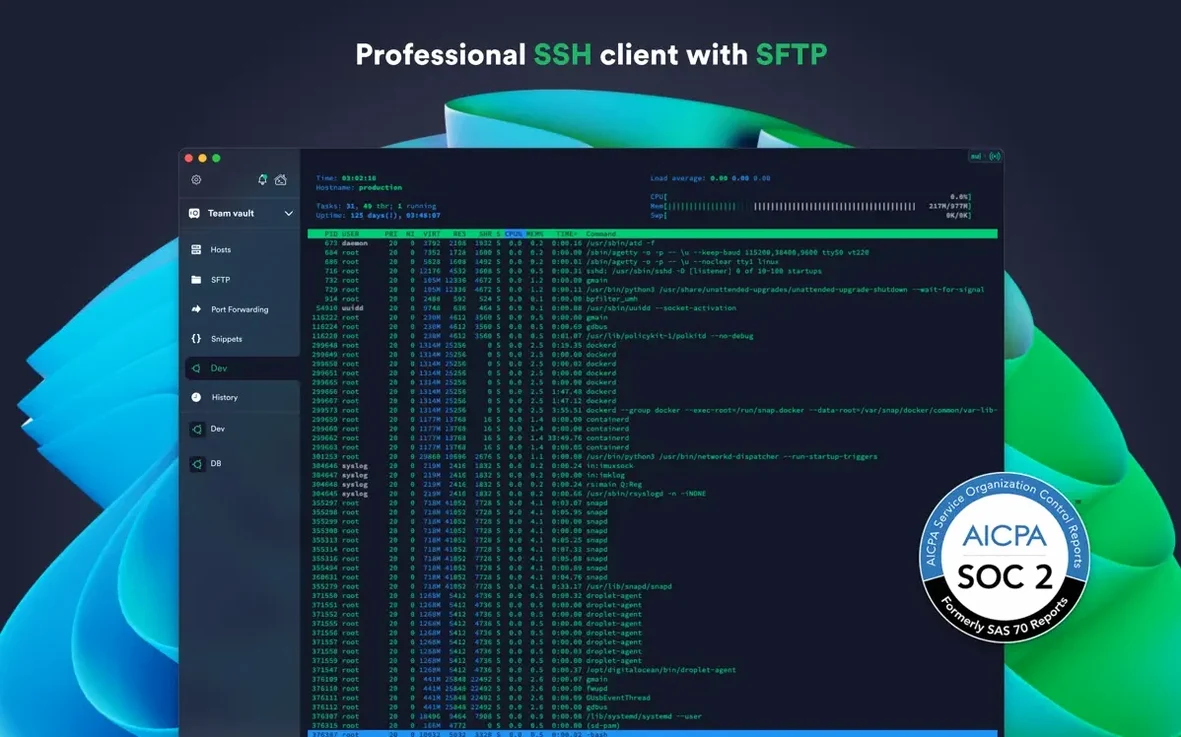
Systems administrators and developers who manage a fleet of remote machines lean on Termius for more than just its connection bar.
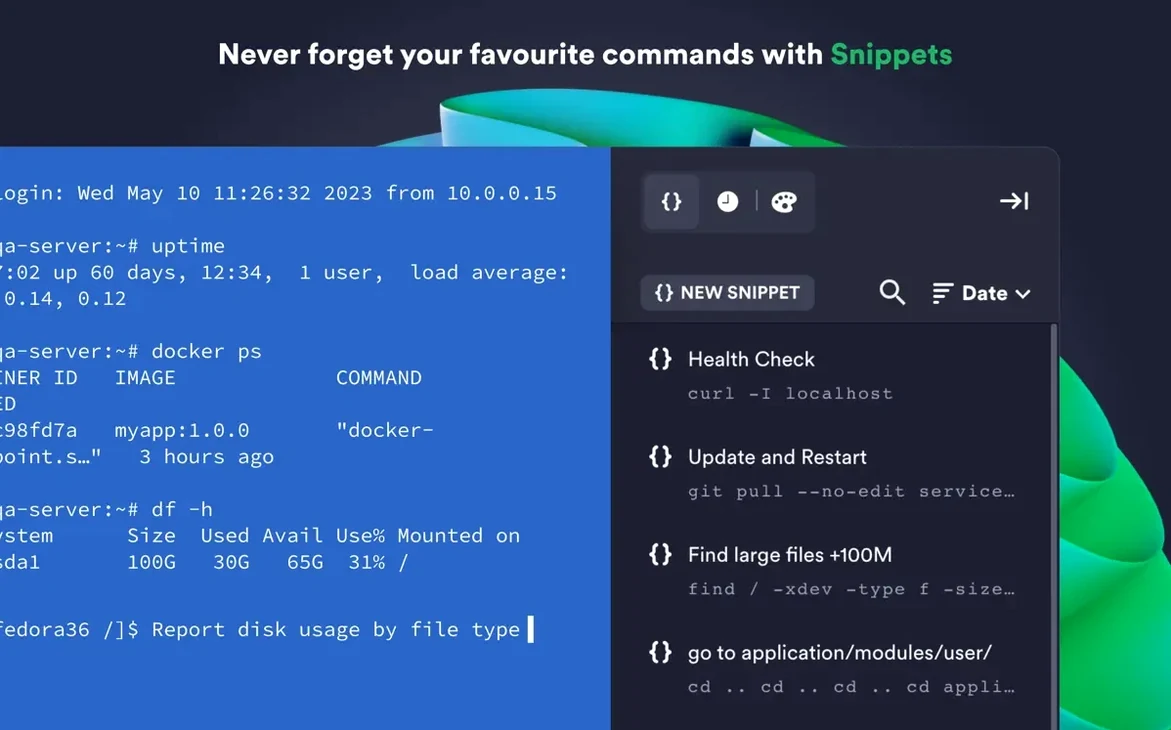
Snippets — saved clusters of commands you trigger with one tap instead of re-typing the same shell scripts every session.
Jump servers — a proxy host you configure once so the app tunnels your connection to a hidden machine without extra steps each time.
Per-host themes — assign a distinct font and colour scheme to a production server so you recognize it immediately, even when twenty tabs are open.
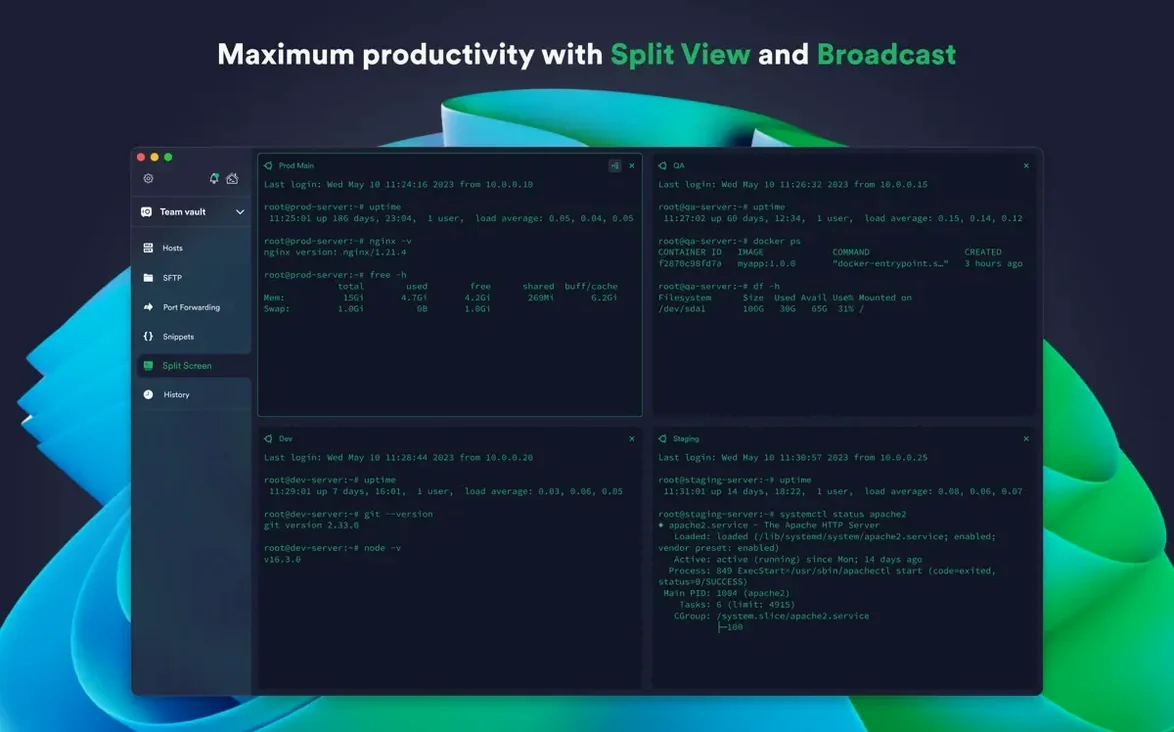
Shared history — a searchable log of commands run across sessions, not just the current window.
Secure enclave — Touch ID or Face ID locks the credential store; two-factor authentication protects the account itself.
Typing Passwords Instead of Filling the Keychain
Most first-time users treat Termius like a plain terminal emulator and miss the parts that save real time.
Typing passwords by hand. Beginners open a new host, paste the IP, and type the password every session. The keychain sits empty while they retype credentials twenty times a day. Import the SSH key once, store the passphrase in the secure enclave, and connect with a double-click.
Ignoring the snippet library. A newcomer connects to a fresh Ubuntu box and types apt update && apt upgrade -y from memory. The same command, repeated on every new droplet, belongs in a saved snippet with a short label. One tap replaces fifteen keystrokes.
Flat connection lists. By week two the sidebar holds forty hosts in no particular order. Group them into folders — by client, by region, by environment — or the search box becomes the only way to find anything.
Skipping the host-specific theme. Every tab looks identical. A production database and a staging web server share the same black background. Changing a colour on the wrong machine is a matter of time. Assign a red-tinted theme to production and the mistake becomes visible before the first keystroke lands.
A workflow: provisioning a new cloud instance
Here is one path through Termius that turns a routine setup task into a few minutes of structured work.
- Import the host. Open the AWS or DigitalOcean integration. Find the new instance in the list, right-click, and choose "Import as Host." Termius pulls the public IP and matches the SSH key automatically.
- Tag and group it. Drop the host into an existing folder — say, Staging / Web — and apply a tag like
nginxorclient-name. Future searches find it immediately. - Assign a theme. Pick a colour scheme that signals the environment. A muted green for staging keeps it distinct from the production group's red.
- Open the connection. Double-click the host. A single tab opens with the correct key, user, and tunnel configuration.
- Run the bootstrap snippet. From the snippet panel, trigger the saved block that runs system updates, installs core packages, and applies the base firewall rules. Watch the output scroll in one continuous stream.
- Check the shared history. After the snippet finishes, scroll back through the command log to confirm each step completed cleanly. Copy any error line into a note for later review.
- Add a new snippet. If the instance required a custom Nginx config line that was not in the bootstrap, save it now. The team gets it synced to their own Termius installs.
The whole sequence — from import to a working, themed, bootstrapped host — takes under four minutes.
DevOps Engineers Juggling EC2, On-Prem, and Pis
The app rewards people whose daily work crosses multiple remote machines and whose mistakes carry real cost. Three profiles stand out.
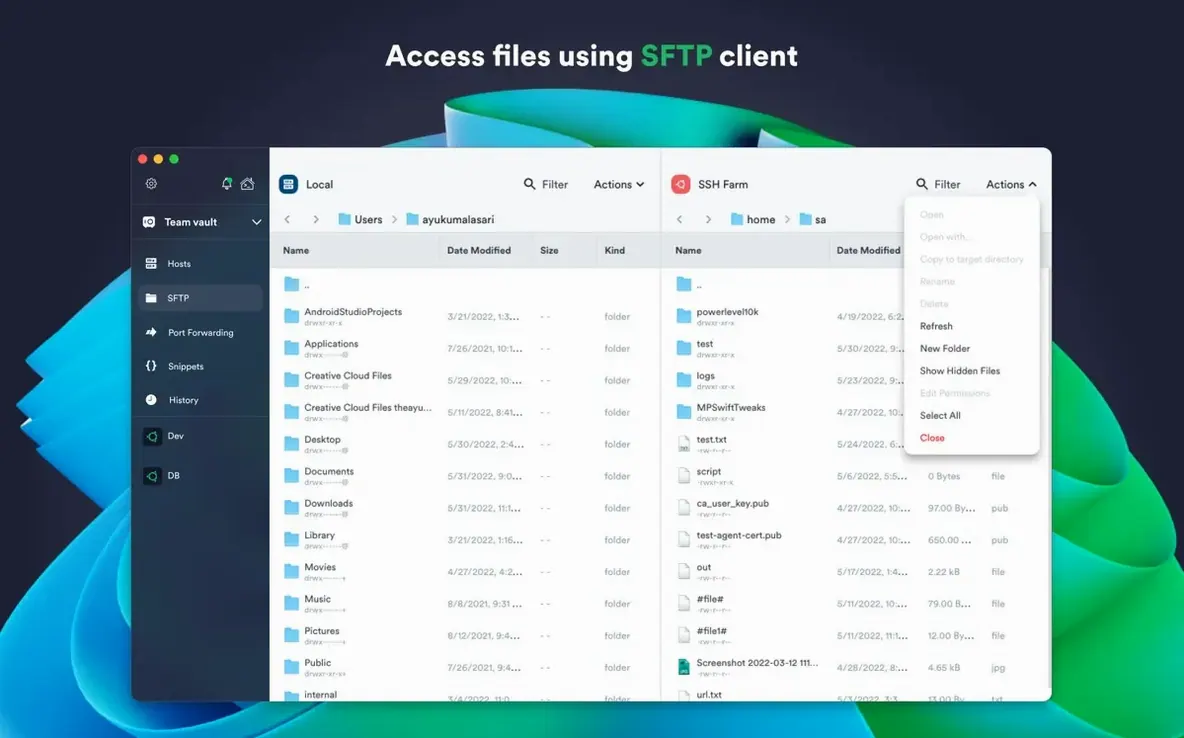
DevOps engineers managing heterogeneous fleets. A mix of AWS EC2 instances, on-premises boxes, and a few Raspberry Pis behind a VPN. Termius handles the SSH, the Mosh fallback for spotty connections, and the SFTP side panel when a config file needs a quick edit. The jump-server setup means no manual port-forwarding incantations to reach a database box on a private subnet.
Freelance sysadmins juggling a dozen clients. Each client has two or three servers. Folders keep the environments separate. Per-host themes prevent a staging command from landing on a client's live store. The snippet library holds the common diagnostic commands — disk usage, service status, log tail — that get run on every maintenance call. Shared history means the admin can retrace steps from three days ago without keeping a separate notepad.
Security-conscious teams with hardware keys. Organizations that mandate FIDO2 hardware tokens find Termius fits neatly into their policy. The app speaks to YubiKeys and similar devices natively, handles ed25519 keys without workarounds, and keeps the private material on the local machine. SSH agent forwarding lets the team jump through a bastion host while the sensitive key never leaves the Mac's secure enclave.
Users who only ever connect to a single Raspberry Pi on the local network will find the app oversized for the job. The power comes from managing many connections, many snippets, and many moments where a wrong keystroke could ruin an evening.
- Fixed — stability improvements across the application.
- macOS 10.13 or later
- Apple Silicon and Intel native
- English interface
Questions I get before install
Does Termius support Mosh connections?
Yes. It connects to remote hosts with Mosh, SSH, Telnet, and handles port forwarding plus SFTP transfers.
Comments 0
Sign in to leave a comment.Sign inCreate an account
No comments yet. If a step is still there after you install it, say so.
More in Mac Apps
All in Mac Apps Tenorshare UltData
Pulls lost contacts, messages, and media back from an iPhone or iTunes backup.
10 steps saved
 Techtool Pro
Catches directory damage before it turns into missing folders and beachballs.
9 steps saved
 TextSniper
Extracts live text from anything on your screen straight to the clipboard.
23 steps saved
 TG Pro
Gives you full fan control and temperature-based rules for any Mac.
9 steps saved
 Updated
TechSmith Snagit
Captures, annotates, and sends a screenshot in one loop without switching tools.
7 steps saved
 Taphouse Pro
Browses and installs Homebrew formulae through a graphical interface instead of the terminal.
6 steps saved
 Tahoe Cache Cleaner
Clears caches, logs and temporary files to free space and fix glitches.
12 steps saved
 TablePlus
Connects to PostgreSQL and MySQL in separate tabs to run queries side by side before a deploy.