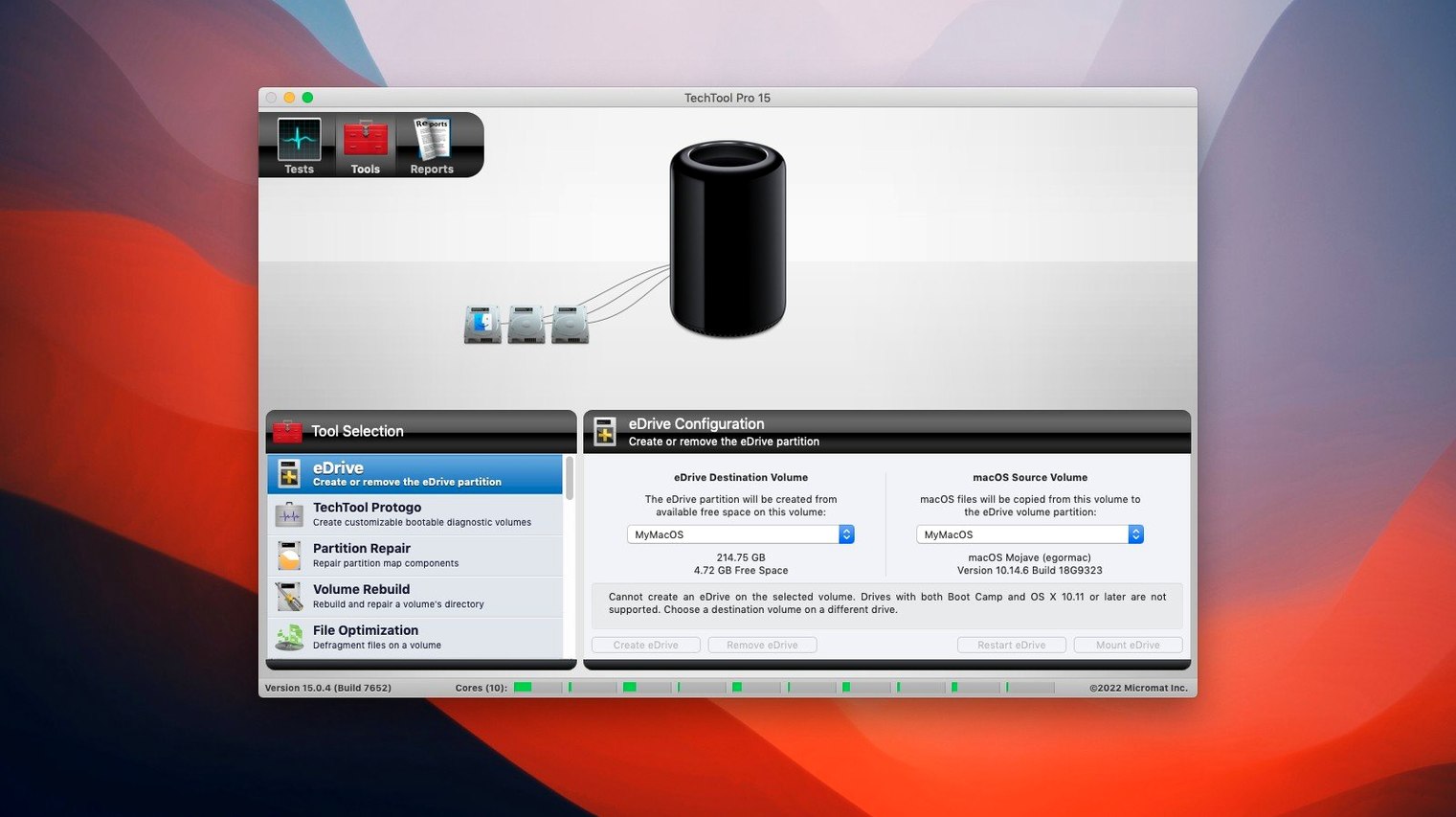
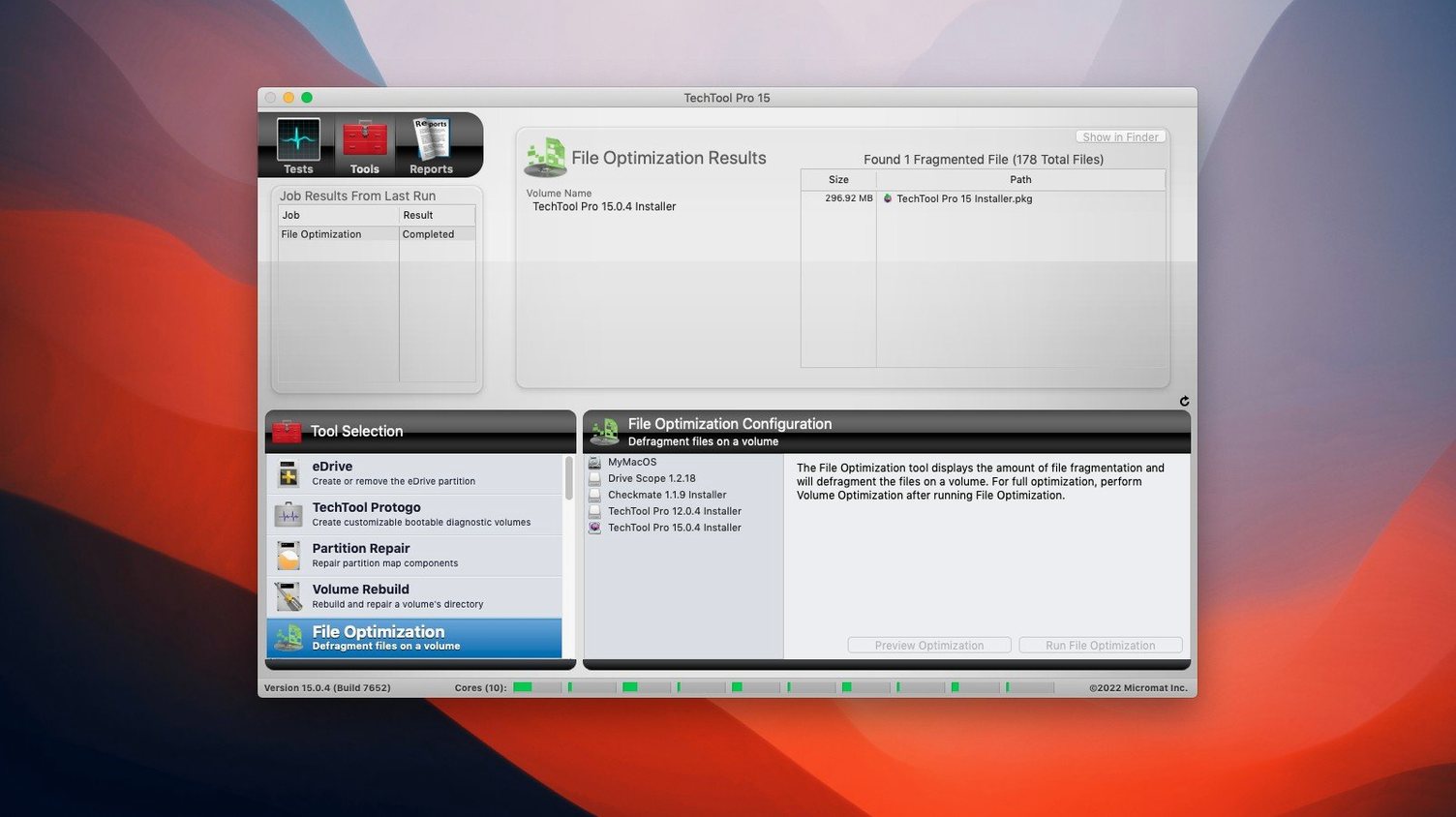
Volume Rebuild is the tool to reach for first. It catches directory damage before it turns into missing folders and beachballs. After a crash or a forced shutdown, run it on the affected partition. No need to boot from another volume — it works on the live system.
SMART Checks, Directory Rebuilds & Lifted File Permissions
- Checking a drive's physical health with a SMART diagnostic
- Rebuilding a corrupted directory without erasing data
- Recovering files deleted from a failing drive
- Restoring correct file access permissions across a whole partition
- Running a memory test without pulling hardware
Last-Resort Bad-Block Reads Come With No Guarantees
- File recovery from bad blocks is a last-resort read attempt — results depend on the damage
- Background monitoring in Techtool Protection trades a small amount of CPU for real-time warnings
- Network device configuration monitoring is designed for local-network security audits, not remote management
Monitor 2.0 Launches Without Crashing Into Silence
Build 9559 tightened two specific areas that affect everyday reliability. The TechTool Monitor no longer crashes on launch — a fix that matters when you rely on background alerts for drive health. Without it, a crash could leave you unaware of a SMART warning or a free-space threshold breach.
Volume Cloning also got a targeted correction. A File Sync clone could previously fail during the verification pass, forcing you to re-run the entire operation. Now the verification completes cleanly, so a clone you make for a weekend upgrade or a hardware swap is ready when you need it.
The minor enhancements in this release are low-key but practical: tighter memory handling during long surface scans, fewer false positives on certain NVMe drives, and smoother handoff between Techtool Protection and the main suite when alerts fire.
A repair-shop morning
A technician walks into a three-machine repair queue. One iMac won't boot past the Apple logo. A MacBook Pro user reports random restarts. The third machine is a routine pre-sale wipe.
On the iMac, a Protogo USB stick boots the machine into a familiar testing environment. The surface scan finds a cluster of bad blocks on the internal Fusion Drive. The technician runs a targeted recovery pass on those blocks, pulls off the readable files, then clones what remains to an external SSD before the drive degrades further.
The MacBook Pro's SMART log shows a handful of reallocated sectors, but the real culprit is a corrupted directory — permissions have drifted far enough to confuse launchd. A volume rebuild and a permission repair clear the restarts without replacing hardware. The pre-sale machine gets a full suite run plus a secure erase, all queued from the same interface.
By 10:30, three machines are diagnosed, two are fixed, and one drive is flagged for replacement. No separate disk utility, no command-line back-and-forth, no tool-switching.
Surface Scans and Memory Tests Beyond Disk Utility’s Limits
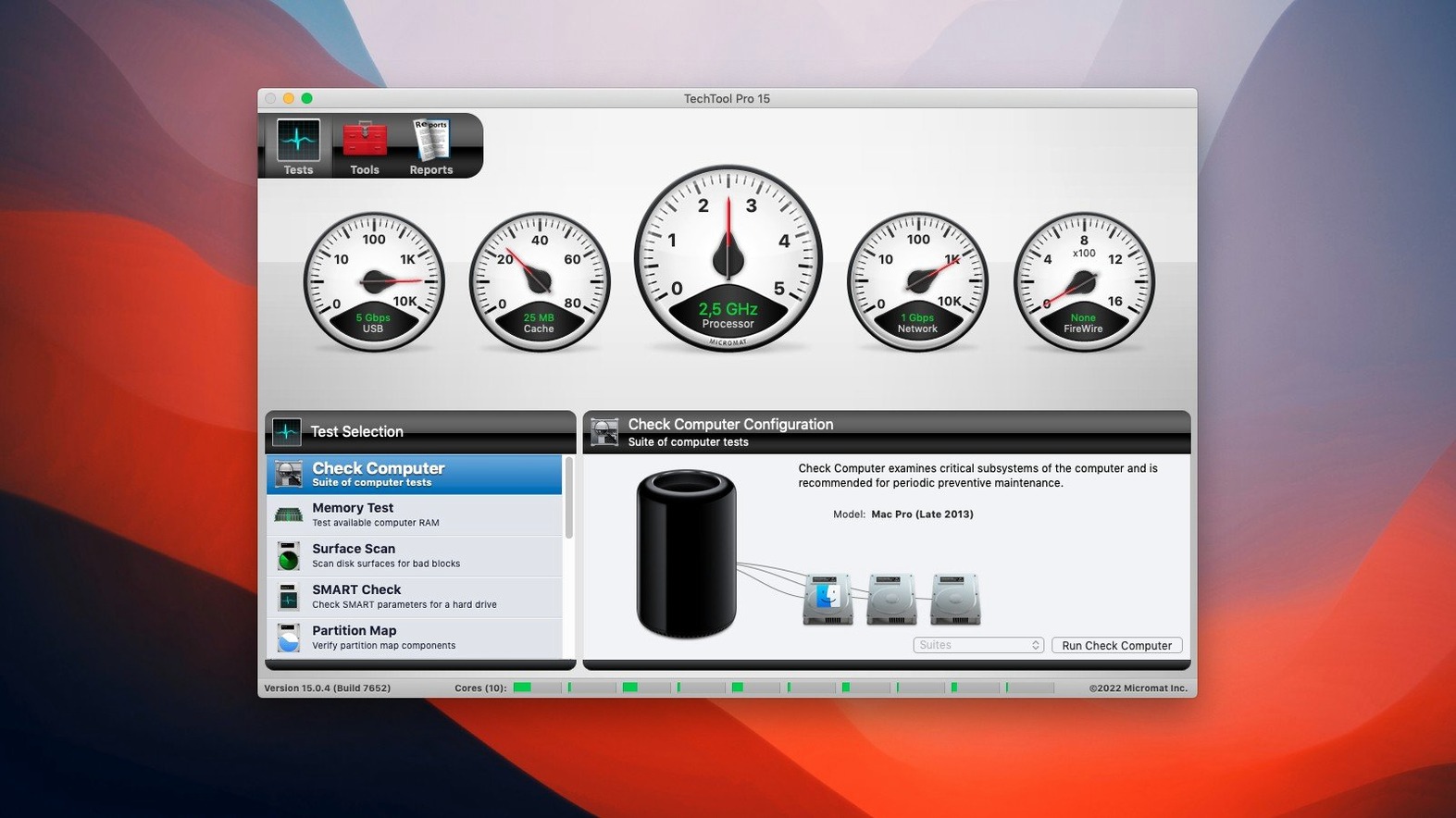
Techtool Pro doesn't replace Disk Utility — it extends what Disk Utility can't reach. Disk Utility handles formatting and first aid; Techtool Pro adds surface scans, memory tests, SMART trend logging, and volume cloning with verification. The two sit side by side in a technician's toolkit.
Protogo ties directly into macOS bootability. You build a bootable test drive from your current system or a clean macOS installer, then add Techtool Pro and any other utilities you rely on. Booting from that drive gives you full access to internal volumes without the restrictions of running from a live system — essential for partition-level repairs.
Techtool Protection integrates with macOS notifications. When free space on a monitored volume drops below a set threshold, or when a SMART parameter shifts, the alert appears in Notification Center and optionally sends email. It's a lightweight watchdog that doesn't require opening the main app until something needs attention. For a small office with a handful of Macs, pairing those email alerts with a shared inbox gives one person a dashboard of drive health without installing remote-management software.
- macOS 10.13 High Sierra or later
- Apple Silicon or Intel Mac
Questions I get before install
Does Techtool Pro 20 scan for bad blocks on SSDs?
Yes. The surface scan can detect bad blocks on both hard drives and SSDs, and it will attempt to recover readable data from failing sectors.
What does Techtool Protection monitor?
It watches for abnormal system behaviour in the background and alerts you when it detects issues, helping you catch hardware failure or directory corruption early.
Can I restore permissions for a specific application alone?
Permisson repair operates on an entire partition. It resets file access permissions system-wide, not on a per-app basis.
Comments 0
Sign in to leave a comment.Sign inCreate an account
No comments yet. If a step is still there after you install it, say so.
More in Mac Apps
All in Mac Apps Tenorshare UltData
Pulls lost contacts, messages, and media back from an iPhone or iTunes backup.
9 steps saved
 Updated
TechSmith Snagit
Captures, annotates, and sends a screenshot in one loop without switching tools.
8 steps saved
 Termius
Saves clusters of shell commands as one-tap snippets for remote servers.
7 steps saved
 Taphouse Pro
Browses and installs Homebrew formulae through a graphical interface instead of the terminal.
6 steps saved
 Tahoe Cache Cleaner
Clears caches, logs and temporary files to free space and fix glitches.
9 steps saved
 TextSniper
Extracts live text from anything on your screen straight to the clipboard.
12 steps saved
 TablePlus
Connects to PostgreSQL and MySQL in separate tabs to run queries side by side before a deploy.
23 steps saved
 TG Pro
Gives you full fan control and temperature-based rules for any Mac.