
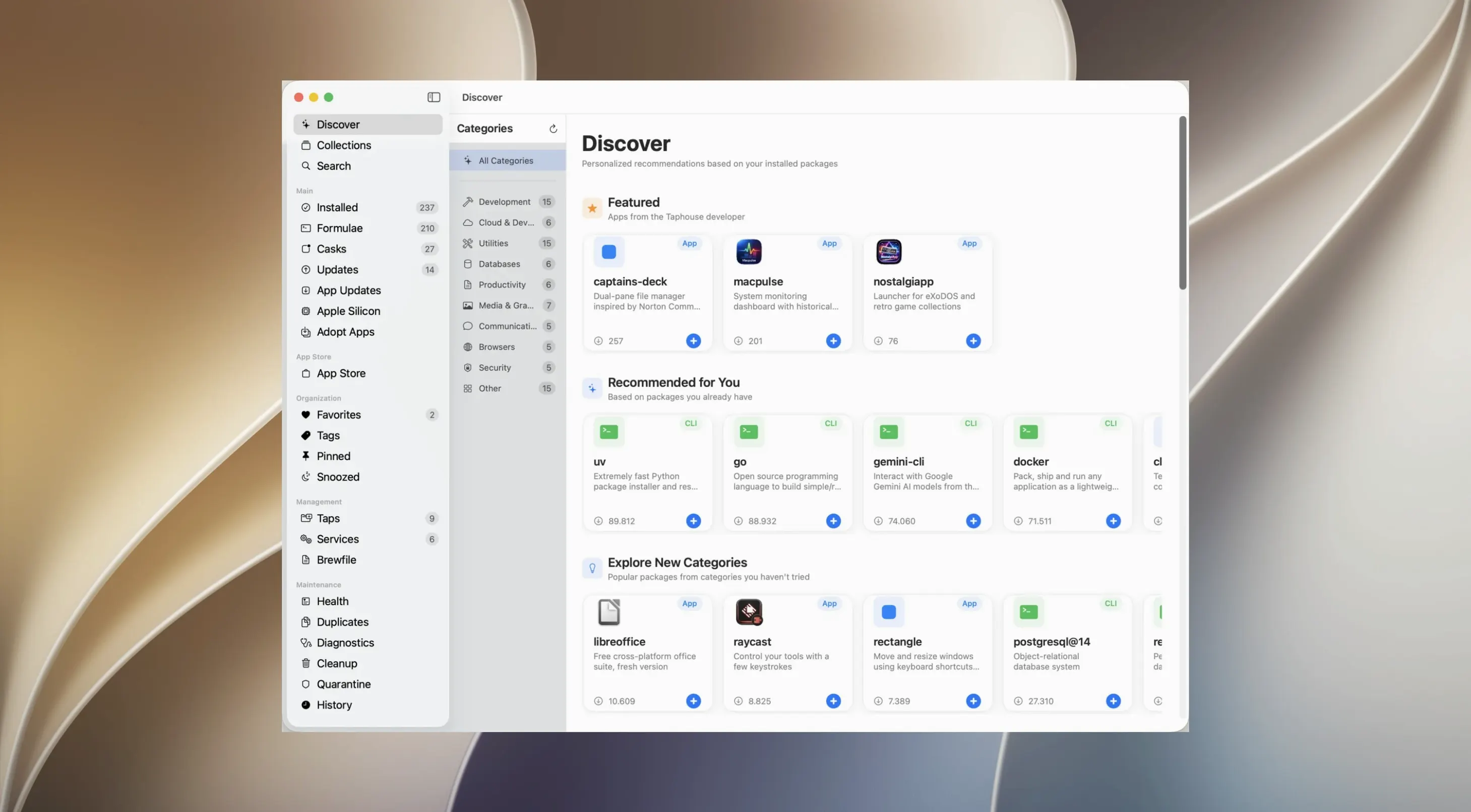
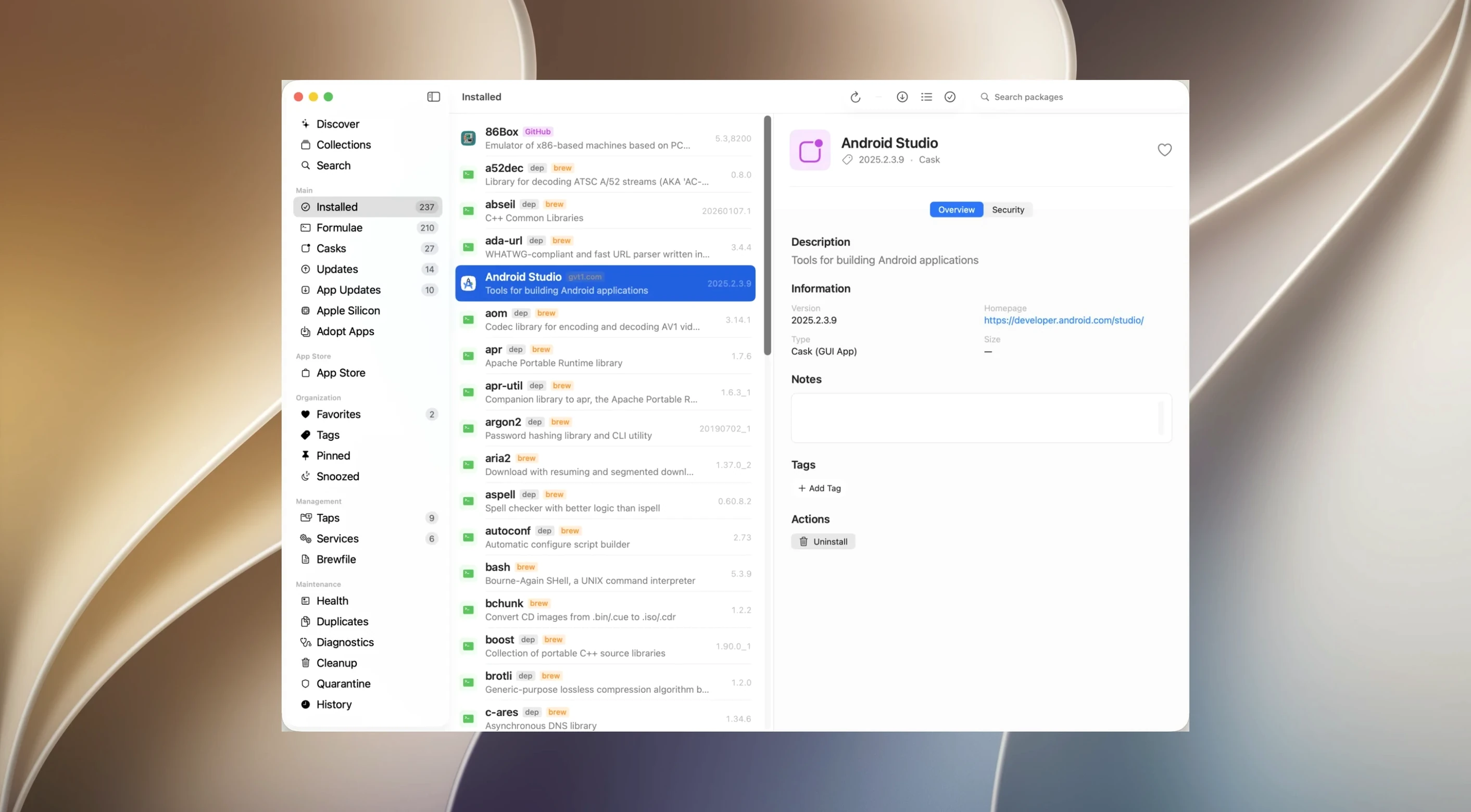
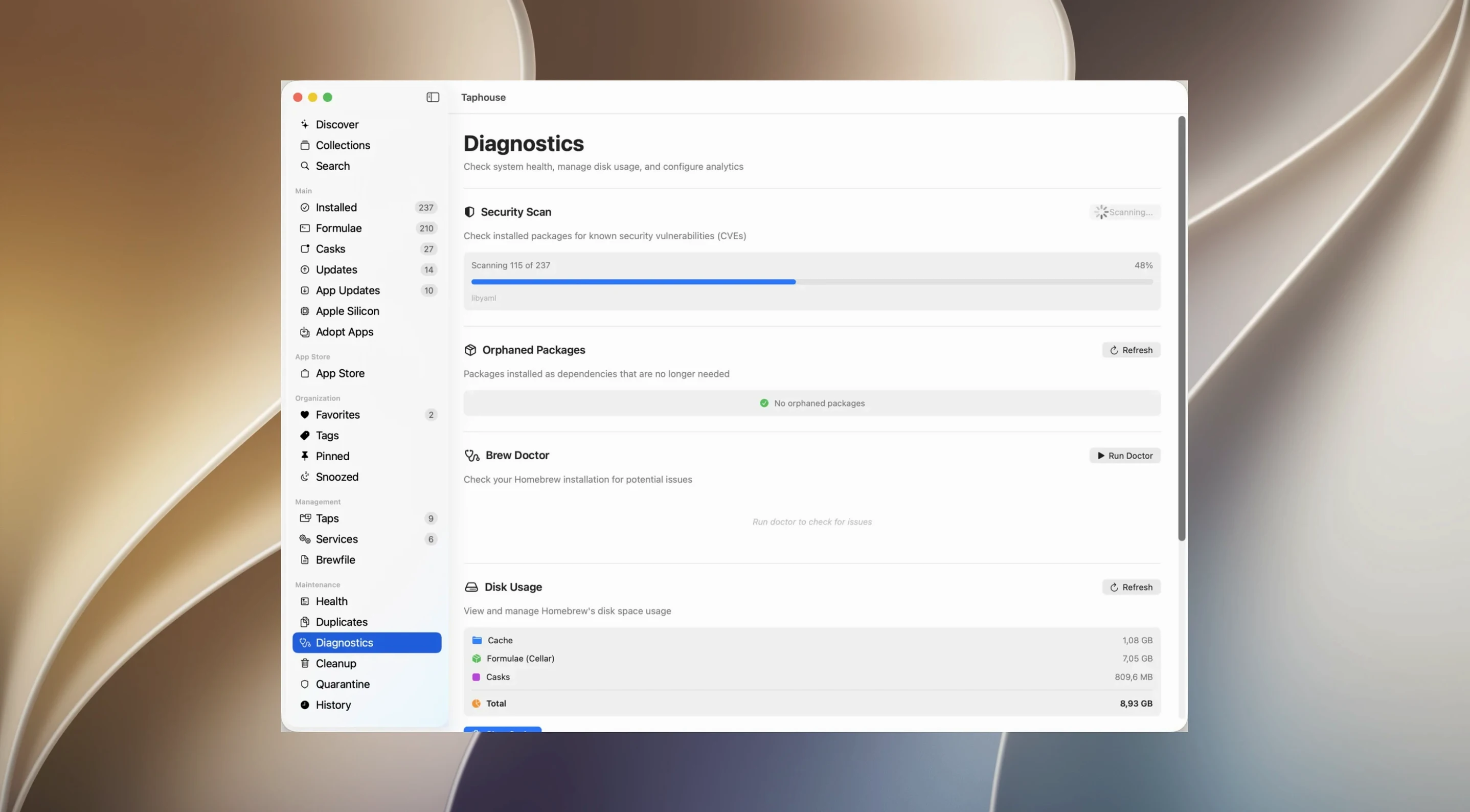
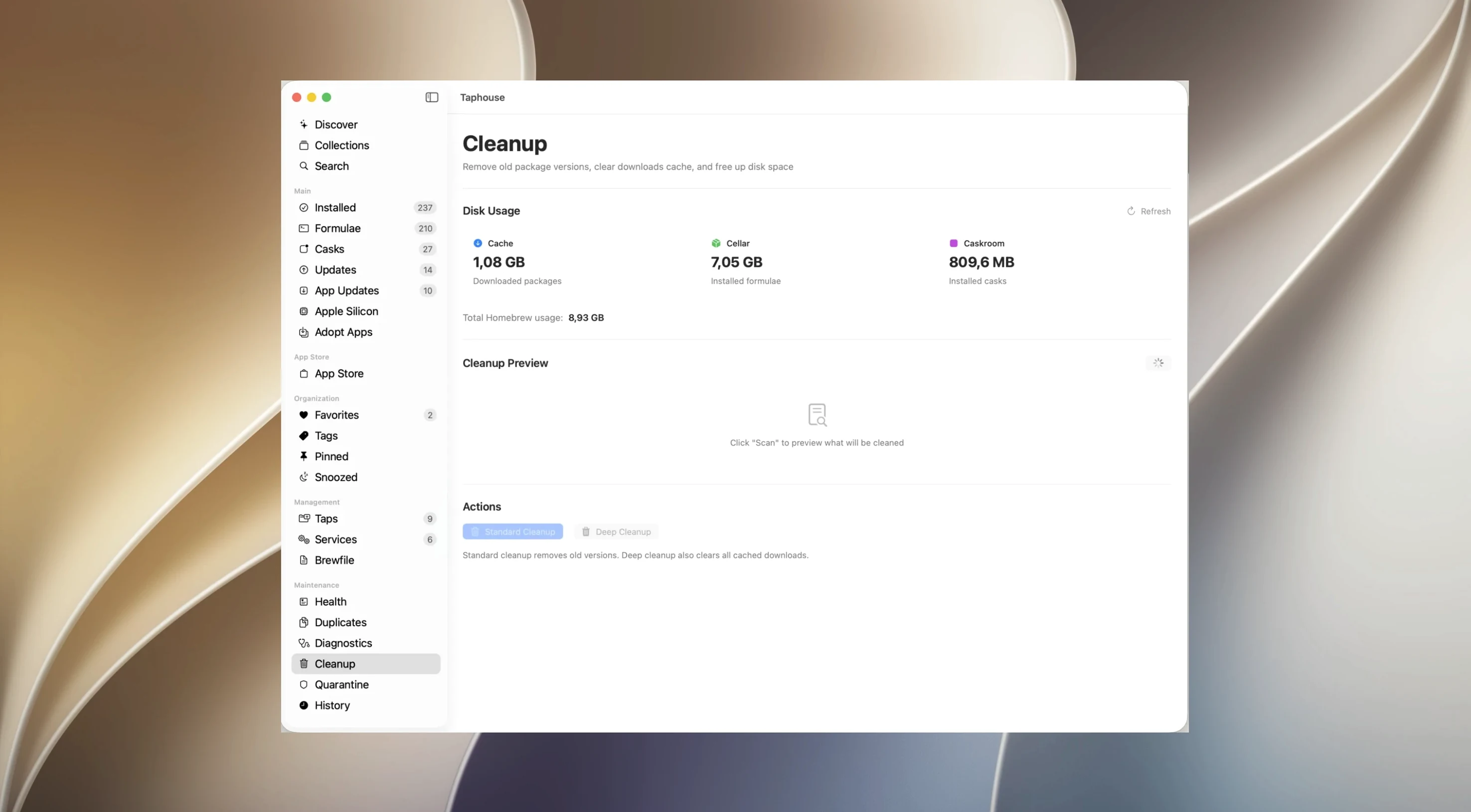
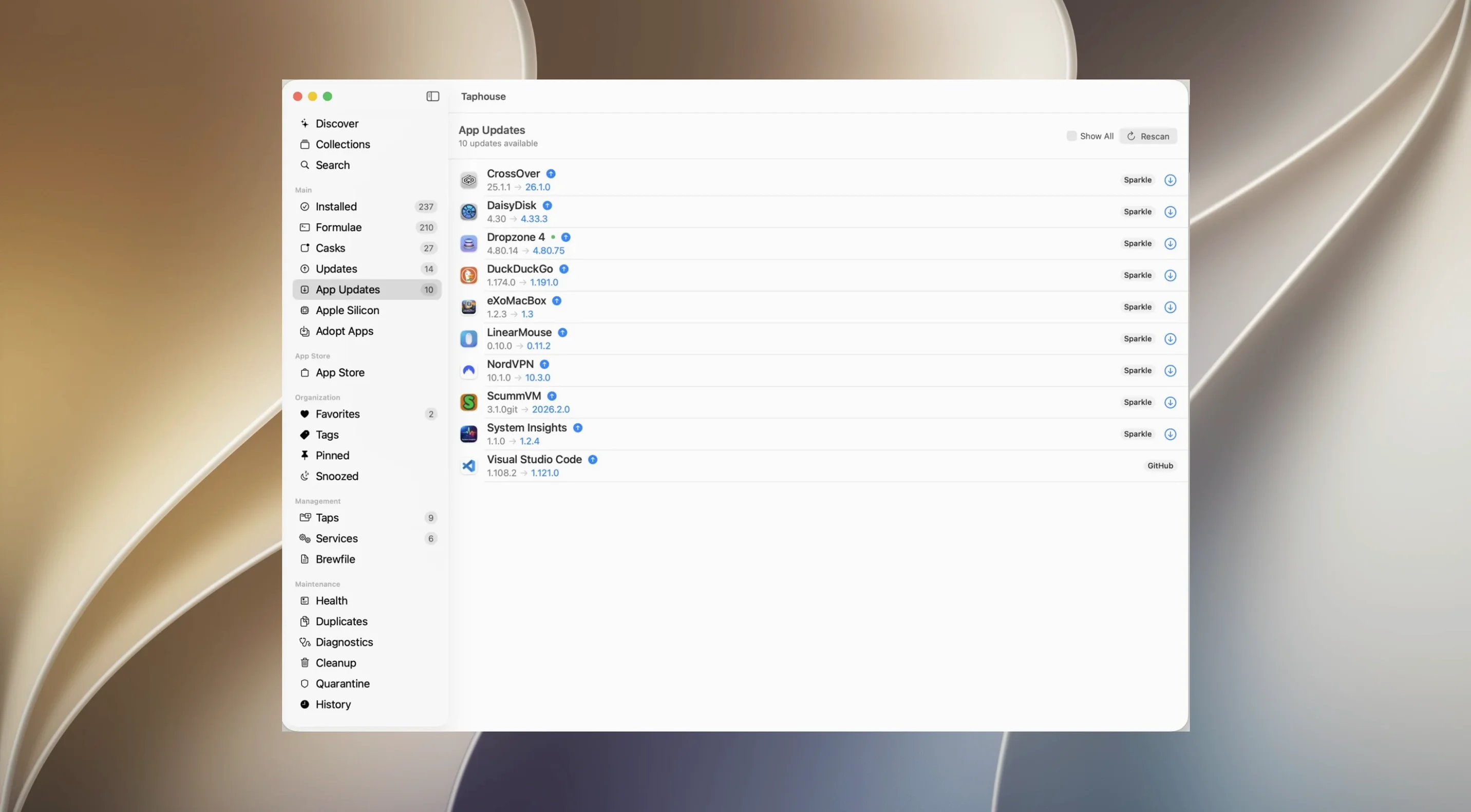
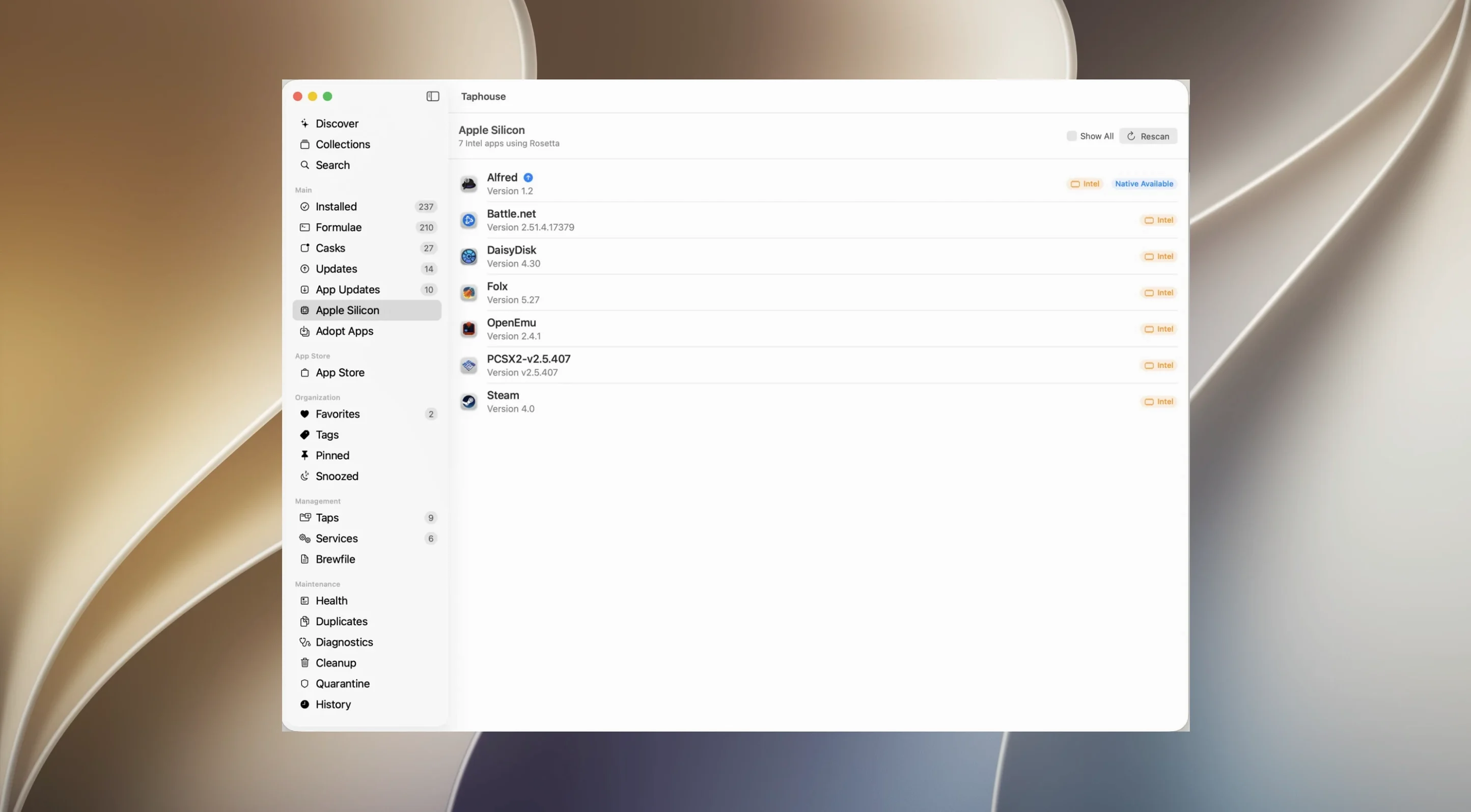
Homebrew gives you access to over 14,000 formulae and casks, but the terminal is not the only way to manage them. Taphouse Pro wraps the package manager in a straightforward graphical interface so you can browse, install and maintain software without memorizing syntax.
Will it replace the command line completely?
The app handles everyday operations in a single window. You can install, update and remove packages with a click, queue up bulk operations, and mark frequently used tools as favourites. When an update breaks something, you can defer it for a day, a week, a month, or skip to the next version. A disk-usage view shows which packages are taking up space, with built-in tools to clear old versions, cache and leftover dependencies. Brewfile import and export let you mirror your setup across machines, and menu bar mode keeps everything accessible without keeping a window open.
What does it expect from your system?
Taphouse Pro is a Universal app that runs natively on Apple Silicon and Intel Macs, provided you are on macOS 14 or later and already have Homebrew installed. The application itself is localized into Russian, English, German, Spanish, Simplified Chinese and French.
A session in Taphouse Pro
Monday morning. A colleague asks which Markdown linter we settled on. I cannot remember the exact name. I open Taphouse Pro from the menu bar, type markdown lint into the search field, and the results narrow to four candidates. Each entry shows the description, dependencies, and installed size. I pick one, click Install, and watch the progress bar fill while the log panel scrolls past below.
While that runs, I notice four packages with pending updates. I select all of them, but one is a PostgreSQL upgrade I am not ready to test. I right-click it and defer it for a week. The other three I update in one bulk operation. The Services tab shows Postgres is still running — green indicator, no surprises. Before closing the window, I check Disk Usage and clear 1.2 GB of old versions and cached downloads that had been sitting around for months.
Runs on top of your existing Homebrew setup
Does this replace the Homebrew command I already use? No — it sits on top of your existing Homebrew installation. You can still run brew commands in Terminal at any time. Taphouse Pro reads the same cellar, the same formulae, and the same casks. The two coexist without conflict.
Will it adopt the apps I already installed outside Homebrew? Yes. The adoption feature scans your Applications folder and offers to hand management over to Homebrew. This is optional, per-app, and undoable — useful when you want a single update path for everything.
How does it handle apps that update themselves? The third-party app updates feature recognizes tools like Firefox or VS Code that ship their own updaters. You can choose to let those apps self-manage or let Taphouse Pro handle version bumps through Homebrew casks.
- macOS 14 or later
- Apple Silicon or Intel Mac
- Homebrew already installed
Questions I get before install
Can I put off a specific package update?
Yes, Taphouse Pro lets you defer a problem package update for a day, a week, a month, or until the next version is released.
Comments 0
Sign in to leave a comment.Sign inCreate an account
No comments yet. If a step is still there after you install it, say so.
More in Mac Apps
All in Mac Apps Tahoe Cache Cleaner
Clears caches, logs and temporary files to free space and fix glitches.
9 steps saved
 Updated
TechSmith Snagit
Captures, annotates, and sends a screenshot in one loop without switching tools.
12 steps saved
 TablePlus
Connects to PostgreSQL and MySQL in separate tabs to run queries side by side before a deploy.
10 steps saved
 Techtool Pro
Catches directory damage before it turns into missing folders and beachballs.
21 steps saved
 Tenorshare UltData
Pulls lost contacts, messages, and media back from an iPhone or iTunes backup.
8 steps saved
 Termius
Saves clusters of shell commands as one-tap snippets for remote servers.
9 steps saved
 TextSniper
Extracts live text from anything on your screen straight to the clipboard.
17 steps saved
 SwitchResX
Unlocks hidden screen resolutions and saves complete monitor configurations per setup.