
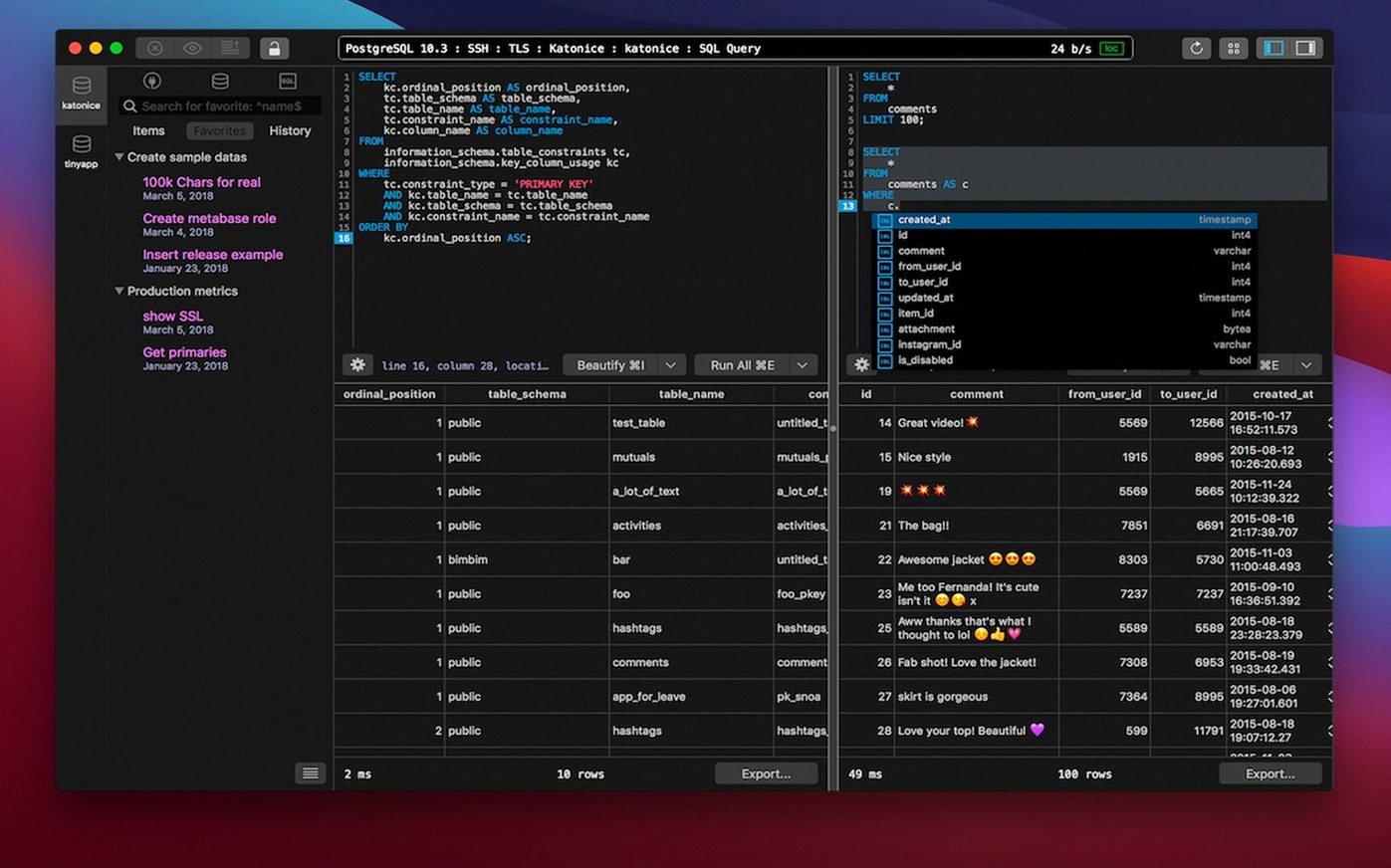
You have a staging database to check before a Tuesday deploy. Instead of opening three different tools, you open TablePlus, connect to PostgreSQL and MySQL in separate tabs, and run a few queries side by side.
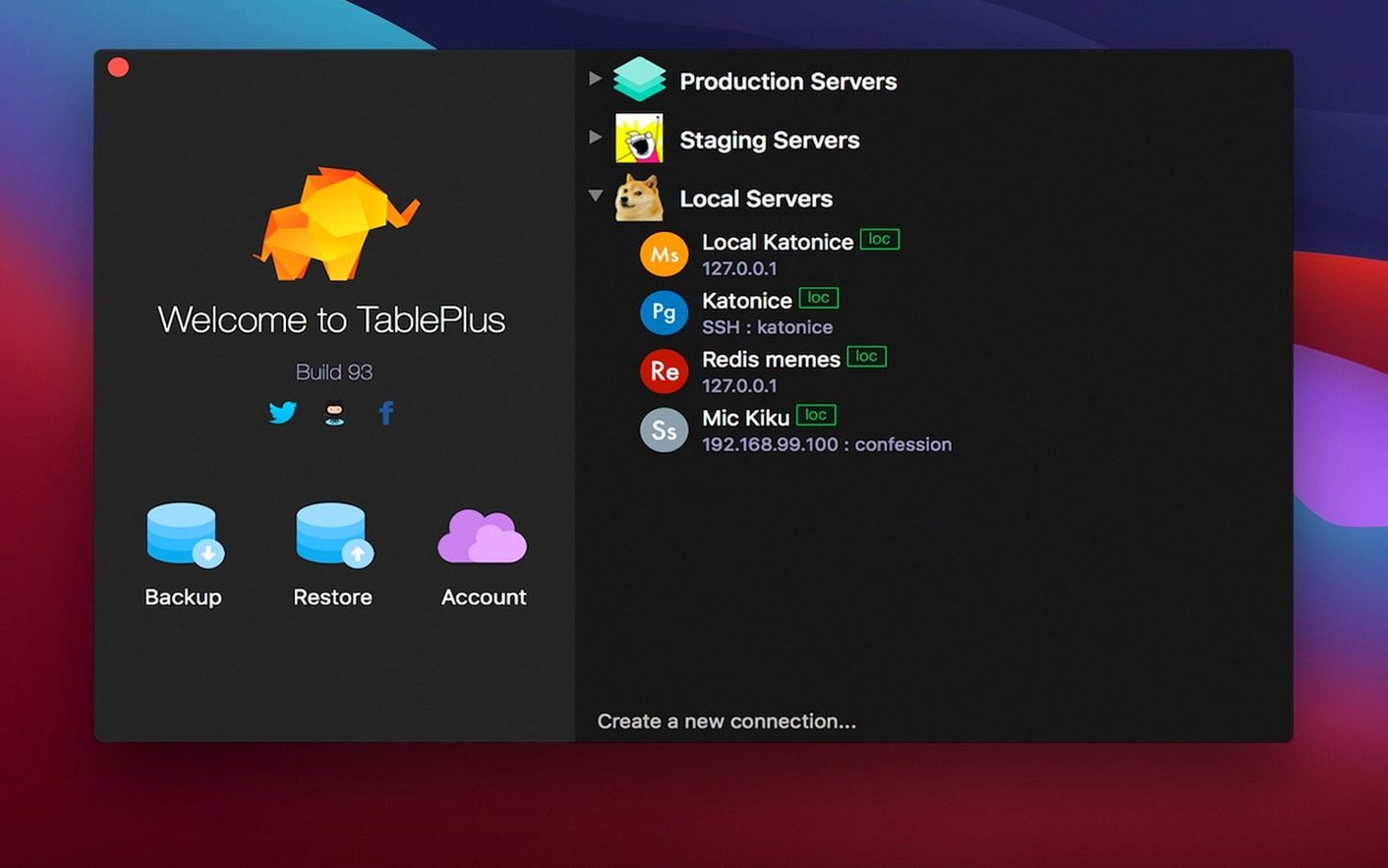
- Add your first connection. Click the + icon in the toolbar. Pick a driver — PostgreSQL, MySQL, or SQLite are built in. Fill in the host, port, and credentials. The interface colour-codes each connection so you never mix up staging and production.
- Open a second tab. Hit Cmd+T and connect to a different database engine. You can run a SQLite query in one tab while comparing results against a MySQL table in another. Drag tabs into separate windows when you need the extra screen space.
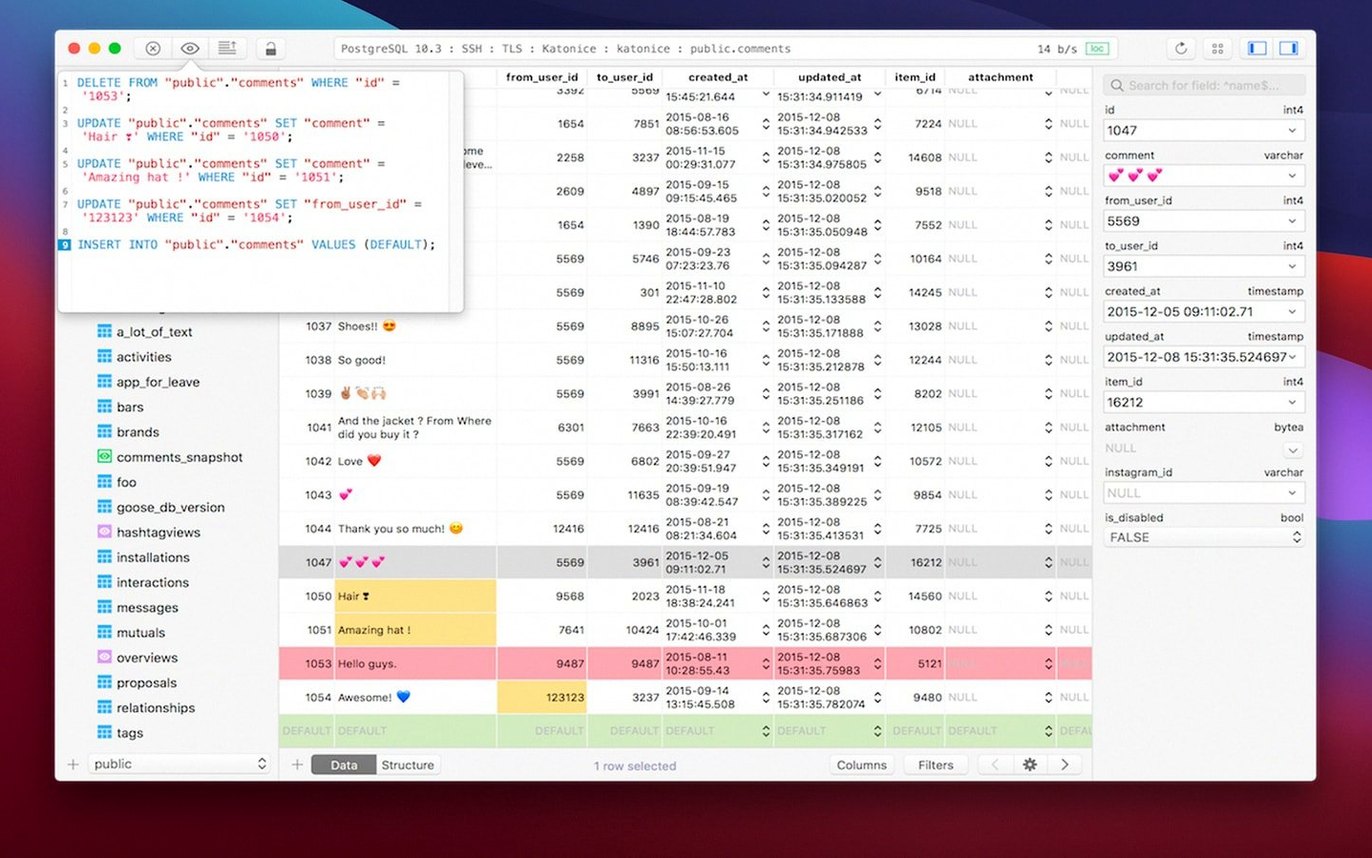
- Try the inline editor. Double-click any cell in a data row. Change the value, then watch the query preview appear at the bottom of the window before you commit. If you want a safety net, turn on Safe Mode in the preferences — it blocks destructive queries until you confirm them.
- Customize the workspace. TablePlus ships with a handful of plugins. Browse the plugin list to add drivers for Microsoft SQL Server or to tweak the editor behaviour. The app remembers your layout across restarts, so your tabs and filters come back as you left them.
Start with those four moves and you will cover 80% of everyday SQL work without touching a command line. The rest — advanced filters, export formats, keybindings — you can pick up as you need them.
Resuming Tabs and Query History Mid-Migration
You sit down with a coffee and a half-written migration script. TablePlus opens exactly where you left it — three tabs, two servers, one local SQLite scratchpad. The first thing you check is the query history. Click the clock icon in the toolbar and the last forty statements appear. You spot the SELECT you ran yesterday, double-click it, and it fills the editor. No retyping.
Next you need a fresh connection. Cmd+Shift+N, pick PostgreSQL from the drop-down. The connection dialog remembers your local socket path from last time, so you just name it “staging-blue” and hit Connect. The sidebar updates. Colour stripe on the left: blue for staging.
Time to test the migration against real data. You paste the script into the editor, but you do not run it yet. Safe Mode is on, so any DROP or DELETE will prompt a confirmation dialog with the full statement preview. You run it line by line anyway — Cmd+Return sends only the current statement. The first three pass. The fourth throws an error, and the editor highlights the offending line in red, with a message about a missing column. You fix the alias, re-run, and the row count updates in the status bar. Five minutes, no surprises.
Startup Speed and Native macOS Feel vs. DBeaver
DBeaver covers more database engines out of the box and its ER diagrams are useful. But the interface carries a lot of Java-era weight — nested preference panels, slow startup, and a UI that fights macOS conventions. TablePlus starts in under two seconds and feels like a Cocoa app.
Sequel Ace is a solid, focused MySQL and MariaDB client. It does one engine well. If your work stops there, it is enough. TablePlus earns its place when you touch PostgreSQL, SQLite, or SQL Server in the same afternoon. One app, one set of keybindings, no context switching.
DataGrip from JetBrains offers deeper refactoring tools and code analysis. It also requires a heavier install and a different mental model. TablePlus is the tool you reach for when you want to open a connection, run a query, and get out — not manage a project.
Workflow: export filtered results to CSV
Scenario: marketing needs a list of customers who signed up in February in the EU region, with only email and signup date columns. The raw table has thirty columns and two million rows.
- Open the connection to the production read replica. Colour stripe: grey, so you know it is read-only.
- Write a query in the script editor:
SELECT email, created_at FROM customers WHERE region = 'EU' AND created_at BETWEEN '2026-02-01' AND '2026-02-28' ORDER BY created_at DESC; - Hit Cmd+Return. Results load in under a second — about 4,200 rows.
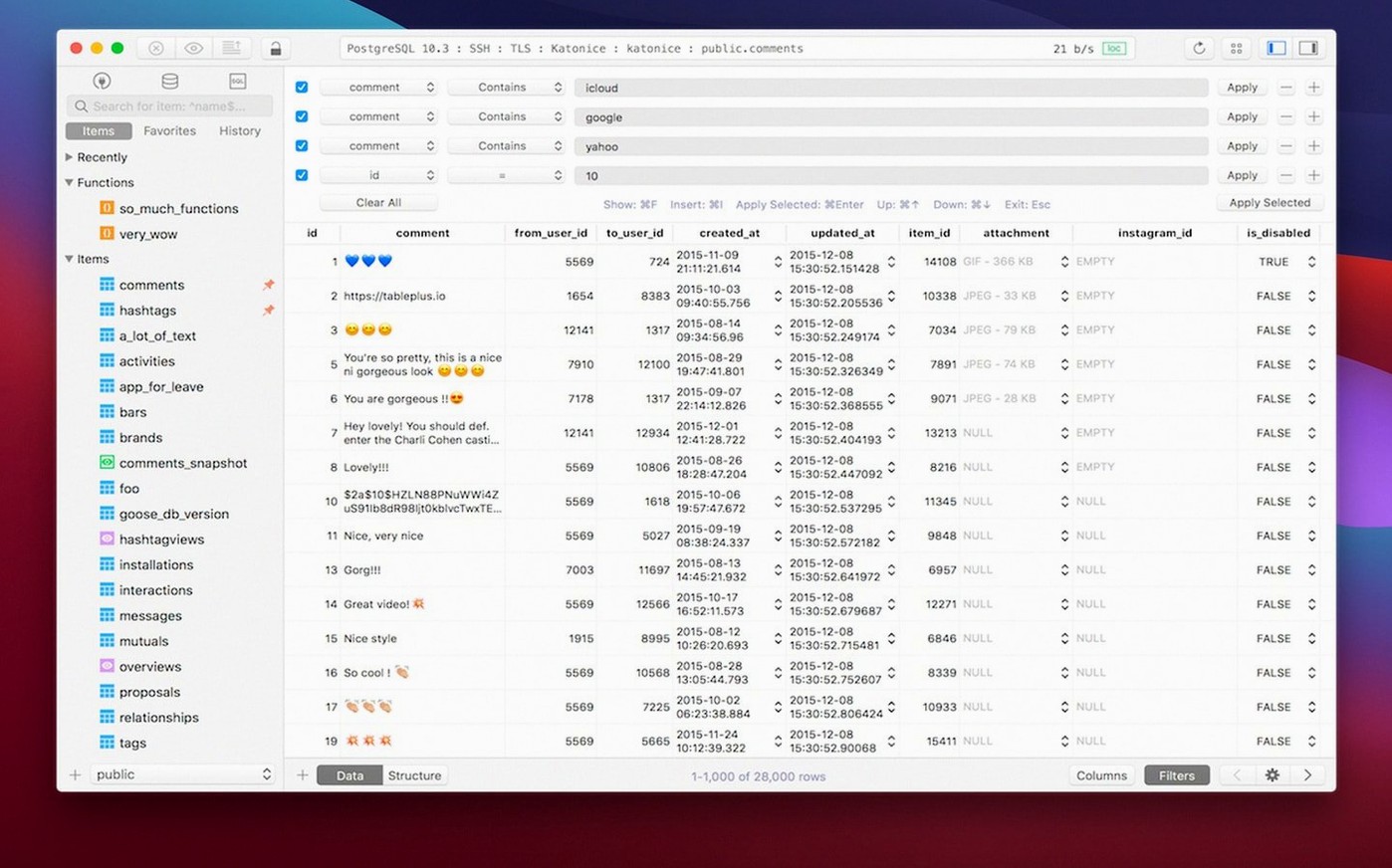
- Click the filter icon above the result grid. Add a quick filter to exclude rows where email is NULL. The grid prunes instantly.
- Right-click anywhere in the result set and choose Export. Select CSV. Check the box to include column headers. Save to the desktop.
- Open the file in Quick Look to verify the columns. Done.
The whole task takes under a minute. No shell, no \copy syntax to recall. Just a query, a filter, and an export.
- New — Build dated 2026-03-05.
- macOS 12.6 or later
- Intel or Apple Silicon Mac
Questions I get before install
Which database engines does TablePlus support out of the box?
The app includes drivers for PostgreSQL, MySQL, and SQLite. You can add Microsoft SQL Server and other engines through plugins.
What is Safe Mode in TablePlus?
Safe Mode is a preference that prevents destructive SQL statements from running until you explicitly confirm them, reducing the risk of accidental data loss.
Comments 0
Sign in to leave a comment.Sign inCreate an account
No comments yet. If a step is still there after you install it, say so.
More in Mac Apps
All in Mac Apps Tahoe Cache Cleaner
Clears caches, logs and temporary files to free space and fix glitches.
7 steps saved
 Taphouse Pro
Browses and installs Homebrew formulae through a graphical interface instead of the terminal.
9 steps saved
 Updated
TechSmith Snagit
Captures, annotates, and sends a screenshot in one loop without switching tools.
17 steps saved
 SwitchResX
Unlocks hidden screen resolutions and saves complete monitor configurations per setup.
10 steps saved
 Techtool Pro
Catches directory damage before it turns into missing folders and beachballs.
21 steps saved
 Tenorshare UltData
Pulls lost contacts, messages, and media back from an iPhone or iTunes backup.
17 steps saved
 Swish
Snaps windows and switches spaces with gestures on a Magic Trackpad or Magic Mouse.
10 steps saved
 Swinsian
Plays a large local music library with smart playlists and wide format support.