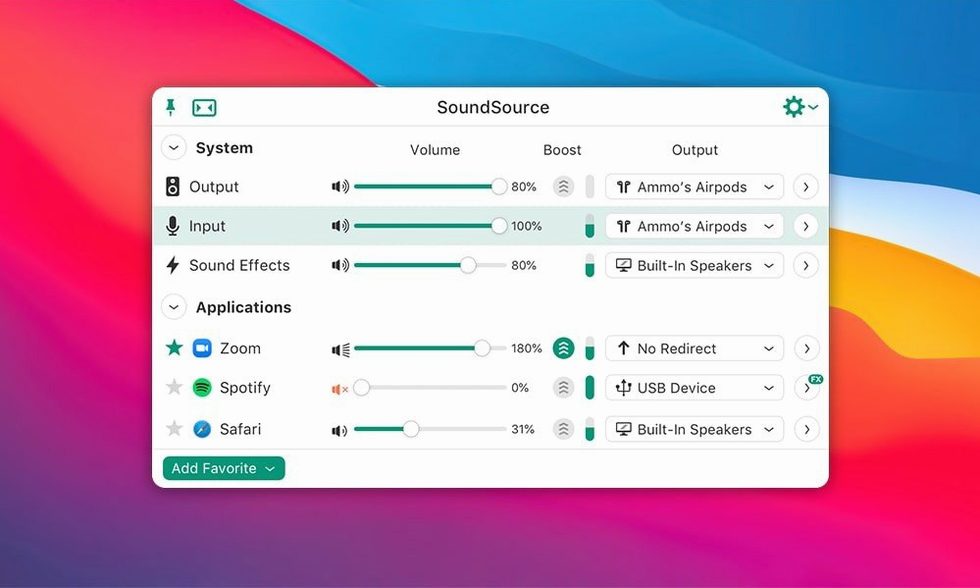
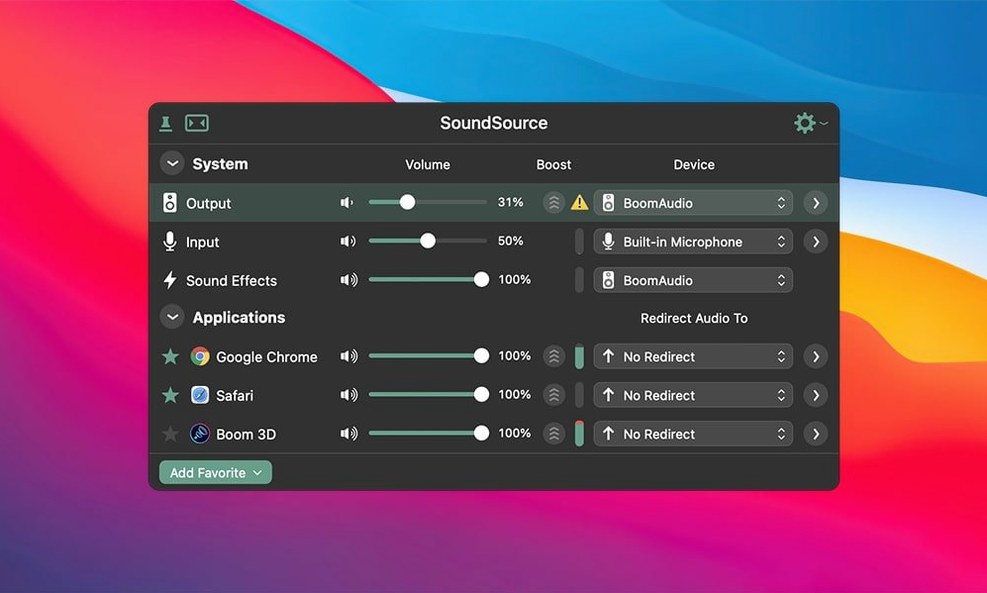
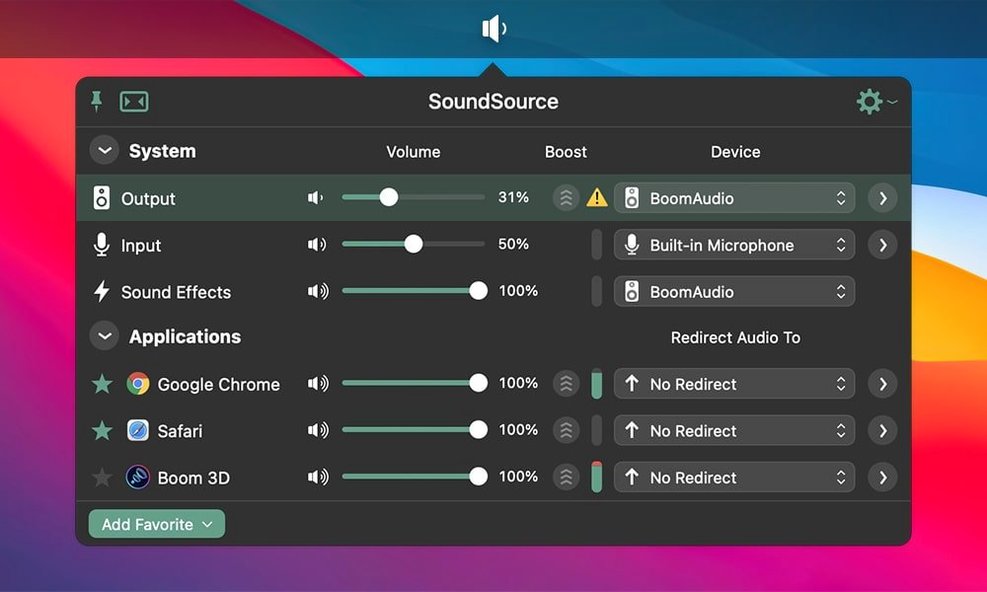
You're editing a video in Final Cut but need the system audio routed to your speakers while a voice call plays through your headset. The default macOS sound panel can't do that. SoundSource handles it from a single menu bar dropdown, giving you direct control over where every sound goes and how it behaves.
- Per-application routing — Send Chrome to one output, Music to another, and keep system alerts separate.
- Output Groups — Play audio through multiple wired and AirPlay devices in sync, without extra hardware.
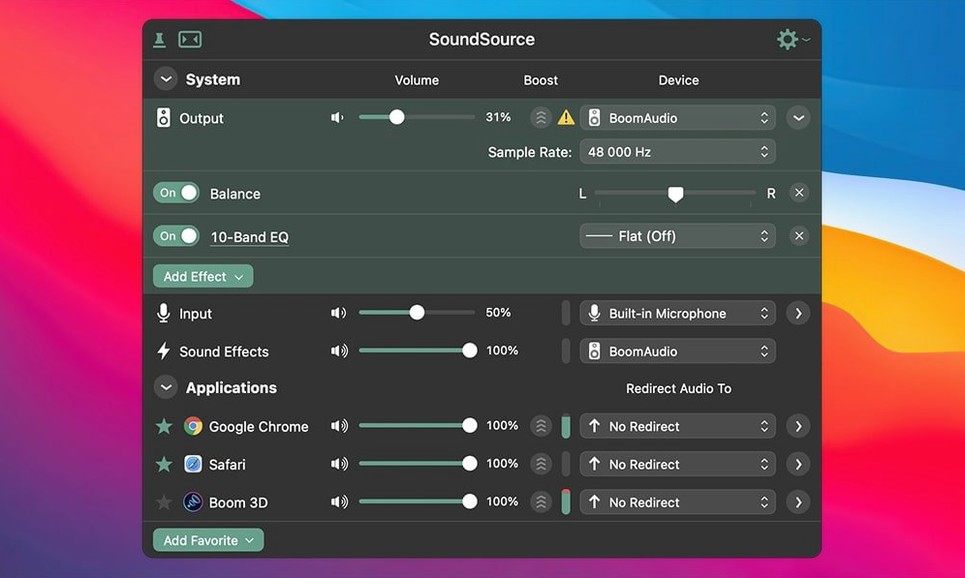
- Headphone EQ — Apply Apple's built-in acoustic profiles per app, not just globally.
- Magic Boost — Pull quiet detail forward without clipping peaks when a source is mastered too low.
- Quick settings access — Adjust input gain, sample rate, and balance without digging through Audio MIDI Setup.
Everything lives in the menu bar. Right-click any app in the list to swap its output, drop in an effect, or mute it entirely. The layout stays out of your way until you need it — then it gives you the controls macOS should have shipped with.
People considering SoundSource usually ask the same three things before they install.
Does it require a kernel extension or low-level system modification? No. SoundSource 6 uses Rogue Amoeba’s ARK plugin (version 13.5.4 in this build) to capture and route audio without altering core system files. The plugin loads at the user level, not in kernel space. If you ever uninstall the app, the plugin goes with it — nothing left behind.
Will it break when macOS updates? The developer patches for new OS releases quickly. The 6.1.4 update specifically addressed Bluetooth behaviour on macOS 27, so the track record suggests prompt attention. That said, major OS upgrades sometimes require an updated ARK component. The menu bar icon warns you if the plugin needs attention, and a reinstall of the current version typically resolves it.
Can I route a single app to two outputs at once? Not directly on a per-app basis. Output Groups let you combine hardware devices — wired speakers plus AirPlay, for example — and route an app to that combined group. But solo-app multi-output routing without grouping isn't part of the feature set. What you can do is create a group once, then assign any number of apps to it with two clicks.
Seeing Your Active Output in the Menu Bar
Out of the box, SoundSource works with sensible defaults. A few adjustments make it sharper.
- Show output device in menu bar — The compact view hides the active output. Enable this under Preferences > Appearance to see the current device name without opening the panel. Saves a click every time you switch setups.
- Disable auto-launch if you’re on a lean machine — SoundSource adds negligible overhead, but if you’re on an older Intel Mac and every background process counts, uncheck “Launch at login.” The app starts in under two seconds when you need it.
- Set per-app EQ presets — Headphone EQ works per app, not just system-wide. Assign the “Loudness” profile to podcast players and leave Music flat. The setting sticks across launches.
- Hide unused input sources — If your Mac lists a dozen virtual mics from conferencing apps, right-click them in the input list and choose “Hide Device.” The menu stays clean without disabling anything.
Live Monitoring Versus Audio Capture Chains
SoundSource vs. Audio Hijack — Both come from Rogue Amoeba, but they serve different purposes. Audio Hijack records and processes audio chains for capture — think podcast recording blocks and file output templates. SoundSource is a live monitoring and routing tool. It doesn't record. It doesn't build processing chains with visual nodes. What it does is give you instant control: swap outputs mid-call, apply EQ to a single app, boost volume on a quiet stream. If you need to capture, use Audio Hijack. If you need to manage what you're hearing right now, SoundSource is the tool.
SoundSource vs. Background Music — Background Music is a free, open-source alternative that routes per-app audio and handles volume. It's simpler and lighter, but development lags behind macOS releases. It lacks Output Groups, per-app EQ profiles, and Magic Boost. SoundSource also handles AirPlay streaming and integrates with Rogue Amoeba's plugin architecture, which gets patched against OS changes faster than open-source projects typically manage. For a basic “send this app there” setup, Background Music works. For daily use with multiple devices and effects, SoundSource covers more ground without tinkering.
SoundSource vs. Loopback — Another Rogue Amoeba app. Loopback creates virtual audio devices by wiring physical inputs and outputs together — useful for feeding processed mic audio into Zoom or routing a sampler into a DAW. SoundSource doesn't create virtual devices; it controls the routing of existing ones. Loopback is a patchbay. SoundSource is a control surface. If you need a virtual cable between two apps, reach for Loopback. If you need to tell your Mac that Music plays on speakers while Discord stays on headphones, SoundSource handles it without configuration overhead.
Version 6.1.4 is available now. The full list of changes is posted on Rogue Amoeba's release notes page.
- macOS 15 or later
- Apple Silicon or Intel 64-bit
Comments 0
Sign in to leave a comment.Sign inCreate an account
No comments yet. If a step is still there after you install it, say so.
More in Mac Apps
All in Mac Apps Steinberg Nuendo
Provides a dedicated audio post-production workstation built for dialogue, Atmos, and game audio.
18 steps saved
 Updated
Smooze Pro
Customizes scrolling behaviour and button assignments for any application.
17 steps saved
 Slidepad
Keeps web apps accessible in a slide-over panel that hides at the screen edge.
23 steps saved
 Studio One
Records, arranges and mixes music in a fast drag-and-drop DAW.
17 steps saved
 Sublime Text
Edits code and text fast with multiple cursors and instant project search.
14 steps saved
 Updated
Super Vectorizer Pro
Converts a flat raster logo into a scalable vector for print or CNC work.
21 steps saved
 SuperDuper!
Creates a full, bootable clone of your entire drive on any modern Mac.
15 steps saved
 SlapMac
Triggers a custom action when you tap your MacBook with a set sensitivity.