MacBooster runs on any Mac with macOS 11.5 or later, on both Apple Silicon and Intel machines. You need about 70 MB of free space. The interface comes in fourteen languages, including English, French, Spanish, German, Japanese and Simplified Chinese.
Junk Files, Malware Scans, and RAM Flushes in One Pass
- Junk removal — cleans 20 types of junk files, including caches, logs and leftovers.
- Malware scanning — it removes Mac malware and viruses.
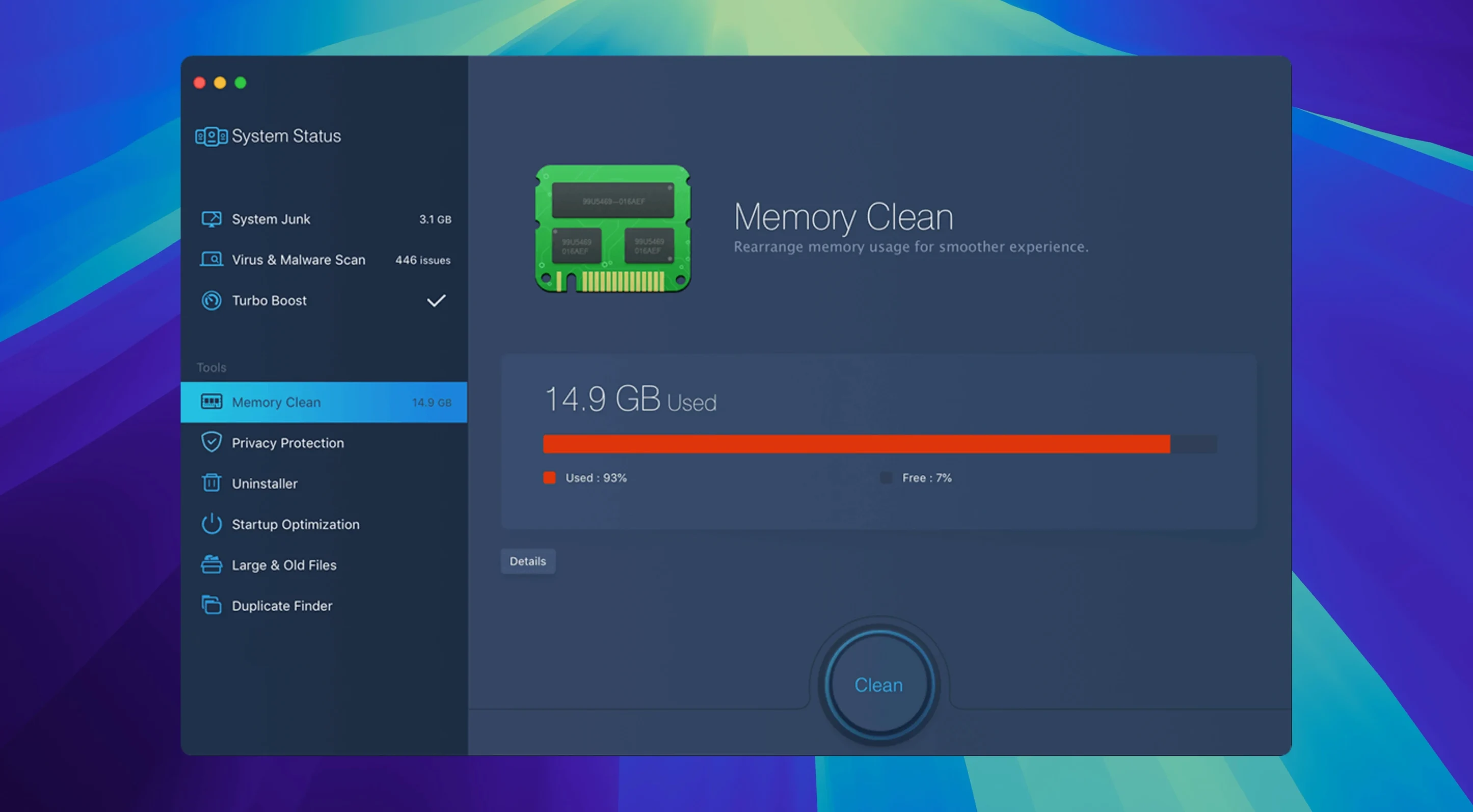
- Memory cleanup — frees up RAM when the system feels sluggish.
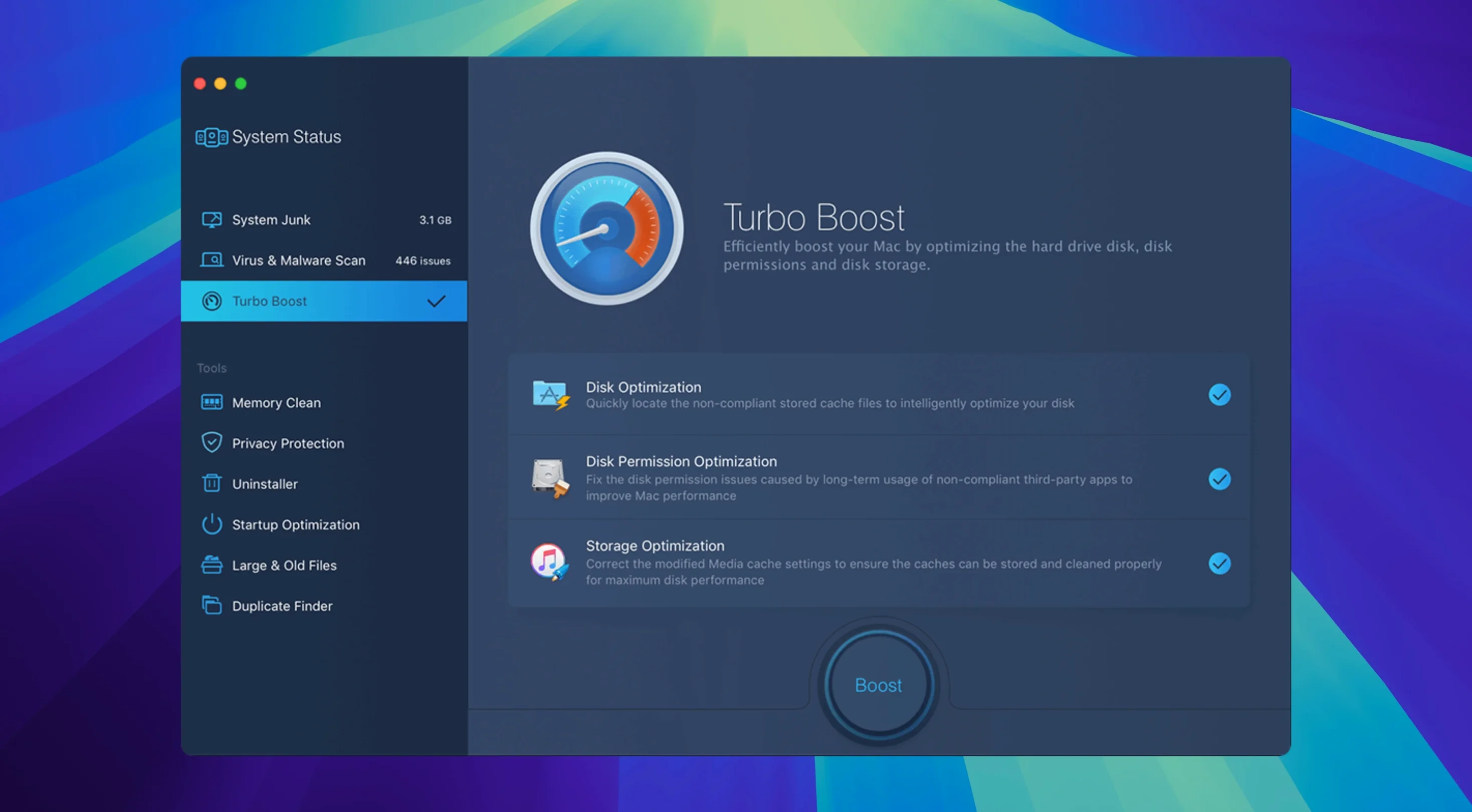
- Disk optimization — it optimizes the hard disk to improve performance.
An On-Demand Utility From a Windows-First Developer
- It is a system utility, not a background antivirus suite.
- Version 8.3.0 is current; no changelog was published for this build.
- Developed by IObit, a Windows-first vendor — MacBooster is their macOS line.
A freelance editor’s afternoon cleanup
Picture a video editor who works from a Toronto apartment. The morning export left 22 GB of render caches scattered across the drive. A client deadline is three hours away, and the Mac feels every bit as tired as she is. She launches MacBooster, skips the full scan, and runs only the junk-file and memory-clean modules. Within six minutes the caches, old .ds_store files and unused localizations are gone, and the RAM gauge drops from 87 % to 41 %. Nothing is deleted from project folders. The machine stops beachballing, and she delivers the cut on time.
That same editor uses the duplicate-photo scanner once a month to reclaim space from three years of on-set stills. She doesn’t think about MacBooster daily — she reaches for it when the machine gives her a reason.
Skip All but a Memory Flush With One Click
- One-click skip — after a scan completes, you can deselect any category before hitting Fix. If you want only a memory flush, uncheck everything else in one second.
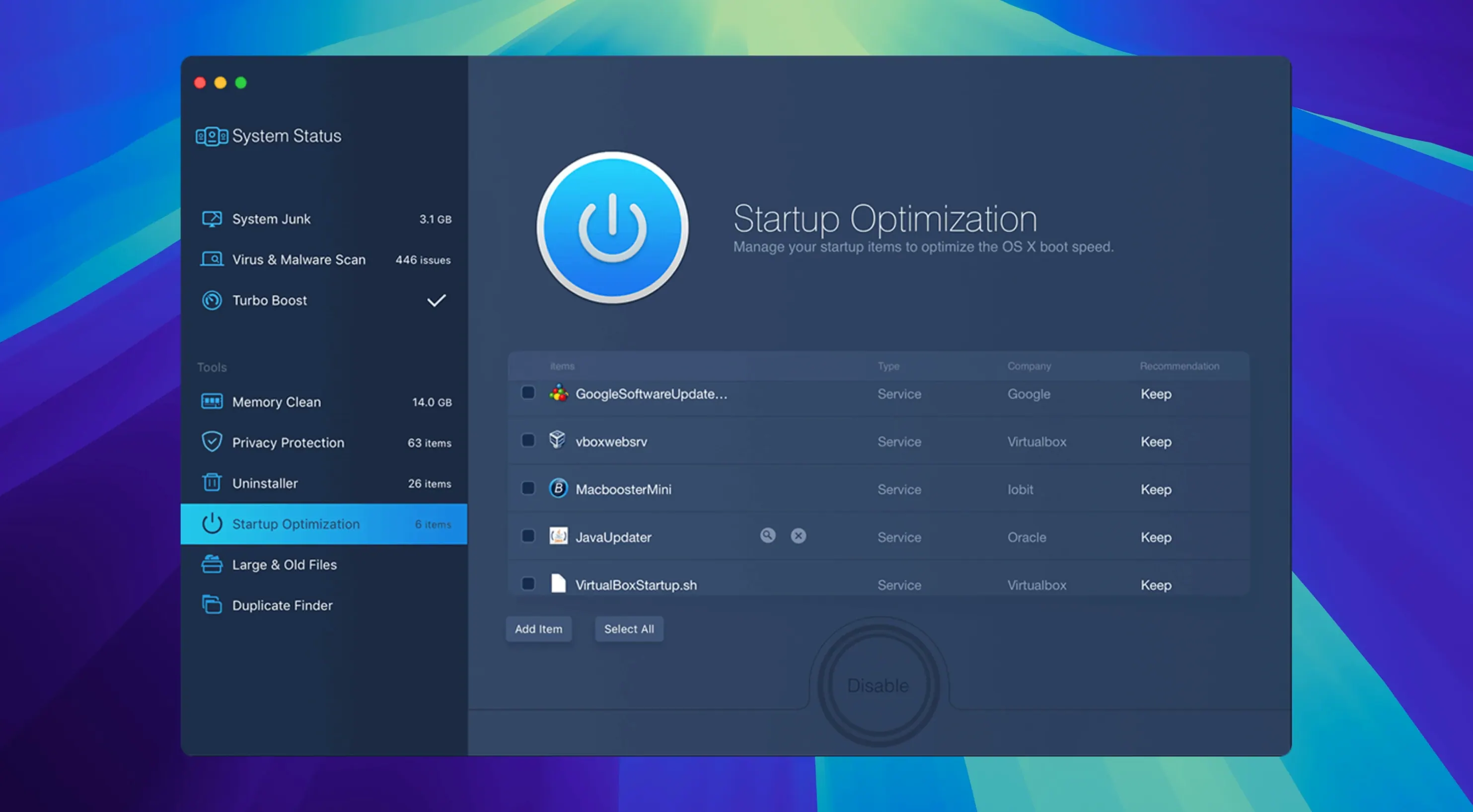
- Startup-item list — launch agents and login items are listed with their file paths, so you recognize what belongs to an app you uninstalled months ago.
- Large-file finder — it groups results by size and type. A quick sort by Documents often surfaces forgotten DMG files from old downloads.
- Privacy sweep — clears browser data and recent-item lists across Safari, Chrome and Firefox in a single pass, but keeps saved passwords untouched.
- Disk permission repair — still useful on older volumes that have been cloned or restored, even on Apple Silicon Macs running recent macOS builds.
No Resident Agent Runs After You Quit the App
Does MacBooster run constantly in the background? No. It is an on-demand utility. You open it, run a scan, apply fixes and quit. There is no resident agent consuming CPU cycles when the app is closed.
Will the malware scanner conflict with another antivirus tool? MacBooster is not a real-time shield, so it doesn’t fight for kernel resources. You can run its malware scan alongside a separate antivirus without conflict — just avoid scanning simultaneously during a heavy disk write.
How aggressive is the junk-file cleaner? It targets 20 specific types of system and application caches, logs, temporary files and localizations you don’t use. It won’t touch your Documents, Desktop or Photos libraries unless you explicitly select the duplicate or large-file tools.
Does it work on the latest Apple Silicon Macs? Yes. Version 8.3.0 runs natively on both ARM and Intel 64-bit Macs, with full support for macOS 11.5 and later. The disk image is built to pass Gatekeeper after a straightforward terminal bypass.
Some users search for a macbooster 8 license key 2025 or a macbooster 8 license key free when they install — those terms show up because version 8 is the current generation. The build on hand is macbooster 8 pro, and the TNT team handled the activation, so no extra key entry is required. Others look for a MacBooster crack specifically; what they get is a pre-activated copy that skips the licence window entirely.
- macOS 11.5 or later
- Apple Silicon or Intel Mac
- 70 MB or more of free disk space
Questions I get before install
Does MacBooster remove malware?
Yes. MacBooster removes Mac malware and viruses.
Which macOS versions does MacBooster 8 support?
It requires macOS 11.5 or later and runs on both Apple Silicon and Intel Macs.
What languages does MacBooster 8 include?
The interface supports fourteen languages, including English, Russian, German, French, Spanish, Italian, Dutch, Portuguese, Turkish, Swedish, Danish, Japanese, Traditional Chinese and Simplified Chinese.
Comments 0
Sign in to leave a comment.Sign inCreate an account
No comments yet. If a step is still there after you install it, say so.
More in Mac Apps
All in Mac Apps Lunar Pro
Syncs every external display’s brightness to the room, just like a MacBook screen.
4 steps saved
 Updated
MacCleaner Pro
Finds exactly what ate your disk space and removes leftover app clutter.
12 steps saved
 Luminar Neo
Edits photos with layers and AI tools for sky, light and object removal.
22 steps saved
 MacDroid Pro
Mounts an Android phone as a writable Mac disk, no cloud upload needed.
5 steps saved
 Updated
MacFamilyTree
Manages evidence and citations to build a family history that holds up to scrutiny.
21 steps saved
 Updated
Loopback
Routes audio between any apps and devices on your Mac without cables.
20 steps saved
 macOS Catalina
Moves iPhone sync and backups from iTunes straight into the Finder.
15 steps saved
 Loop Mash Up Pro
Triggers loops and samples alongside Logic Pro without touching the arrangement.