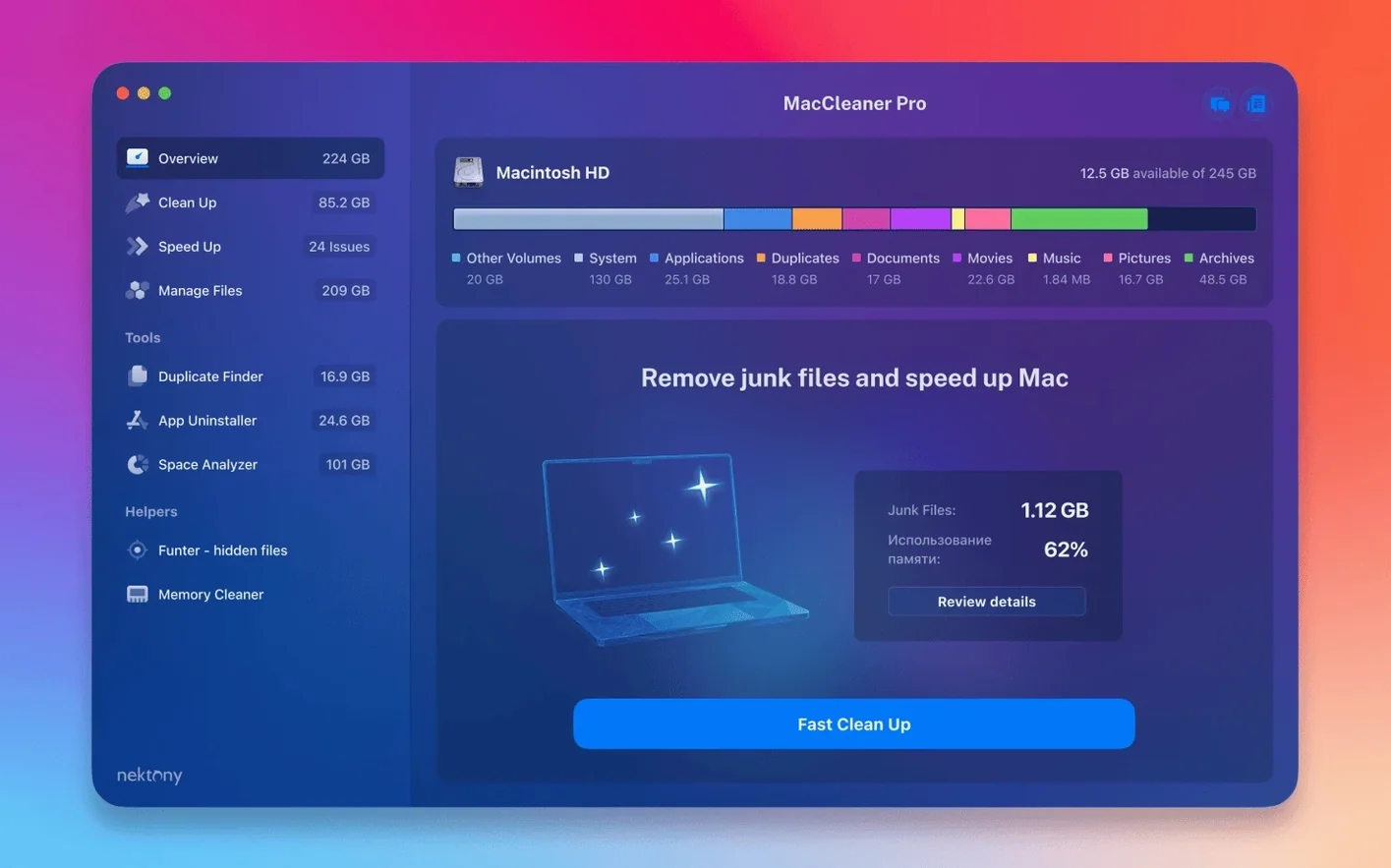
A designer finishes a large packaging project. The fan spins up. Scratch disks are full. MacCleaner Pro opens to show exactly where the space went—disk analysis first, then a sweep through leftover app files and duplicate assets. It's a bundle built for that kind of targeted cleanup.
| Detail | Info |
|---|---|
| Version | 4.0.2 |
| Developer | Nektony |
| macOS | 10.13 and later |
| Architecture | Apple Silicon, Intel 64-bit |
The bundle groups five utilities around a single dashboard. Disk Space Analyzer PRO maps storage visually so you can spot a 40 GB cache folder in seconds. Duplicate File Finder PRO scans folders and photos for exact copies—useful after bulk imports. App Cleaner & Uninstaller PRO removes applications plus their scattered service files and extensions, while Memory Cleaner frees inactive RAM when the system slows under pressure. Funter rounds out the package with quick access to hidden files. Each tool handles one cleanup job, and together they cover the main reasons a Mac feels cluttered or sluggish.
Swap to Sunburst View to Spot Hidden Space Hogs
Three defaults deserve attention before you run a full scan. Open Disk Space Analyzer PRO and switch the visualisation from treemap to sunburst. The concentric-ring layout makes it easier to spot a single bloated folder buried three levels deep.
In Duplicate File Finder PRO, visit the Scan tab and raise the minimum file size to 1 MB. Scanning for tiny duplicates—cached thumbnails, preference plists under 50 KB—wastes time and clutters results with noise you will never act on. While you are there, lock the scan to your home folder unless you genuinely need to audit system directories. It keeps the scan fast and the output actionable.
For App Cleaner & Uninstaller PRO, toggle on Show system extensions in the sidebar. The setting is off by default, but leftover kernel extensions from long-uninstalled VPNs and audio drivers are worth reviewing once. Finally, open Memory Cleaner and set the menu-bar indicator to show pressure rather than percentage. Percentage is misleading on Apple Silicon—pressure tells you when the system is actually struggling.
A 512 GB Drive Scanned in 90 Seconds
Disk Space Analyzer scans a 512 GB drive in roughly 90 seconds on an M-series Mac. The interface stays responsive during scanning; the biggest hit is disk I/O, not CPU. Duplicate File Finder takes longer on folders with tens of thousands of small files—photo libraries, node_modules trees—but the progress bar is honest and the pause button works. You can stop a scan, exclude a folder, and resume without restarting.
Memory Cleaner sits at around 40 MB of RAM in the background. The menu-bar widget polls every few seconds; the cost is negligible. App Cleaner & Uninstaller opens quickly and does not install a background agent, so it draws zero resources when closed. The whole bundle feels native—no Electron sluggishness, no cross-platform UI compromises. The dashboard app that ties the tools together uses about 60 MB while open and drops to nothing when quit.
Crashes are rare. The 4.0.2 build fixed minor interface bugs, and in daily use the tools behave predictably. One caution: Disk Space Analyzer re-indexes every time you open it. That is correct behaviour but can surprise someone who expects a persistent snapshot. The fast re-scan makes the design choice acceptable.
Target Just Your Home Folder on Day One
Do not run all five tools on day one. Start with Disk Space Analyzer PRO and scan your home folder only. Look for one large folder you can act on immediately—an old iOS backup, a forgotten downloads pile, a Steam library you have not touched in two years. Delete it through Finder, not the app itself. The tool is for diagnosis; the Finder is for removal.
Next, run Duplicate File Finder PRO on your Documents folder with the 1 MB minimum. Sort results by size descending. The top five matches usually reveal a zip file saved twice or a video project duplicated across folders. Delete only the copies you recognise. Hold off on Photos and Music until you understand how the app handles library bundles—scanning inside a Photos Library file can produce confusing results.
On day two, open App Cleaner & Uninstaller PRO and remove three apps you know you installed and abandoned. Watch the leftover-files panel after each removal. That panel teaches you which apps scatter support files across Application Support, Caches and Containers. Once the pattern is familiar, tackle larger uninstalls with confidence.
Leave Funter alone until you have a specific hidden file to find. It is a utility, not a daily tool. Memory Cleaner earns its keep during heavy work—video exports, batch photo edits—where clearing inactive RAM before a render can shorten the wait. Trigger it manually before a big job rather than relying on auto-clean thresholds, which are conservative by design.
If you arrived here via a MacCleaner Pro torrent or a Mac cleaner torrent search, the version you have is the full 4.0.2 bundle. The same applies whether you used a MacCleaner Pro 3.3.7 reference in the past or looked for MacCleaner 4 Pro directly—this build works on Apple Silicon and Intel without separate downloads. A clean MacCleaner download of this release gives you all five tools in one package, activated and ready.
- macOS 10.13 or later
- Apple Silicon & Intel 64-bit
Questions I get before install
What apps are included in the MacCleaner Pro bundle?
It bundles App Cleaner & Uninstaller, Disk Space Analyzer, Duplicate File Finder, Memory Cleaner, and Funter for hidden file access.
Comments 1
Sign in to leave a comment.Sign inCreate an account
This says Trial expired. Has it not been patched?
No comments yet. If a step is still there after you install it, say so.
More in Mac Apps
All in Mac Apps MacBooster
Clears junk, scans for malware, and frees up memory from a single panel.
22 steps saved
 MacDroid Pro
Mounts an Android phone as a writable Mac disk, no cloud upload needed.
19 steps saved
 Lunar Pro
Syncs every external display’s brightness to the room, just like a MacBook screen.
5 steps saved
 Updated
MacFamilyTree
Manages evidence and citations to build a family history that holds up to scrutiny.
12 steps saved
 Luminar Neo
Edits photos with layers and AI tools for sky, light and object removal.
20 steps saved
 macOS Catalina
Moves iPhone sync and backups from iTunes straight into the Finder.
4 steps saved
 macOS Golden Gate
Brings the newest macOS to Apple silicon Macs with fresh system features.
21 steps saved
 Updated
Loopback
Routes audio between any apps and devices on your Mac without cables.