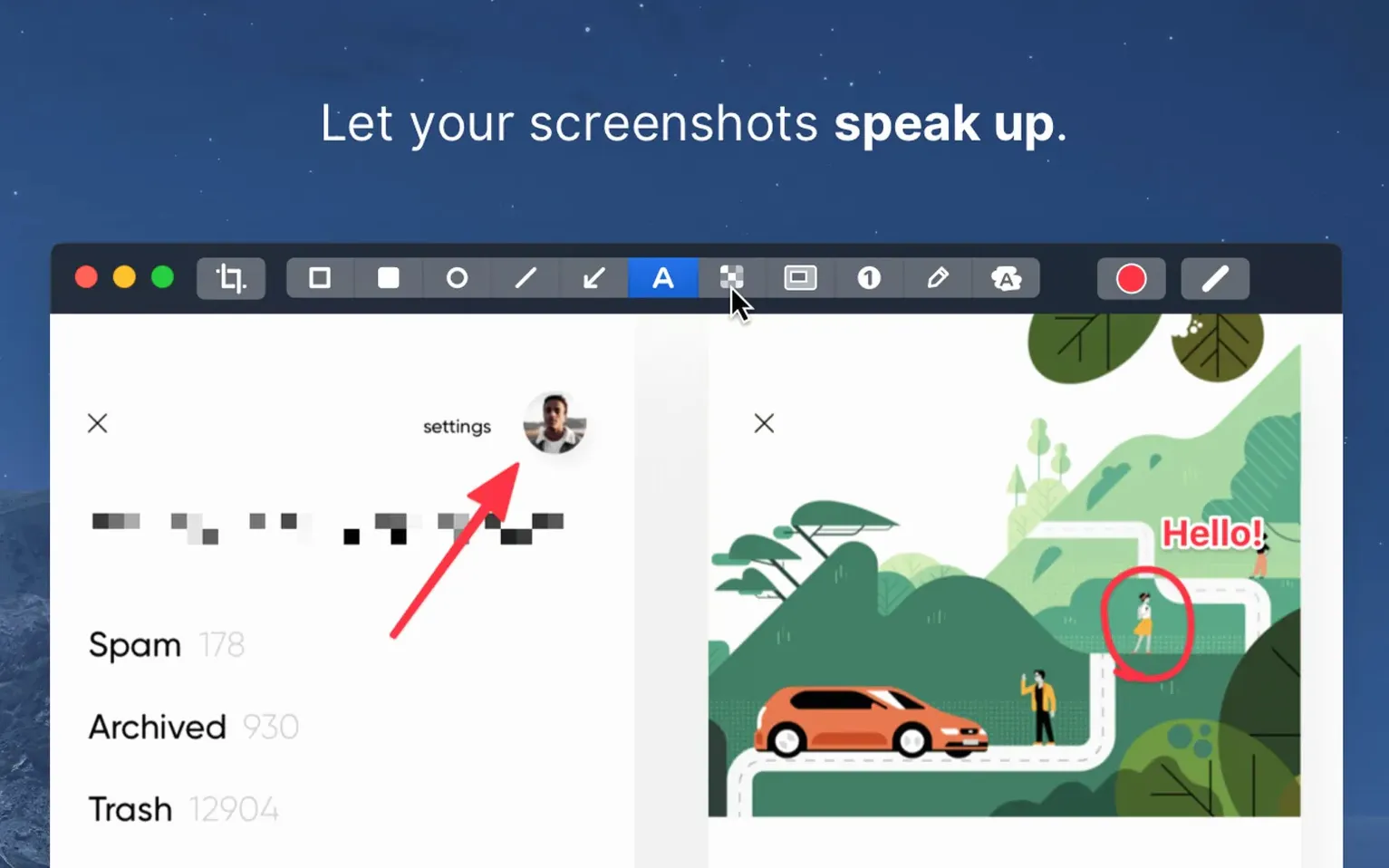
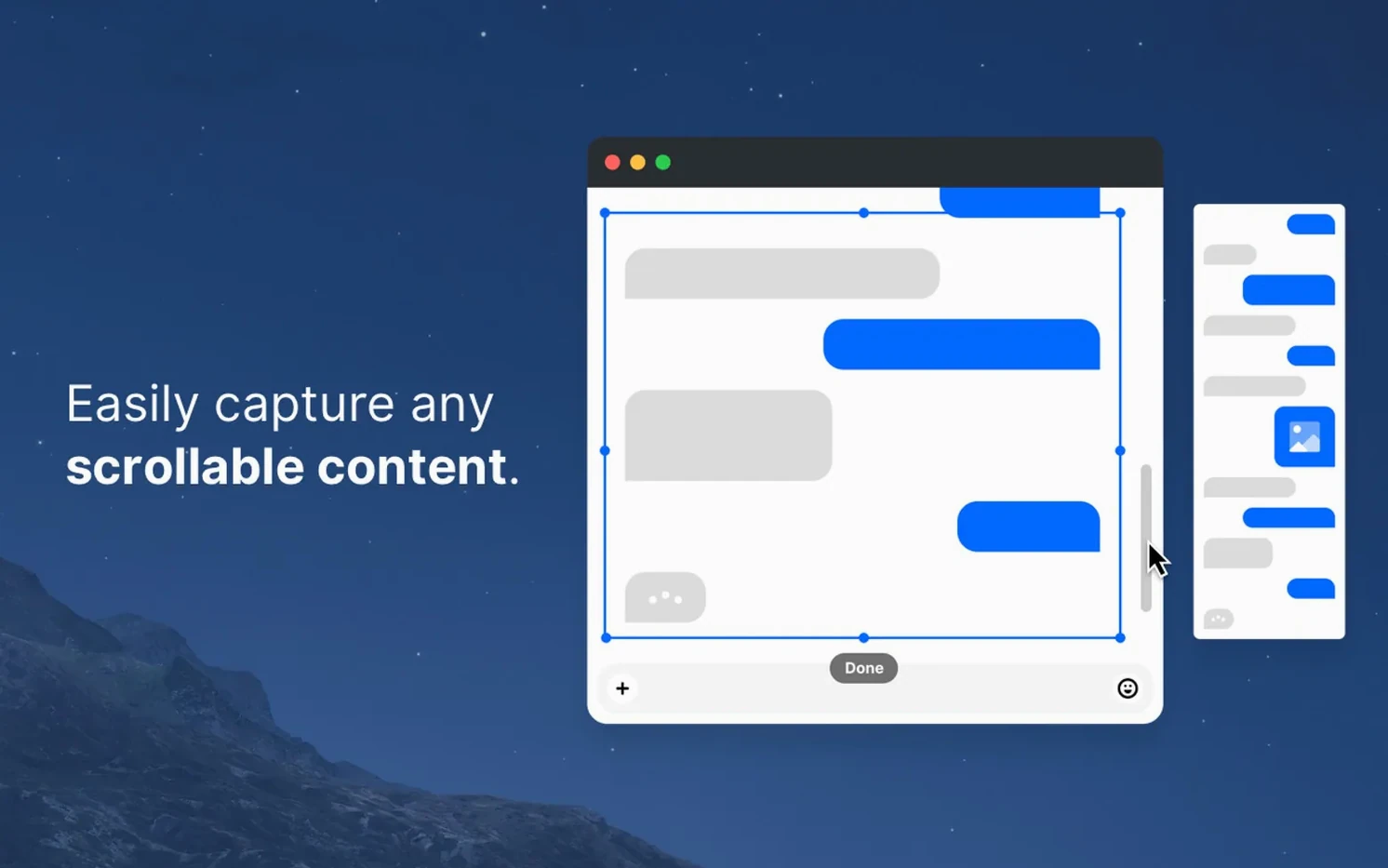
You’re sending a quick UI suggestion to a developer. A full screenshot is messy, so you capture just the window, draw an arrow, blur an API key, and pin the result to your screen while you type the email. That’s the workflow CleanShot X was built for.
How do I annotate a capture?
Open any screenshot in the built-in editor. Highlight a section, hide confidential details with the blur tool, or add numbered steps and arrows.
Can I keep a screenshot visible while I work?
Yes. Use the pin feature to float the capture above all other windows. It stays put until you close it.
How do I record a clean desktop?
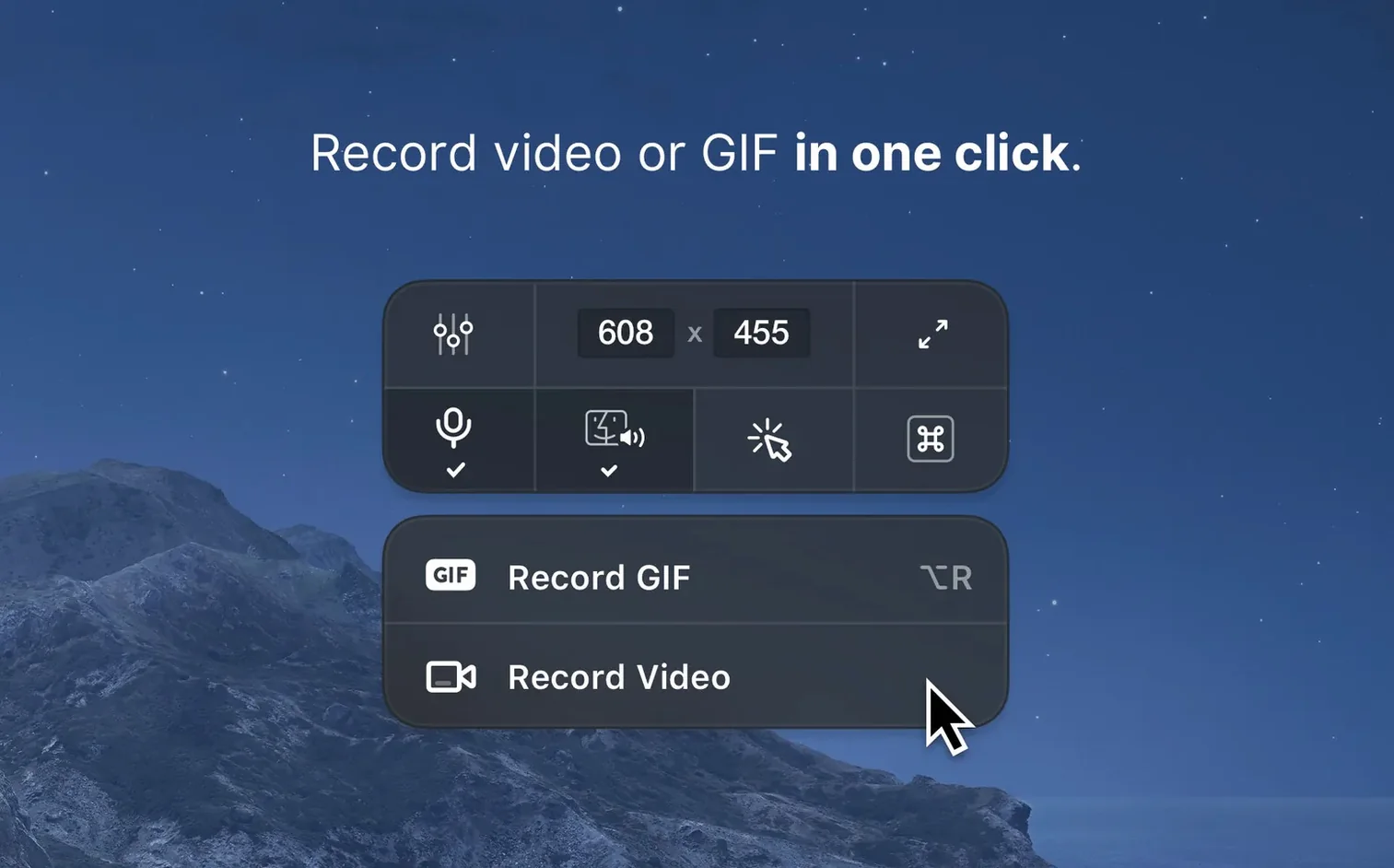
Hide desktop icons before you start. Set a timer if you need a moment to set up the scene, then record the screen without clutter.
Can I change the screenshot background?
Switching resolution and setting a save folder before your first capture
Install the app, then spend twenty minutes removing friction before you need it.
Day one — set the defaults. Open preferences and switch resolution to standard for documentation work; keep Retina for marketing assets. Assign a custom save location instead of letting captures pile up on the desktop. Turn on “Hide desktop icons” as the default for recording — you’ll rarely want them visible.
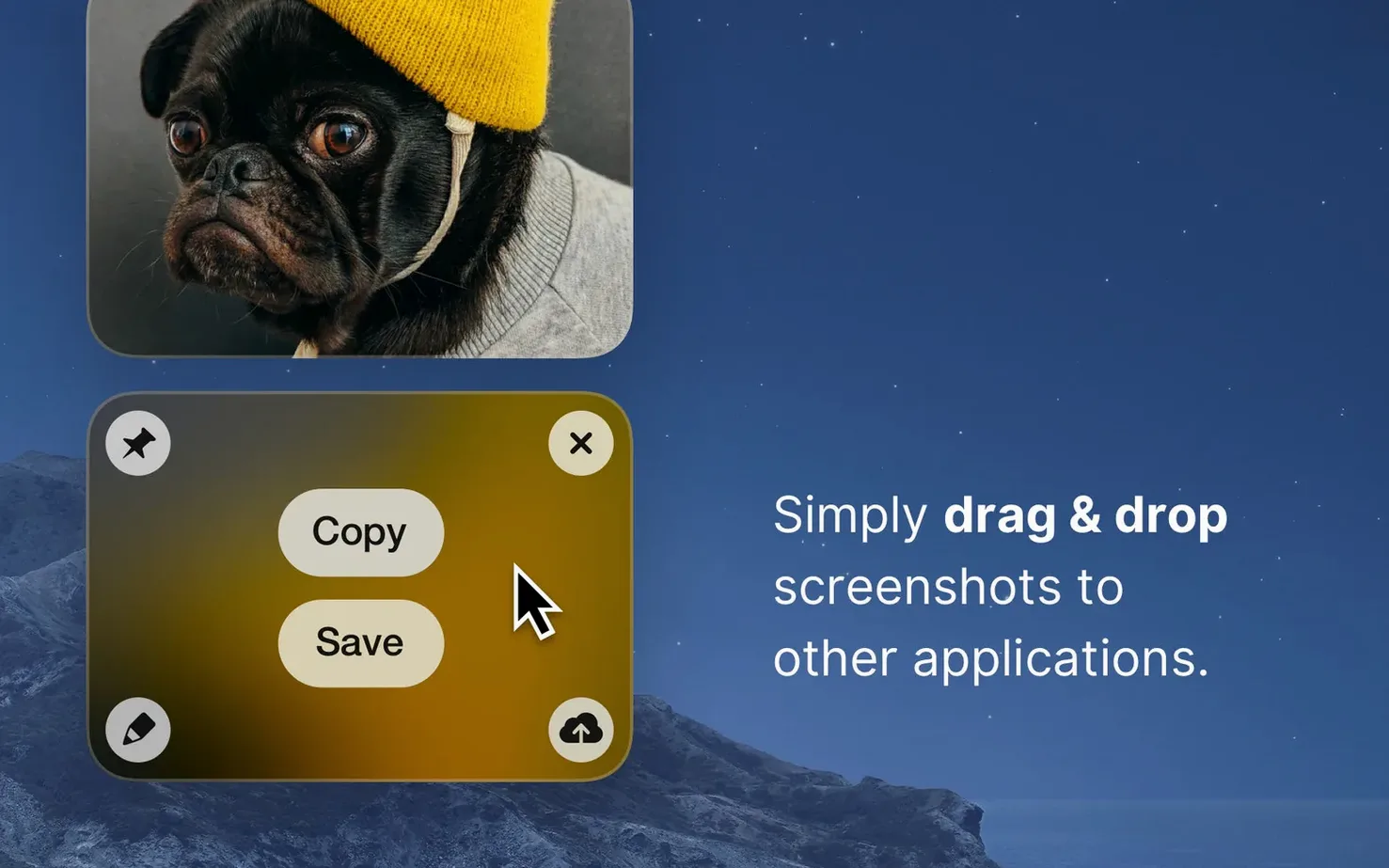
Day two — learn the overlay. After capturing a region, pause before you click. The overlay that appears offers quick actions: copy to clipboard, save, annotate, or pin. Muscle memory for that two-second pause cuts your editing time in half.
Day three — build a sharing shortcut. Combine pin with copy. Capture a window, pin it, then drag the pinned image directly into Slack, Notion, or an email. No file saved, no Finder window opened. For bug reports, annotate with a numbered step and an arrow before you pin, so the developer sees exactly what you saw.
A small habit that pays off: set a three-second timer for full-screen captures. It gives you enough time to click into the right tab or dismiss a notification before the shutter fires.
How CleanShot X compares with other Mac screen tools
macOS ships with Screenshot.app. It handles the basics — regions, windows, full screen, a five-second timer. You get no annotation beyond a pen, no scrolling capture, no pinning, and no video recording at all. CleanShot X replaces it entirely and adds the editor, GIF export, and desktop icon hiding that Screenshot.app will never offer.
Shottr is a lightweight alternative focused on still captures. It scrolls, measures pixels, and includes a fast annotation bar. It does not record video or produce GIFs. If you take many screenshots and rarely record your screen, Shottr covers a subset of CleanShot X well. If you need a single toolkit for stills, video, and GIF output, CleanShot X pulls ahead.
Kap is open-source and aimed at quick recordings — window, region, or full screen — with instant export to GIF, MP4, or WebM. It does not capture still images, does not annotate, and does not pin anything. Pairing Kap with Screenshot.app gives you two separate tools with two separate editors. CleanShot X consolidates both jobs under one interface.
Choosing whether CleanShot X overrides your Mac shortcuts
Does it replace the system screenshot shortcuts? Yes, and you control which ones. During setup, CleanShot X asks whether to override macOS defaults like Shift-Command-4. You can say no and assign different shortcuts instead. Either way, macOS keeps working as before — the app layers on top, it does not disable anything.
Will the scrolling capture work with any window? It works with most web pages, long documents, and tall code editors. It does not work with every custom-drawn interface — some Electron apps, for instance, render content in ways that confuse the scroller. Test it on the apps you use daily; the trial period answers that question better than any review.
Does recording slow down older Macs? On Apple Silicon, the overhead is barely noticeable. On Intel machines from 2017 or earlier, recording at high resolution with a busy screen can drop a few frames. Lower the capture resolution in preferences and close other recording tools before you start.
Where do recordings go by default? CleanShot X stores everything in a local folder — no cloud upload, no account required. You can change the destination whenever you like. The app never phones home with your captures.
Set a solid colour or choose an image as the background for captures that include transparent areas.
CleanShot 5.0.2 landed with a quick patch for an issue where the app could freeze during drag-and-drop captures on older macOS builds.
- macOS 11 or later
- Apple Silicon or Intel 64-bit Mac
Questions I get before install
Does CleanShot X handle screen recording?
Yes, it is a macOS app for both screen capture and screen recording.
What changed in version 5.0.1?
The official changelog lists minor bug fixes and improvements.
Comments 0
Sign in to leave a comment.Sign inCreate an account
No comments yet. If a step is still there after you install it, say so.
More in Mac Apps
All in Mac Apps CleanMyMac
Clears system junk, mail attachments, and privacy traces in one scan.
13 steps saved
 Clip Studio Paint
Draws comics, manga and illustrations with pen tools built for line art.
21 steps saved
 Clop Pro
Hands back a compressed copy the moment you copy an image or video.
13 steps saved
 CloudMounter
Mounts cloud drives in Finder so you work without a separate client.
22 steps saved
 Cockos REAPER
Records and mixes multitrack audio in a light, endlessly customizable DAW.
14 steps saved
 CCleaner Pro
Deletes temporary files, caches, and recent-item lists to free up storage space.
9 steps saved
 Cocktail Sequoia Edition
Runs maintenance scripts, cache cleanup and repairs from one control panel.
5 steps saved
 Coherence X
Isolates each web tool into its own app so one crash stops nothing.