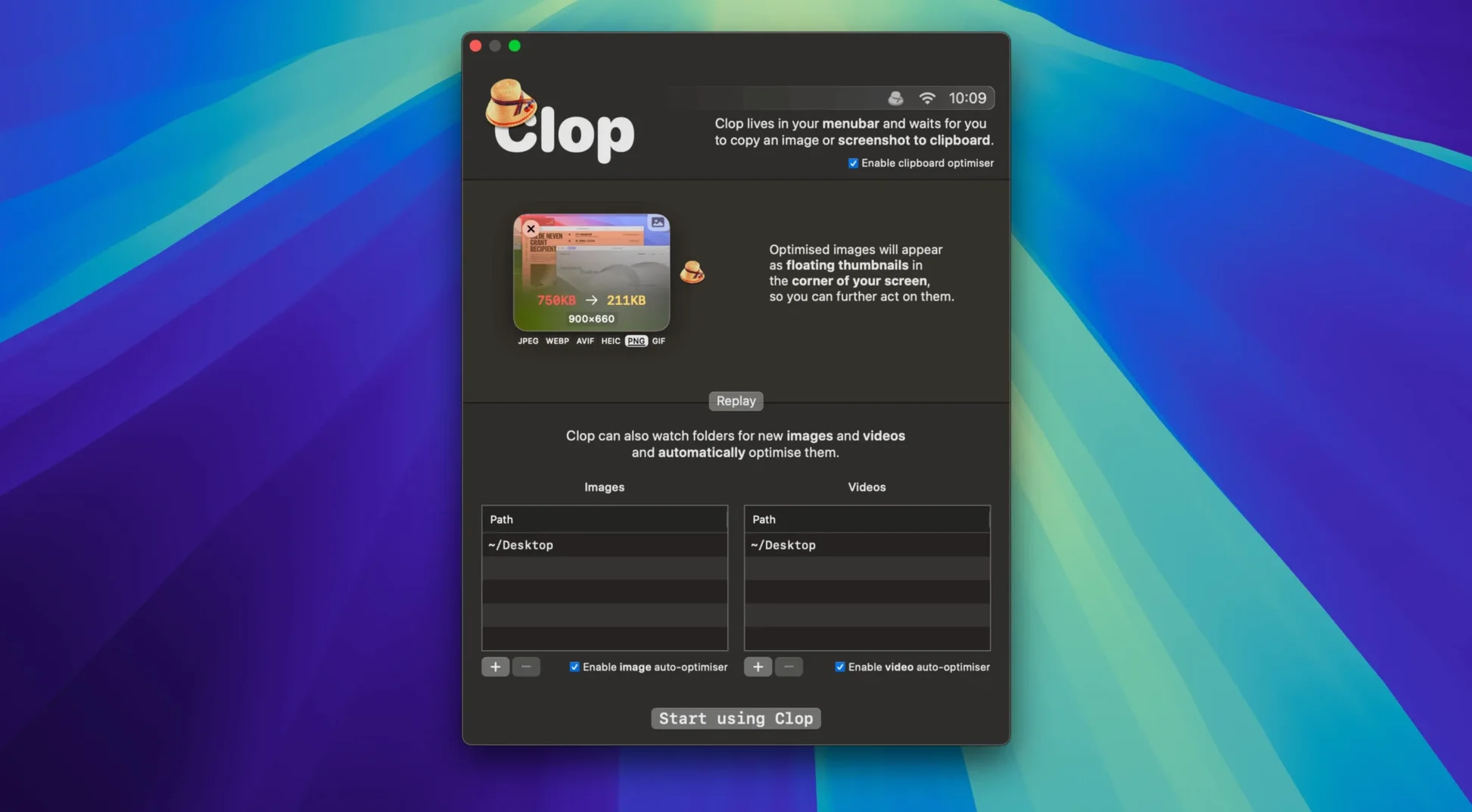
You finish a layout in Sketch, select the artboard, and hit ⌘C. Instead of a massive PNG landing on your clipboard, Clop Pro hands back a compressed version ready to paste into Slack. No export dialog, no extra step.
- Copy as usual. Grab an image from Preview, a video from the Finder, or a PDF page. The standard macOS copy command triggers the optimization.
- Clop compresses in the background. The app reduces the file size while keeping the original quality visually intact. A brief notification confirms the new, smaller item is on your clipboard.
- Paste the optimized result. Use ⌘V in Mail, Keynote, or a chat window. You get a lightweight file that loads fast and takes up less space.
- Integrate with Shortcuts. Call Clop from a Shortcut to batch-process copied items for a folder-watching routine or a custom publishing flow.
It sits next to tools like Dropshare or Yoink in a Mac setup—not as a clipboard manager, but as a compression layer that trims file sizes between copy and paste. Use it when you routinely share screenshots, mockups, or video clips and want to skip manual export presets.
A real workflow: screenshot-heavy bug report
Imagine you have to file a detailed bug report with ten annotated screenshots. Normally, each capture lands as a multi-megabyte file that bloats the issue tracker. Here is a tight Clop Pro routine:
- Capture and copy. Use ⇧⌘4, select the area, and hold Control while releasing the mouse. The screenshot goes straight to the clipboard—Clop immediately crunches it.
- Paste one by one into a draft. In Apple Notes or TextEdit, ⌘V each optimized shot. No file-save dialogs, no Finder clutter.
- Record a short clip. Hit ⇧⌘5 for a screen recording. Clop auto-optimizes the video on copy, so dragging the .mov into the report bypasses HandBrake entirely.
- Attach the final batch. Select all optimized images from the note and drag them into the ticket. The total attachment size is a fraction of the originals, and no temporary export folder was ever created.
The workflow cuts out Preview’s export, ImageOptim, and the Finder completely. A single copy-and-paste rhythm handles everything.
Clipboard Managers and Screen-Recording Audio Compatibility
Does it replace my clipboard manager? No. Clop Pro works alongside Maccy, Paste, or Raycast’s clipboard history. It compresses the content while a manager records the history. Install both and they do not collide.
What about screen recordings with audio? Audio tracks are preserved. The app optimizes the video stream only, so voiceovers and system sounds remain intact in the compressed copy.
Can I pause it for a single copy? Yes. Hold the Option key while copying and Clop skips compression for that one item. Useful when you need the original bit depth or exact file hash.
Will I notice a delay? On Apple Silicon, a screenshot pops the notification in under a second. Larger videos take a few seconds, but you can keep working—the optimized version replaces the clipboard as soon as it is ready, and the original stays untouched on disk.
- macOS 13 or later
- Apple Silicon and Intel Macs
- Interface language: English
Questions I get before install
What file types does Clop Pro optimize?
It optimizes images, videos, PDFs, and other clipboard content automatically when copied on macOS.
Can Clop Pro work with macOS Shortcuts?
Yes, you can integrate Clop with Shortcuts to create automated optimization routines for your copied files.
Comments 0
Sign in to leave a comment.Sign inCreate an account
No comments yet. If a step is still there after you install it, say so.
More in Mac Apps
All in Mac Apps Clip Studio Paint
Draws comics, manga and illustrations with pen tools built for line art.
13 steps saved
 CloudMounter
Mounts cloud drives in Finder so you work without a separate client.
22 steps saved
 Cockos REAPER
Records and mixes multitrack audio in a light, endlessly customizable DAW.
9 steps saved
 Cocktail Sequoia Edition
Runs maintenance scripts, cache cleanup and repairs from one control panel.
12 steps saved
 Updated
CleanShot X
Captures, annotates, and pins a window without leaving your screen.
5 steps saved
 Coherence X
Isolates each web tool into its own app so one crash stops nothing.
15 steps saved
 CleanMyMac
Clears system junk, mail attachments, and privacy traces in one scan.
7 steps saved
 Color Finale
Lets you grade inside the Final Cut Pro timeline with no roundtripping.