
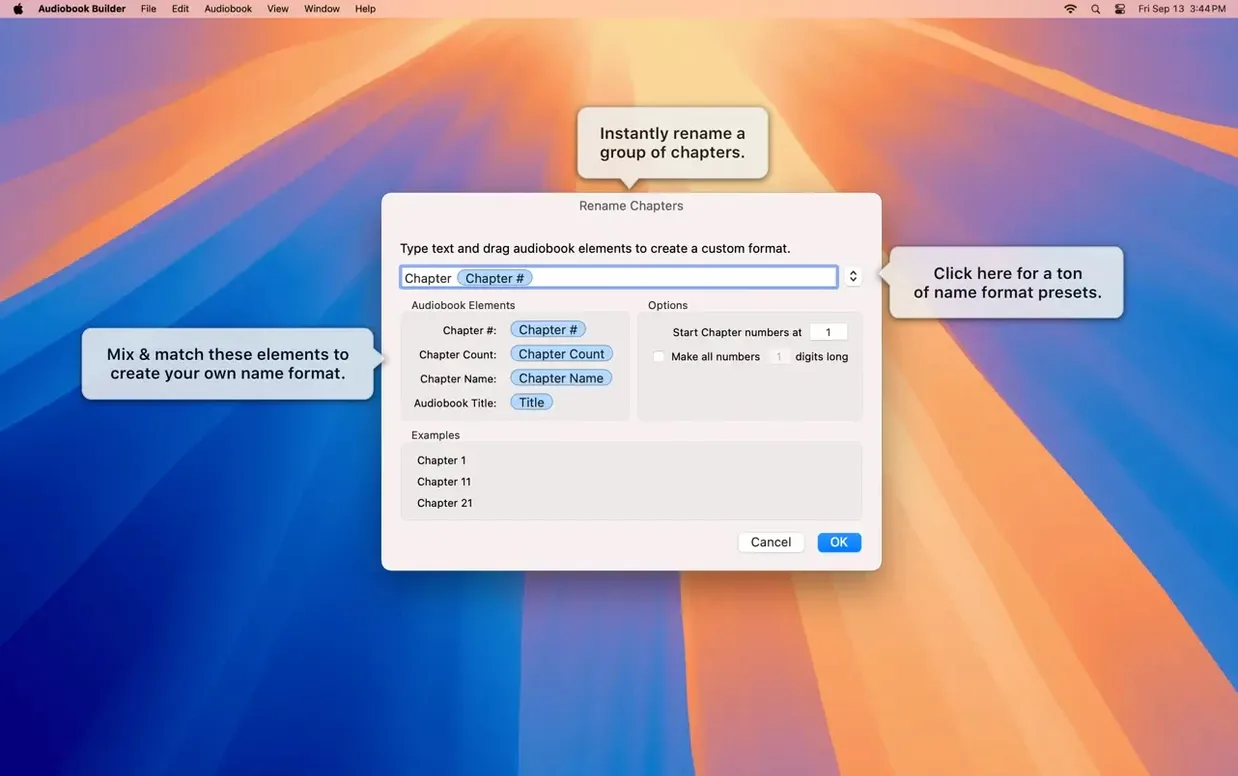
Version 2.2.9 lands ready for macOS 15 Sequoia and fixes a few rough edges. WAVE files containing MP3 data no longer trigger false “no audio in file” errors, and cover artwork behaves again on Ventura.
Build a structured audiobook
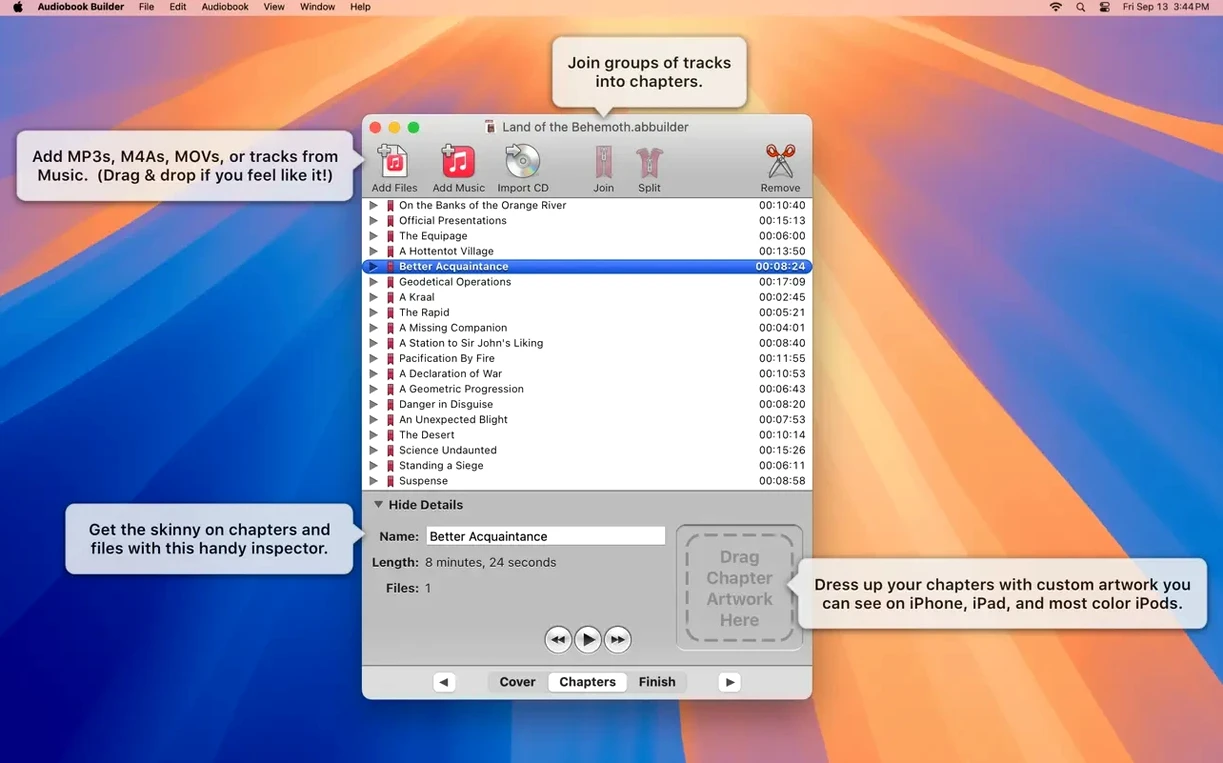
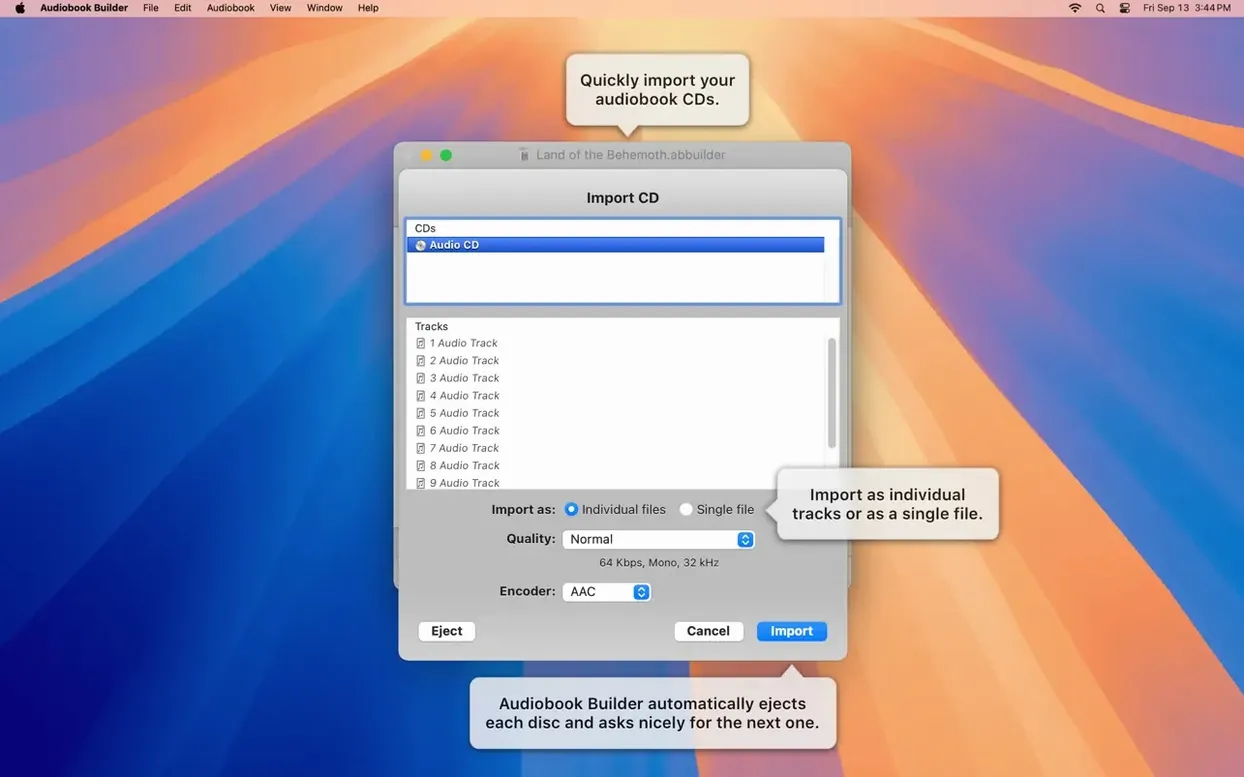
Combine a stack of audio files or CD tracks into a single audiobook. The app lets you merge shorter clips into one chapter or split a long recording into several, so the final book matches the original structure.
Add chapters and artwork
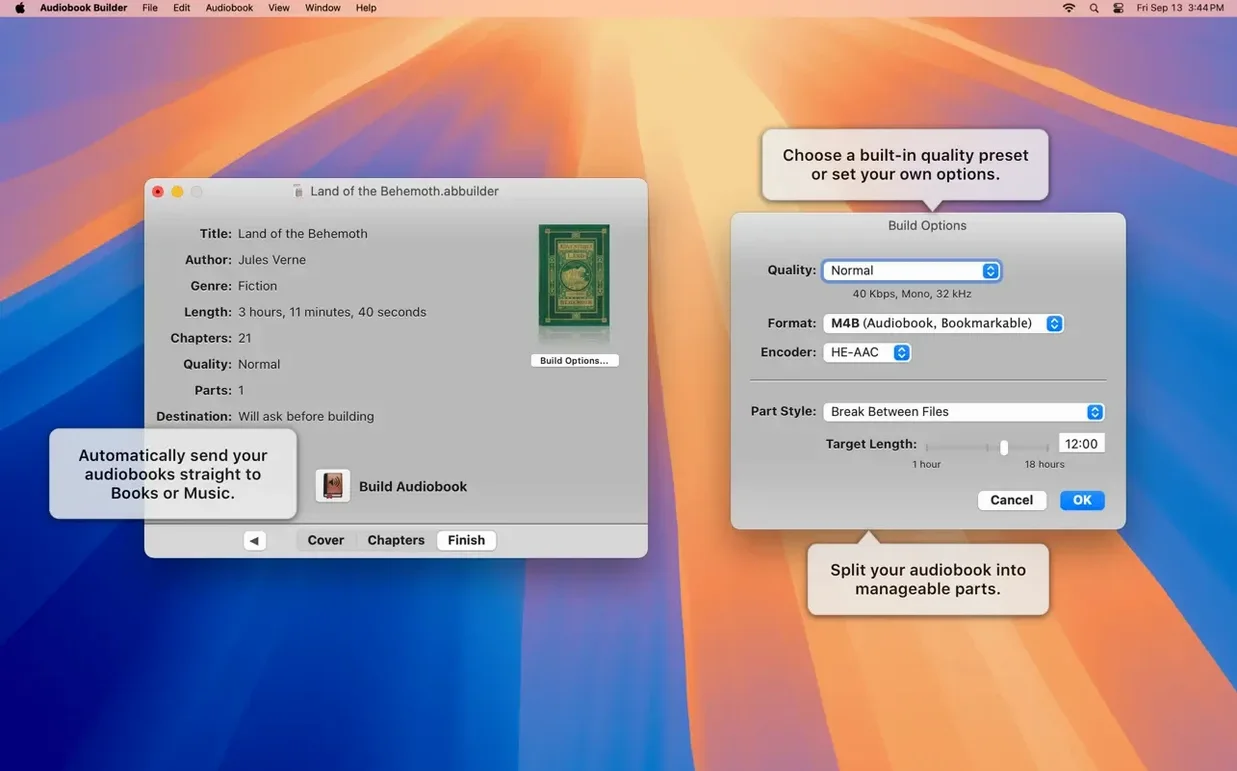
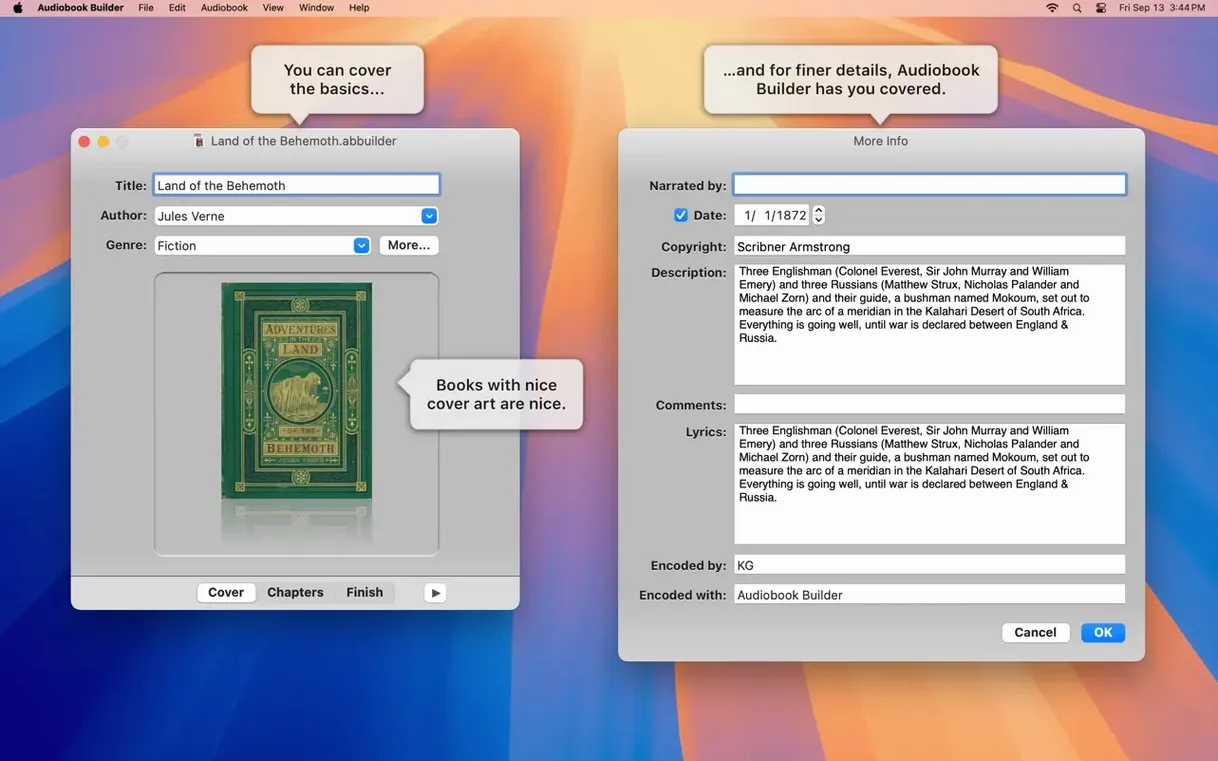
Assign chapter stops and give each one a custom image. Set a cover for the whole project, pick a quality preset, and the finished file lands in Apple Books, Music, or iTunes ready to play.
Send it to your device
The exported audiobook syncs to iPhone, iPad, and older iPods that still read the Description tag. Works on Intel and Apple Silicon Macs running OS X 10.11 or later.
Six-hour FLAC build in under three minutes
The build process feels tightly coded. Converting a six-hour audiobook from FLAC files completes in under three minutes on an M1 Mac, with CPU usage hovering around 30% and memory sitting below 200 MB. Smaller projects barely register. The interface never beachballs during import, even when you drop a folder of 80 short MP3s at once.
Stability holds up across long sessions. Stack four or five conversions back-to-back and the app stays responsive. One area worth watching: the join tool, which combines audio files into a chapter, needs a moment with very large WAV sources — a progress bar appears and the window remains interactive.
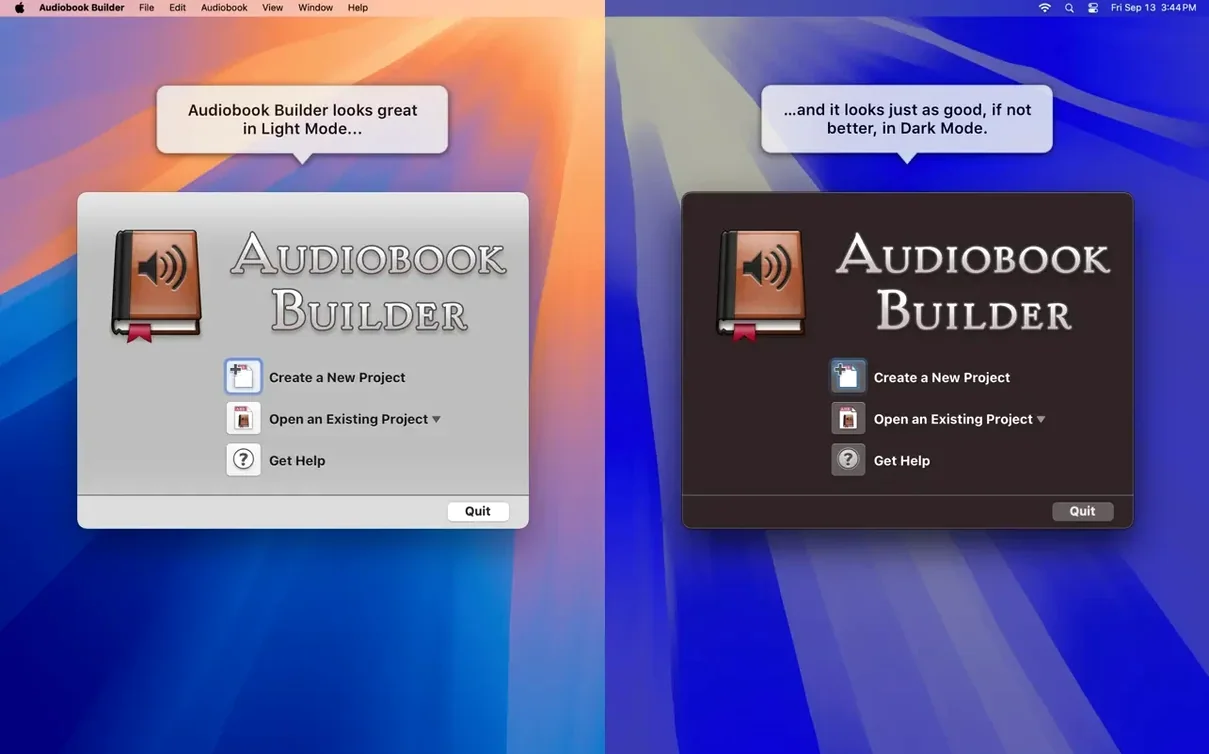
Resource discipline shows in the background. Leave Audiobook Builder idle and it drops to near-zero CPU. That matters if you share a Mac with other heavy processes, like video renders or large Xcode builds. It also respects the system dark mode switch without a restart.
Per-chapter artwork versus bare-bones export
Audiobook Builder vs. Audiobook Binder
Audiobook Binder aims for simplicity — drag files in, pick a few settings, export. It lacks chapter artwork and custom stop placement. Audiobook Builder gives you per-chapter images, manual split points, and finer quality controls, so the finished product looks more polished in Apple Books.
Audiobook Builder vs. MarkAble
MarkAble handles chapter markers intelligently from M4B files and is fast at batch processing. But its interface feels stuck in a previous macOS era, and it doesn't support CDs directly. Audiobook Builder reads CDs out of the box and presents a cleaner, more modern workflow from import to export.
Audiobook Builder vs. fre:ac
fre:ac converts between audio formats and preserves metadata, yet it doesn't build structured audiobooks with chapters and cover art as a first-class feature. You can produce a single M4B, but controlling chapter boundaries and artwork requires extra tools. Audiobook Builder bundles all of that into one guided process, which cuts the number of apps in your chain.
- New — Ready for macOS 15 Sequoia.
- Improved — Cover and chapter artwork now display correctly on macOS 13 Ventura.
- Fixed — WAVE files with MP3 audio data no longer show a false “no audio in file” error.
- Fixed — An error-reporting glitch on Macs running pre-11.3 systems.
- Fixed — The Description tag is restored for some classic iPod models.
- macOS 10.11 or later
- 64-bit Intel or Apple Silicon Mac
Comments 0
Sign in to leave a comment.Sign inCreate an account
No comments yet. If a step is still there after you install it, say so.
More in Mac Apps
All in Mac Apps Audio Hijack
Captures any audio your Mac plays and applies a denoise filter before it saves.
7 steps saved
 Audiofile Engineering Fidelia
Plays a local music library with audiophile-grade output and per-device settings.
4 steps saved
 attn LED
Flashes the camera LED instead of popping a banner for important notifications.
8 steps saved
 Astro Gold
Calculates natal charts, transits and progressions for serious astrology work.
4 steps saved
 BAO Mask Avenger
Exposes every mask point as an animatable keyframe for detailed rotoscoping.
16 steps saved
 Bartender
Hides the menu bar icons you rarely need behind a single click.
5 steps saved
 BBEdit
Opens massive plain-text files and lets you edit them without a lag spike.
14 steps saved
 Beauty Box Photo
Smooths skin texture automatically while keeping eyes and hair sharp.