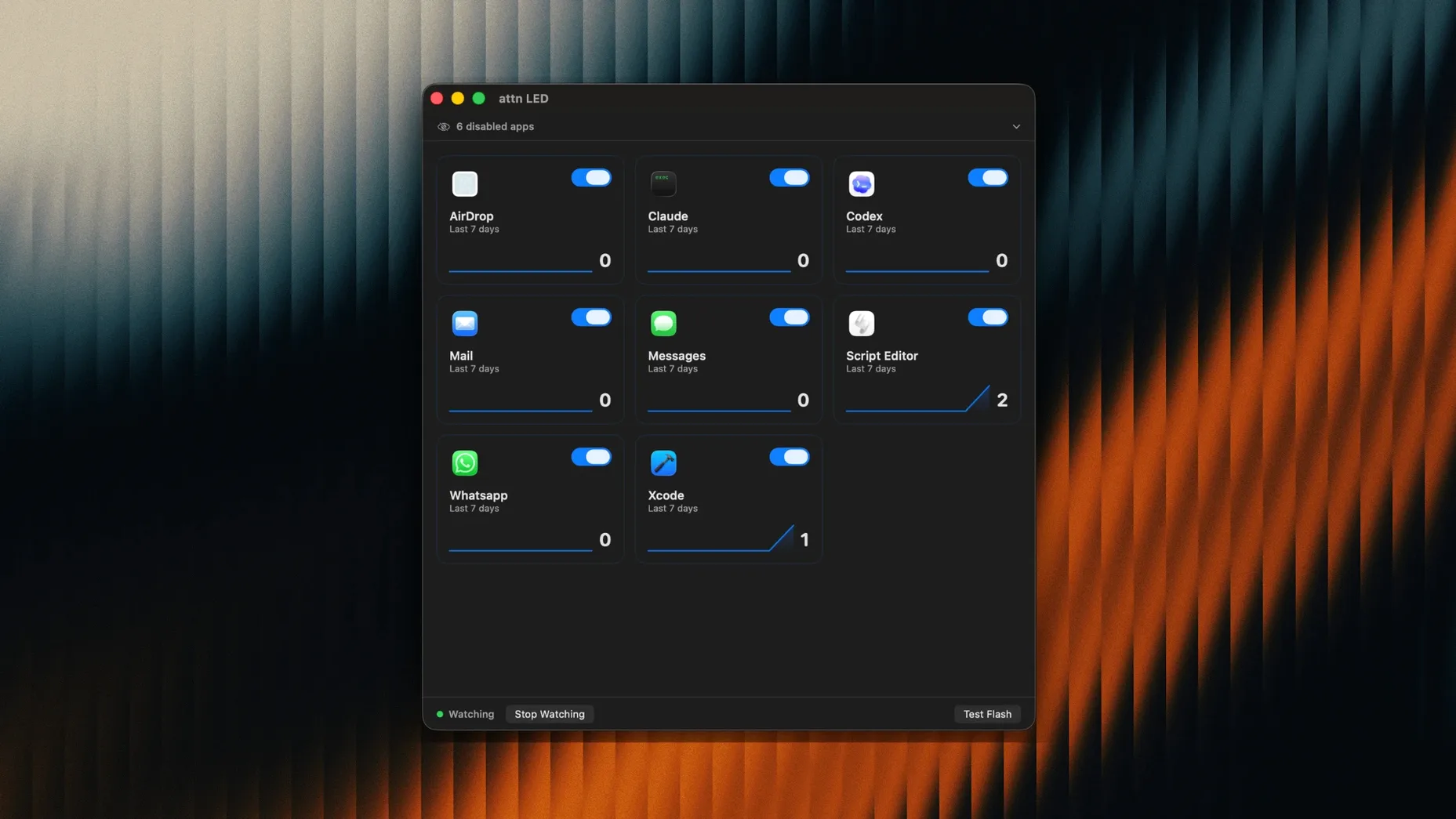
Version 1.0 lands with a single, sharp focus: replacing disruptive notification banners with a blink. The camera LED now mirrors the arrival of important messages, monitored directly from the macOS notifications database.
How does the light work with deep focus?
The app watches for notifications through FSEvents, bypassing the limits of Focus Mode. When a qualifying alert arrives, the camera LED blinks. No sound, no pop-up.
What happens during a video call?
Blinking pauses automatically. FaceTime and other video conference apps trigger a silent override, so the LED reverts to its standard camera-in-use behaviour.
How do new apps get detected?
The Blink Won't Burn Out Your MacBook LED
Does the camera LED wear out from blinking? The LED on MacBook models is solid-state — rated for tens of thousands of hours. A blink pattern once every few minutes is well within normal use. The light already activates during video calls; attn LED 1.0 simply extends that capability.
Will the app trigger the green camera indicator in the menu bar? Yes, but only while blinking is active. macOS treats the camera as briefly accessed each time the LED pulse fires. This is normal behaviour and the indicator disappears between blinks. No video feed is captured, no image data leaves the machine.
Does attn LED work with an external display and closed lid? The camera LED sits on the MacBook body itself. With the lid closed, the light is not visible. The app still monitors notifications — it just cannot signal you physically until the lid reopens. For clamshell setups, consider leaving the lid open at an angle.
Can I set different blink speeds per app? Version 1.0 uses a uniform blink rhythm: one short pulse every two seconds until you open the relevant application. There is no per-app tempo control yet, but the consistency means you never need to decode what the pattern means — blink means look.
A quiet-morning workflow with attn LED mac
Start the day with Focus Mode on and attn LED 1.0 permitted in Focus settings. Open your writing tool, darken the room. No banners appear, no notification centre chimes. Your phone stays face-down across the room.
Twenty minutes in, the camera LED blinks. You glance up, note the light, and finish your paragraph before switching to the app that triggered it — Slack, perhaps. Once Slack is in the foreground, the blinking stops. You reply, then return to the writing tool.
Later, a video call begins. attn LED detects the conference and pauses blinking automatically. The LED behaves exactly as colleagues expect — lit when the camera is active, dark when it is not. After the call, monitoring resumes without a manual toggle.
At day's end, review which apps pulled you away: the notification filter, refined over weeks, now includes only Mail, Messages, and a single Slack channel. Everything else waits.
Launchpad Icon Appears Instantly After Drag-and-Drop
- Launchpad readiness. After dragging attn LED to Applications, the icon appears in Launchpad instantly. No restart, no permission dance beyond the standard camera-access prompt.
- Auto-detection of new messaging apps. Install Discord or Telegram fresh, and attn LED picks them up without a trip to preferences. The notification database scan runs quietly in the background.
- No menu bar clutter. The app runs as a background agent. Preferences live in a single window, accessible from the Dock or Launchpad. Nothing permanent sits in the menu bar.
- Focus Mode co-existence. Allow attn LED in System Settings → Focus → Allowed Apps, and it will keep monitoring even when other apps are fully silenced. The LED becomes the only notification channel that survives deep work sessions.
- Instant mute by closing the lid. If you need total darkness, shut the lid. The LED cannot blink when the display is closed. Reopen the lid and monitoring picks up where it left off.
attn LED scans for newly installed applications and folds them into its monitoring rules without manual setup. Your notification filter stays current on its own.
- macOS 12 or later
- Apple Silicon or Intel Mac
Questions I get before install
What macOS versions does attn LED 1.0 require?
The app needs macOS 12 or later and runs natively on both Apple Silicon and Intel Macs.
Comments 0
Sign in to leave a comment.Sign inCreate an account
No comments yet. If a step is still there after you install it, say so.
More in Mac Apps
All in Mac Apps Astro Gold
Calculates natal charts, transits and progressions for serious astrology work.
4 steps saved
 Audio Hijack
Captures any audio your Mac plays and applies a denoise filter before it saves.
20 steps saved
 Audiobook Builder
Stitches a stack of audio files into one structured, chaptered audiobook.
7 steps saved
 Audiofile Engineering Fidelia
Plays a local music library with audiophile-grade output and per-device settings.
4 steps saved
 BAO Mask Avenger
Exposes every mask point as an animatable keyframe for detailed rotoscoping.
16 steps saved
 Bartender
Hides the menu bar icons you rarely need behind a single click.
5 steps saved
 BBEdit
Opens massive plain-text files and lets you edit them without a lag spike.
14 steps saved
 Beauty Box Photo
Smooths skin texture automatically while keeping eyes and hair sharp.