
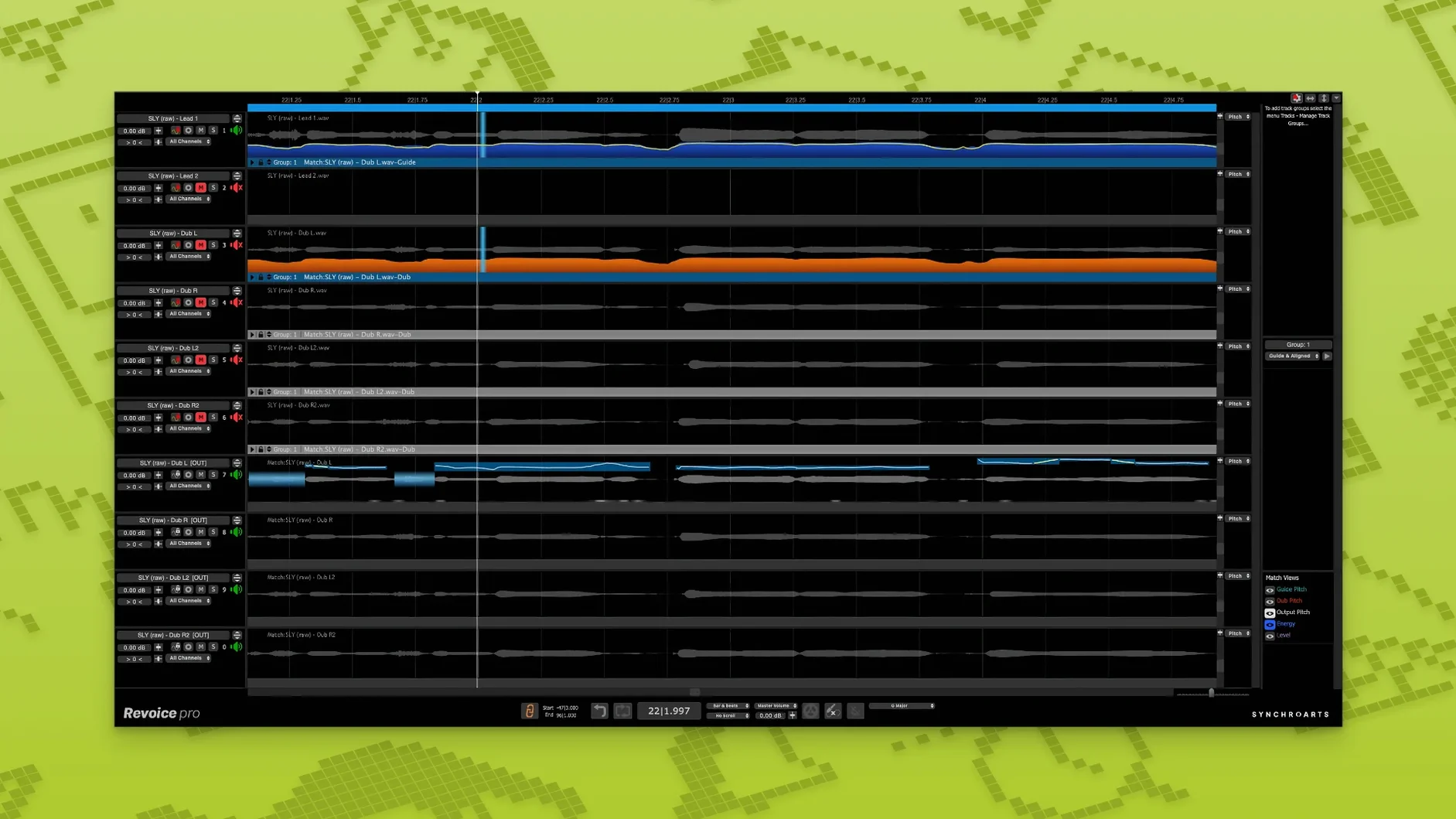
Mixing engineers and dialogue editors reach for Revoice Pro when a vocal comp needs tightening without artifacts. It’s a processor for time, pitch, and loudness — monophonic signals only, so lead vocals and single-note instruments are its territory.
SmartAlign does the heavy lifting. Feed it a guide track and a stray double, and it syncs them even when takes start or end at different spots on the timeline. No slicing, no manual nudging. SmartPitch handles the pitch side — matching doubles and harmonies to the guide so stacked vocals sit together in the stereo field rather than fighting for space.
The Shaper Tool gives you direct pitch adjustment, useful for pulling a flat note into place without leaving the DAW. Every control aims to keep the result transparent. You’re reshaping the performance, not stamping a robotic imprint on it.
Day-to-day behaviour
Revoice Pro runs as a standalone editor alongside your DAW, and on both Intel and Apple Silicon Macs it stays responsive even with long vocal takes open. Processing is not instant — SmartAlign analyses audio before it applies changes — but the progress is predictable, and the software does not beachball on modest sessions. Memory use stays moderate; CPU spikes occur mainly during analysis and rendering, not while you scrub or audition edits.
Stability in 5.1.30 is solid. Crashes are rare enough that the app earns a place in a working session rather than a test folder. Undo feels reliable across SmartPitch and Shaper operations, which matters when you are nudging a harmony into tune and want to compare before and after without rebuilding the edit.
Revoice Pro vs. Melodyne: Mono/Poly Splits the Path
Against Melodyne, the split is easy. Melodyne is a full polyphonic editor with deep note manipulation; Revoice Pro focuses on
- New — Shaper Tool for direct pitch adjustment; SmartPitch for matching the pitch of doubles and harmonies; SmartAlign for syncing takes with different start or end positions.
- macOS 10.14 or newer
- Intel or Apple Silicon Mac
- AU, VST3, or AAX 64-bit host
Questions I get before install
What does Revoice Pro process?
It processes the time, pitch, and loudness of audio signals. It is designed primarily for voice and monophonic instruments.
Which plug-in formats does the macOS version support?
It supports AU, VST3, and AAX 64-bit hosts on macOS 10.14 and newer.
Comments 0
Sign in to leave a comment.Sign inCreate an account
No comments yet. If a step is still there after you install it, say so.
More in VST Plugins
All in VST Plugins reFX Nexus
Loads your existing libraries while opening up custom sound design under the hood.
12 steps saved
 RC-20 Retro Color
Adds the grit and warmth of old recording chains to a modern session.
23 steps saved
 RipX DAW Pro
Splits any song into notes and stems you can edit one by one.
9 steps saved
 Roland Cloud Legendary Series
Delivers the exact tone of a JUNO-60 or TR-909 without the vintage hardware hunt.
15 steps saved
 Roland ZENOLOGY Pro
Gives producers who build their own patches a deep editor with ten filter types.
8 steps saved
 Safari Pedals Everything Bundle
Puts a saturator, chorus, and transient clipper chain in one plugin folder.
14 steps saved
 Sauceware Audio Scorch 2
Turns a simple chord progression into a full arrangement without a keyboard.
4 steps saved
 Scaler 3
Suggests chords and progressions and plays them across your tracks.