
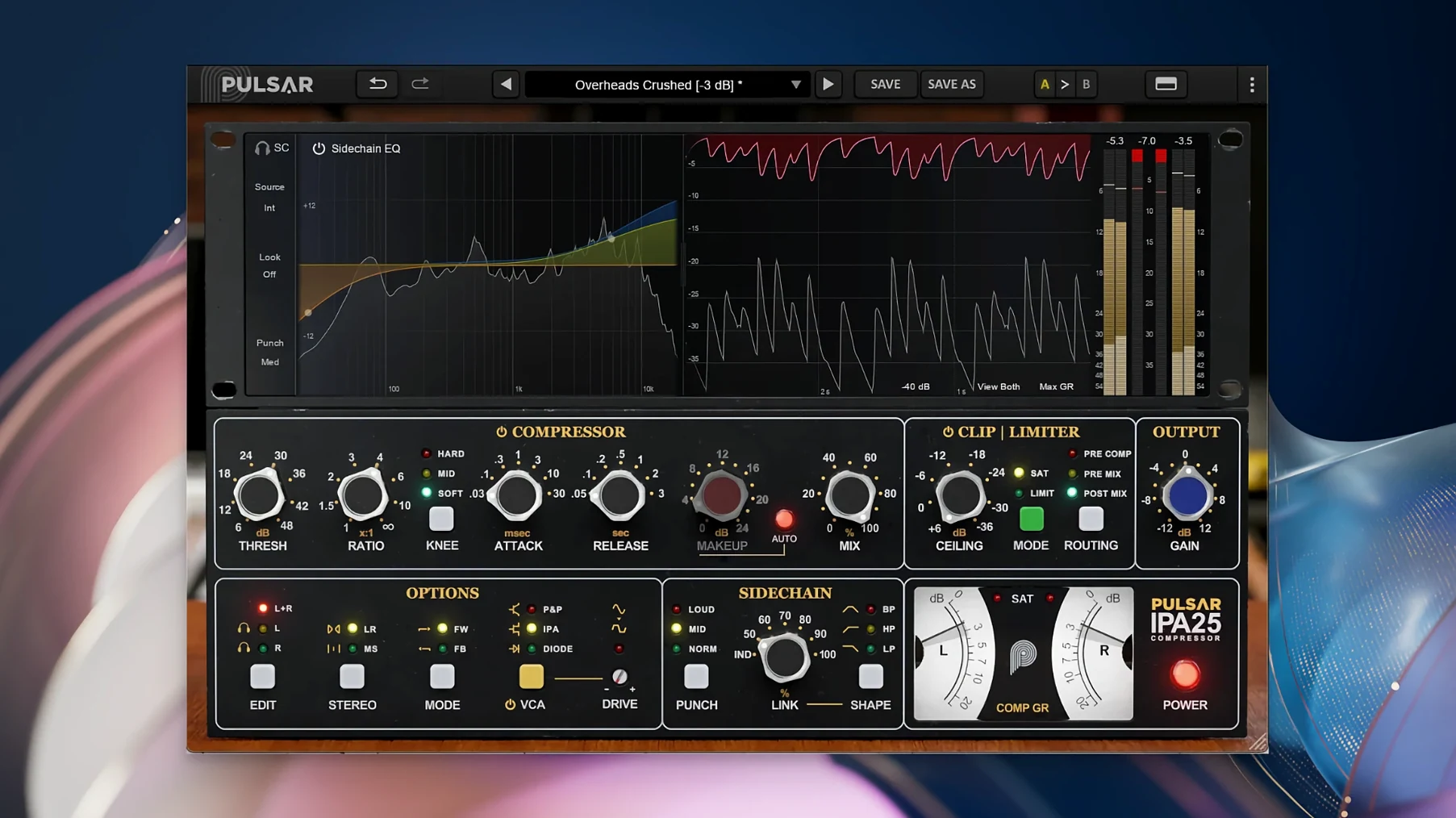
Pulsar IPA lands on the mix bus, drum group, or vocal chain when a recording needs glue and forward momentum. It takes the topology of a classic VCA compressor and gives it three distinct detector paths so the box adapts to the source instead of the other way round.
- IPA mode — the stock API-style feed-back knee. Tight, punchy, and fast enough to grab a snare transient without flattening the body of the hit.
- P&P / Mu mode — softer, program-dependent release. Sits a full mix into a pocket or smooths a bass line that pokes out on certain notes.
- Diode mode — the most coloured option. Adds harmonic density and a rounded attack that works on room mics or a vocal that needs weight, not edge.
- Mid/Side matrix — compress the centre and leave the sides breathing, or clamp the stereo spread while the lead vocal pushes through untouched.
- Wet/dry mix — parallel compression built in. Blend the crushed signal under the dry for drum shells that hit hard without losing transient detail.
The controls stay close to the source material: threshold, ratio, attack, release, and a sidechain filter that keeps low-end energy from pumping the whole mix. Rock, pop, and electronic productions all respond to the same thing here — a compressor that moves with the tempo, not against it.
Sidechain EQ Nodes Drag Like a Parametric
A few details in Pulsar IPA only show themselves after a week of regular use. The sidechain EQ, for one, is not just a fixed high-pass. Drag its nodes the way you would in a parametric EQ and you can carve a narrow cut around a kick fundamental so the compressor ignores that one frequency and reacts to everything else.
- Double-click any knob to type a precise value. Faster than dragging when you are matching settings across two mix revisions.
- Hold Shift while dragging for fine control. The threshold and ratio knobs respond in smaller increments, which helps when you are chasing half a decibel of gain reduction.
- The clipper and limiter sit after the compressor but before the output stage. Push the clipper a little, then pull the mix knob back to keep the transient detail intact.
- Meter readouts show gain reduction, input, and output simultaneously. No tab switching when you are checking both the compressed and dry signal path.
The Mid/Side matrix deserves a second look. Switch it on, set the ratio low, and compress only the side channel. The stereo image widens as the sides get denser while the centre stays stable — useful on a chorus that needs spread without losing the lead vocal.
VCA Aggression vs. Mu’s Rounded Glue
Pulsar IPA vs. Pulsar Mu — Mu is a vari-mu design, softer and rounder, built around tube-style compression. IPA is faster and more aggressive. Where Mu rounds off a full mix, IPA pushes it forward. The three VCA modes give IPA a range Mu deliberately avoids.
Pulsar IPA vs. a stock DAW bus compressor — a stock bus compressor gives you threshold, ratio, attack, release, and maybe a high-pass filter. IPA adds Mid/Side, a visual sidechain EQ, a clipper, a limiter, and three detector paths. The difference shows on drums and full mixes, where the stock plugin either pumps or does nothing; IPA finds the middle ground faster.
Pulsar IPA vs. the original hardware concept — the API 2500-style design lives in IPA mode, but the P&P/Mu and Diode modes take the plugin somewhere the hardware never went. You get the classic grab when you want it and two alternative textures when the session calls for something less predictable.
- macOS 11 or later
- Apple Silicon or Intel processor (64-bit)
- A compatible DAW host (AU, VST3, or AAX)
Questions I get before install
What is Pulsar IPA modelled after?
It is a modern take on the classic API 2500 bus compressor, using multi-VCA topology with three switchable detector modes.
Does Pulsar IPA support Mid/Side processing?
Yes, the built-in Mid/Side matrix lets you apply independent compression to the centre and sides of a stereo signal.
Comments 0
Sign in to leave a comment.Sign inCreate an account
No comments yet. If a step is still there after you install it, say so.
More in VST Plugins
All in VST Plugins Plugin Alliance Shadow Hills OptoMax
Applies three-speed optical compression to tracks, groups, and the stereo bus.
12 steps saved
 RC-20 Retro Color
Adds the grit and warmth of old recording chains to a modern session.
15 steps saved
 reFX Nexus
Loads your existing libraries while opening up custom sound design under the hood.
23 steps saved
 Plugin Alliance Brainworx Bundle
Puts a full rack of modelled console hardware on every track and bus.
17 steps saved
 Revoice Pro
Tightens a vocal comp by aligning time, pitch, and loudness without artifacts.
23 steps saved
 RipX DAW Pro
Splits any song into notes and stems you can edit one by one.
9 steps saved
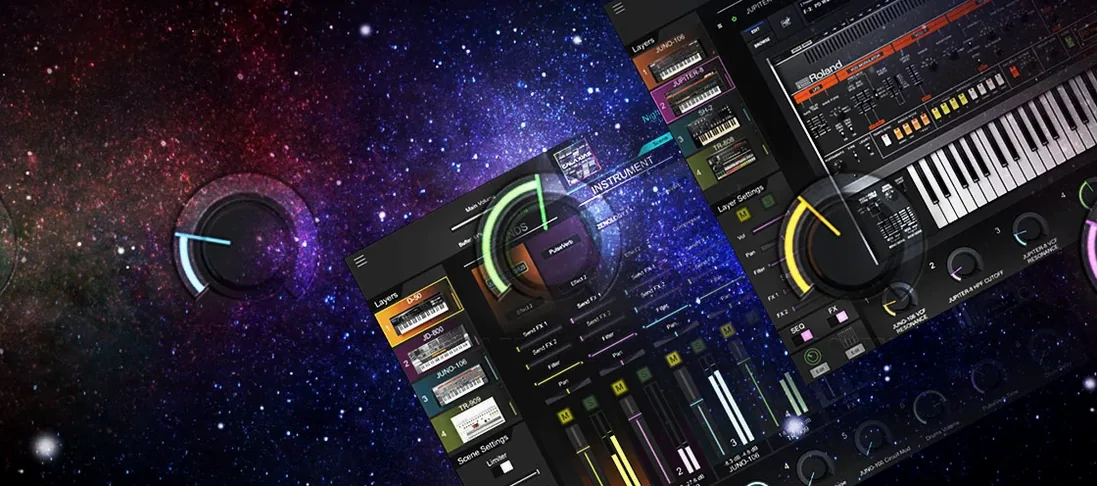 Roland Cloud Legendary Series
Delivers the exact tone of a JUNO-60 or TR-909 without the vintage hardware hunt.
15 steps saved
 Roland ZENOLOGY Pro
Gives producers who build their own patches a deep editor with ten filter types.