
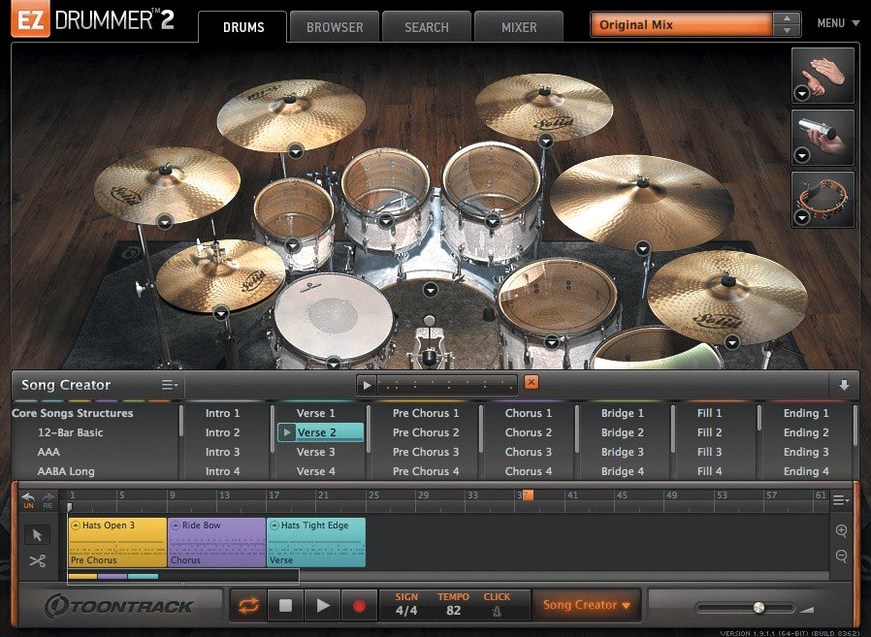
Songwriters who need drum tracks without the engineering overhead reach for EZdrummer. It sits on a virtual instrument track inside your DAW, ready to turn a chord progression into a performance.
Drop a groove, get a foundation in seconds
- Instrument track — Load EZdrummer as a stereo instrument. Pick a kit, drop a groove from the MIDI library onto the song track, and you have a foundation in seconds.
- Song track editing — Cut, copy, paste and rearrange groove blocks directly on the song track. Build an intro, verse and chorus without touching a piano roll.
- Multi-out routing — Send kick, snare and overheads to separate mixer channels in your DAW for individual processing. Standard for anyone mixing drums in context.
- Percussion layer — The included percussion sounds sit on their own mixer channels, so you can blend shakers and tambourines without cluttering the drum bus.
From idea to arrangement
The Song Creator takes a rough idea and maps it across a full structure. Tap a rhythm, choose an intensity curve, and EZdrummer generates verse, chorus and fill variations. It is not a replacement for a drummer, but it gets a writing session moving when you need a capable placeholder that sounds finished enough to keep.
Learn the note lanes before you touch the song track
Start with the Grid Editor before you touch the song track. A few minutes spent learning the note lanes pays off every time you need a fill that the groove library does not cover.
- Star early, star often — The groove library is large enough to get lost in. Star every groove that fits your current project's tempo and feel, then filter by starred items. Your future self will thank you.
- Audition in context — Preview grooves while your song is playing, not in isolation. A groove that sounds stiff alone can sit perfectly under guitars, and vice versa.
- Leave the mixer alone at first — The mix-ready presets are genuinely usable. Resist the urge to rebuild the drum bus on day one. You can always branch out to multi-out routing later.
- Drag audio in without overthinking — Bandmate works best with a rough guitar or piano take, not a polished stem. Feed it something loose and let it suggest; you can tighten the result on the song track.
Tap2Find removes the need to think in MIDI note numbers
Songwriters who do not program drums — The Tap2Find search and Song Creator remove the need to think in MIDI note numbers. That is the core audience, and EZdrummer serves it well.
Producers building quick arrangements — When a session needs a drum part before the energy drops, dragging starred grooves and editing blocks on the song track is faster than any manual programming workflow.
DAW users who dislike drum sample browsers — Everything lives inside one instrument window: kit selection, groove browsing, pattern editing, percussion and the song track. No juggling between a sampler, a MIDI pack browser and a drum map.
Users who need deep synthesis control or round-robin tweaking per articulation will want something else. EZdrummer trades that depth for speed.
Fewer mics to balance, faster results than Superior Drummer
EZdrummer 3 vs. Superior Drummer 3 — Superior Drummer offers raw multi-microphone control, per-drum bleed settings and a much deeper mixer. EZdrummer makes the creative call for you: fewer mics to balance, fewer routing decisions, faster results. Songwriters pick EZdrummer; mix engineers pick Superior Drummer.
EZdrummer 3 vs. Addictive Drums 2 — Addictive Drums 2 leans on its kit piece swapping and built-in effects chain for sound shaping. EZdrummer counters with Bandmate, Tap2Find and the Song Creator, tools Addictive Drums does not have. For pure sound design, the gap narrows. For writing a track from scratch, EZdrummer's workflow tools pull ahead.
EZdrummer 3 vs. Logic Pro's Drummer — Drummer is limited to Logic Pro and its performance follows the host project. EZdrummer works in any DAW and carries its own groove library, Grid Editor and percussion layer. On a Mac, the ezdrummer mac workflow feels familiar to Logic users but not bound to one host.
- New — Standalone and project icons updated to macOS Tahoe style.
- Improved — Internal support added for Infinity Grid EZX.
- Fixed — Song-track CC recording no longer drops hi-hat pedal data during capture. Mixer Solo and Mute states now recall correctly.
- macOS 10.15 or later
- Intel or Apple Silicon Mac
- English interface
Questions I get before install
Does EZdrummer 3 run natively on Apple Silicon?
Yes, version 3.1.2 supports both Intel and Apple Silicon Macs.
What does the Song Creator do?
It transforms a basic rhythmic idea into a full song arrangement with verses, choruses and fills.
Why is version 3.1.2 required for newer expansion packs?
Toontrack EZX expansion packs released from Q4 2025 onward need the internal improvements included in EZdrummer 3.1.2.
Comments 0
Sign in to leave a comment.Sign inCreate an account
No comments yet. If a step is still there after you install it, say so.
More in VST Plugins
All in VST Plugins EZbass
Provides a played bass performance and writing tools that fill out a thin low end.
10 steps saved
 Updated
FabFilter Total Bundle
Replaces a rack of outboard gear with a consistent set of mixing tools for every stage.
10 steps saved
 elastiquePitch
Corrects pitch and adjusts formant in real time so a flat vocal sits naturally in the mix.
12 steps saved
 Effectrix
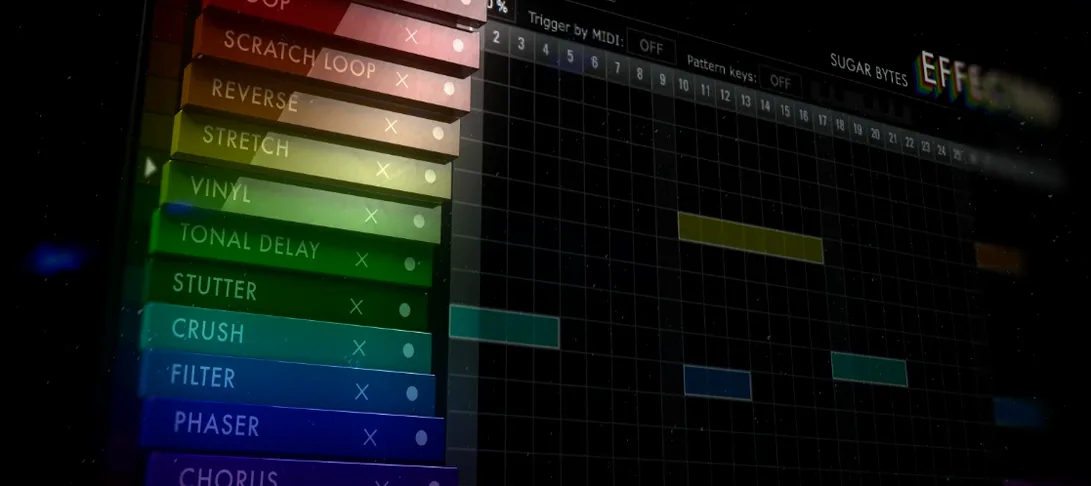
Applies sequenced audio effects per step so a filter or glitch lands precisely on the beat.
5 steps saved
 Devious Machines Infiltrator
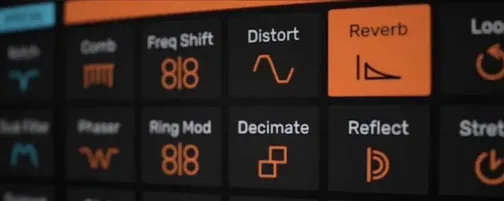
Stacks up to ten effects on a single insert slot and modulates them with envelopes.
23 steps saved
 Cymatics VOXITY
Shapes tone, presence, and width on a raw vocal from one insert.
14 steps saved
 Cymatics QUAKE
Generates sub and 808 bass parts inside a single processing window.
21 steps saved
 iZotope Insight
Plots loudness history and stereo vectors so you can hit your delivery spec exactly.