
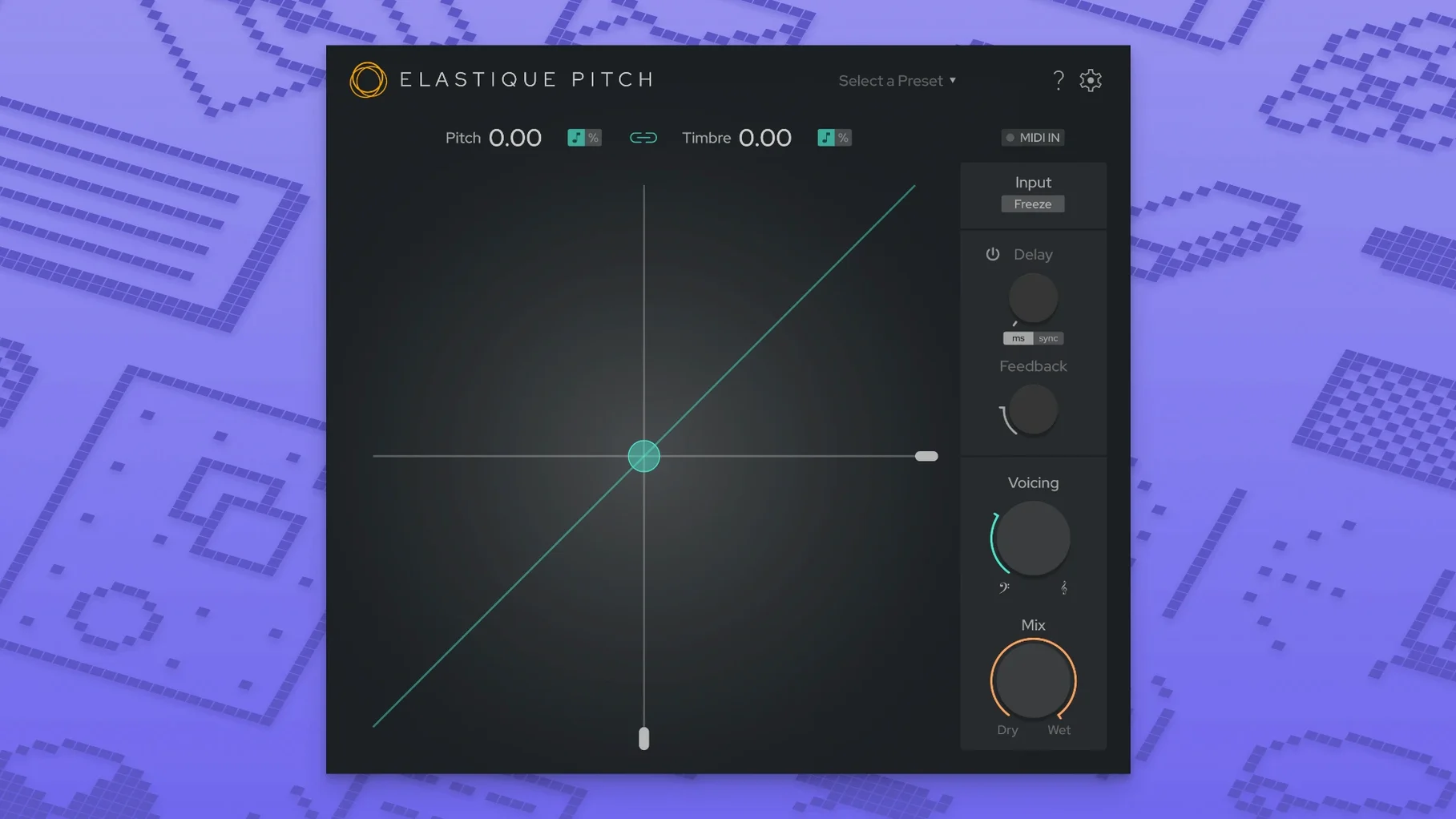
A vocal take sits slightly flat in an otherwise solid mix. Instead of re-recording, you insert elastiquePitch on the channel. You nudge the pitch up 40 cents, then tighten the formant slightly to keep the vocal natural rather than chipmunk-sounding. The whole thing happens during playback, with no rendering.
- Correct pitch without affecting timbre. Load the plug-in on a vocal or monophonic instrument track. Adjust the main pitch dial while the project plays. The formant stays put unless you move it.
- Shift formants for character changes. Pull the formant slider down to deepen a voice or push it up for a thinner, brighter texture. This works independently of pitch, so you can alter tone without detuning.
- Add a pitched echo. Dial in the delay section. Set the echo to repeat at a different pitch for cascading, harmonised trails that follow the source material in real time.
- Explore multichannel routing. With up to 16 channels supported, route the processed signal to different busses or surround channels for sound design tasks.
Because the engine runs the latest ÉLASTIQUEPRO algorithm, tempo-locked material and transient-heavy sources stay clean even at extreme settings. The redesigned interface puts all controls on a single pane, so you spend less time hunting for parameters.
A typical session starts with a drum groove, a bass line, and a guide vocal already in place. You drop elastiquePitch onto a return track, route a copy of the vocal to it, and set the pitch knob to +4 semitones. The return feeds a long reverb. What comes back is a glassy, formant-tilted layer that sits behind the lead without masking it.
Then you duplicate the track and load a second instance. This one gets the freeze-grain control — you catch a short vocal fragment, hold it, and ride the formant slider while the arrangement plays. The held grain becomes a pad. You bus both returns to a stereo group, add a high-pass filter at 180 Hz, and leave the low end alone.
Where elastiquePitch fits in a session
elastiquePitch works as a channel insert, a send effect, or a clip-level processor in most DAWs. The AU build loads in Logic Pro and other Core Audio hosts; the VST3 build covers Ableton Live, Cubase, and similar; the AAX native build works inside Pro Tools on Apple Silicon or Intel Macs.
It pairs well with stock macOS routing and a few other tools:
- Logic Pro’s bus system — send a dry vocal to a bus, place elastiquePitch before a reverb or delay, and shape only the wet signal.
- Soundflower or BlackHole-style routing — record a pitch-shifted copy from any source into a separate track without leaving the host.
- Your DAW’s automation lanes — map the pitch and formant dials to MIDI controls, then draw ramps for transitions.
- Offline pitch tools — use elastiquePitch for real-time monitoring and nudging, then commit the result to audio once the pitch sits right.
A common workflow for post-production: drop the plug-in on a dialogue track, shift the formant down a few points, and the voice reads as a different speaker. Keep the pitch untouched, and the words stay intelligible. For frame-rate conversion, the same formant control helps match the timbre of a voice recorded at a different speed.
Since the plug-in runs as 64-bit on both ARM and x86, it loads without a separate Rosetta bridge on M-series Macs. The installer routine is standard — open the disk image, run the package, then let your DAW rescan its plug-in folders.
- New — Redesigned user interface with all controls on a single pane.
- New — Expanded multichannel support, now handling up to 16 channels.
- Improved — Updated to the latest ÉLASTIQUEPRO algorithm for cleaner results at extreme settings.
- macOS 10.15 or later
- Intel or Apple Silicon Mac
- 64-bit host DAW
Questions I get before install
Can elastiquePitch change pitch and formants independently?
Yes. The plug-in allows you to shift pitch and timbre separately in real time, so you can correct tuning while preserving the original vocal character, or alter the formant without changing the note.
What macOS version does elastiquePitch v2 require?
It requires macOS 10.15 or later and runs as a 64-bit plug-in on both Intel and Apple Silicon Macs.
What is new in version 2.5.0?
Version 2.5.0 introduces a redesigned user interface, expanded multichannel support up to 16 channels, and the latest ÉLASTIQUEPRO pitch-shifting algorithm.
Comments 0
Sign in to leave a comment.Sign inCreate an account
No comments yet. If a step is still there after you install it, say so.
More in VST Plugins
All in VST Plugins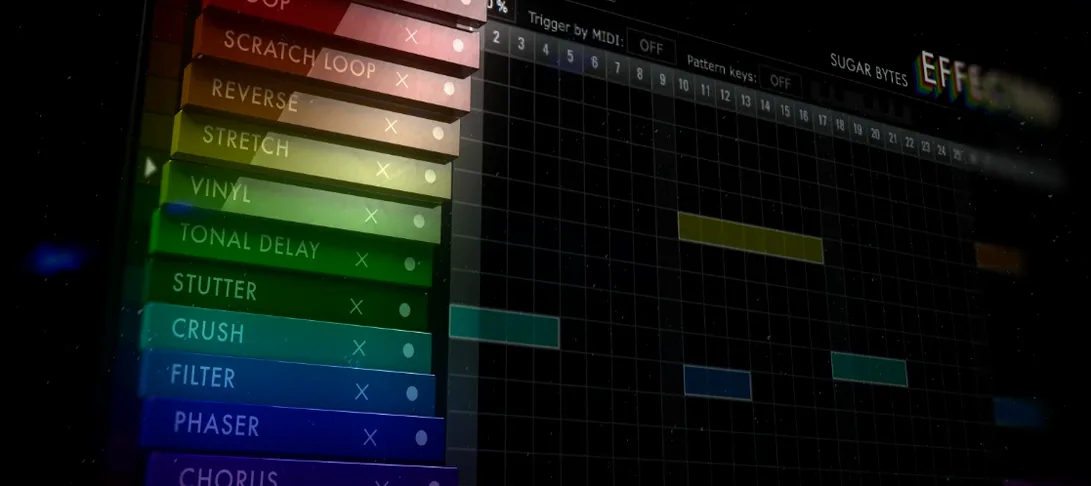 Effectrix
Applies sequenced audio effects per step so a filter or glitch lands precisely on the beat.
16 steps saved
 EZbass
Provides a played bass performance and writing tools that fill out a thin low end.
22 steps saved
 EZdrummer
Turns a chord progression into a full drum performance without engineering overhead.
10 steps saved
 Updated
FabFilter Total Bundle
Replaces a rack of outboard gear with a consistent set of mixing tools for every stage.
5 steps saved
 Devious Machines Infiltrator
Stacks up to ten effects on a single insert slot and modulates them with envelopes.
23 steps saved
 Cymatics VOXITY
Shapes tone, presence, and width on a raw vocal from one insert.
14 steps saved
 Cymatics QUAKE
Generates sub and 808 bass parts inside a single processing window.
12 steps saved
 Cableguys Snapback
Locks a sample to every detected transient in real time for instant layer reinforcement.