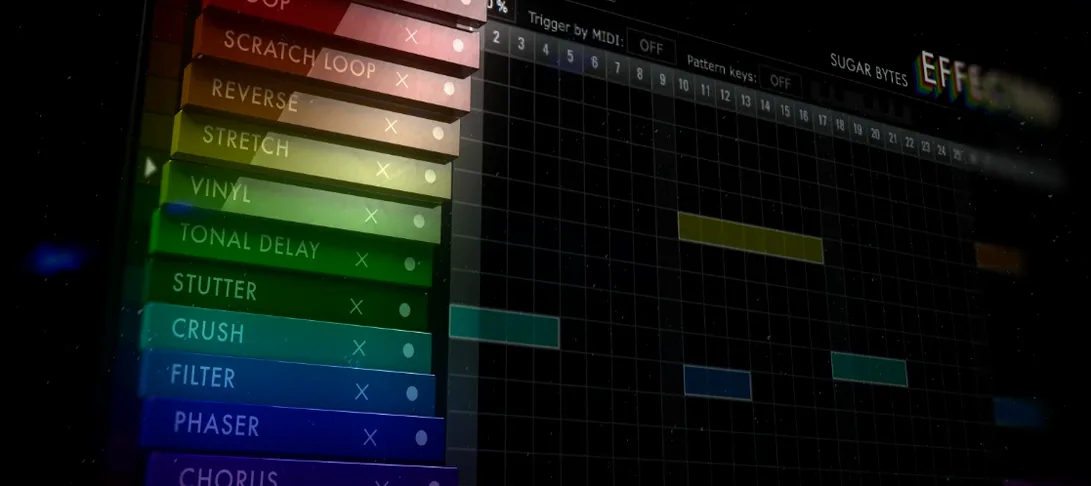
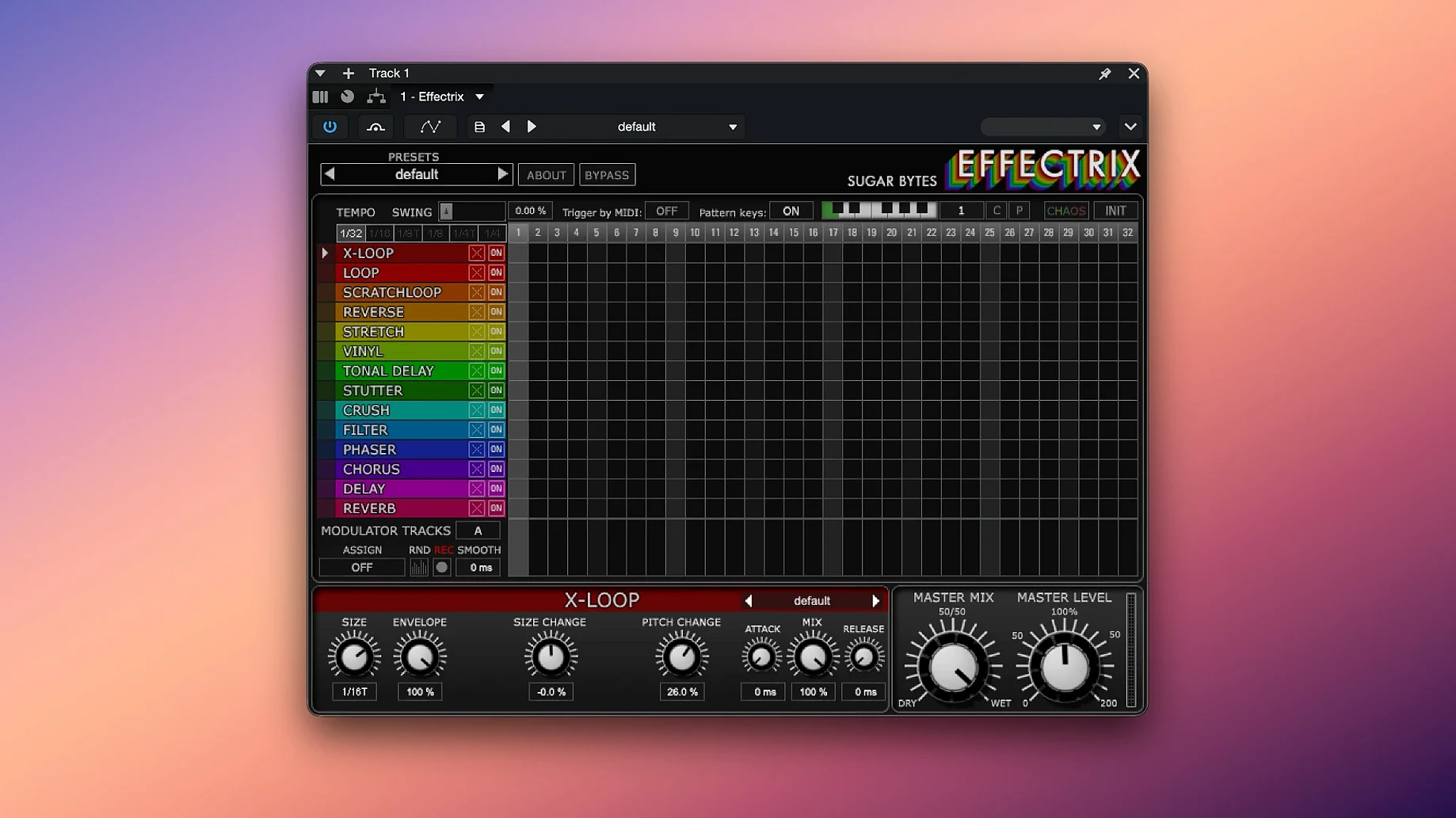
If you know a step sequencer from a synth or drum machine, Effectrix applies that same grid logic to audio effects. You program changes per step instead of per bar, so a filter sweep, a looper glitch, or a bit-crush can hit on the 3, hold for an 8th note, then vanish. It sits on individual tracks when you want a vocal chop or a bassline transformation, and on buses when a drum group needs synchronized movement without editing every lane.
14 Processors Locked to a 16-Step Grid
| Type | Multi-effect sequencer plugin |
| Effects | 14 synchronized processors |
| Sequencer | 16-step grid with tempo division and swing |
| Patterns | 12 per preset, recallable via MIDI |
Twelve sequence slots live inside one preset, which means you can map 12 variations across a MIDI keyboard and switch patterns without touching the interface. The Chaos button randomizes step parameters for unpredictable fills, while hundreds of global presets give each effect a starting point. Whether it's a synth line that needs a rhythmic transform or a full drum bus that calls for tight, tempo-locked modulation, Effectrix works where a static insert effect stops being enough.
Apple Silicon Native, No Rosetta Required
One question that comes up often is whether Effectrix works on newer Apple Silicon machines. It does — the current build runs natively on both Intel and ARM Macs, so no Rosetta workaround is needed. Another frequent concern is about DAW compatibility: the plugin loads as Audio Unit, VST2, VST3, and AAX, which covers Logic, Ableton Live, Cubase, Pro Tools, and most other hosts. A standalone version is included as well, which helps for quick sound design sessions without launching a full project.
People also ask how steep the learning curve is. The grid reads left to right, each column is a step, and each row is an effect lane. If you have used a step sequencer before, the core workflow takes about ten minutes to grasp. The deeper parameters — modulation tracks, swing behaviour, per-effect settings — reveal themselves as you go. The included activation instructions cover setup, and the package contains everything needed to get the plugin running on macOS 10.14 or later.
How Effectrix Fits Into a Setup
Effectrix works best when it talks to other tools rather than sitting in isolation. Here are a few ways to integrate it:
- MIDI pattern switching — map the 12 sequence slots to keys on a controller, then trigger pattern changes live while a clip plays.
- Host automation — record knob movements from Effectrix into your DAW's automation lanes for evolving sequences over a full arrangement.
- Sidechain-style routing — place it on a return track with a drum bus sent to it, blending the effected signal in parallel.
- Built-in macOS tools — capture the standalone output into a recorder, or route audio between apps with a virtual device.
The modulation tracks deserve a closer look. Each one can drive effect parameters across the 16 steps, so you get movement that follows the grid rather than free-running LFOs. Combine that with the swing function and the result locks to your project tempo naturally. When a sequence hits a dead end, the copy and paste function moves patterns between slots without rebuilding them, which keeps the workflow from stalling mid-session.
- macOS 10.14 or later
- 64-bit host (Intel and Apple Silicon supported)
Questions I get before install
How many effects does Effectrix include?
Effectrix includes 14 synchronized effects that you program across a 16-step sequencer grid, with tempo division and swing control.
Comments 0
Sign in to leave a comment.Sign inCreate an account
No comments yet. If a step is still there after you install it, say so.
More in VST Plugins
All in VST Plugins elastiquePitch
Corrects pitch and adjusts formant in real time so a flat vocal sits naturally in the mix.
16 steps saved
 EZbass
Provides a played bass performance and writing tools that fill out a thin low end.
22 steps saved
 EZdrummer
Turns a chord progression into a full drum performance without engineering overhead.
10 steps saved
 Updated
FabFilter Total Bundle
Replaces a rack of outboard gear with a consistent set of mixing tools for every stage.
5 steps saved
 Devious Machines Infiltrator
Stacks up to ten effects on a single insert slot and modulates them with envelopes.
23 steps saved
 Cymatics VOXITY
Shapes tone, presence, and width on a raw vocal from one insert.
14 steps saved
 Cymatics QUAKE
Generates sub and 808 bass parts inside a single processing window.
12 steps saved
 Cableguys Snapback
Locks a sample to every detected transient in real time for instant layer reinforcement.