
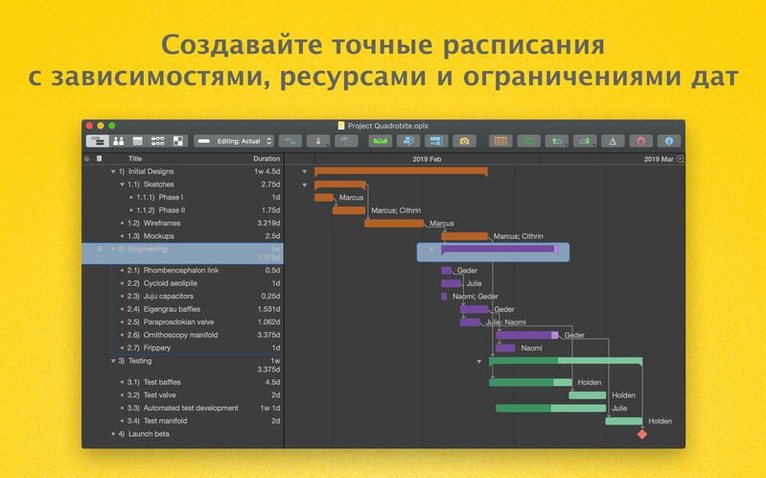
OmniPlan Pro is a desktop project management application built to break complex initiatives into manageable, trackable pieces. Let's walk through a realistic scenario: organising a company's annual offsite retreat. You start by outlining high-level tasks—venue booking, speaker coordination, catering—directly in the Gantt chart. Dependencies are set so "Confirm final attendee numbers" must finish before "Order meals." You assign each task to a team member, and the app's workload view immediately flags where you've overloaded your event coordinator.
As the plan takes shape, you run a Monte Carlo simulation to gauge the likelihood of hitting the final print deadline for name badges. The result pushes you to adjust lead times for the printer. Once the project is live, you track progress against your baseline, accept or reject changes individually, and export a clean timeline to OmniGraffle for a stakeholder presentation.
Monte Carlo Simulation and Microsoft Project Round-Tripping
- Visualising project timelines with interactive Gantt charts
- Balancing team workloads and spotting resource conflicts early
- Stress-testing deadlines with Monte Carlo simulation
- Teams that need to exchange files with Microsoft Project users
- Automating repetitive plan adjustments via AppleScript
Steep Learning Curve Behind Pro Simulation Tools
- Requires deliberate setup; not a casual to-do list replacement
- Needs macOS 12 or later
- Pro-tier features like simulation command a learning curve
Responsive Inspector After Resource-Heavy Task Edits
Version 4.11 landed with two focused improvements that show up in daily work. Editing a task that carries a dozen or more assigned resources no longer triggers the pause it used to. The property inspector stays responsive even on resource-heavy plans—project managers who assign whole departments to a single milestone will notice the difference immediately.
The other change runs deeper: compatibility updates for newer macOS releases keep the app stable when Apple shifts system frameworks. No new buttons, no redesigned panels—just a quieter, more predictable session whether you are running macOS 12 or something fresher.
Unpicking Why a Task Ignores Your Manual Date
New users often hit a wall with scheduling logic. A task stays pinned to the wrong date, and the reason is not obvious. Nine times out of ten, a dependency or a resource availability rule overrides the manual date. Open the task inspector, flip to the Dependencies tab, and clear any connection that does not belong. If the task still refuses to move, check the assigned resource's calendar—a day marked as non-working will push everything downstream.
Large Microsoft Project imports can stall. The fix is to strip the .mpp file down first: remove unused columns, custom fields, and macros in a Windows environment before bringing the lean file across. OmniPlan Pro reads the essentials—task hierarchy, durations, dependencies—without the cruft.
Another headache: change tracking marks too many revisions. Set the change-tracking sensitivity in preferences to ignore formatting-only edits if you only care about structural shifts. The "Accept All" button then clears the noise in one click.
Preserving Task Dependencies When Importing .mpp Files
Does OmniPlan Pro open native Microsoft Project files? It imports and exports .mpp files, yes. Round-tripping between the two apps preserves task outlines, durations, dependencies, and resource names. Custom Microsoft Project views and macros do not transfer.
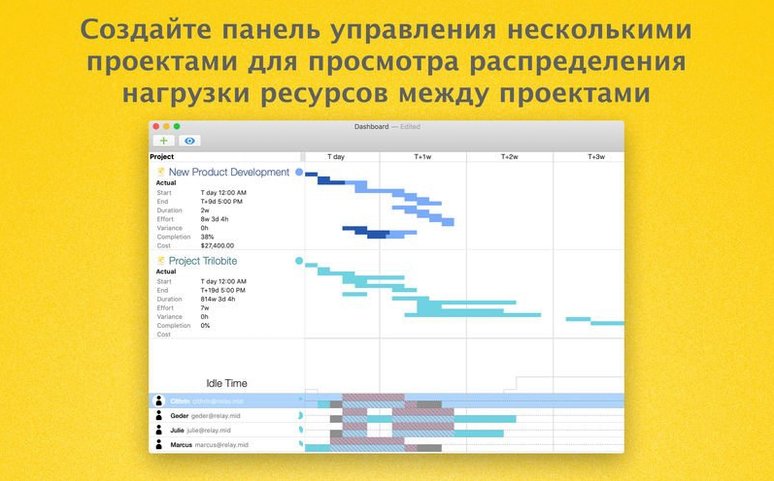
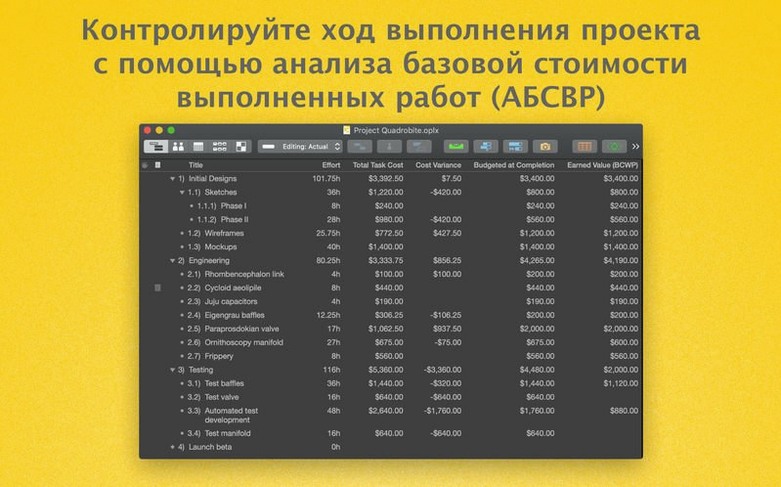
What does the Pro tier add over standard OmniPlan? A multi-project dashboard for watching several plans side by side, earned value analysis, automatic effort estimation, Monte Carlo simulation, HTML reporting, Microsoft Project exchange, change tracking, and AppleScript support. If you are managing one small project alone, the standard edition suffices. Cross-project oversight needs Pro.
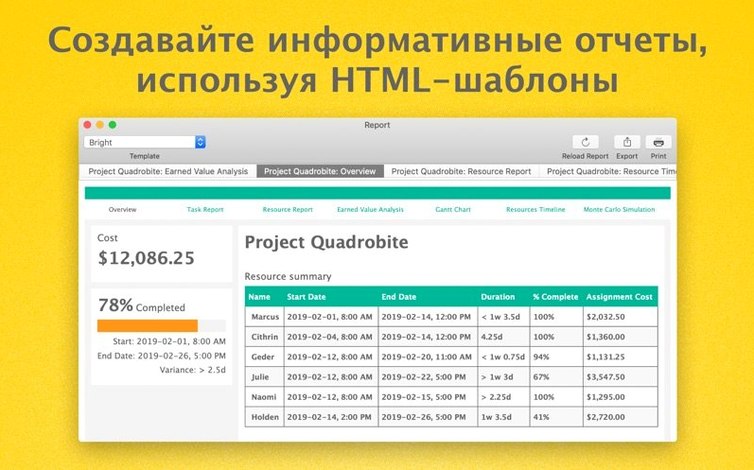
Can colleagues without a Mac see the plan? HTML reports export a read-only snapshot viewable in any browser. Publish/subscribe via Omni Sync Server or a WebDAV server lets remote stakeholders pull updates with read-only access, no Mac required.
Is an omniplan torrent a safe way to test the app? The version available through unofficial channels often lags behind the current 4.11.0 release and may lack the macOS compatibility fixes that keep the app stable on newer systems.
- Improved — Compatibility with newer macOS versions.
- Improved — Performance when editing tasks with many assigned resources.
- macOS 12 or later
- Apple Silicon or Intel (64-bit)
Questions I get before install
Can OmniPlan Pro open Microsoft Project files?
Yes, it supports importing and exporting Microsoft Project documents.
What does the Pro version add over standard OmniPlan?
The Pro tier includes Monte Carlo simulation for forecasting and AppleScript automation support.
Comments 0
Sign in to leave a comment.Sign inCreate an account
No comments yet. If a step is still there after you install it, say so.
More in Office
All in Office OmniFocus Pro
Flattens vague plans into tagged, location-aware actions you can actually complete.
9 steps saved
 OmniReader Pro
Opens PDFs, ebooks and documents in one reader with notes and reading modes.
21 steps saved
 QuickBooks Mac Plus
Gives a small business a clean, guided path from setup to daily tracking.
8 steps saved
 Microsoft Word
Writes and reviews documents with tracked changes that open the same anywhere.
11 steps saved
 Microsoft PowerPoint
Builds presentation decks that move past static bullet points.
13 steps saved
 Microsoft Outlook
Puts mail and calendar in one window so you stop switching apps.
11 steps saved
 Microsoft Office
Gives a team six tools for documents, spreadsheets, and presentations.
19 steps saved
 Microsoft Excel
Builds budgets, forecasts and reports in spreadsheets the whole team can edit.