Nik Collection 9 ships three new effects—Chromatic Shift, Glass Effect, and Halation—plus a faster way to test presets. Hover over any preset name and the preview updates immediately. Depth Masks and AI Masks now handle complex selections without manual brushing, and local adjustments copy between images for the first time.
A common editing flow looks like this.
- Define 2 — Run noise reduction and lens correction. Dfine profiles the sensor automatically.
- Color Efex Pro — Stack filters for toning. The new Color Grading tool gives you lift, gamma, and gain controls in one panel.
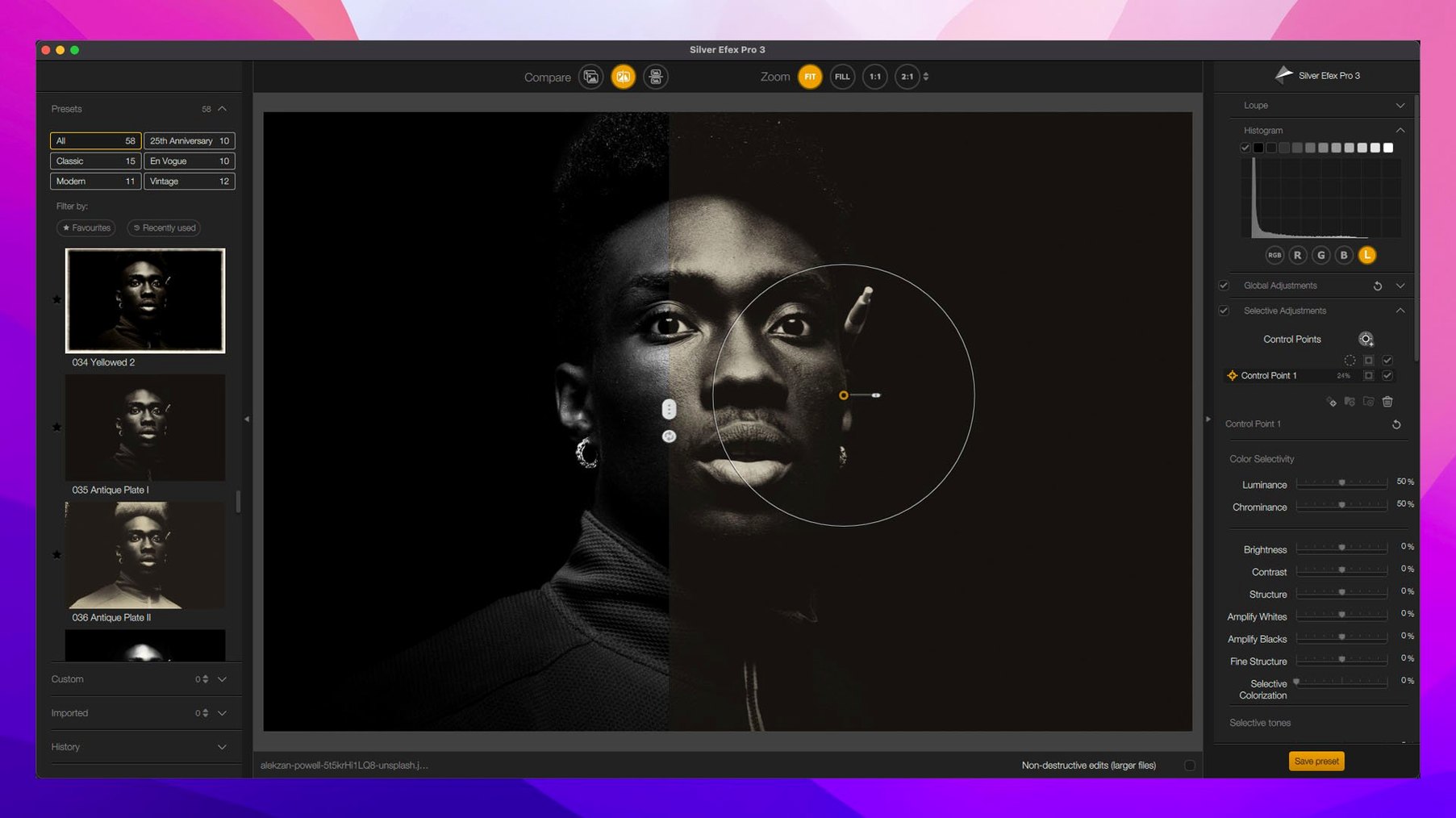
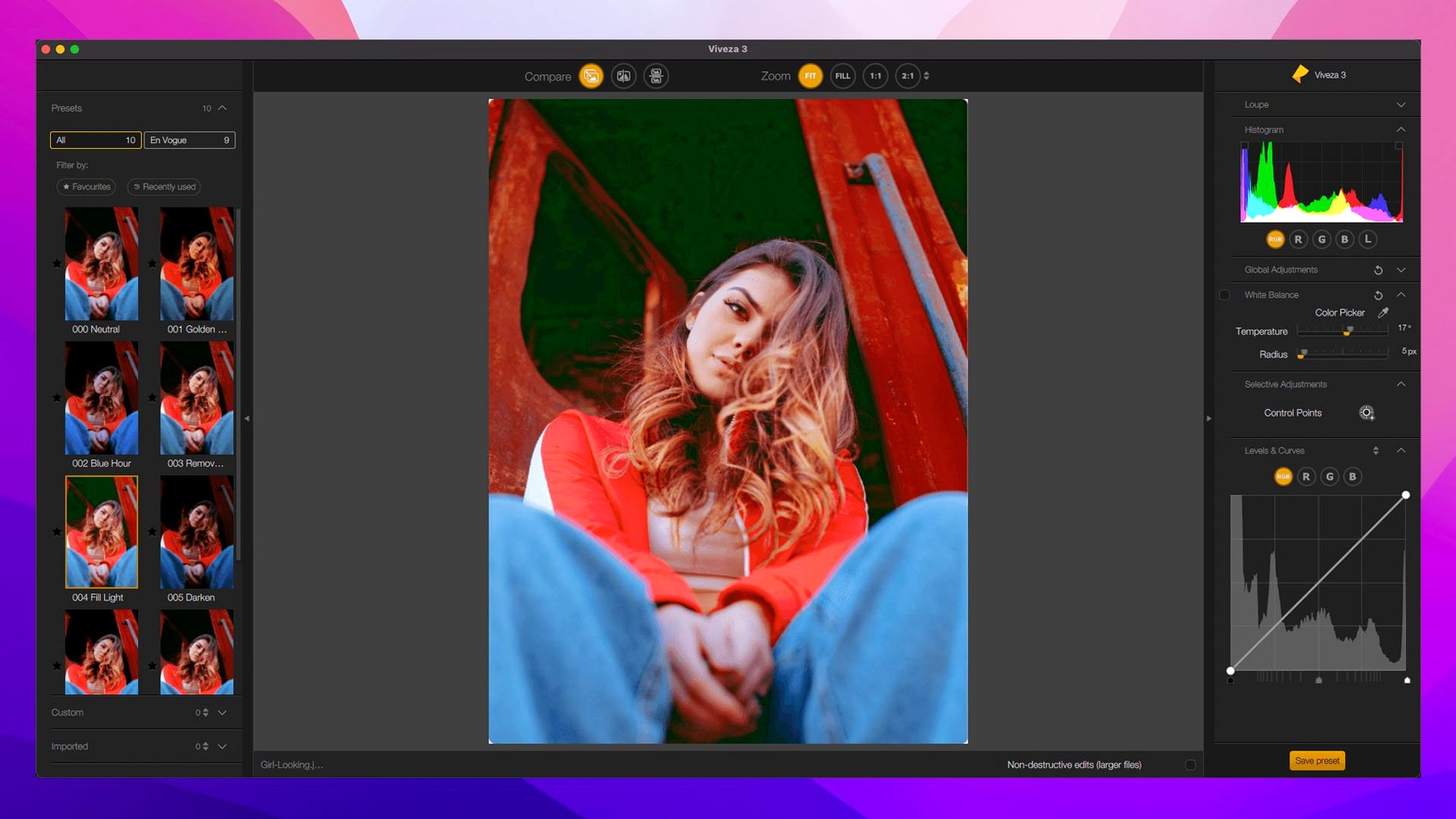
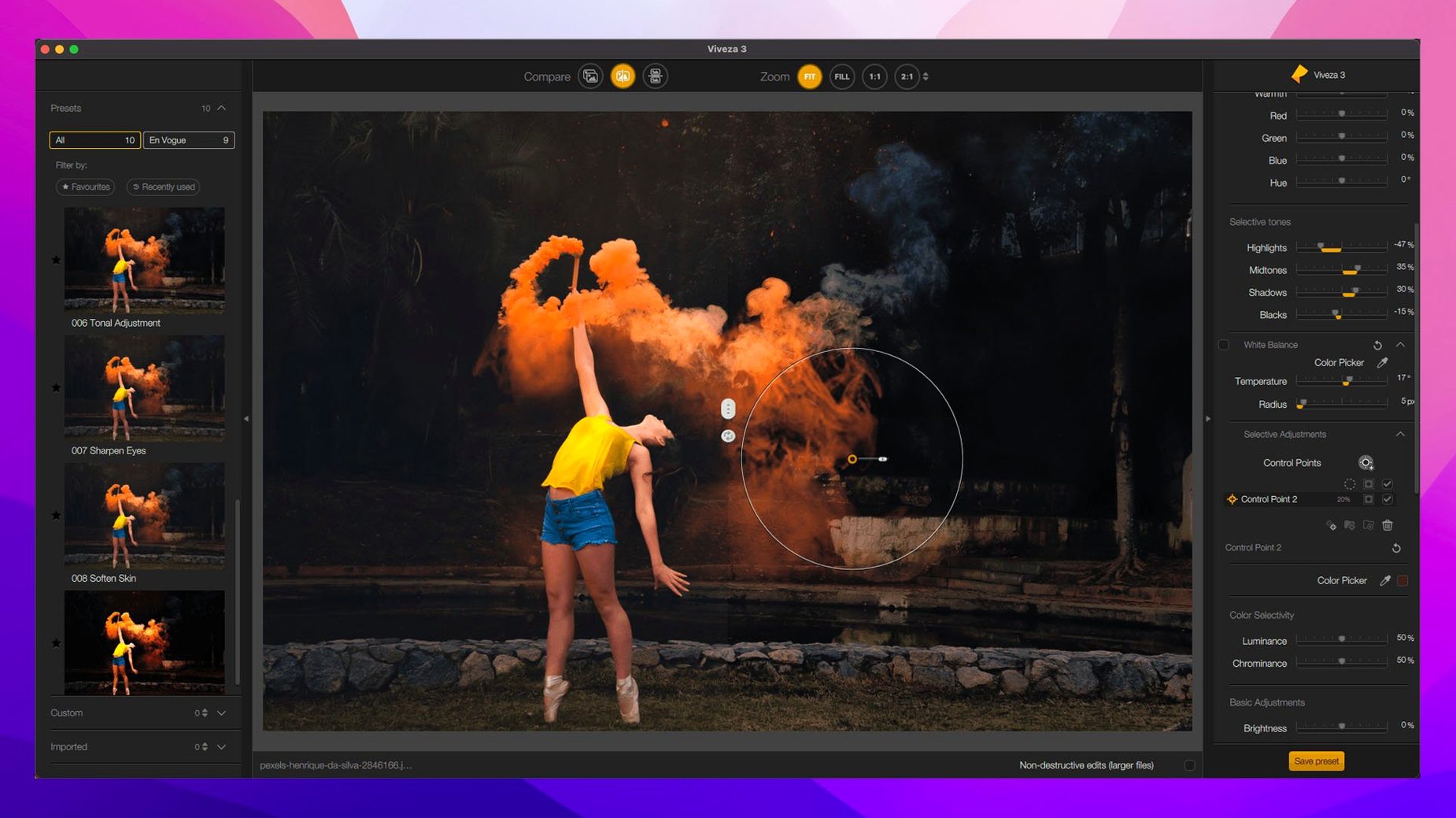
- Viveza — Place control points to adjust brightness and saturation locally without creating layer masks.
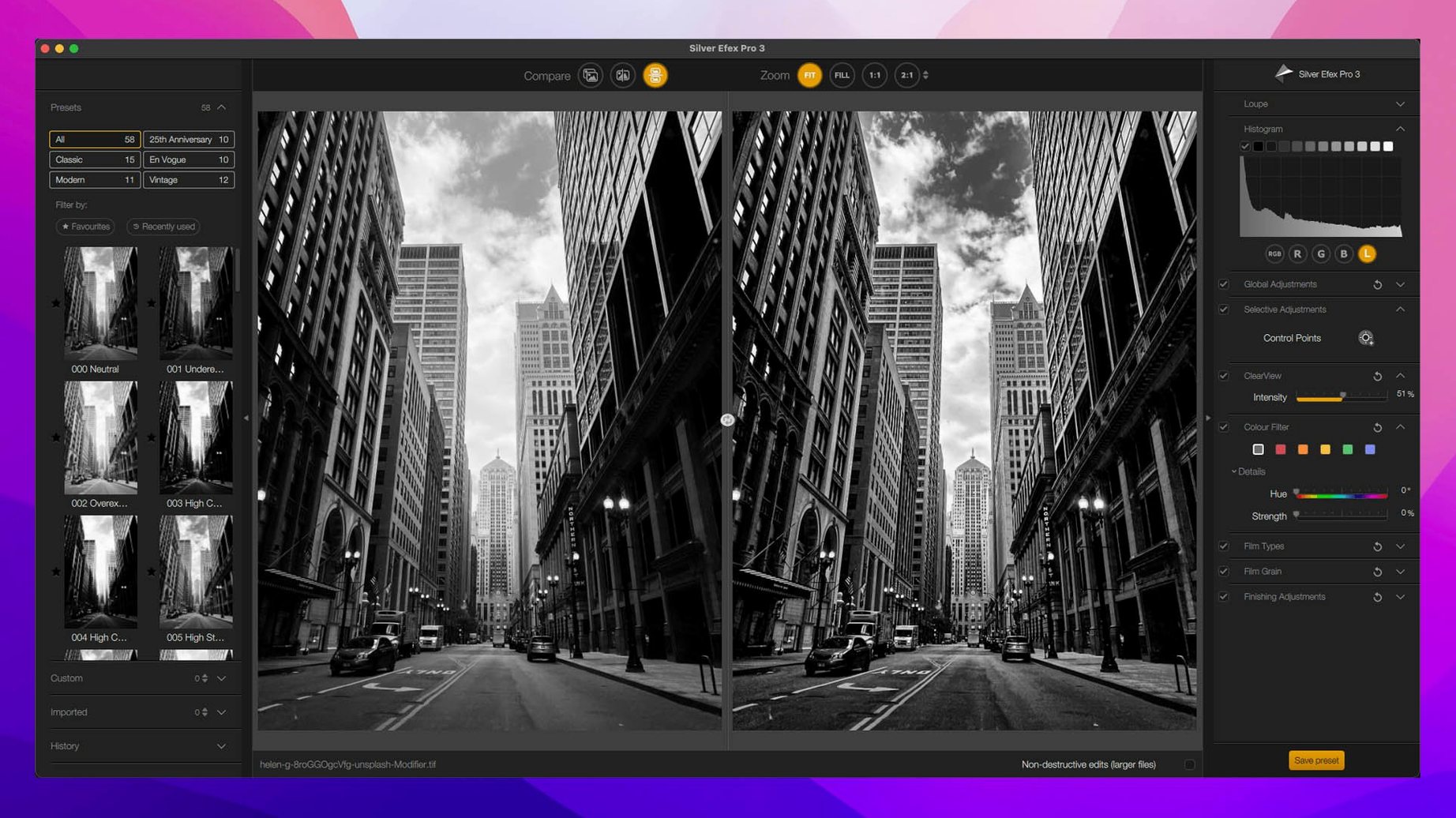
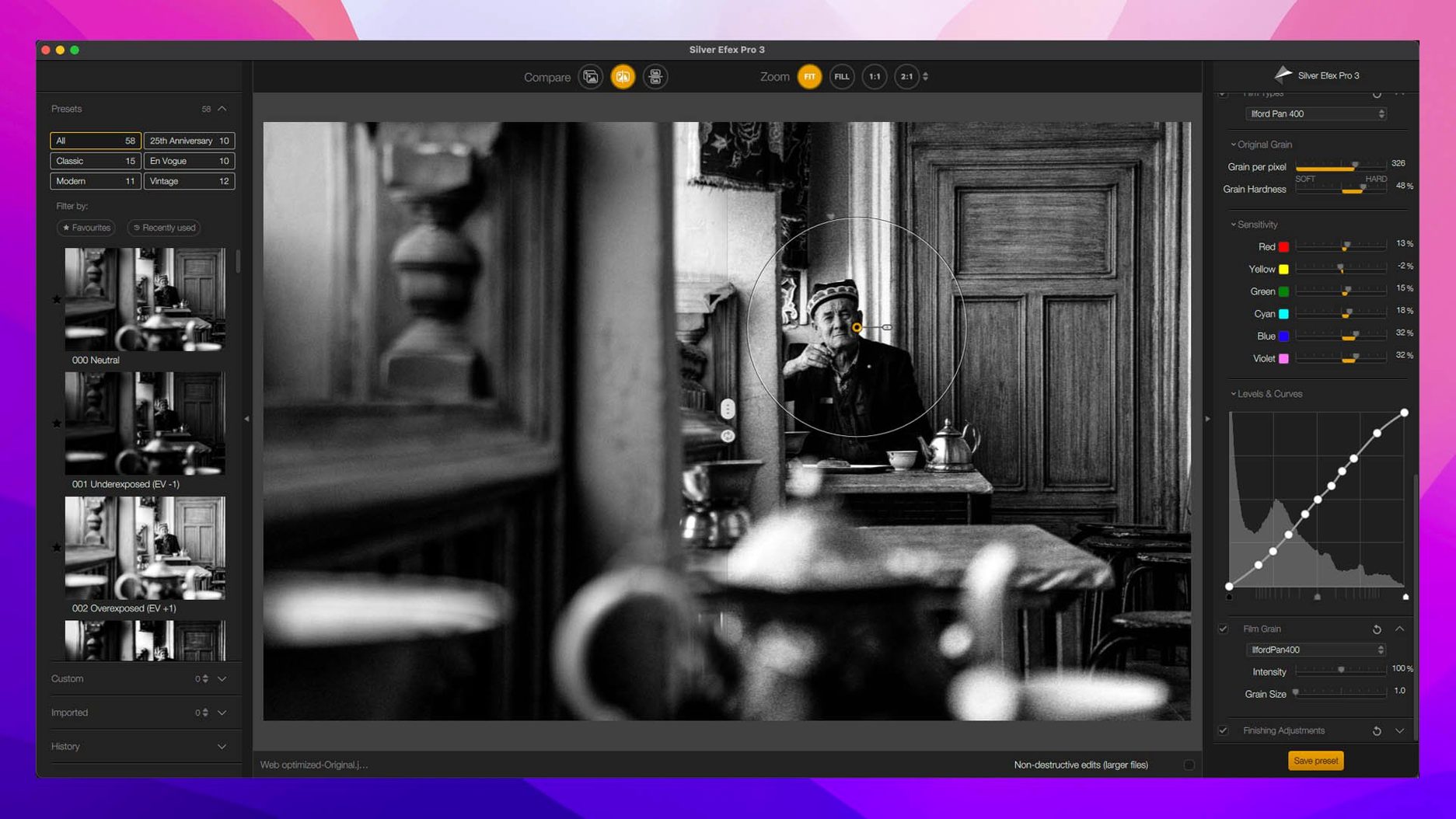
- Silver Efex Pro — Convert to black and white with film-grain emulation and toning presets.
- Sharpener Pro — Output sharpen for screen or print at 16-bit depth, with a loupe preview of the area that matters.
Analog Efex Pro, HDR Efex Pro, and Perspective Efex cover vintage looks, merging, and geometry fixes. The suite works as a plugin inside Photoshop and Lightroom, and also opens from Affinity Photo and DxO PhotoLab.
Double-click control points to reset a single adjustment
Several shortcuts hide in plain sight. In Viveza and Silver Efex Pro, double-clicking a control point resets only that point’s adjustment, not the whole edit. In Color Efex Pro, Option-clicking a filter checkbox isolates that filter so you can judge its contribution without removing the rest of the stack.
- U Point grouping — Drag one control point onto another to link them. Both then share the same adjustment range.
- Loupe lock — In Sharpener Pro, clicking the loupe once pins it; the preview stops following the cursor.
- Before/after split — Silver Efex Pro lets you drag the divider while holding
Shiftto switch between a vertical and horizontal split. - Mask overlays — With Mask Overlays active in Nik Collection 9, press
Mto toggle the overlay view while a filter stays applied.
Preset Hover Preview works across Color Efex Pro, Silver Efex Pro, and Analog Efex Pro. On slower machines, waiting a half-second before moving to the next preset avoids a queue of preview renders.
Colour Grading replaces three-filter stacks in Color Efex
The Colour Grading tool in Color Efex Pro removes the need to stack three separate filters for lift, gamma, and gain. Chromatic Shift, Glass Effect, and Halation arrive as distinct filters, each with its own opacity and blend mode, so they sit inside an existing filter stack rather than forcing a round trip to another plugin.
Depth Masks and AI Masks change retouching in Viveza and Color Efex Pro. A Depth Mask isolates, for example, a subject against a blurred background without manual brushing. Copying local adjustments between images preserves control point positions and their radius values, which helps when a shoot uses consistent framing across dozens of frames.
Where Nik Collection sits
Compared with Exposure, Nik Collection relies on host applications for library and non-destructive workflow, while Exposure bundles its own browser and file handling. Compared with Topaz Photo AI, Nik Collection covers a broader creative range—vintage looks, black-and-white conversion, geometry—where Topaz concentrates on noise, sharpening, and upscaling. Compared with Luminar Neo, Nik Collection offers finer local control through U Point technology, though Luminar Neo works as a standalone editor as well as a plugin.
- New — Chromatic Shift, Glass Effect, and Halation in Nik Color Efex. Depth Masks and AI Masks for automatic selections. Color Grading tool with lift, gamma, and gain controls. Preset Hover Preview.
- Improved — Copy and paste local adjustments between images now supported. Build label reads Nik Collection 9 by DxO 9.1.0.
- macOS 13.3 or later
- Intel or Apple Silicon Mac
Questions I get before install
Which host applications support the Nik Collection?
The plugins run inside Adobe Photoshop and Lightroom, and also integrate with Affinity Photo and DxO PhotoLab.
What does Viveza do?
Viveza uses control points for precise local adjustments to colour and light without needing manual layer masks.
What is new in the Nik Collection 9 release?
Version 9 adds Chromatic Shift, Glass Effect, and Halation, along with Depth Masks, AI Masks, and a new Color Grading tool in Nik Color Efex.
Comments 0
Sign in to leave a comment.Sign inCreate an account
No comments yet. If a step is still there after you install it, say so.
More in Mac Apps
All in Mac Apps Updated
Nook X
Puts tasks, lyrics, and AI chat into the MacBook notch so you skip opening separate apps.
21 steps saved
 NotchBox
Turns the camera cutout into a temporary shelf for files and media controls.
5 steps saved
 Updated
NotchNook
Consolidates AirPlay, calendar, and playback controls into the menu bar notch.
21 steps saved
 NeoFinder
Catalogues offline disks and folders into a searchable media asset database.
13 steps saved
 NTFS Disk by Omi NTFS
Adds read and write access to Windows-formatted external drives on a Mac.
11 steps saved
 Updated
Navicat Premium
Manages multiple database types from a single macOS workspace.
15 steps saved
 Native Instruments Reaktor
Opens a blank canvas for visually wiring custom synths and samplers.
9 steps saved
 Updated
OK JSON - Viewer & Formatter
Structures raw API responses into a readable format instead of staring at text walls.