
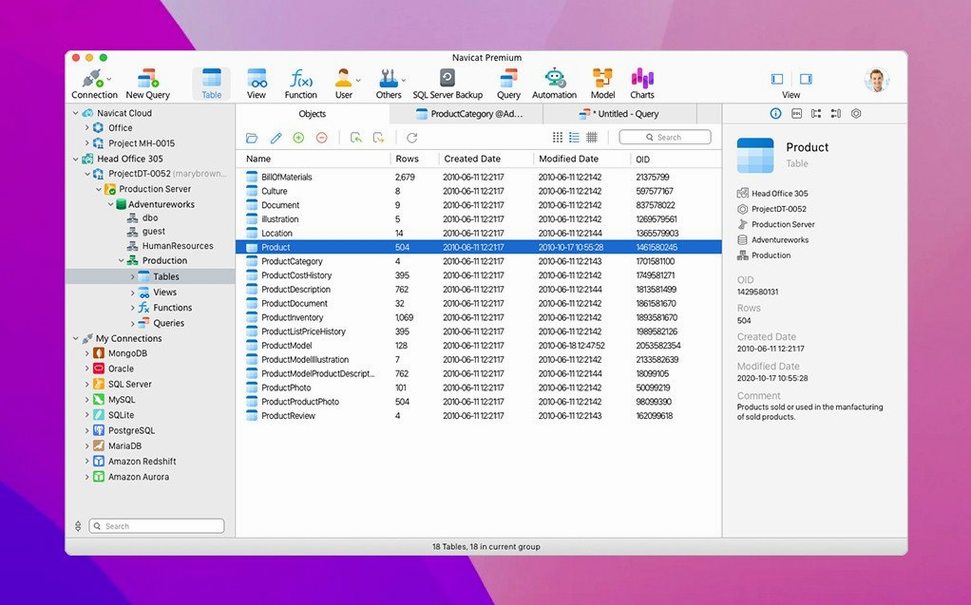
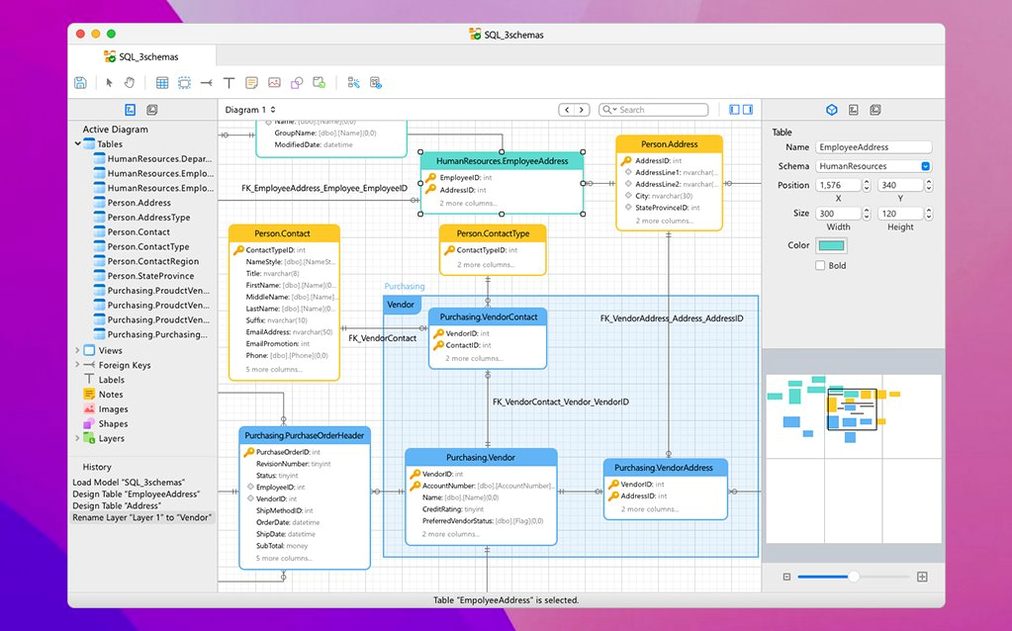
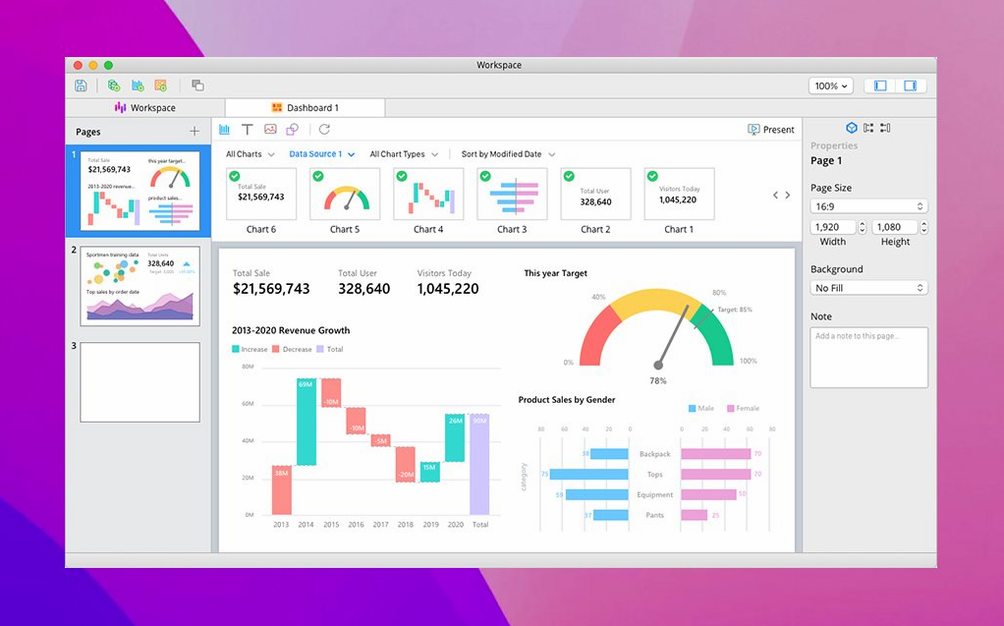
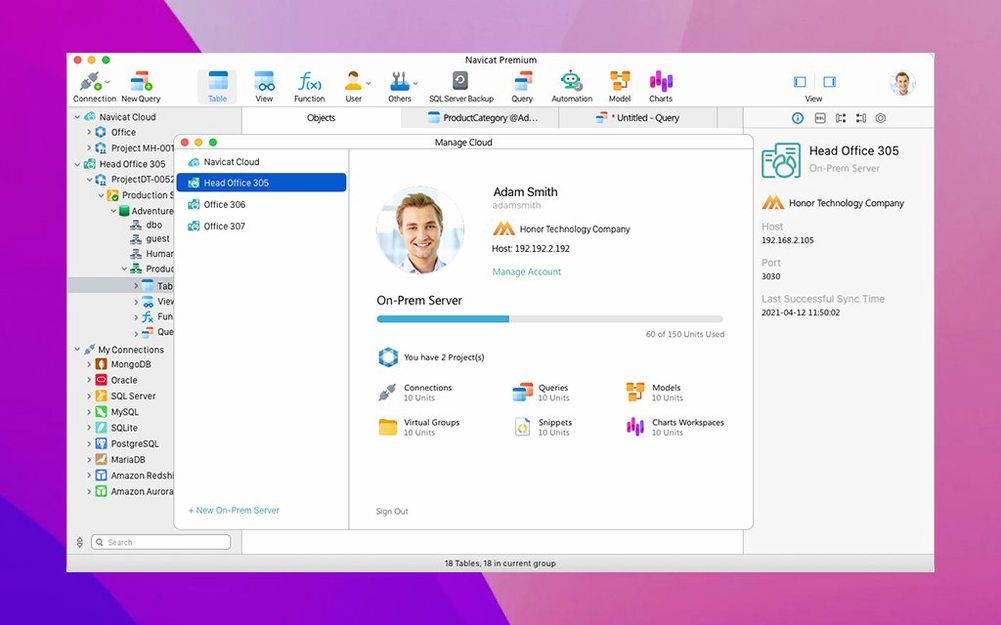
Navicat Premium is a single macOS workspace for developing and administering several database types at once.
Multi-database support — Connect to MySQL, MariaDB, MongoDB, Oracle, PostgreSQL, and SQLite from one interface.
What it replaces — Running separate Navicat editions for each database engine.
Data migration — Move data between different database systems with built-in transfer tools.
Backup and restore — Schedule backups for MySQL InnoDB databases and restore them when needed.
Object management — Create and delete databases, tables, indexes, and users directly in the app.
Secure connectivity — Connect through HTTP Tunnel to reach remote servers behind firewalls.
Business intelligence — Visualize data and generate reports without leaving your database workspace.
Database search — Locate records quickly across connected servers using the integrated search tool.
Unicode support — Work with data in multiple languages without character encoding issues.
Switching databases without interface lag
Launch Navicat Premium and connections restore quickly—often under five seconds for four or five saved servers. The interface stays responsive even with multiple query tabs open across different database types. I notice little UI lag when switching between a PostgreSQL data model and a MySQL query builder, which matters during long debugging sessions.
Memory use is moderate for a tool of this scope. On an Apple Silicon Mac, expect roughly 400–600 MB with a handful of active connections, climbing closer to 1 GB when running a data migration or synchronisation job. CPU spikes are short-lived and tied to heavy imports, large result set rendering, or the report builder. In idle, the app settles to near-zero processor load.
Stability holds up well. Crashes are rare in daily administration work. The most common friction point is a dropped SSH tunnel after the Mac wakes from sleep—reconnecting the session takes a few clicks, no restart required. Connections over HTTP Tunnel feel slightly slower than direct ones, an expected trade-off for reaching servers behind strict firewalls.
SSH query timeouts resolved in bug-fix release
Version 17.3.8 arrived as a focused bug-fix release for macOS. The developer addressed several stability improvements without changing the feature set users already rely on. Queries that previously timed out under specific SSH configurations now complete normally. Interface glitches tied to the SQL console on Apple Silicon Macs are resolved.
Usability refinements in the 17.3 line tightened everyday workflows. The connection list remembers its scroll position after editing a server profile, reducing back-and-forth annoyance. Export wizards in navicat for mac no longer reset column selections when toggling between XLS and CSV formats. For anyone using mac navicat premium 17 daily, the cumulative effect is less friction during routine data extraction tasks.
Performance regressions are absent from these updates. Query completion times, backup scheduling, and model rendering stayed consistent across the point releases.
Set auto-save to 3 minutes against query loss
A few preferences improve daily comfort right away:
- Auto-save interval — Navigate to Preferences > General and set the save interval to 3 minutes. The default is longer, and losing a complex query draft to a crash is unnecessary.
- SQL console font — Switch to a monospaced typeface you actually like reading. Menlo at 13 pt works well; the default size feels cramped during multi-line procedure edits.
- Tab behaviour — Enable “Confirm before closing multiple tabs” in Preferences > Editor. Accidentally closing four unsaved query tabs is easy without it.
- SSH keep-alive — Under connection properties for each SSH-tunnelled server, set a keep-alive interval of 30 seconds. This reduces tunnel drops after sleep.
- Colour-coded connections — Assign distinct highlight colours to production and development servers in the connection list. A red highlight on the production MySQL connection prevents mishaps before they happen.
Navicat Premium 18.0.5 is now available. Release details are published on the developer's site.
- macOS 14.6 or later
- Apple Silicon or Intel 64-bit
Questions I get before install
Can I sync data between two databases?
Yes. Navicat Premium includes data synchronization tools to compare and align data across different database systems.
Does it support connections to remote servers?
It supports multiple connections to both local and remote database servers, including connections through HTTP Tunnel for secure remote access.
Which database types can I work with?
You can connect to MySQL, MariaDB, MongoDB, Oracle, PostgreSQL, and SQLite databases from a single interface.
Comments 0
Sign in to leave a comment.Sign inCreate an account
No comments yet. If a step is still there after you install it, say so.
More in Mac Apps
All in Mac Apps Native Instruments Reaktor
Opens a blank canvas for visually wiring custom synths and samplers.
21 steps saved
 NeoFinder
Catalogues offline disks and folders into a searchable media asset database.
9 steps saved
 My Metronome - Tempo Keeper
Combines a metronome, BPM detector, and guitar tuner for practice sessions.
22 steps saved
 MuMu Player Pro
Runs a full Android environment on macOS with keyboard and mouse control.
9 steps saved
 m’s HalfTone
Applies halftone dot patterns to footage directly within the layer stack.
22 steps saved
 Updated
Mp3tag
Pulls structured metadata from Discogs and MusicBrainz for precise tagging.
11 steps saved
 Updated
Movist Pro
Plays obscure video formats with hardware decoding and rich subtitle controls.
20 steps saved
 Movavi Video Suite
Combines rough cuts, format conversion, and screen capture in one Mac app.