

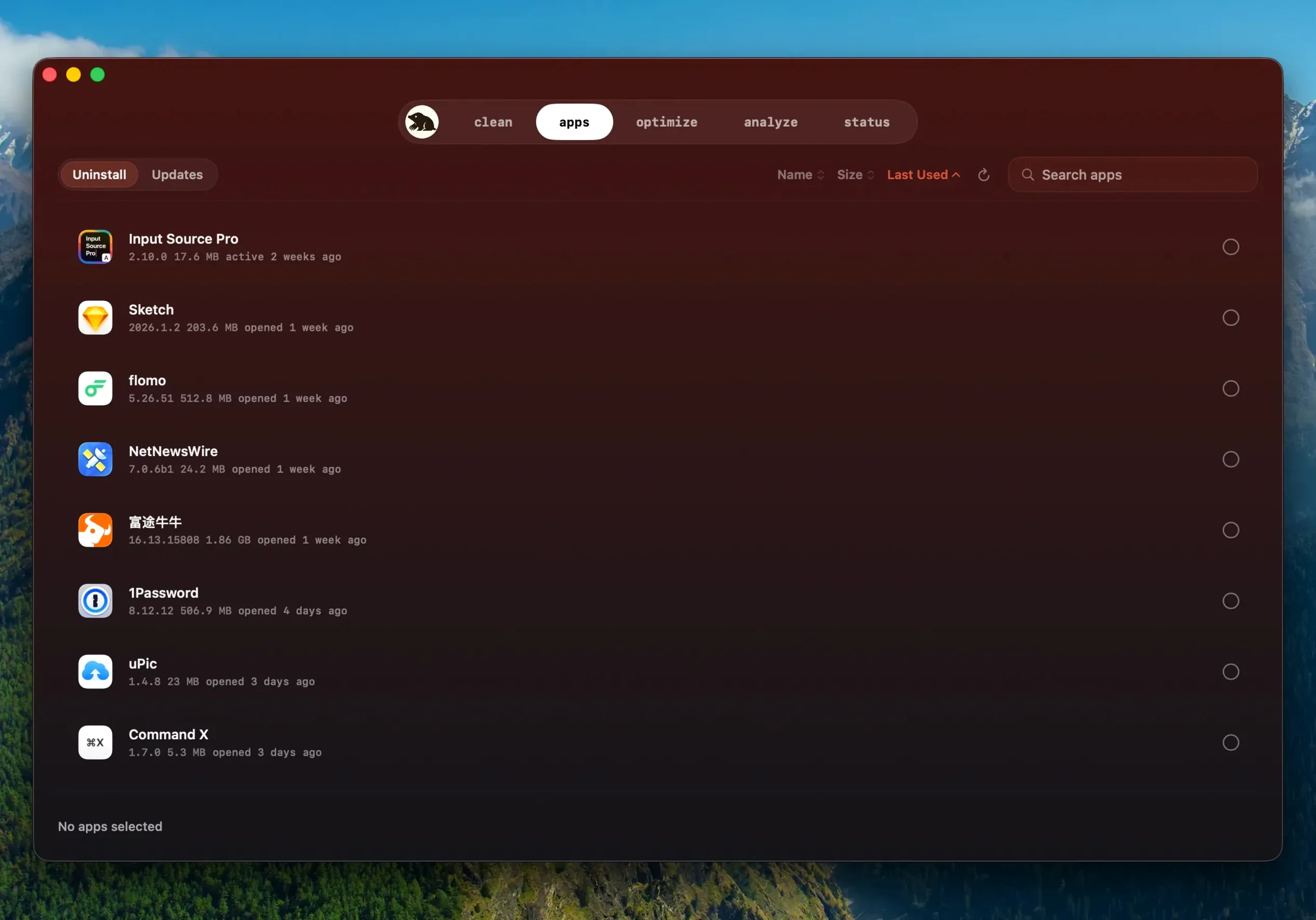


Version 1.14.0 adds a practical update mechanism for apps you installed outside the App Store. Mole detects when a newer build is available, asks before quitting a running app, and reopens it once the update finishes. It also reuses a completed download if the first update attempt fails.
What does Mole clean?
Caches, logs, leftover temporary files — the clutter that grows without you noticing. Before it removes anything, Mole shows a list of files and their sizes so you decide what goes.
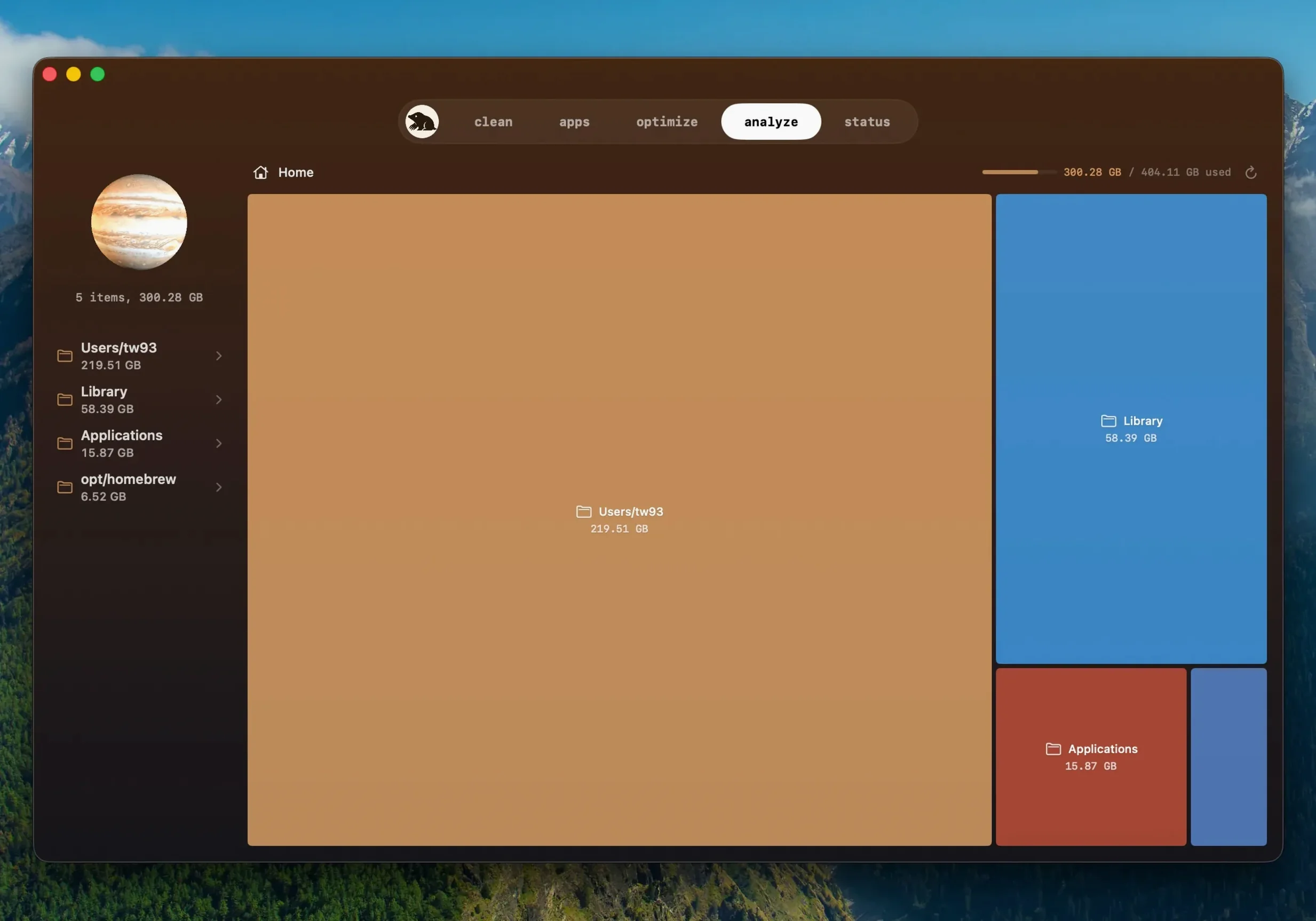
Spot drive hogs instantly with the tree map
Anyone who wants to reclaim disk space without hunting through hidden folders. The tree map view makes it easy to spot what is eating your drive in seconds.
No network calls, no analytics, no accounts
Skipping the scan and deleting blind
Most cleanup mistakes come from acting before you look. Three habits cause the usual trouble.
- Granting full disk access too early. Mole works fine without it for most scans. The deep scan is the only part that needs extra permissions. Install first, try a regular scan, then decide if you need the deeper pass.
- Deleting everything the scan finds. Some caches rebuild themselves, which wastes time, not space. Others hold login states you will have to re-enter. Read the file list before you confirm. Mole skips suspicious items on purpose — respect that.
- Ignoring the size column. A long list of tiny logs looks alarming. A single 8 GB cache hides at the bottom. Sort by size before you select anything.
How Mole fits with other tools
Mole is not a replacement for tmutil or Time Machine. Think of it as the layer between manual maintenance and macOS automation.
The tree map view pairs well with Finder’s storage bar. Finder tells you the drive is full; Mole shows you exactly which folders are responsible. If you already use Homebrew, Mole handles the GUI side of cleanup while brew cleanup manages package caches.
For users who grabbed a Mole torrent or an older build like Mole 1.13.0 from a forum, the in-app updater in 1.14.0 quietly brings things current. The app also plays nicely with Spotlight: after a deep clean, a reindex can pick up files that were hidden behind broken caches.
Leave confirm-before-processing on by default
Open preferences before your first cleanup. Three options make a difference.
- Confirm before processing — leave this on. It is the only thing standing between a misclick and a deleted cache you actually needed.
- Scan locations — limit the default pass to your home folder. Full-disk scans are slower and surface system files you rarely want to touch.
- Update behaviour — if you run apps from websites often, let Mole handle them. The quit-and-reopen flow in 1.14.0 is polite enough for daily use.
Users on mole 1.11.0 for mac or other older releases will notice the update check works without manual downloads. No need to hunt for a newer mole 1.8.0 build when the app can sort itself out.
No. File contents and browsing history stay on your Mac. Mole does not upload them anywhere.
- New — Apps downloaded from websites can update inside Mole.
- Improved — A newer build of the same version is detected.
- Improved — Mole asks before quitting a running app and reopens it after installation.
- macOS 14 or later
- Apple Silicon and Intel Macs
Questions I get before install
Does Mole require full disk access?
Full disk access is supported for deep scanning, which helps the app find more caches, logs, and temp files that a standard scan would miss.
Is Mole the same as the CLI project?
No. The Mac app is a separate download from the command-line tool. Both are maintained by Tw93, but they are different products.
Comments 0
Sign in to leave a comment.Sign inCreate an account
No comments yet. If a step is still there after you install it, say so.
More in Mac Apps
All in Mac Apps Moho Pro
Rigs 2D characters with bones and exports them straight to game engines.
12 steps saved
 Motion
Builds animated 3D titles and composited effects for video editors.
12 steps saved
 MotionVFX mInfographics
Turns flat charts into animated, on-brand infographics inside Final Cut Pro.
7 steps saved
 MotionVFX mKBHD
Applies glitch transitions and modern overlays to fast-turnaround edits.
11 steps saved
 MotionVFX - mLowers Universal for FCP
Adds news-style lower thirds and social handles directly inside Final Cut Pro.
12 steps saved
 MotionVFX mModules
Drops 60 pre-built motion titles and accents into your Final Cut Pro timeline.
5 steps saved
 Mimestream
Brings Gmail labels, signatures, and search to a native Mac desktop app.
23 steps saved
 Millumin
Maps projection surfaces onto real-world stages in minutes, not hours.