
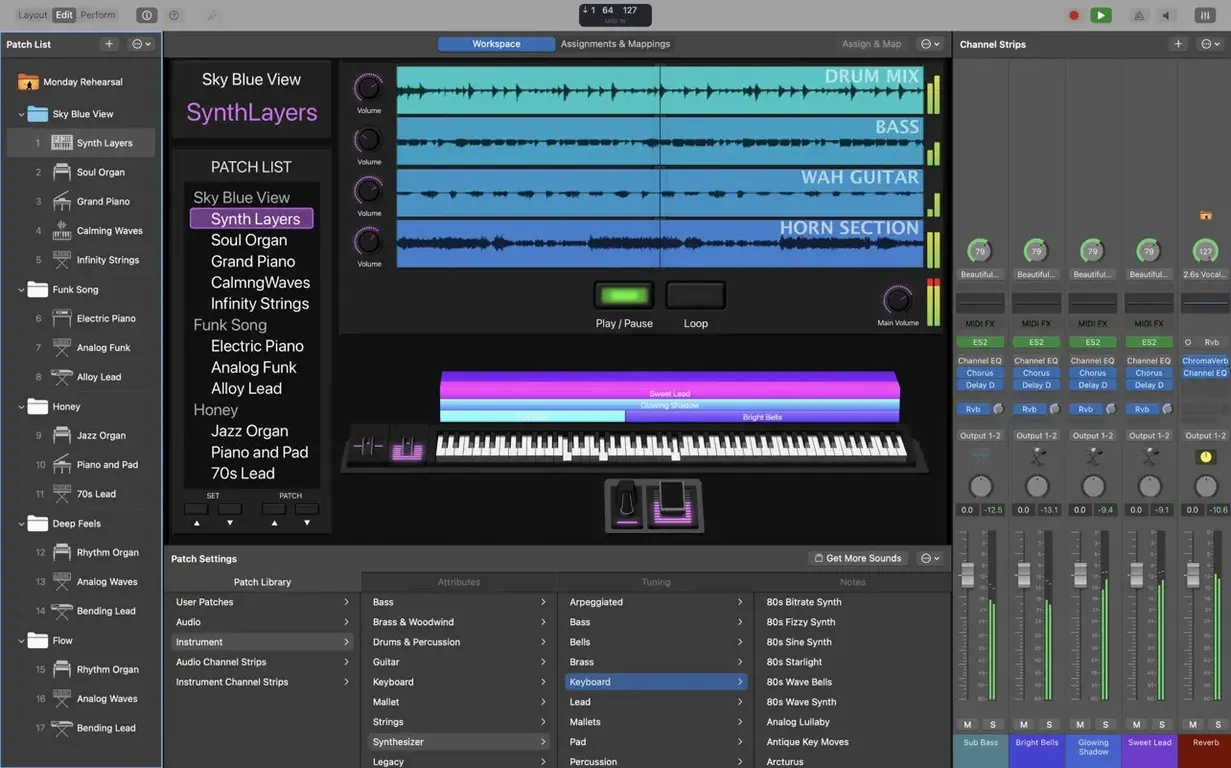
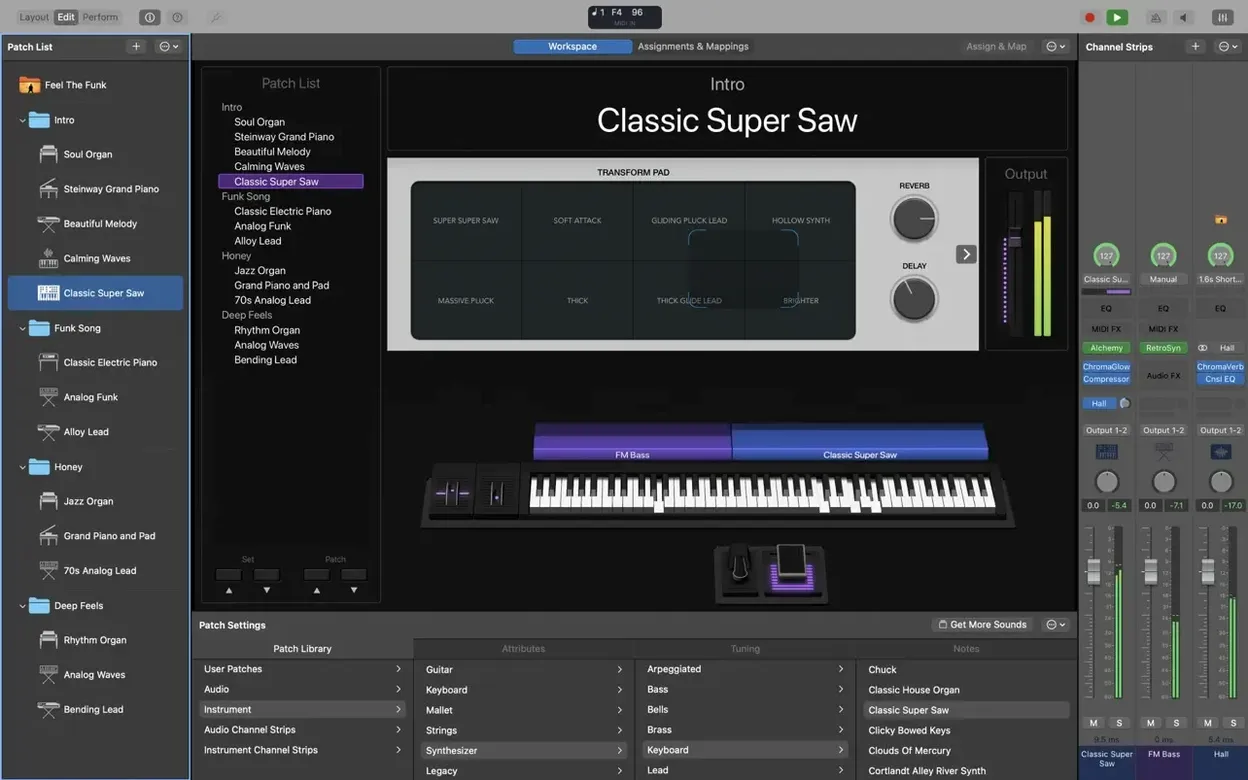
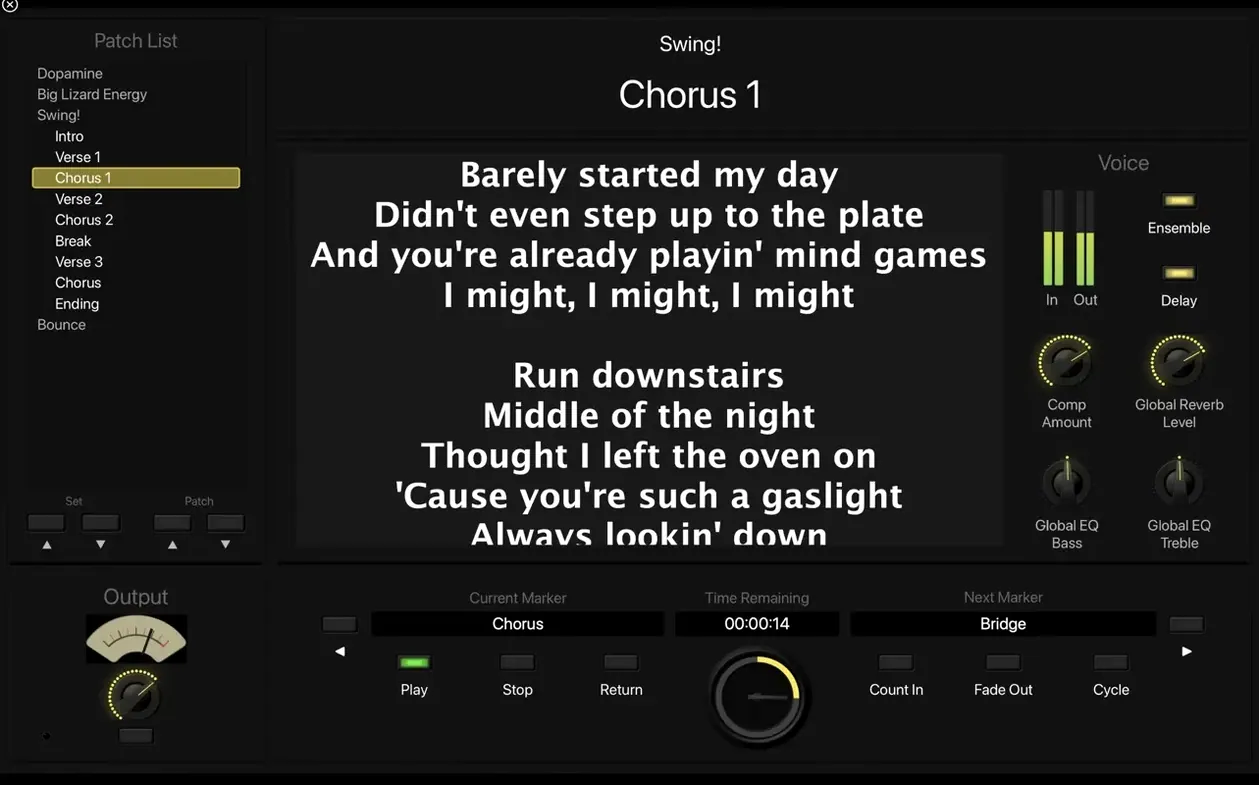
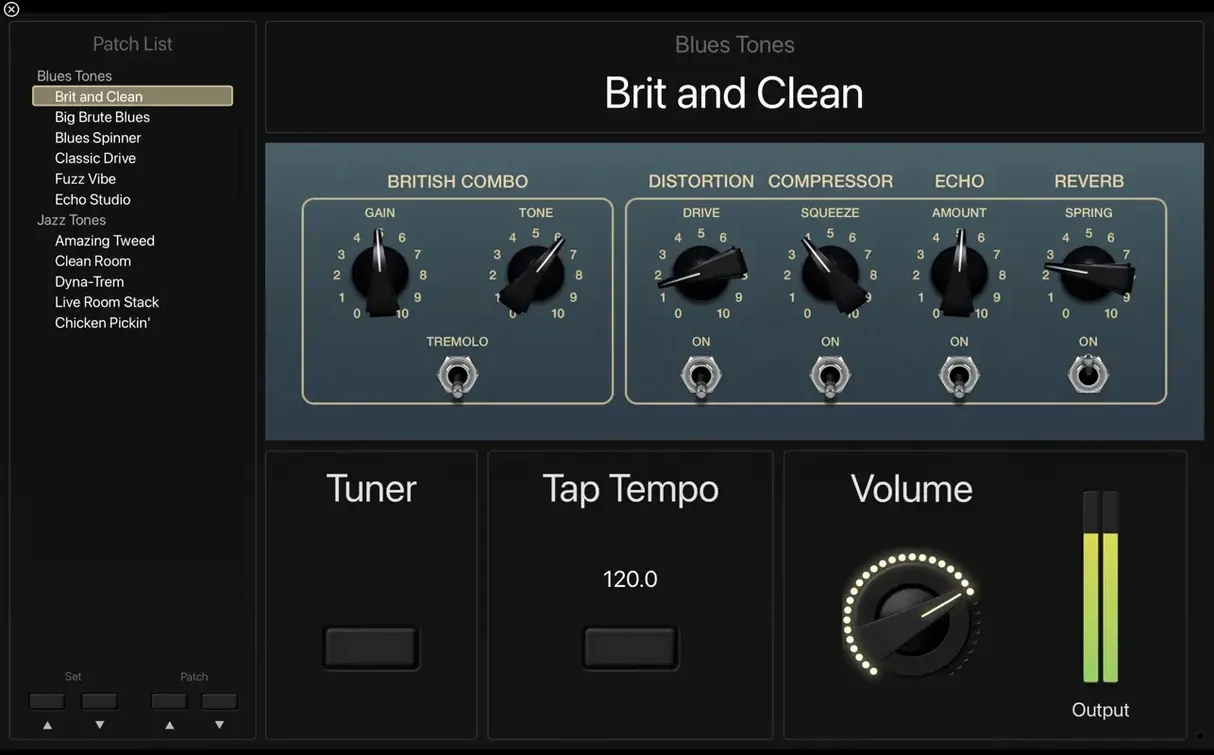
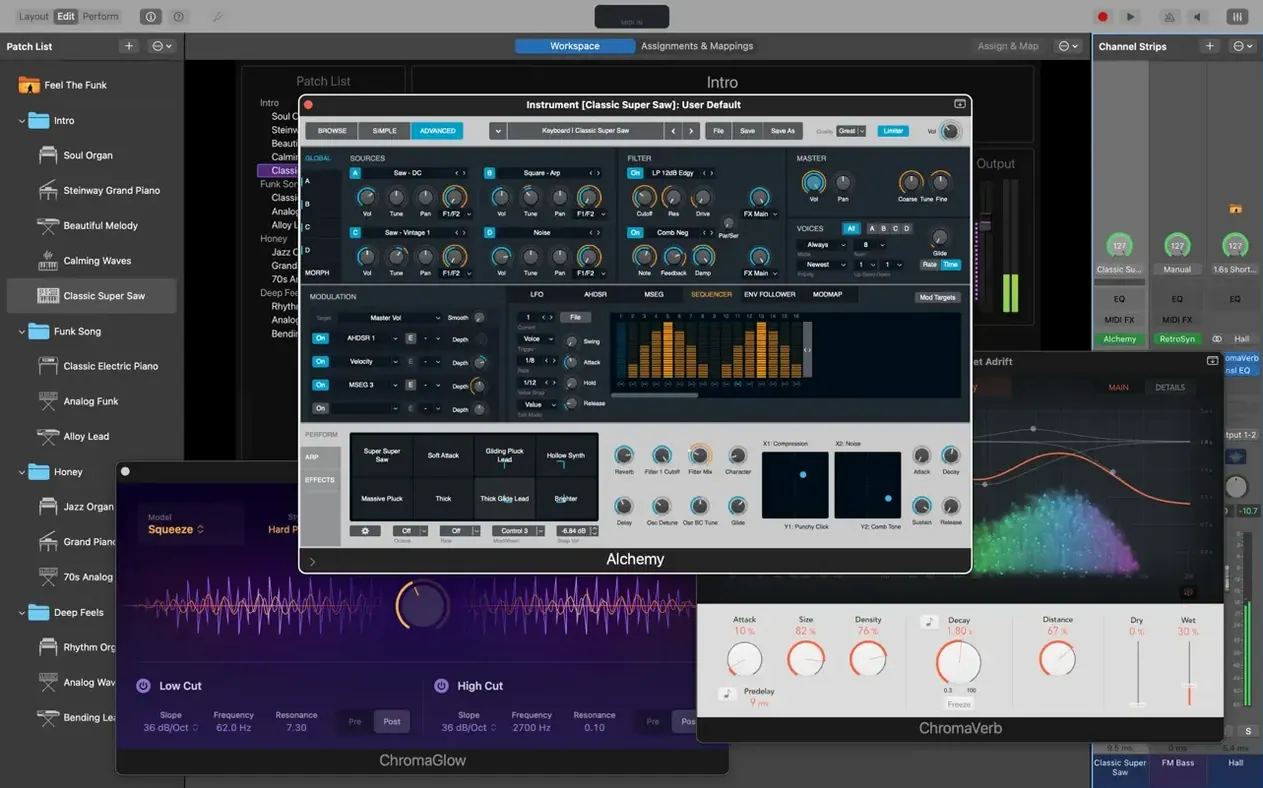
MainStage targets musicians who play live. Keyboardists, guitarists, and worship bands rely on it to keep sounds switching without silence between songs. It sits alongside Logic Pro and GarageBand, pulling in their instruments and patches while staying focused on stage use. The full-screen interface hides the desktop, so accidental clicks never interrupt a set.
- Load 1,800-plus instrument and effects patches from the built-in Sound Library or tap into Logic and GarageBand sounds you already own.
- Switch patches during a song with zero audio interruption — held chords and tails ring out naturally.
- Run Amp Designer, Pedalboard, and a full-screen tuner for direct guitar and bass input.
- Trigger MIDI transformations with the Arpeggiator, Chord Trigger, and Transposer plug-ins.
- Play stereo or multichannel backing tracks through the Playback plug-in, synced to your patch changes.
A Touch Bar on MacBook Pro gives fast access to editing and workspace controls without touching your instrument. Space Designer, tape delays, and stereo delays round out the processing you can run alongside your live set. It complements the tracks you already built in a DAW by keeping the stage experience separate and reliable.
Build a Keyboard Rig from Scratch
Start with an empty concert. Open the Patch Library on the left and create your first patch — name it for the song section it covers. Drag in an instrument plug-in. Retro Synth works well as a starting point because it loads fast and responds to mod wheel input immediately.
Add a second channel strip at the concert level, not the patch level. That strip holds a reverb bus using Space Designer, so every patch shares the same tail without re-triggering on patch change. Route each patch's send to it.
Map eight Smart Controls to your MIDI controller's knobs. Assign filter cutoff, resonance, envelope decay, reverb mix, delay feedback, and three more parameters you adjust mid-song. Colour-code the controls: blue for tone shaping, green for time-based effects. Now copy this patch three times, swap the instrument on each copy — Alchemy, Vintage B3, a split with Vintage Electric Piano left and a pad right — and your first four-song set already holds together.
Drop a Playback plug-in into a separate patch for the track that needs a click and stereo stems. Route the click output to a dedicated bus your drummer hears, stems to the house. Set the Playback behaviour to start on patch select, not on transport command, so you never hunt for a play button.
One Hour Before Soundcheck
You open the concert file you refined at home. MainStage launches in Perform mode, full-screen, hiding the dock and menu bar. Your MIDI controller is already plugged in. You tap the first patch in the setlist. A piano layer with a slow-attack pad fades in under the keys.
You toggle through eight patches with the footswitch. Each switch lands clean — no pops, no cut-off reverb. The tuner overlay pops up with a click on the guitar channel strip; you tune the low E, dismiss it, and move on. The drummer asks for less click in his monitor. You open the Playback patch, adjust the click send level in the mixer, and save the concert. Forty seconds total. You close the laptop lid and walk to catering.
One Concert File Per Service, Patches Named by Key and Section
Worship keyboardists running multi-song sets. One concert file per service. Patches named after song keys and sections — verse pad, chorus piano, bridge swell. The same controller layout serves every week. No soundcheck surprises because patches and routing never shift unless you change them.
Set Audio Buffer to 128 Samples Before You Build Anything
Open Preferences before you build anything.
- Audio buffer size — Set it to 128 samples for most Apple Silicon machines. Lower if you monitor through the Mac and feel latency. Raise to 256 only if you run heavy convolution reverbs on several channels.
- Patch switching — Disable "Mute previous patch on switch" unless you want silence between songs. Keep tails alive so reverb and delay ring out naturally.
- MIDI input — Uncheck any unused ports. MainStage listens to every recognised device by default; a controller you forgot to turn off can send stray program changes.
- Metronome routing — Assign the click to a dedicated output pair separate from the main mix. The front-of-house engineer will thank you.
- Fixed — Incoming MIDI SysEx messages were being blocked.
- Fixed — Typing numbers into the Add Channel Strip window now works again.
- Fixed — Sampler instruments load the correct sounds as expected.
- macOS 15.6 or later
- Apple Silicon Mac
- 64-bit Audio Unit plug-in support
- 6 GB free space (minimal), 57 GB free space (full Sound Library)
Questions I get before install
How much disk space does MainStage need?
A minimal installation needs 6 GB, while the full Sound Library with all patches and instruments requires 57 GB of free space.
Comments 0
Sign in to leave a comment.Sign inCreate an account
No comments yet. If a step is still there after you install it, say so.
More in Mac Apps
All in Mac Apps Magnet
Snaps windows into halves, thirds, and quarters with keyboard shortcuts.
8 steps saved
 MAMP PRO
Runs separate Apache, MySQL, and PHP hosts for every local project.
23 steps saved
 Updated
Magic Disk Cleaner
Finds temporary files immediately and lets you clear them in one click.
12 steps saved
 Updated
Magic Battery
Shows wireless device charge levels in the menu bar at a single glance.
6 steps saved
 Maschine
Builds beats with a pattern sequencer, sampler, and synth in one system.
4 steps saved
 MediaMate
Replaces the default volume and media HUDs with polished overlays.
10 steps saved
 MacPilot
Toggles hundreds of hidden macOS settings with a checkbox instead of Terminal.
17 steps saved
 macOS Tahoe
Brings the Liquid Glass redesign and new system features to supported Macs.