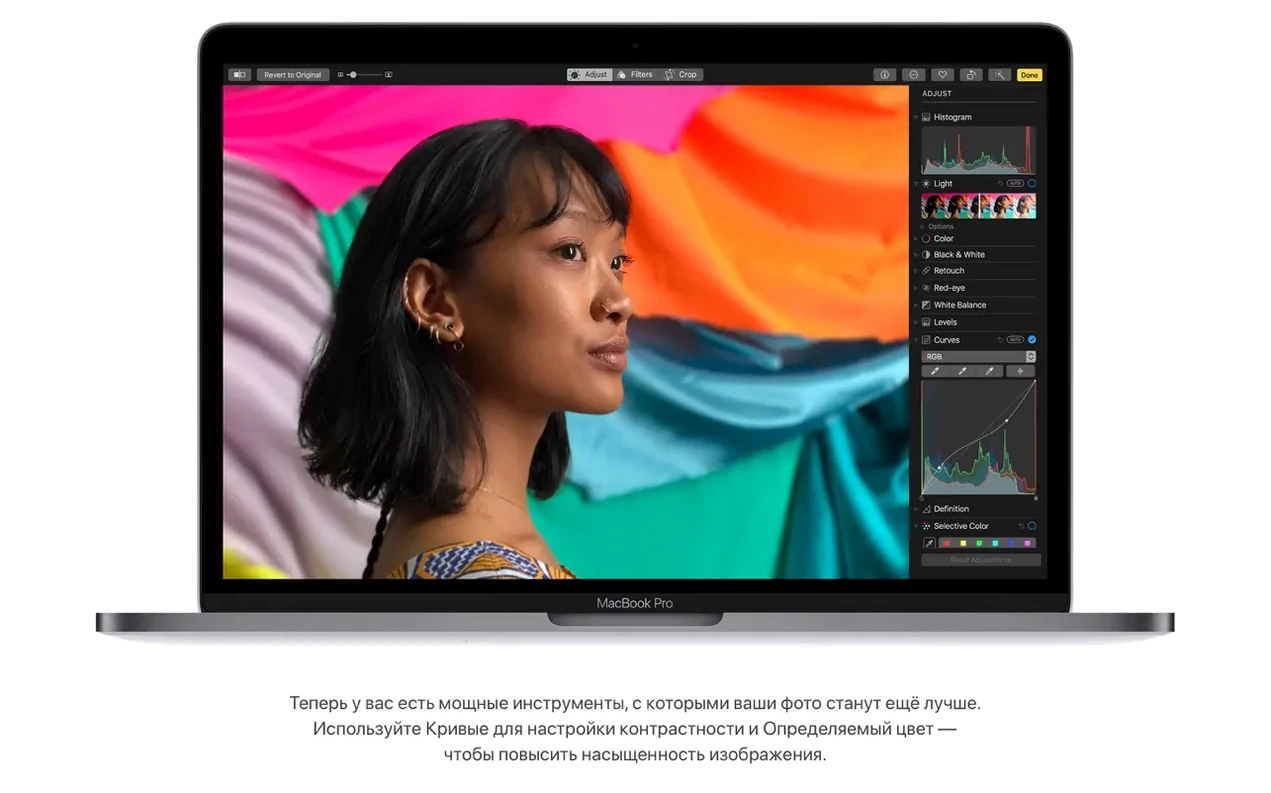
Mac owners who need 32-bit app compatibility, or whose hardware can't move beyond High Sierra, still reach for this build. It is the final, most stable version of 10.13, and it keeps older Intel machines running productivity workflows without forcing a jump to Mojave.
The core reason to install it today is the Apple File System. APFS replaces the aging HFS+ with built-in encryption, snapshots, and faster directory sizing. For anyone managing large photo libraries or virtual machines, the performance improvement is noticeable. Paired with Metal 2, the graphics stack feels tighter on supported Macs.
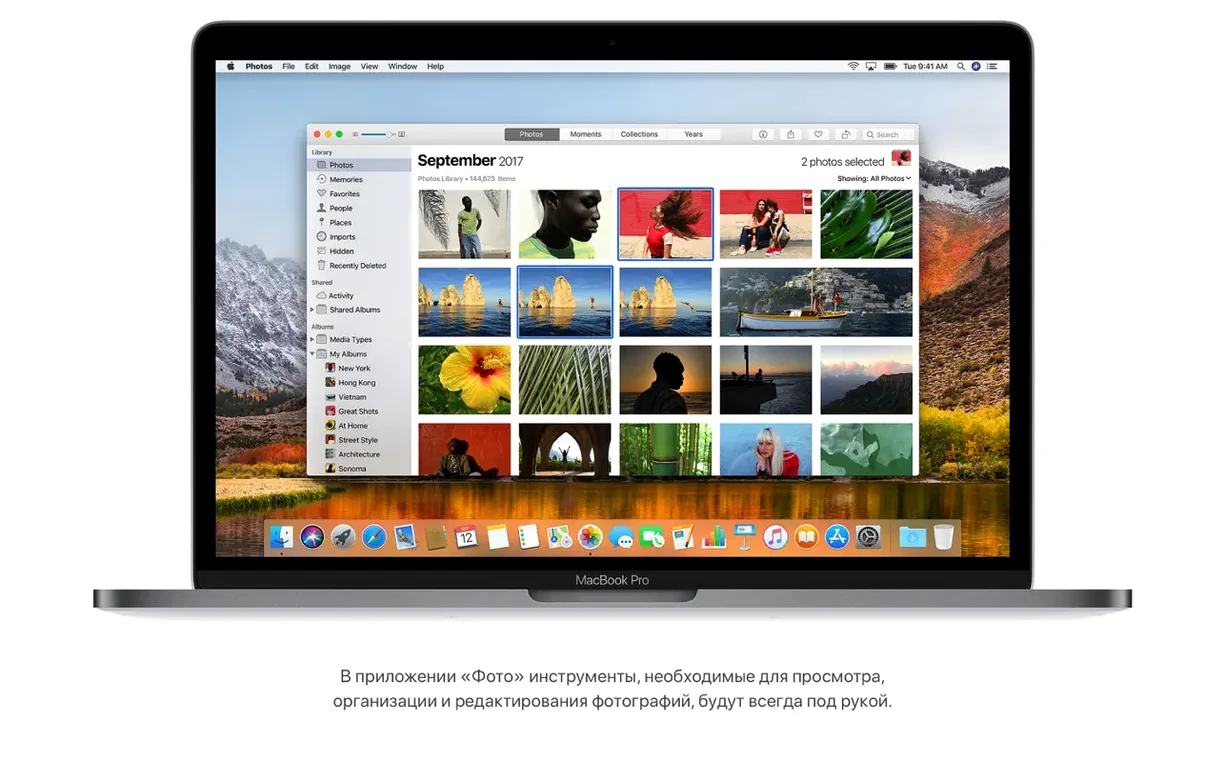
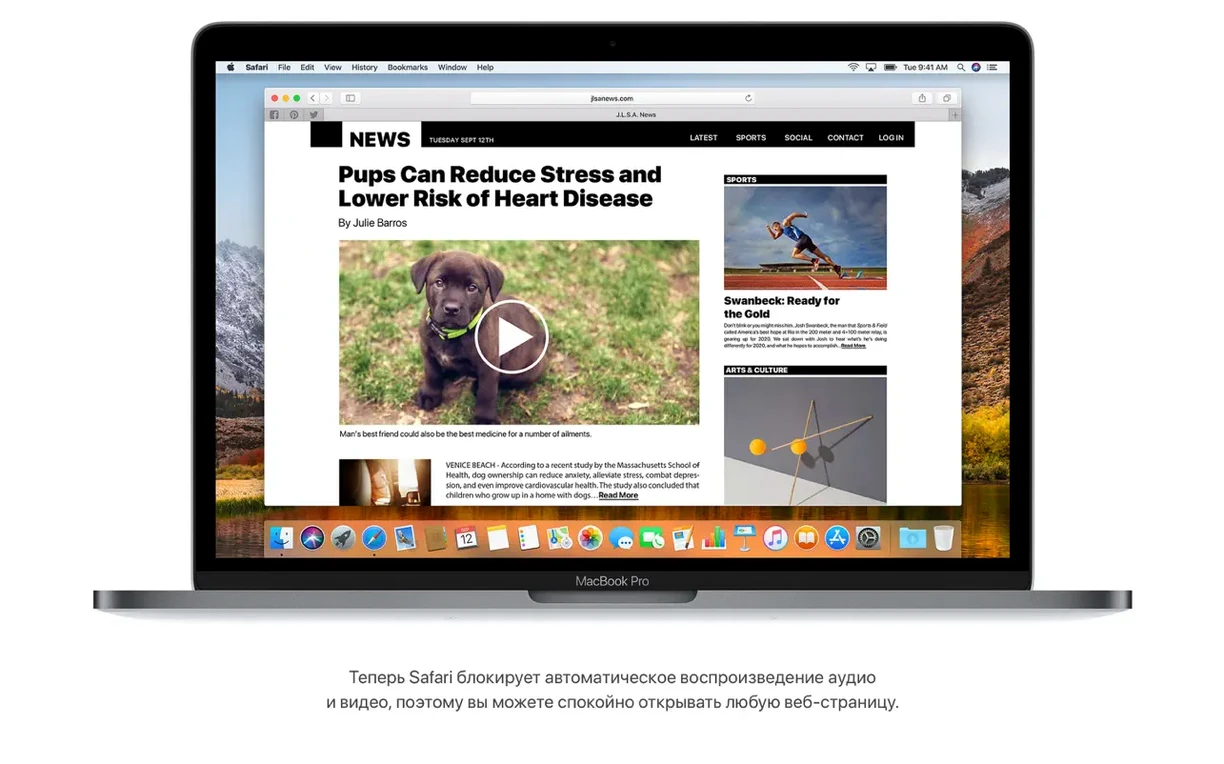
Day-to-day tasks get small but useful upgrades. Safari stops autoplay audio by default. Spotlight pulls live flight data—gate, terminal, delays—straight from the search bar. Photos gains a fixed sidebar and better sorting, while iTunes picks up AirPlay 2 multi-room audio. Creative pros also get native HEVC playback and VR content creation hooks, though the latter requires compatible software.
Compatibility is the deciding factor. High Sierra demands an Intel 64-bit processor, 2 GB of memory, and at least 14.3 GB of free space for the upgrade. The 17G66 build fixes Gmail move actions in Mail and AVCHD recognition in Photos, so it is the one to track down if you are building a clean installer.
Desktop Ready in Under 20 Seconds
You boot the iMac, log in, and the desktop appears in under twenty seconds on an SSD. Mail launches first — the unified inbox populates, and a quick search for an old booking confirmation surfaces it as a Top Hit without scrolling. While Mail catches up, Spotlight gets called with ⌘ Space. You type a flight number for a colleague arriving that afternoon; a compact card drops down showing the gate, terminal, and a 25-minute delay. No browser tabs, no airline site.
Next, Photos opens. An AVCHD import from last week's camera card now shows up cleanly — version 10.13.6 fixed the recognition bug. You drag a few clips into an album, apply a quick Curves adjustment, and close the sidebar. No beachball, even with a 400 GB library on an external APFS volume.
Safari becomes the afternoon's primary tool. You open a long-read article from a link in Notes; Reader mode activates automatically, stripping banners and sidebars. Background tabs stay silent because autoplay audio is blocked system-wide. One tab streams a HEVC-encoded tutorial — smooth playback, no fan spin-up on a 2015 MacBook Pro.
Late in the day, you mark up a shared document via iCloud Drive. A collaborator on Sierra sees the same folder structure, no version mismatch. Before shutting down, iTunes pushes a podcast to the kitchen HomePod over AirPlay 2 while the office Mini plays something else independently. The session ends with a Time Machine snapshot to an APFS destination — encrypted, incremental, and fast.
AirPlay 2 Multi-Room Audio Lands in iTunes
The 10.13.6 update didn't introduce flashy features. It tightened what was already there. AirPlay 2 multi-room audio landed in iTunes, allowing per-room playback control — a practical addition for homes with multiple speakers. Stability fixes touched the kernel and graphics stack, reducing the sporadic window-server crashes some users hit on 10.13.5.
Two specific fixes matter for daily reliability:
- Mail and Gmail — moving a message from a Gmail account to another account no longer fails silently.
- Photos and AVCHD — media from certain Sony and Panasonic cameras now imports without the library showing unrecognized clips.
Security patches in 17G66 closed several privilege-escalation vectors. For a machine that handles offline work or serves as a secondary station, that hardening keeps the system viable long after support wound down. Anyone searching for a macos high sierra torrent or a high sierra dmg torrent can verify the build number matches 17G66 — earlier point releases lack these fixes, so checking the installer version before setup ensures a smooth experience.
How High Sierra fits with other tools
High Sierra works as a bridge OS. It runs the last versions of Adobe Creative Suite 6 and Microsoft Office 2011 without patching, so creative and administrative workflows built on those suites stay intact. It also supports iCloud Drive folder sharing with newer Macs, making it a capable file server when paired with a wired network connection.
On the macOS side, continuity features hold up:
- Handoff — Safari tabs and Notes pass between High Sierra and a newer Mac on the same Apple ID.
- Universal Clipboard — copy on an iPhone running iOS 11, paste on the desktop without friction.
- AirDrop — file transfers between High Sierra and Mojave machines remain reliable over Wi-Fi and Bluetooth.
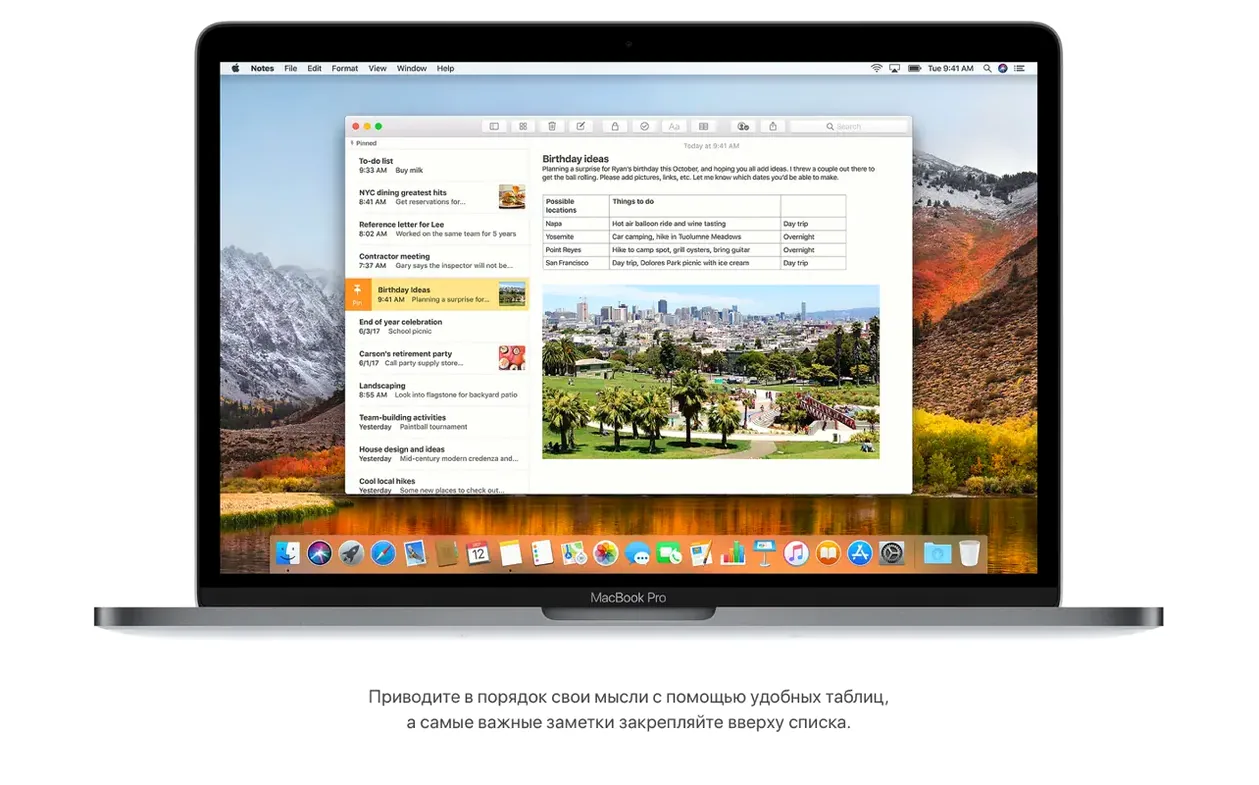
For virtual machines, APFS snapshot support lets Parallels and VMware Fusion take instant, space-efficient snapshots before testing configurations. Developers who maintain a torrent high sierra installer keep a clean 17G66 image on hand precisely for these VM setups. Spotlight's flight tracker and Safari's reader mode also play well with third-party automation: you can pipe flight data into a Keyboard Maestro macro or collect stripped article text into a Notes table — the simple grid feature added in this release.
Metal 2 support ties into creative apps that adopted the API early. DaVinci Resolve and a handful of VR tools for Mac used Metal 2 for viewport rendering, and those versions remain usable on High Sierra without requiring Mojave's tighter sandbox. For a production machine that must stay predictable, that combination of older app compatibility and still-modern graphics acceleration makes the OS more than a fallback — it is a deliberate choice.
- New — AirPlay 2 multi-room audio support for iTunes.
- Improved — Stability and security of the Mac.
- Fixed — Photos now recognizes AVCHD media from some cameras.
- Fixed — Mail users can move messages from Gmail to another account without issue.
- Intel 64-bit processor
- 2 GB of memory
- 14.3 GB of available storage for the upgrade
- macOS 10.13.5 or later to apply the update
Comments 0
Sign in to leave a comment.Sign inCreate an account
No comments yet. If a step is still there after you install it, say so.
More in Mac Apps
All in Mac Apps macOS Golden Gate
Brings the newest macOS to Apple silicon Macs with fresh system features.
19 steps saved
 macOS Mojave
Brings Dark Mode and desktop Stacks to Macs that can't go further.
17 steps saved
 macOS Tahoe
Brings the Liquid Glass redesign and new system features to supported Macs.
20 steps saved
 macOS Catalina
Moves iPhone sync and backups from iTunes straight into the Finder.
10 steps saved
 MacPilot
Toggles hundreds of hidden macOS settings with a checkbox instead of Terminal.
5 steps saved
 Updated
MacFamilyTree
Manages evidence and citations to build a family history that holds up to scrutiny.
22 steps saved
 MacDroid Pro
Mounts an Android phone as a writable Mac disk, no cloud upload needed.
4 steps saved
 Updated
MacCleaner Pro
Finds exactly what ate your disk space and removes leftover app clutter.