
Fluid Remote Desktop Protocol
Open a session and the remote screen arrives without stutter. Jump Desktop uses its own Fluid Remote Desktop protocol to keep the connection responsive even when the network gets moody. It adapts the encoding on the fly, so dragging a window or scrubbing a timeline feels closer to sitting at the host machine. The same protocol handles file transfers between your local Mac and the remote computer—copy a folder, paste it, done.
- Sign in with a Google account or any email address. No licence key to hunt for.
- Install Jump Desktop Connect on the host computer. It ties the machine to your account.
- Back on your Mac, the host appears in your list. Double-click to connect.
- Drag a file from your desktop to the remote screen. It lands in the remote user's Downloads folder.
- Switch to a VNC or standard RDP target if the host doesn't run the Connect companion. The client works with both.
What hasn't changed: the flat, uncluttered interface and the absence of per-session configuration wizards. You still get real-time interaction, clipboard sharing, and multi-monitor support. The current build runs natively on Apple Silicon and Intel Macs, requiring macOS 11 or newer.
Swap the Connection Profile for Responsive Wi-Fi
Jump Desktop works well out of the box, but a few defaults benefit from adjustment before the first long session.
- Quality vs. speed — set the connection profile to favour responsiveness if you are on Wi-Fi. The adaptive encoding handles most cases, but capping the colour depth helps on slow uploads.
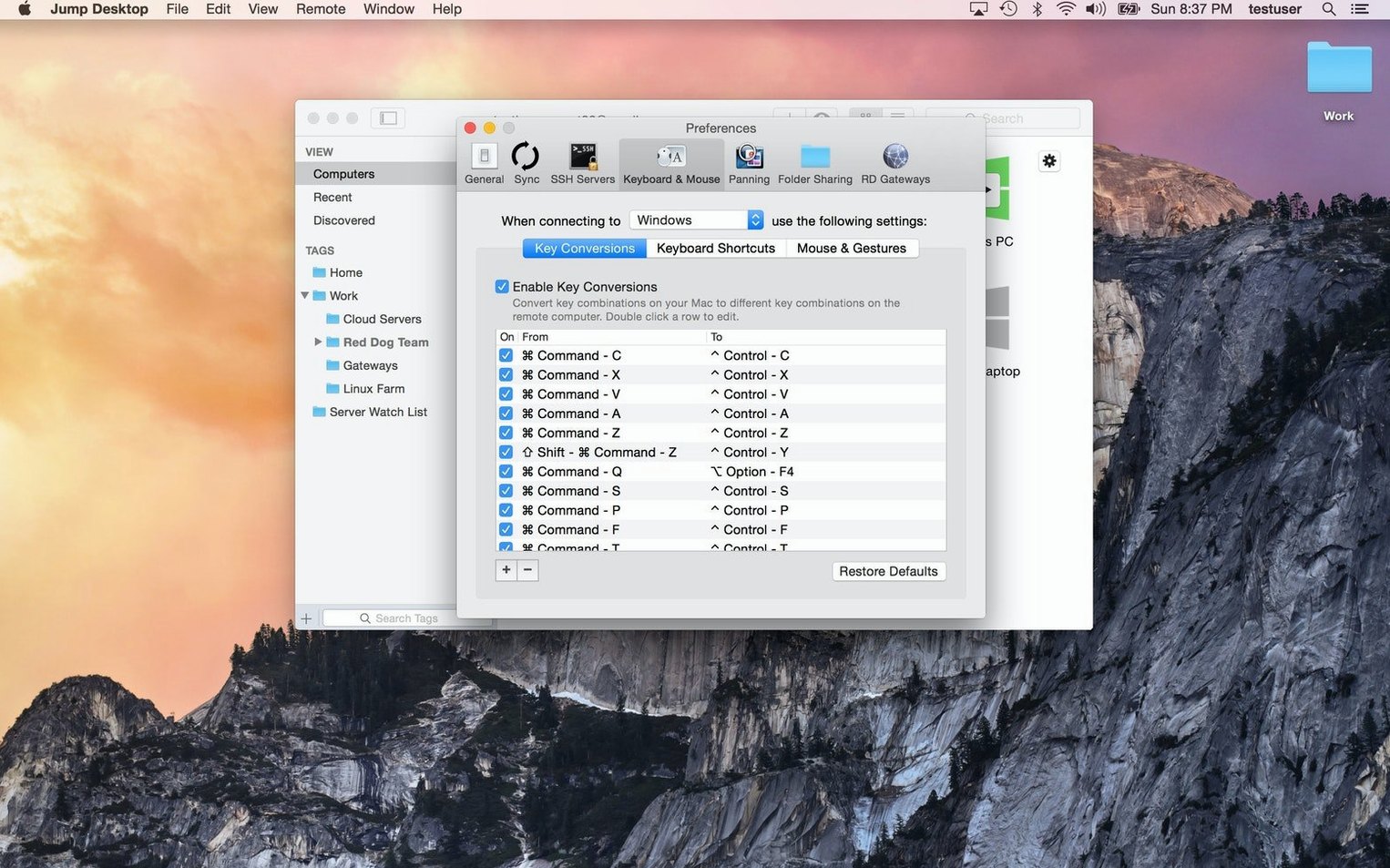
- Keyboard mapping — remap Command to the Windows key when controlling a PC host, or the reverse for a Mac host reached from a Windows keyboard. It prevents the usual shortcut misfires.
- Display arrangement — disable the auto-resize option if you switch between a laptop screen and an external monitor. Keeping the remote resolution fixed avoids reflow every time the window changes size.
- Clipboard sync direction — choose one-way copying if you regularly paste local passwords into untrusted remote sessions.
Each preference lives in the per-connection settings, not in a global panel, so different hosts can keep different rules.
One App Reaches RDP, VNC, and Headless Boxes
IT support staff benefit immediately. The RDP and VNC client means a single app reaches Windows servers, headless Mac minis, and older VNC-only boxes without switching tools.
Remote workers with a desktop left at the office use it as a long‑term bridge. The Connect companion keeps the host reachable without port forwarding, and file transfers remove the need for a separate sync folder.
Mac users who support family members on Windows PCs appreciate the keyboard remapping and the uncluttered session view. The jump desktop mac download setup is short enough to walk through over the phone.
Developers testing builds on a separate machine get fast screen updates and clipboard sharing, which matters more than extra features. A jump desktop dmg install on both Apple Silicon and Intel hardware keeps the same workflow across mixed fleets.
What's new in Jump Desktop 10.15.46
New
- Up to 480 fps. Games, scrolling and fast motion track high-refresh-rate screens properly. Leave Framerate on Auto to follow your display.
- Hardware encoding. Codec > Hardware delivers sharper detail at the same bandwidth, cuts CPU load on the host and extends Mac battery life.
- High-performance virtual displays. Save and switch presets with exact resolution, scale and refresh rate. Keep After Disconnect leaves the displays live on the host between sessions.
- USB device support. Redirect USB devices plugged into your Mac directly to a Windows or Mac host.
- Game controller support. Play from your Mac with the controller in your hands.
- Creative work. Input Trail shows stylus and mouse strokes immediately on high-latency connections. Colour Passthrough sends the host's colours unprocessed to calibrated displays.
- Everyday work. Back and forward mouse buttons, trackpad pinch-to-zoom, and more reliable CJK text composition.
Improved
- Fluid sessions now respect the macOS input-source shortcut (Control+Space). The shortcut switches input on your Mac; turn it off and the keys go to the host.
- Wake-on-LAN sends fewer wake packets when connecting.
Fixed
- Automatic reconnects no longer wake a host you put to sleep or shut down.
- Crash on quitting Jump Desktop.
- Crash on launch when a saved computer had no name.
- Mouse-wheel notch scrolling or zooming too far on Mac hosts — for example, Option-scroll zooming a video timeline all the way in.
- Reapplying a saved preset, or switching to another preset with the same number of virtual displays, now restores the saved window arrangement instead of leaving windows where they were.
- USB redirection failures for certain devices, such as colour grading control panels.
- RDP sessions ignoring a custom resolution and using the window size instead.
- RDP full-screen across all displays: hosts with stacked displays no longer swap them and put the Windows taskbar on the wrong screen.
- Eisu and Kana keys on Japanese keyboards now work in Fluid sessions.
- Security updates.
- Fixed in 10.15.42: RDP connections to older Windows versions.
- macOS 11 or later
- Apple Silicon or Intel 64-bit
Comments 0
Sign in to leave a comment.Sign inCreate an account
No comments yet. If a step is still there after you install it, say so.
More in Mac Apps
All in Mac Apps Juicy: Battery Alerts & Health
Surfaces battery health and cycle count in the menu bar before the service warning appears.
18 steps saved
 Keyboard Maestro
Builds macros that resize windows, control apps, and chain repetitive steps into one trigger.
18 steps saved
 Updated
KeyKey
Adjusts typing drills to focus on the keys that slow you down most.
23 steps saved
 iZotope Ozone
Reshapes a mix into a finished master using genre-specific tonal targets.
19 steps saved
 Updated
Kontakt
Hosts sampled instruments with deep editing, a wavetable engine, and direct MIDI manipulation tools.
6 steps saved
 iStat Menus
Puts CPU, memory, and network graphs in your menu bar to catch issues early.
16 steps saved
 iReal Pro
Generates a backing band from chord charts so you can rehearse like a full ensemble.
6 steps saved
 LanScan
Scans every active network interface and lists connected devices automatically.