
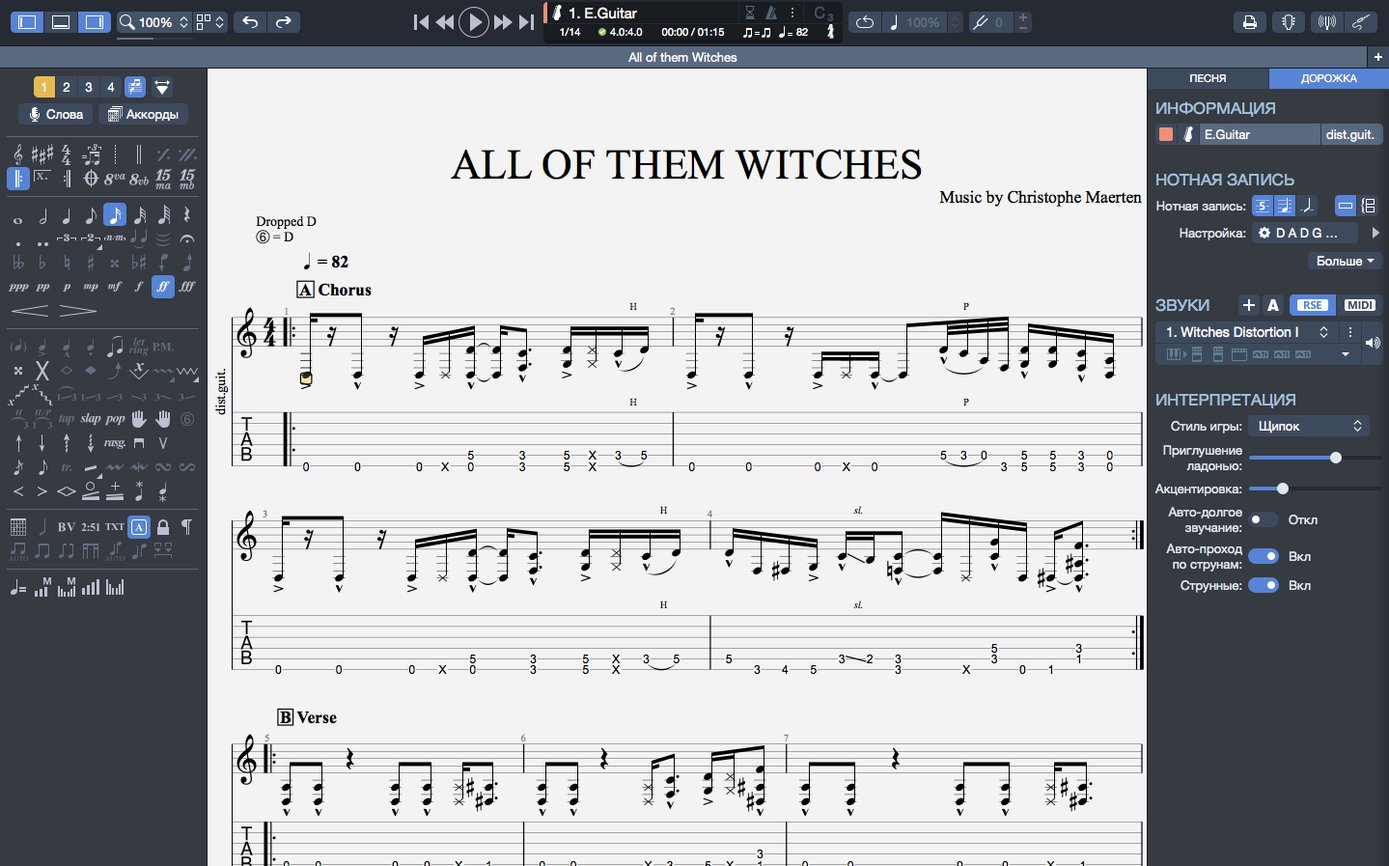
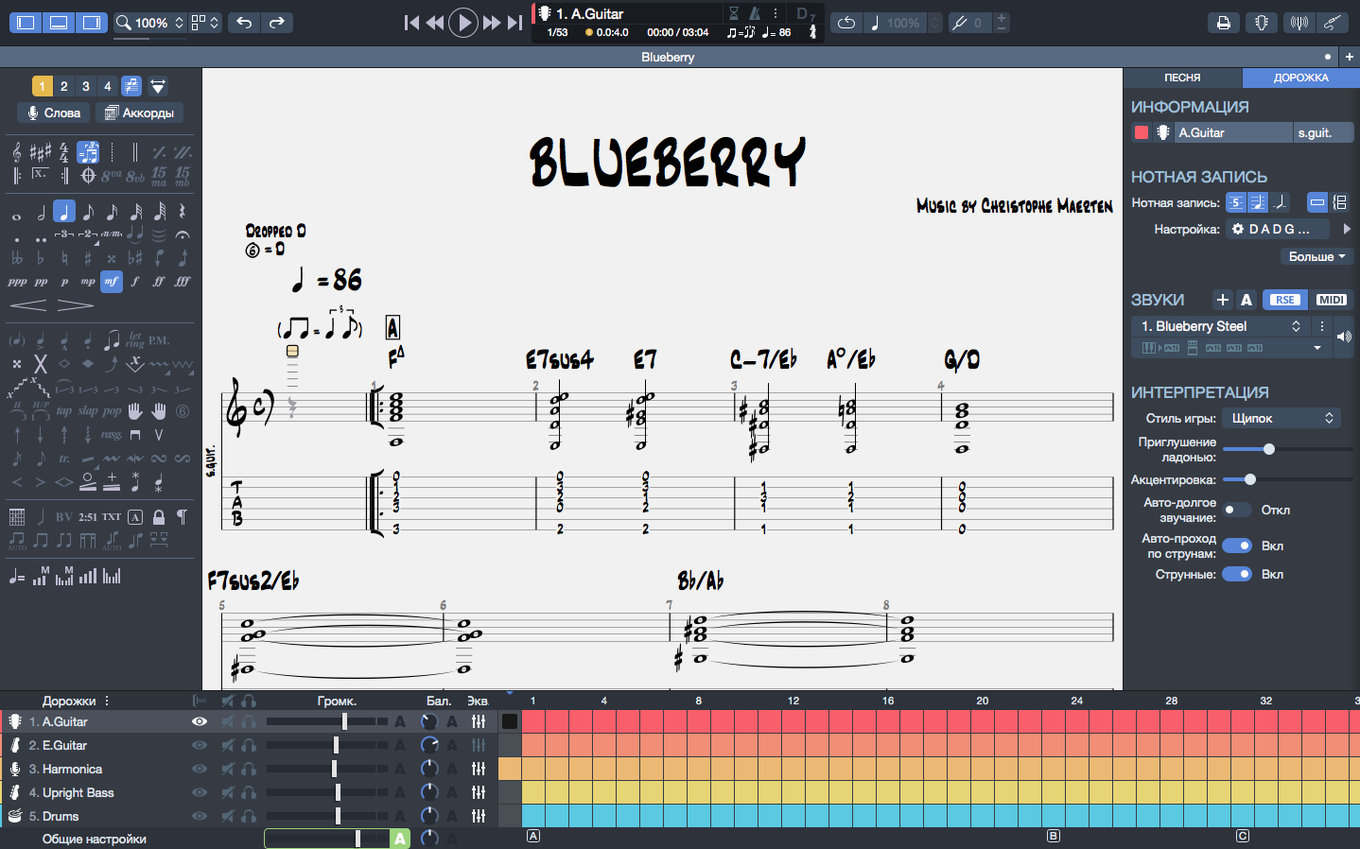
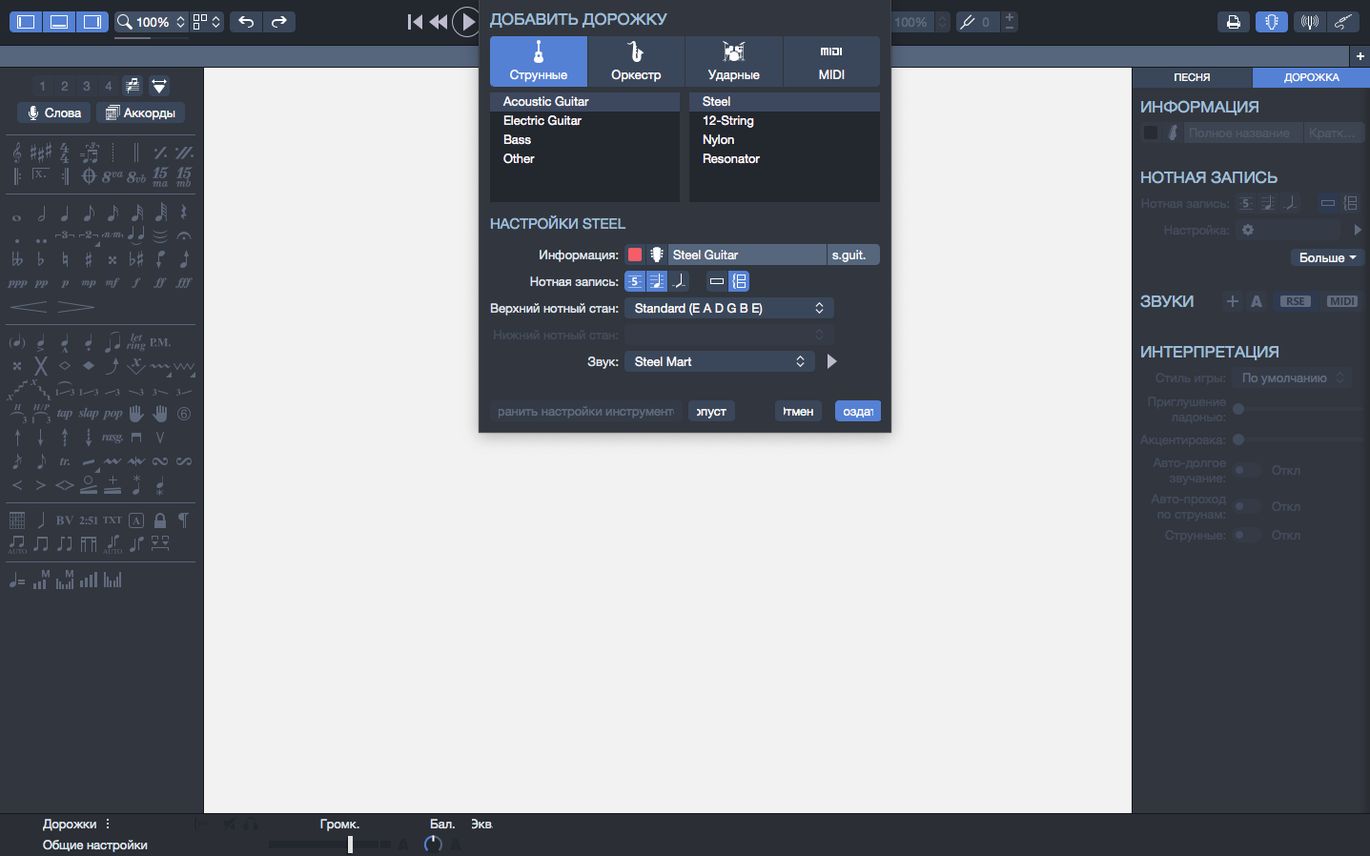
Guitarists, bassists, and composers use Guitar Pro to write and play back tablature and sheet music. It is a notation editor and practice tool rolled into one. If you have just installed version 8.1.5, here is where to focus your first session.
| Detail | Note |
|---|---|
| Current version | 8.1.5-31 |
| Instruments | Guitar, bass, Hawaiian guitar |
Start on the homepage. The recent files section now supports pinning—right-click any score and choose the option to keep it permanently visible. Open a file and locate the built-in MIDI editor. It gives you piano-roll control over your tablature, useful for tweaking dynamics and timing without touching the notation. Next, select a passage with chord names and fingerings, then transpose it. Both elements shift together, saving you from manual corrections. On an Apple Silicon Mac, the application runs with noticeably better efficiency, so larger scores scroll and play back more smoothly.
Build a Metronome-Locked Four-Bar Loop
Open a blank score for guitar. Set the tempo in the player toolbar, then switch on the metronome. Enter a four-bar chord progression in the notation view. Use the chord builder to name each voicing — it suggests fingerings as you place the chord. Now open the MIDI editor and quantize the strumming pattern so the playback feels tight, not mechanical. Add a drum backing track from the instrument panel. Listen once. Adjust the snare level in the mixer, export the loop as audio, and drag it into your practice folder. From blank page to playable loop takes under ten minutes once the steps are familiar.
This workflow removes the usual stop-start of recording a practice track in a DAW. Guitar Pro keeps everything in one file: tab, chord diagrams, MIDI data, and the backing arrangement. When a section needs work, you change a bar and replay the whole score instantly.
Scrivener Lyrics Into Final Form Tab
Guitar Pro is not a replacement for a DAW, and it works best when treated as the writing stage. Here is how the pieces connect in daily use:
- Scrivener or Notes — keep lyric drafts and arrangement ideas outside the score, then paste the final structure back in as section markers.
- QuickTime or Voice Memos — record a rough take of the exported backing track, then annotate the tab with what you actually played, not what you planned.
- Preview — export a score to PNG with a transparent background and drop it into a chord sheet or teaching handout. The transparency option keeps the page clean when layered over a coloured header.
- Spotlight — save scores to iCloud Drive and search by title. Pinned files in the homepage recent section help, but Spotlight finds older work faster.
macOS features inside the app matter too. Audio device switching is smoother in 8.1.5 — unplugging headphones mid-playback no longer drops the sound. For guitar pro download mac users on Apple Silicon, the improved efficiency means the metronome and playback stay in sync even with a browser and a video lesson open alongside.
Point Audio Output to Your Practice Interface First
Spend the first session on preferences, not composing. Three settings make the biggest difference:
- Audio output — point Guitar Pro at the interface you practice through. The improved device switching in this build means you can change outputs without restarting the app.
- Interface contrast — the adjusted colours help in low light. Switch to the darker view for evening editing sessions.
- Recent files — pin the three scores you are actively working on. The pin option is on the homepage, and it keeps your current projects from sliding off the list when you open a downloaded tab for reference.
After that, build one small score from scratch rather than importing existing files. It forces you through the chord builder, the MIDI editor, and the player. Ten minutes of setup now saves repeated fiddling later.
Fluid Thirty-Page Scrolling on Apple Silicon
On an M-series MacBook, opening a thirty-page score feels immediate. Scrolling through dense notation stays fluid, and the cursor in the MIDI editor does not lag behind the mouse. On Intel hardware it is less dramatic, but version 8.1.5 still handles medium-sized files without the beachball appearing during playback.
Idle memory use sits low for an app this feature-dense, though a heavy backing track with drums and piano will push CPU during playback. The arpeggio fix in this release is worth noting: scores that previously ignored arpeggiated chords at bar one now trigger them correctly, which matters if you write intros or fingerpicked openings.
Stability has been uneventful, which is the right kind of stability. Long editing sessions, repeated exports, and plugging a USB interface in and out all work without a crash. The stem direction fix means fewer manual overrides when cleaning up notation for print or PNG export. If you are working from a Guitar Pro torrent Mac copy, the build is current and behaves as expected for a maintenance release — quiet, predictable, and focused on removing small annoyances.
- Fixed — Arpeggios at the start of a score now play correctly.
- Fixed — Situations where stem directions could not be changed.
- Improved — Playback continuity on macOS when plugging or unplugging devices.
- macOS 10.13 or later
- 64-bit dual-core Intel, AMD, or Apple Silicon processor
- 4 GB RAM
- 2 GB free disk space
- Administrator rights
Questions I get before install
Which instruments can I write scores for in Guitar Pro?
You can edit scores and tablatures for guitar, bass, and Hawaiian guitar.
Does Guitar Pro 8 run natively on Apple Silicon Macs?
Yes. Version 8 has improved efficiency on Macs with Apple Silicon processors.
What happens to chord fingerings when I transpose a section?
Chord names and fingerings are transposed together, so you do not need to adjust them separately.
Comments 0
Sign in to leave a comment.Sign inCreate an account
No comments yet. If a step is still there after you install it, say so.
More in Mac Apps
All in Mac Apps Guitar Rig
Processes a clean guitar signal through configurable amp and effect chains.
17 steps saved
 GoLand
Surfaces goroutine leak data inline to start debugging immediately.
6 steps saved
 Haptyk
Generates typing sounds that respond to how firmly you press the keys.
22 steps saved
 Glyphs
Creates and edits complete font families, from the first glyph to export.
23 steps saved
 Updated
Ghost Buster Pro
Cleans up orphaned support files left behind by deleted apps.
12 steps saved
 Gemini
Targets and removes exact duplicate files that waste drive space.
13 steps saved
 Updated
FxFactory Pro
Installs and manages video effect plugins for Final Cut Pro, Motion and Premiere.
22 steps saved
 HitPaw Edimakor
Pairs a standard timeline with AI tools so you can cut video without a steep learning curve.