

Komplete Kontrol is a music production plug-in that unifies browsing, loading, and hands-on control of instruments and effects. It runs standalone or inside your DAW, acting as a central hub for everything in the Native Instruments ecosystem and any NKS-compatible third-party library.
| Detail | Spec |
|---|---|
| Current version | 3.5.4 |
| Plug-in formats | VST, AU, AAX |
| macOS requirement | macOS 12 or later |
| Architecture | Intel and Apple Silicon |
Compatibility is shaped by the Native Kontrol Standard. Any instrument or effect mapped to NKS appears with tagged, previewable presets directly in the browser. You drag loops and one-shots straight to the DAW timeline. For performance, Smart Play maps over a hundred scales and modes across your keyboard, so chord progressions and arpeggios stay in key without extra MIDI editing. The software responds to MIDI controllers, mouse, and keyboard, though it is built to pair tightly with NKS hardware for parameter feedback and focused control.
Building a bassline from a tagged loop — a start-to-finish workflow
What follows is a concrete path through version 3.5.4. The goal: take a tagged bass loop, shape its sound, and record a chord progression hands-on with Smart Play.
- Open Komplete Kontrol as an instrument track inside your DAW — or launch the standalone build if you are still fishing for ideas.
- Click the browser’s Loops tab. Set the category filter to Bass and narrow by key, tempo, or character tags until the list shortens to a dozen promising hits.
- Audition a loop in sync with the project tempo. Once you hear one that fits, drag it straight onto the DAW timeline. The file lands as audio, trimmed and warped to grid.
- Back in Komplete Kontrol, switch to the instrument browser. Pick a bass patch — something from the Massive or TRK-01 family works well — and load it onto the same track. Enable Smart Play and select a minor pentatonic scale.
- Arm the track. With one finger on an NKS controller or your typing keyboard, play a three-chord progression. Smart Play translates single keys into full, in-scale voicings, so the part sounds deliberate even when it is simple.
- Tweak the plug-in parameters from the controller knobs. On an S-Series MK3, the Light Guide mirrors scale notes and chord roots, and version 3.5.4 keeps parameter changes smooth without the performance lag fixed in this release.
The result: a bass loop and a complementary chord part that share the same key and mood, ready in minutes. Duplicate the instance, load a pad and a lead, and the same scale mapping applies instantly — no transposition guesswork.
NKS hardware turns the plug-in into a screen-optional instrument
Three groups stand to gain more than others.
- Hardware-first producers with NKS controllers. If you work on an S-Series MK2 or MK3 keyboard, the Light Guide, on-unit browsing, and knob-per-parameter feedback turn the plug-in into a fast, screen-optional experience. The recent fixes in 3.5.4 — especially parameter-change performance on MK3 and restored level meters on MK2 — directly benefit this group.
- Collectors of third-party sound libraries. Owners of Kontakt banks, expansions, and partner instruments (over 750 plug-ins from 90 developers) get a unified search layer. Instead of hunting through folder structures or DAU menus, they type a partial name or filter by timbre and instrument type once.
- Producers who work with loops and one-shots as compositional starters. The loop browser plus drag-to-timeline, combined with chord mapping, lets them turn a short audio snippet into a full arrangement without leaving the plug-in window. Komplete Kontrol 3.5 made this tighter; the dot-releases since have polished it.
Bedroom beat-makers with a single controller and a few free libraries get value too, but the software is most efficient when you already sit inside an NKS-heavy collection or use an NKS Connect-capable controller — a detail added quietly in this build.
- New — NKS Connect support in Komplete Kontrol; NKS Mode integration for compatible NKS Connect controllers.
- Fixed — Performance issues when changing plug-in parameters from Kontrol S-Series MK3.
- macOS 12 or later
- Intel or Apple Silicon Mac
Comments 0
Sign in to leave a comment.Sign inCreate an account
No comments yet. If a step is still there after you install it, say so.
More in VST Plugins
All in VST Plugins Komplete FX Bundle
Provides a rack of modulation, dynamics, and time-based effects for shaping any signal.
22 steps saved
 KORG Collection
Recreates classic KORG synths and workstations as plugins inside your DAW.
8 steps saved
 KORG TRITON
Recreates the HI synthesis engine that defined early-2000s pop and hip-hop productions.
23 steps saved
 LANDR Vocal Bundle
Covers the core vocal chain from pitch correction to space in one download.
23 steps saved
 Kalifornia Dynamic KD Alkane
Adds weight and presence to a sterile kick drum with swift, focused processing.
5 steps saved
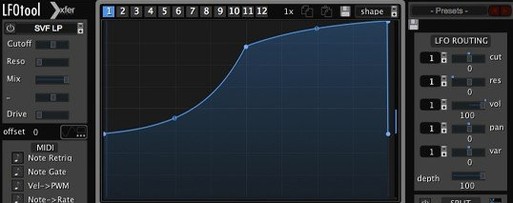 LFOTool
Redraws motion on tracks and buses with a modulation sequencer instead of a static LFO.
12 steps saved
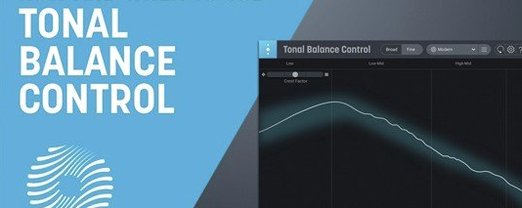 iZotope Tonal Balance Control
Shows how a mix’s frequency balance compares to a chosen genre reference.
11 steps saved
 Updated
iZotope RX
Isolates dialogue, music, and effects while cleaning bleed and breath from recordings.