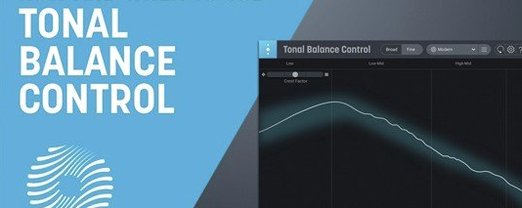
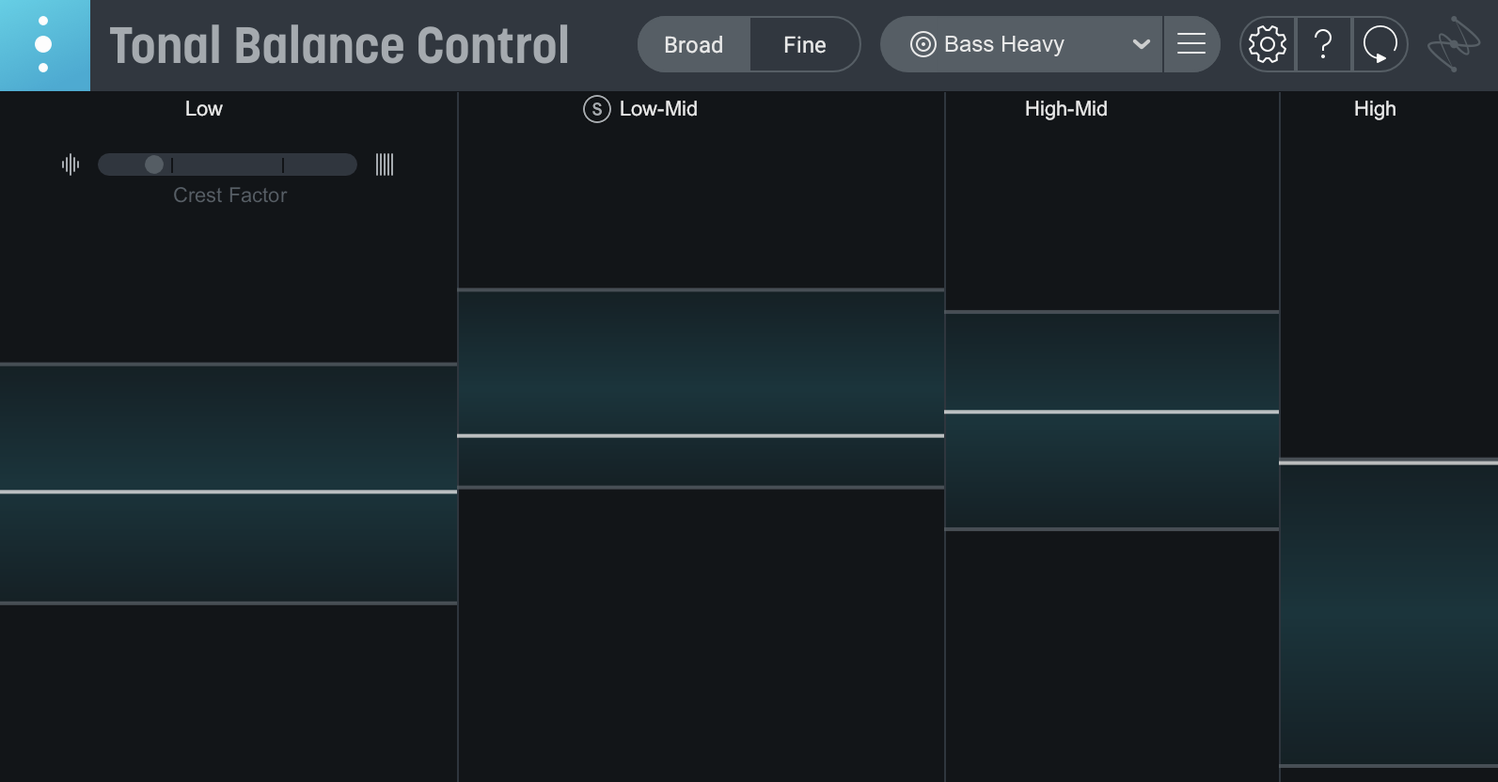
You open your DAW, load Tonal Balance Control on the master bus, and feed it a rough mix. Broad crests and troughs appear against a shaded genre target. The low end sits a touch heavy; the high-mids are shy. You open an instance of Neutron EQ, and a transparent overlay guides your next move. That visual conversation is what this plugin does.
- Maps your mix against 12 genre-based reference curves or a custom curve loaded from any audio file
- Communicates directly with Ozone and Neutron equalizers, overlaying the tonal target inside those plugins
- New built-in hybrid EQ lets you adjust broad tonal regions without leaving the meter window
- Extra dedicated meters now cover vocal balance, crest-factor dynamics, and stereo width
- Includes Relay, a low-CPU utility for gain, pan, and stereo-imaging adjustments across any track
- Runs on Intel Macs and Apple Silicon M-series machines as a standalone app or AU/VST3/AAX plugin
Version 3 adds the standalone desktop app, so you can analyze exported files without launching a DAW. The hybrid EQ is practical for quick rebalancing passes, and the extra meters give you a faster read on vocal positioning and dynamic range. If your room lies to you, these curves offer a consistent second opinion.
Only Ozone and Neutron show the curve inside the EQ
Does it only work with iZotope plugins? The inter-plugin communication that overlays the target curve directly inside an EQ window is exclusive to Ozone and Neutron. You can still use Tonal Balance Control with any third-party EQ — you just won't see the shaded guide inside that EQ's interface. The metering, the reference curve readout, and the new built-in hybrid EQ all function independently of what else is in your chain.
Will it slow down a session? The plugin itself is light. What drags CPU is the Relay instances you insert across tracks when you want remote control of gain and pan from inside Tonal Balance Control. Relay is optional. On an M-series Mac, a dozen Relay instances barely register; on an older Intel machine, keep the count reasonable and you'll be fine.
How accurate are the genre curves? They are not prescriptive. A hip-hop curve represents an averaging of many commercial mixes, not a formula for success. Use them as a sanity check — especially helpful when you have been mixing the same chorus for three hours and your ears have checked out. Loading a reference track as a custom curve often yields more relevant guidance than the built-in genres.
Does the standalone app replace the plugin? It complements it. The standalone app is for quick checks: drag an exported WAV onto it, read the meters, make notes, head back to the DAW. It does not host other plugins or process audio — it is purely an analysis window.
Visual low-end checks for untreated rooms
Mix engineers working in untreated or partially treated rooms. When your low-end translation is unreliable, a visual reference curve catches problems you cannot hear. The crest-factor meter added in version 3 helps the same group — dynamics that look right on meters but sound flat on small speakers often show up as a narrow crest-factor spread.
Mastering engineers who move fast. Loading a client's rough master, glancing at the vocal balance meter, and spotting that the lead vocal sits 2 dB too hot before you even reach for an EQ saves a round of revisions. The stereo-width meter flags mixes that collapse in mono or spread too wide for vinyl, both things a quick listen might miss.
Producers who mix their own work. You have written, arranged, and tracked a song; objectivity is long gone. Tonal Balance Control gives you a dispassionate readout. The built-in hybrid EQ is especially useful here — broad, gentle tilts rather than surgical cuts, applied without leaving the analysis window, suit the producer who needs to fix a dark mix at 11 p.m. without starting a full mastering chain.
Selecting the Pop curve after a rough mix
You finish a rough mix of a pop track. The kick and bass feel solid, but you suspect the upper mids are dull. You insert Tonal Balance Control on the master bus and select the Pop curve. The low end sits within the shaded band; from 3 kHz upward, the trace dips below the target.
You open Neutron's EQ from inside Tonal Balance Control. The Pop target curve overlays the frequency display in Neutron, and you widen a bell at 4.5 kHz by 2.3 dB. The trace in Tonal Balance Control lifts into the band. You click over to the vocal balance meter — the lead vocal is closer to the centre than expected, so you leave it alone.
You switch to the crest-factor meter. The chorus peaks are narrower than the verse peaks, which tells you the choruses are more compressed. You want that, but the spread feels too tight. You back off the mix-bus compressor's threshold by 1.5 dB and watch the crest meter widen. The stereo-width meter shows a solid spread, no mono-collapse warnings.
You export the mix and drag the file into the standalone app for a last look. Same curve, same meters, no DAW processing in the way. The readout matches what you saw in-session. You close the app and call the mix done.
- New — Standalone desktop application for analyzing mixes outside a DAW
- New — Built-in hybrid EQ for broad tonal adjustments without Ozone or Neutron
- New — Dedicated meters for vocal balance, dynamics, and stereo width
- Improved — First major release of Tonal Balance Control 3 with full Apple Silicon support
- macOS 14.7 Sonoma or later (including Sequoia 15.4 and Tahoe 26.1)
- Intel or Apple Silicon Mac (x86 64-bit and ARM supported)
- AU, VST3, or AAX-compatible host (for plugin use)
Questions I get before install
What plugin formats does Tonal Balance Control 3 support on macOS?
It runs in AU, VST3, and AAX formats on Intel and Apple Silicon Macs, plus a new standalone desktop app that requires no DAW.
Can I use Tonal Balance Control without owning Ozone or Neutron?
Yes. The new built-in hybrid EQ handles broad tonal adjustments independently, and the standalone app analyzes exported mixes without any host EQ.
Comments 0
Sign in to leave a comment.Sign inCreate an account
No comments yet. If a step is still there after you install it, say so.
More in VST Plugins
All in VST Plugins Updated
iZotope RX
Isolates dialogue, music, and effects while cleaning bleed and breath from recordings.
16 steps saved
 iZotope Neutron
Balances tone, dynamics, and stereo placement across individual tracks and buses.
23 steps saved
 Kalifornia Dynamic KD Alkane
Adds weight and presence to a sterile kick drum with swift, focused processing.
4 steps saved
 iZotope Nectar
Shapes a vocal track’s tone, dynamics, and space directly on the insert slot.
21 steps saved
 iZotope Insight
Plots loudness history and stereo vectors so you can hit your delivery spec exactly.
9 steps saved
 Komplete FX Bundle
Provides a rack of modulation, dynamics, and time-based effects for shaping any signal.
18 steps saved
 Komplete Kontrol
Unifies browsing, loading, and hands-on control of instruments and effects from one hub.
22 steps saved
 KORG Collection
Recreates classic KORG synths and workstations as plugins inside your DAW.