
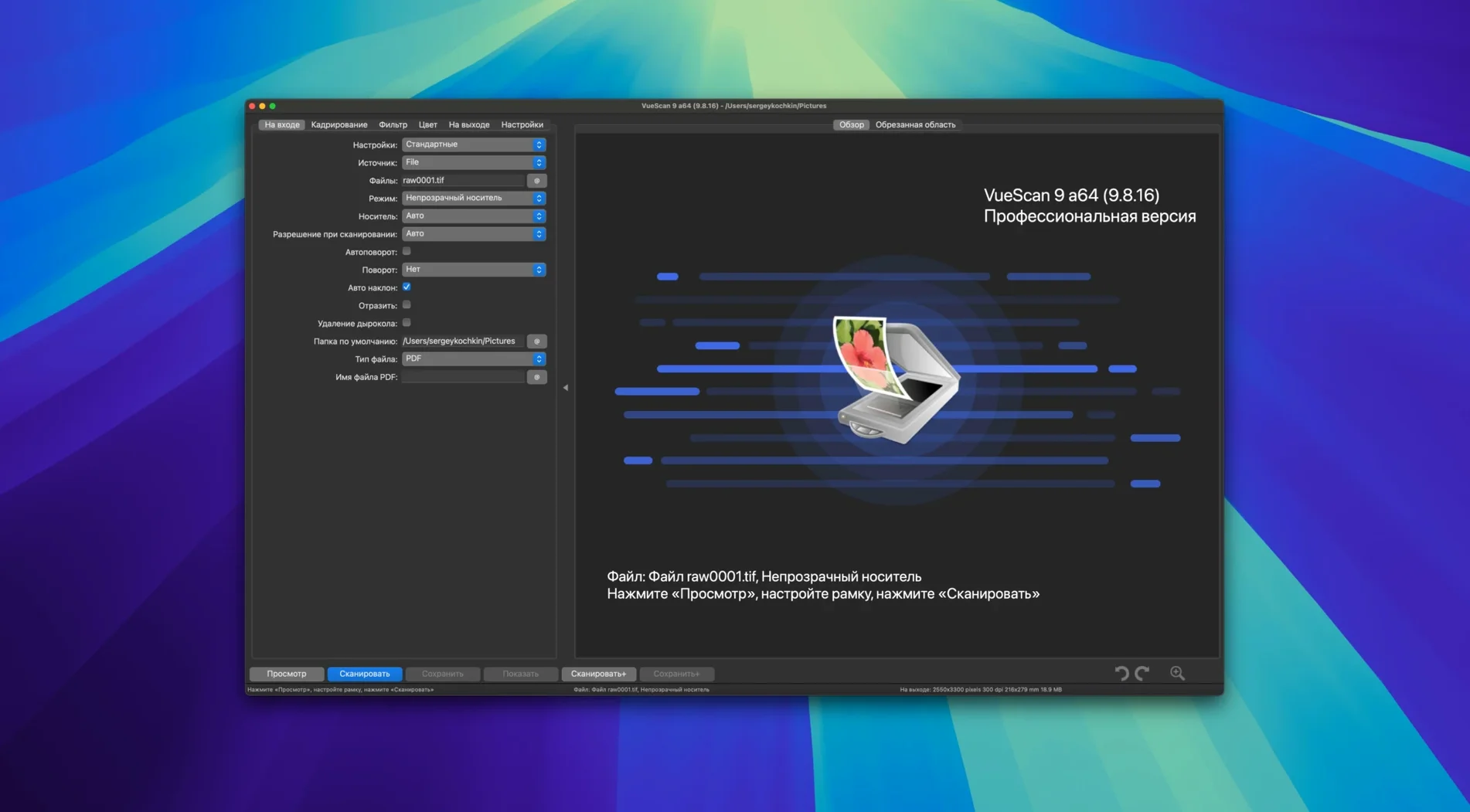
A scanner whose maker stopped shipping Mac drivers does not have to be retired. VueScan Pro brings its own drivers for a long list of models — HP, Minolta, Nikon, Polaroid, Epson, Canon and more.
A Clean Film Scan in Four Steps
- Place the slide or negative and open VueScan Pro.
- Pick several passes and let the app average them — less noise in dark areas.
- Keep a raw file of what the scanner captured; you can re-process it later without the hardware connected.
- Set exposure, colour correction, colour depth and output format, then save the settings as a reusable profile for the next batch.
Drivers for 6,000 Scanners Mean That 2005 Flatbed Still Works
Will it work with a scanner that stopped receiving updates years ago? Almost certainly. VueScan Pro carries its own drivers for more than 6,000 models, so a forgotten flatbed from 2005 often scans as if it were still supported by its manufacturer. The list covers HP, Minolta, Nikon, Polaroid, Epson, Canon and plenty of lesser-known brands. If your scanner powers on and the cable fits, there is a strong chance the app recognizes it immediately.
Do I need to uninstall the manufacturer’s software first? Not necessarily, but keeping both can confuse the Mac when it picks a driver. Most people get cleaner results by removing the old suite and letting VueScan Pro handle the connection alone — especially on macOS 10.15 and later, where kernel extensions from discontinued apps tend to cause hiccups.
Can I process scans later without the scanner plugged in? Yes. Saving scanner raw data to a file is built in. You capture everything the hardware sees, then apply colour corrections, grain reduction or multi-pass averaging offline — useful when the scanner lives in a shared studio or when you archive film rolls in a single marathon session.
Launches in Under Three Seconds on Apple Silicon
On an Apple Silicon Mac, the app launches in under three seconds and stays responsive even while a 16-pass slide scan runs in the background. Memory use hovers around 300–400 MB during a typical flatbed job; infrared dust removal adds a modest bump. The interface avoids animations and heavy graphics, so it never taxes the GPU. On older Intel machines, the same session feels only slightly slower — the code path is lean and free of background telemetry.
Stability stands out. Crashes are rare, and when a scanner loses its USB connection mid-job, VueScan Pro usually recovers with a reconnect prompt instead of locking up. The app handles sleep-wake cycles on a MacBook without requiring a restart. In daily archival work, that predictability matters more than a flashy preview panel.
Batch scanning is where the software earns its keep. You can queue dozens of slides, set a naming pattern like film001+2.jpg, and walk away. Version 9.8.57 added date and time substitutions in folder names, so projects self-sort into dated subfolders — a small change that removes a recurring manual step.
Batch Colorize Turns a Multi-Hour Restoration Into One Supervised Pass
The 9.8.57 release tightened several workflows. Batch processing for colorize and super-resolution now runs across a stack of images instead of requiring one-at-a-time attention. For anyone restoring faded colour negatives, that cuts a multi-hour task down to a supervised pass. The improved AI-assisted touch-up handles dust specks and small scratches with fewer artefacts than earlier iterations — still not perfect on heavily damaged film, but noticeably cleaner on light to moderate wear.
Practical additions came for file naming too. The date substitution in folder paths means a week of scans can land in 2026-08-23 style directories without manual sorting. The variable increment option — file001+2.jpg — lets you skip numbers in a sequence, handy when you interleave scans from two batches and want to preserve a logical order.
USB scanner support on macOS got a quiet but important polish. Several Brother and Epson models added in this release — 11 Brother and 7 Epson — now initialize faster after sleep, and the connection holds through longer multi-pass jobs. If you rely on a USB-fed document scanner for daily paperwork, the update reduces the small frustrations of dropped handshakes and repeated warm-ups.
Version 9.8.57 adds 7 Epson and 11 Brother scanners, batch colorize and super-resolution, and better USB scanner handling on macOS.
Version 9.8.59 delivers a set of targeted fixes and quiet improvements to scanning reliability and support.
- macOS 10.15 or later
- Apple Silicon native
Questions I get before install
Can VueScan Pro save my scanner settings for different film types?
Yes, you can save the current exposure, colour correction, and output format to a separate settings file and reload it as a reusable profile.
Does VueScan Pro work if my scanner manufacturer stopped updating the driver?
It supplies its own scanning software for many models, so it often works with older hardware from HP, Minolta, Nikon, and others on current versions of macOS.
Comments 0
Sign in to leave a comment.Sign inCreate an account
No comments yet. If a step is still there after you install it, say so.
More in Office
All in Office Updated
Vellum
Synchronises a single manuscript across Kindle, Kobo, Apple Books and print editions.
11 steps saved
 Updated
Wolfram Mathematica
Handles calculations through symbolic notation and typeset results instead of cell references.
9 steps saved
 Updated
Typora
Removes the preview pane so you write formatted Markdown directly on the page.
13 steps saved
 XMind Pro
Turns scattered lists into one reorderable map for meeting prep and project plans.
9 steps saved
 Things
Gives you just enough structure to clear your head without setup overhead.
14 steps saved
 Soulver 3
Turns a plain-text notepad into an instant calculator for day-to-day math problems.
19 steps saved
 Scrivener
Gathers research, drafts, and notes into a single structured writing project.
21 steps saved
 QuickBooks Mac Plus
Gives a small business a clean, guided path from setup to daily tracking.