
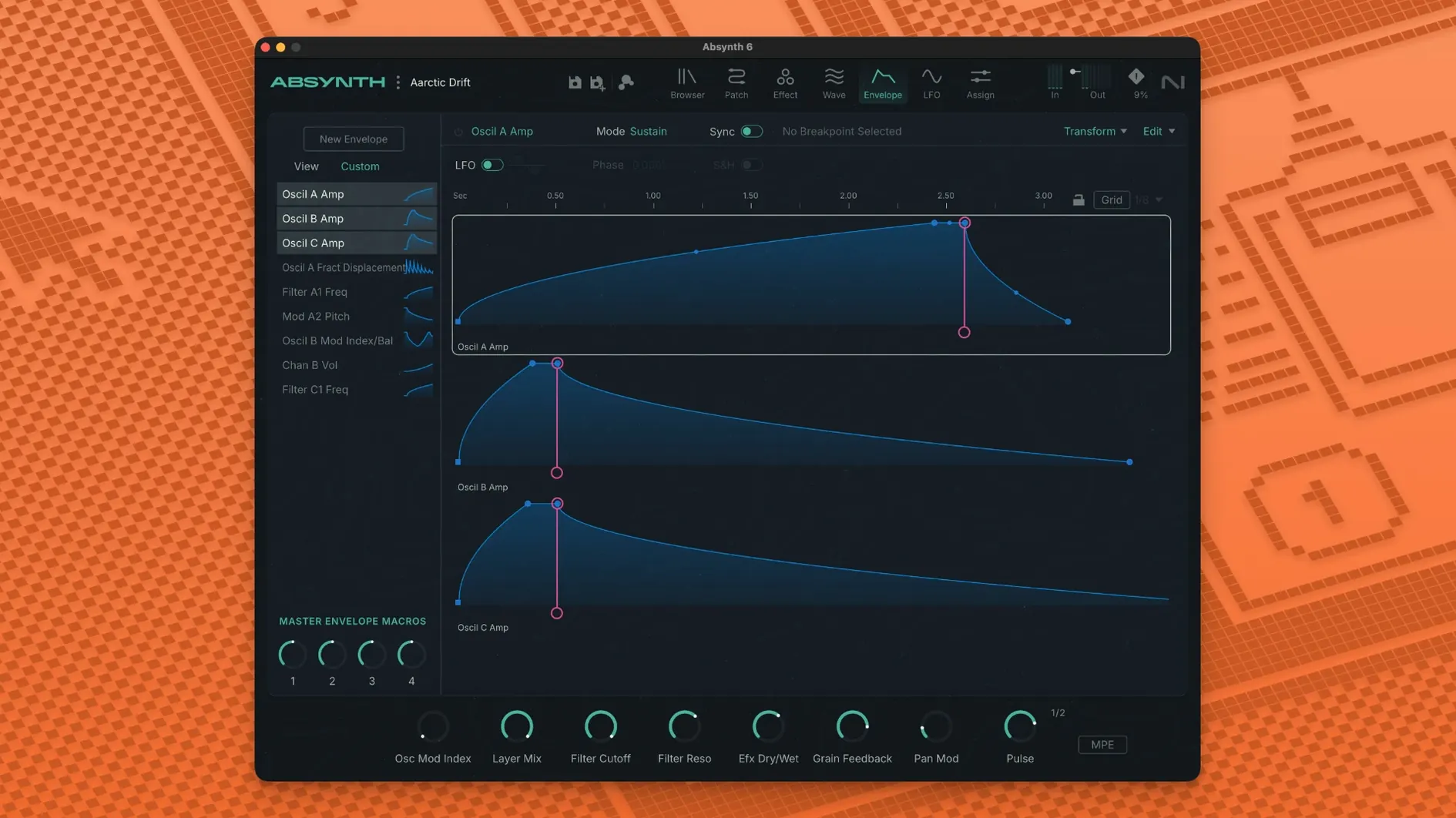
Evolving drones and textures for film and games need a synth built for sound design, not presets alone. Absynth 6 is Native Instruments' answer.
Hybrid synthesis — a semi-modular synth with a hybrid sound engine.
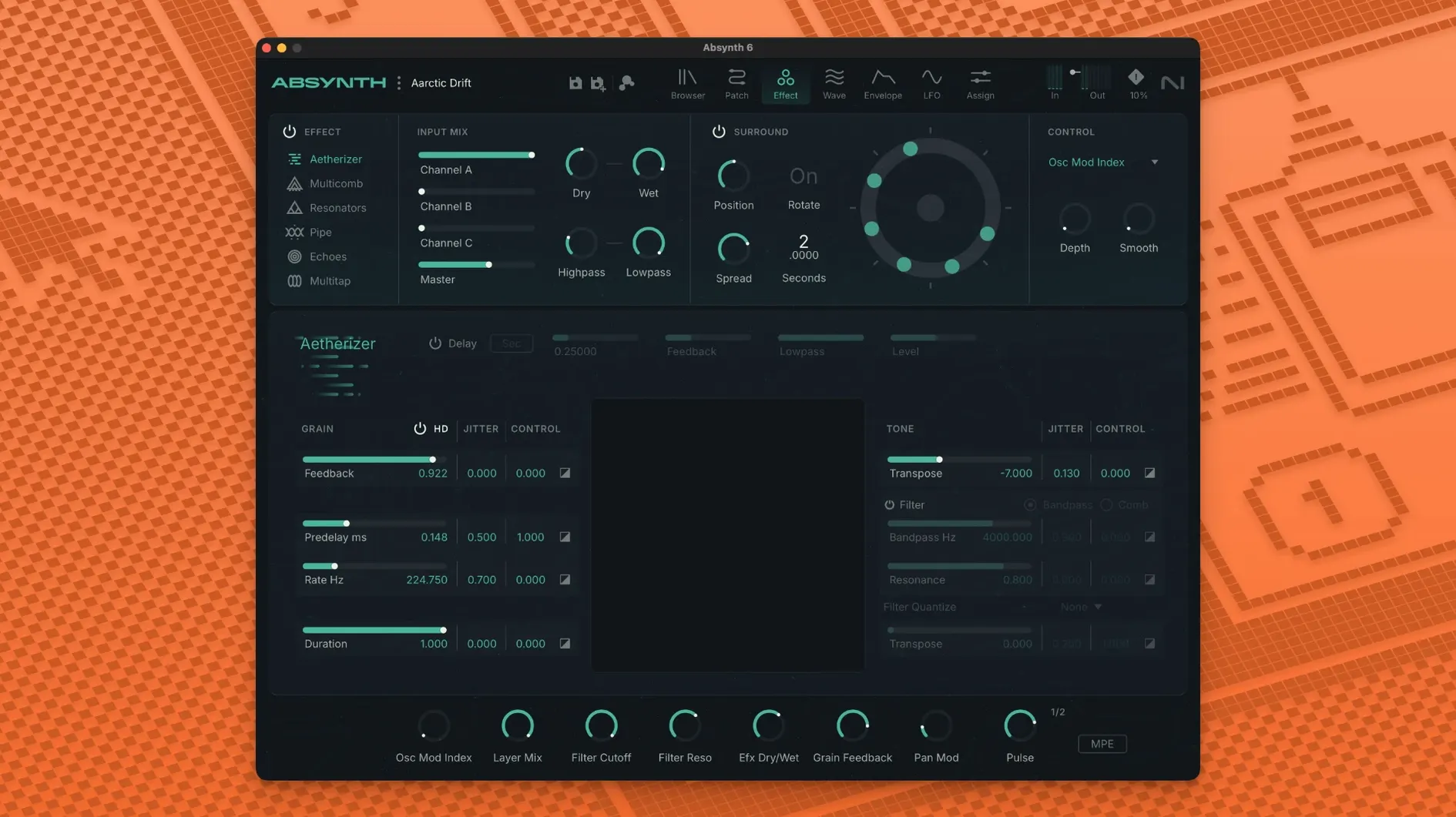
Aetherizer — an effect for turning sounds into evolving washes.
Cloud Filter — a filter for dense, resonant textures.
Supercomb — a filter for metallic and resonant colour.
Eight-channel surround — outputs to Quadraphonic, 5.1, and Octaphonic formats for spatial sound work.
MPE and polyphonic aftertouch — per-note expression from compatible controllers, shaping pitch, timbre, and modulation independently per voice.
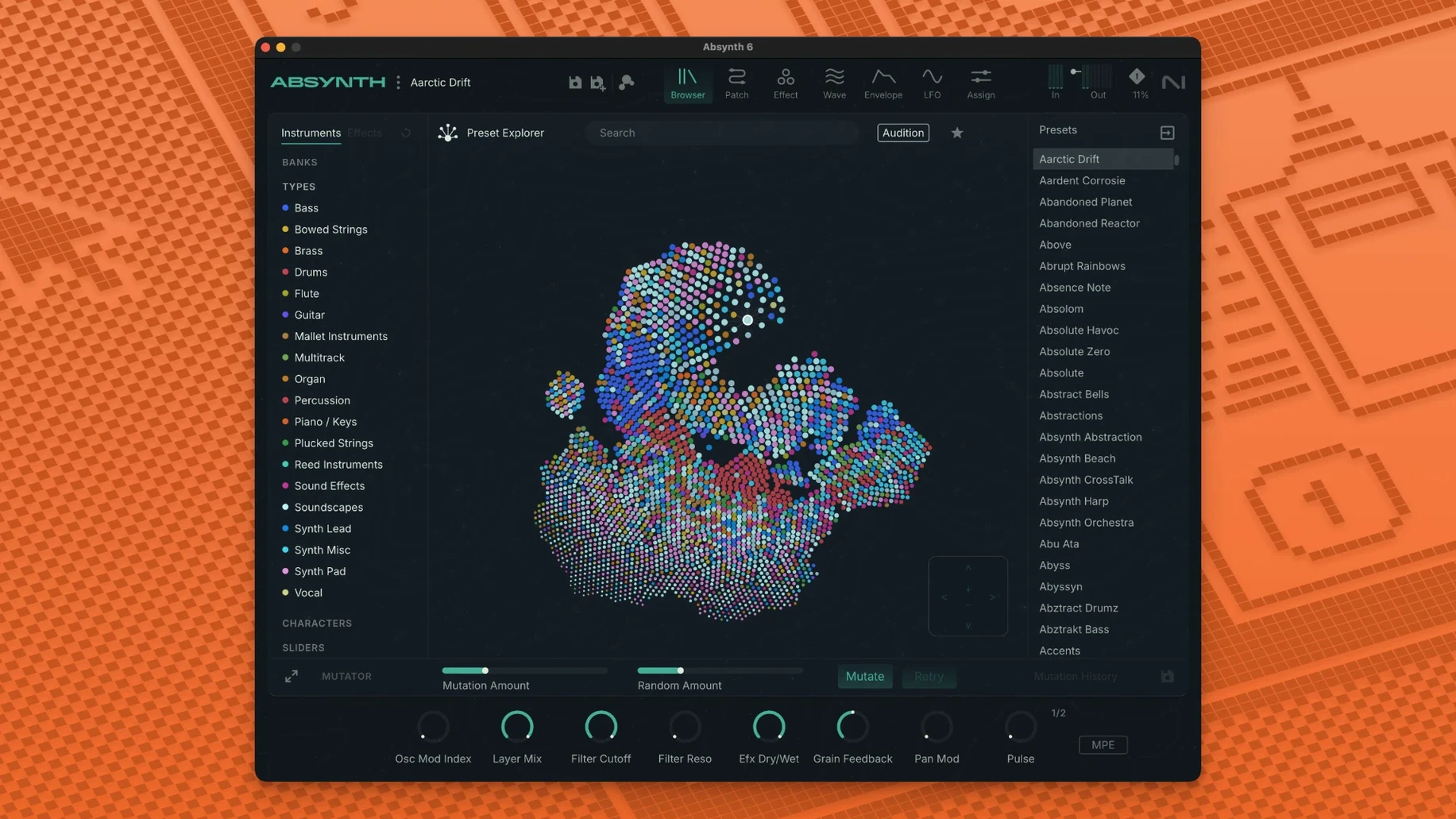
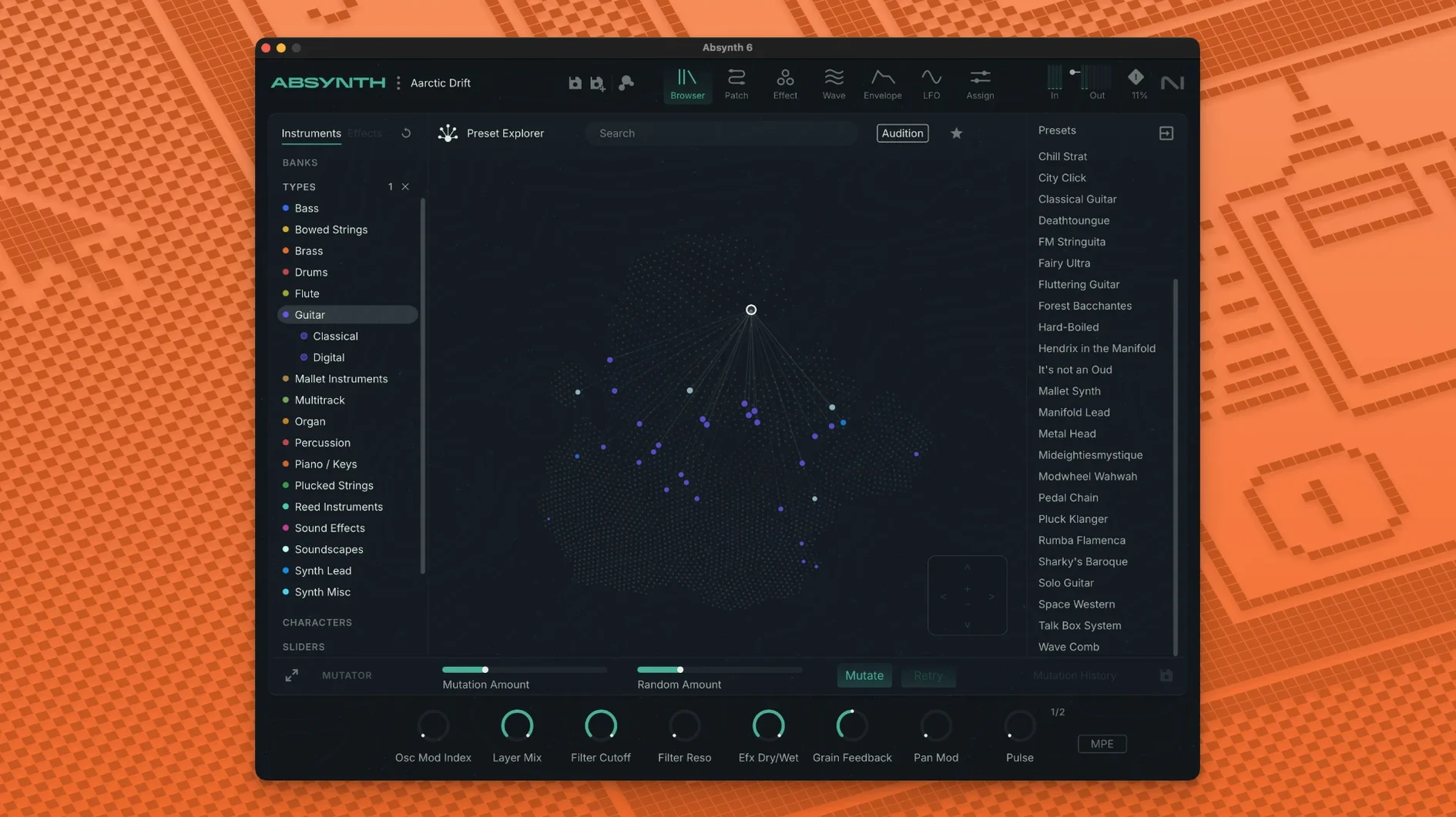
Preset browser — search and audition sounds by category without leaving the creative flow.
How Absynth fits a working setup
Absynth loads as an AU, VST3, or AAX plug-in inside a DAW. It does not run standalone — a host like Logic Pro, Ableton Live, or Pro Tools is required. Once instantiated, eight-channel surround routing appears in hosts that support multi-output instruments. Assign each channel to a discrete bus and pan across Quadraphonic, 5.1, or Octaphonic fields directly from the Absynth output section.
MPE integration pairs naturally with controllers like the ROLI Seaboard or Expressive E Osmose. Slide pressure, per-note pitch bend, and vertical movement translate into Absynth's modulation matrix without extra MIDI mapping. Polyphonic aftertouch works the same way for keyboards that send it — the mod matrix routes each finger's pressure to filter cutoff, wavetable position, or granular grain density independently per voice.
macOS integration — Absynth's preset browser respects the system language setting for English. Audio Unit validation runs on first launch; the plug-in passes AUval in Logic without manual intervention. Core Audio handles multi-channel output, so no third-party audio driver is needed for surround work.
The Sound Mutator works well after bouncing a stem. Drag a short audio snippet into the Mutator, let it analyse spectral and temporal characteristics, then apply the result to any Absynth patch. This cross-pollination produces new patches that inherit traits from field recordings, vocal takes, or percussion loops already in the session.
Plug-in formats, copy protection, and migration surprises
Does Absynth 6 replace earlier versions, or can they coexist?
Absynth 6 installs as a separate plug-in. Projects saved with Absynth 5 presets open correctly — the preset format is forward-compatible. Keep Absynth 5 installed if older sessions rely on automation lanes tied to its parameter IDs. Absynth 6 uses updated parameter indexing for MPE and surround features, so automation from version 5 does not map across automatically.
What kind of CPU load does the Aetherizer introduce?
The Aetherizer runs a dense FFT-based grain cloud. On an Apple Silicon Mac, a single instance with 16 grains and full stereo width consumes roughly 8–12% of one performance core. Stacking three or four instances in a surround project benefits from the 6 GB RAM recommendation. Freezing tracks or bouncing in place keeps sessions moving.
Can Absynth import user wavetables or samples?
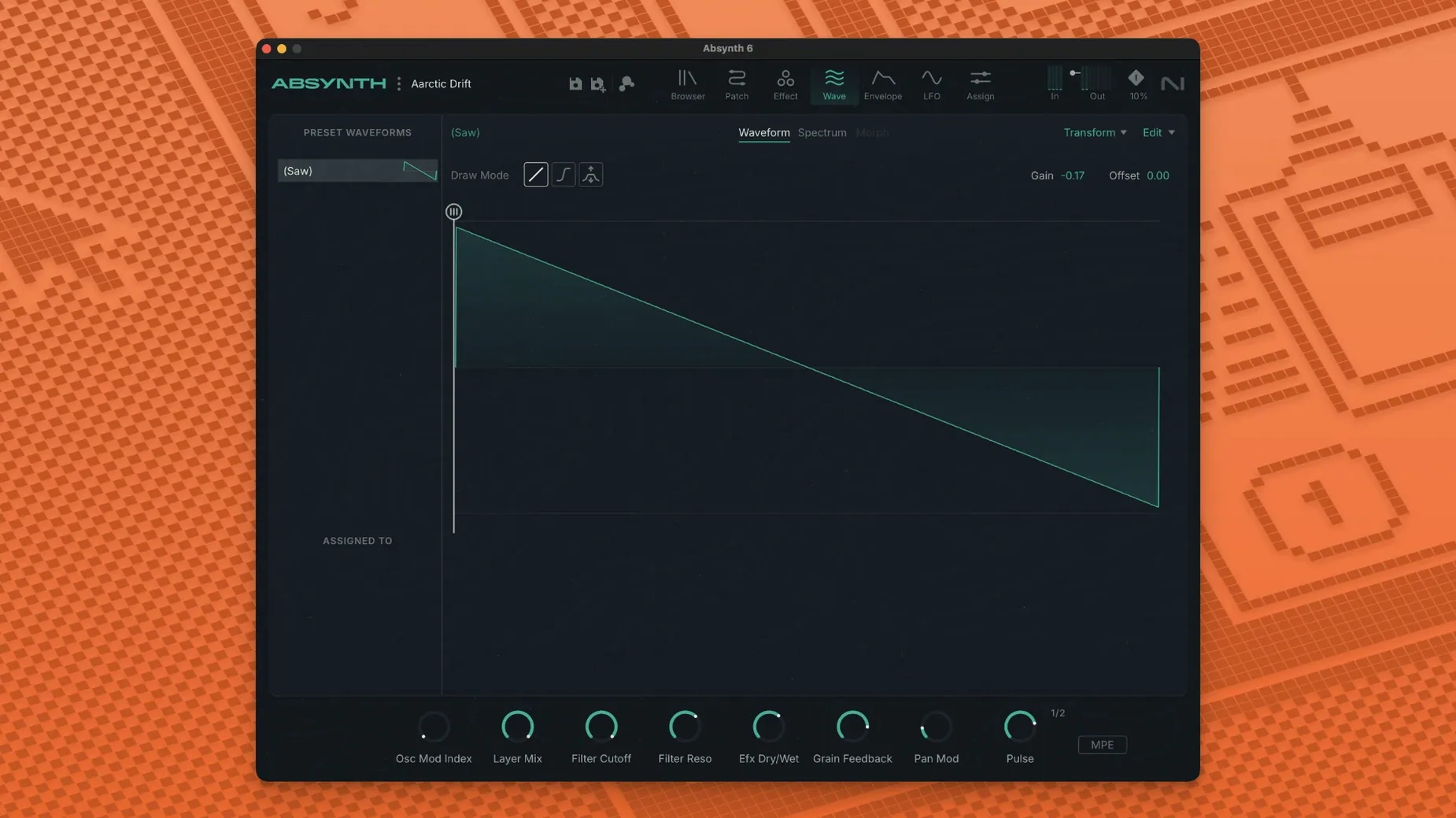
Yes. The wavetable oscillator loads standard WAV files. The granular engine accepts mono or stereo samples up to several minutes long — long field recordings become playable textures with grain position mapped to key tracking. The sample map editor inside Absynth assigns zones across the keyboard for multi-sampled instruments.
Is surround output possible without a multi-channel audio interface?
Absynth generates the channel streams; the DAW handles routing. Bounce a quadraphonic drone to four mono stems and deliver them as interleaved files. Monitoring in surround still requires an interface with enough outputs, but sound design and export work fine with stereo monitoring if you trust the pan law in your host.
Eight-channel patches and the rebuilt output module
The jump from Absynth 5 to Absynth 6 is a ground-up rebuild, not an incremental update. Three shifts matter in everyday use:
- Surround-first architecture. Every patch can address up to eight channels. The output module now includes per-channel level, pan, and effect send controls. A mono patch stays mono until you deliberately route it wider — nothing breaks by default.
- Full MPE implementation. Earlier versions recognised polyphonic aftertouch as a mod source but treated it monophonically. Version 6 parses MPE dimension messages (pitch, timbre, pressure) per voice. The mod matrix exposes these as discrete sources, labelled clearly, so assigning slide to wavetable position takes one click.
- 250 new presets. The factory library is rebuilt around the Cloud Filter, Supercomb, and Aetherizer. Browsing by category — Pads, Drones, Rhythmic, SFX — surfaces sounds that use surround panning and MPE expression out of the box, giving usable starting points for spatial and expressive projects.
The preset browser now indexes by oscillator type and effect chain, so searching for "granular + aetherizer" returns all patches built with that combination. Auditioning happens in-place without stopping playback, which speeds up finding a texture that sits in a mix.
Version 6.2.1 collects the developer's latest fixes and improvements. The 6.2 release introduced several workflow changes:
- New — Focus Mode merges a channel's parameters and sound-editing tools into a single workspace.
- New — Dedicated editors for oscillators, envelopes, LFOs, macros, and the keyboard, with the ability to jump between parameters and their assignments.
- New — Save and load individual channels, modules, oscillators, and envelopes as sub-presets.
- Improved — Handling of modulation assignments, macros, and expression parameters.
- macOS 14 or later
- Apple Silicon or Intel 64-bit
Questions I get before install
Does Absynth 6 run on Intel Macs?
Yes. It requires an Intel Core i5 or equivalent, or Apple Silicon, with macOS 14 or later.
What plug-in formats does the current version support?
Absynth 6 runs in 64-bit VST3, AU, and AAX hosts on macOS.
Comments 0
Sign in to leave a comment.Sign inCreate an account
No comments yet. If a step is still there after you install it, say so.
More in Mac Apps
All in Mac Apps Updated
Ableton Live
Controls clip timing precisely so dense sessions keep their transient punch.
17 steps saved
 ACDSee Photo Studio
Chains exposure, sharpness, and watermark steps into one reusable batch preset.
13 steps saved
 Updated
Acorn
Edits screenshots and composites layers without the weight of a creative suite.
10 steps saved
 A Better Finder Rename
Rebuilds hundreds of file names in one pass using configurable renaming categories.
10 steps saved
 Updated
A Better Finder Attributes
Syncs photo capture dates with your Mac’s file dates without opening a raw editor.
10 steps saved
 Updated
Adguard
Blocks ads and trackers across browsers and apps before they load.
9 steps saved
 Adobe After Effects
Composites, animates, and builds motion graphics for video and film projects.
16 steps saved
 Adobe Animate
Produces vector animation for browsers, mobile devices, and game engines.