
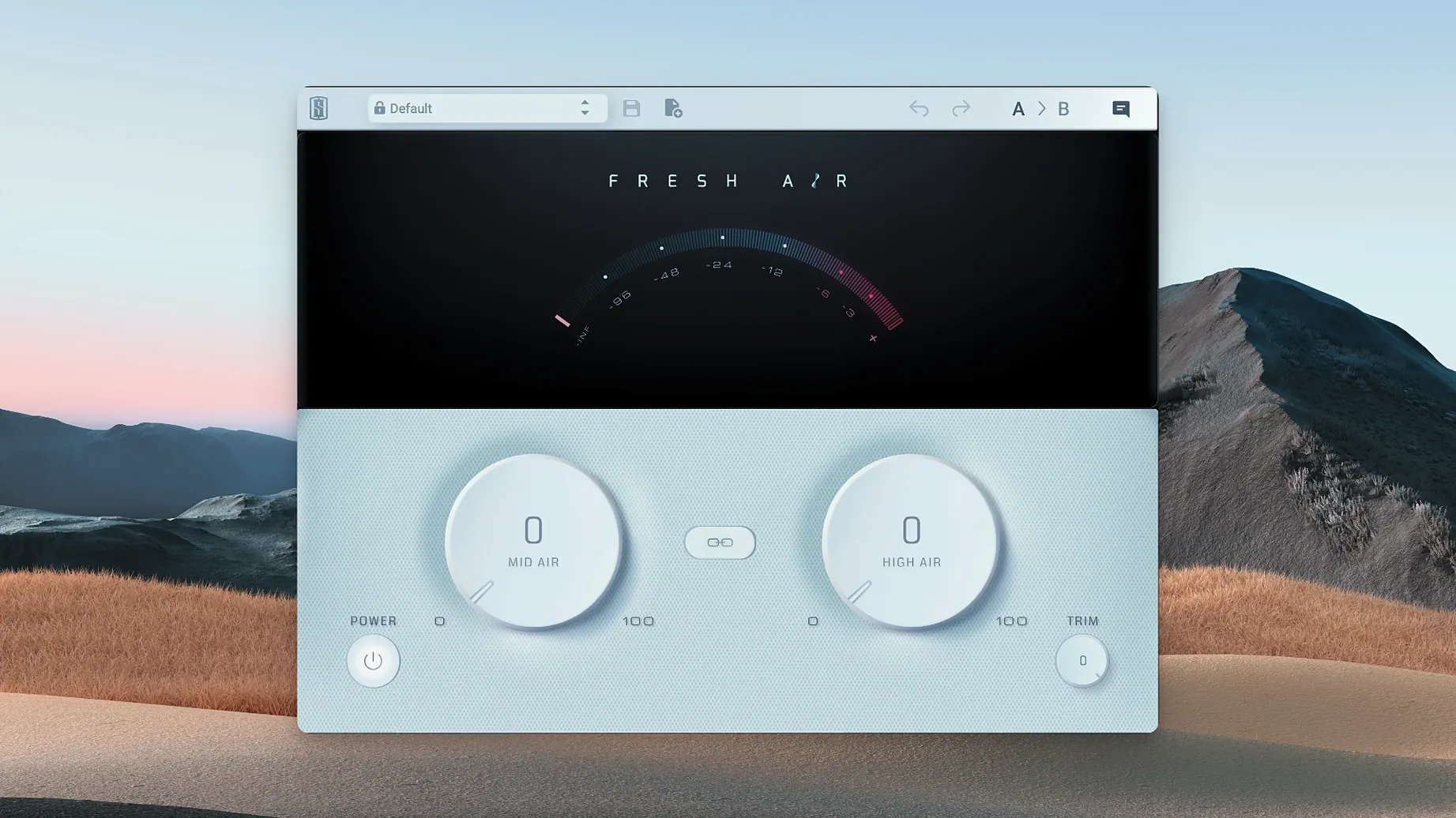
Mixing engineers who need to lift a dull vocal or push a drum bus forward often reach for Fresh Air. The Slate Digital plugin distills the process of adding high-end clarity down to two simple controls, yet the result is rarely subtle.
Vocal Presence and Mix-Bus Air
- Adding presence to a lead vocal that sits too far back
- Giving acoustic guitars and cymbals a polished sheen
- Opening up a dense mix bus without adding harshness
- Quick tonal shaping on keys and synths
Small Knob Turns, Big Sonic Shifts
- The effect compounds quickly — small turns yield large results
- Works as a dynamic processor, so it responds to the input signal
- Two knobs mean no fine-tuning of crossover points
Unlink the Bands Before You Start
Fresh Air ships with a handful of defaults that suit quick demos, but a couple of early tweaks make it fit into a session more cleanly.
- Unlink the two bands immediately. The Link button couples Mid Air and High Air, which blurs the processor’s main strength — independent control over presence and top-end shimmer. Unlinking lets you push air on a dark ribbon mic vocal without making the 3–5 kHz range edgy.
- Pull Trim down by 2–3 dB as a starting point. Both Air knobs add perceived loudness, and it is easy to mistake level for improvement. Dialling Trim back early keeps gain-staging honest.
- Place it post-compression but pre-limiter on the mix bus. Inserting Fresh Air after a bus compressor but before a final brickwall limiter gives the dynamics detector a more consistent signal to read, which reduces pumping on snare transients.
Small conveniences you can easily overlook
The plugin’s interface is sparse, but a few non-obvious behaviours speed up repetitive work once you know they are there.
- Type a value on any knob. Double-click the Mid Air, High Air or Trim readout and enter a number with the keyboard. This is far faster than dragging when you need a precise 1.3 dB boost across twelve backing vocal channels.
- Option-click resets to default. Holding the Option key and clicking a control returns it to its factory value — zero for both Air knobs, unity for Trim. Useful after an over-enthusiastic pass.
- Copy settings without saving a preset. In most DAWs, you can drag the plugin from one insert slot to another while holding Option to duplicate the exact state. No need to open the preset manager for a quick copy across tracks.
Forty Instances Without the Fan
Version 1.0.9 on Apple Silicon feels light. An instance on a mono vocal track idles at barely a blip on the Activity Monitor, and you can stack thirty or forty instances across a medium-sized session without the fan spinning up on an M1 Pro machine.
Load time is immediate — the GUI paints in well under a second even when inserting it during playback. There is no analyser, no spectrogram, no moving parts to redraw, which keeps the interface responsive on lower-power Macs.
The dynamic processing runs at a fixed internal latency of zero samples, so phase coherence stays intact when you use it on multi-miked sources such as drum overheads. Stability across DAWs is consistent, though users on older Logic Pro versions should avoid inserting it while the transport is rolling in low-latency mode — a brief audio dropout can occur, a quirk Slate Digital acknowledges for builds prior to Logic 10.7.
For anyone searching for a fresh air mac download, this build runs cleanly on macOS 11 and later, and the lightweight coding makes it a practical choice even on older Apple Silicon laptops where every CPU cycle counts. The plugin also works smoothly when loaded as a fresh air vst torrent in hosts like Ableton Live or Reaper, with no additional authorization lag once activated.
- macOS 11 or later
- Apple Silicon native support
Comments 0
Sign in to leave a comment.Sign inCreate an account
No comments yet. If a step is still there after you install it, say so.
More in VST Plugins
All in VST Plugins Slate Digital Murda Melodies
Pushes a melody through a wreckable chain of modulation, delay, and reverse effects.
15 steps saved
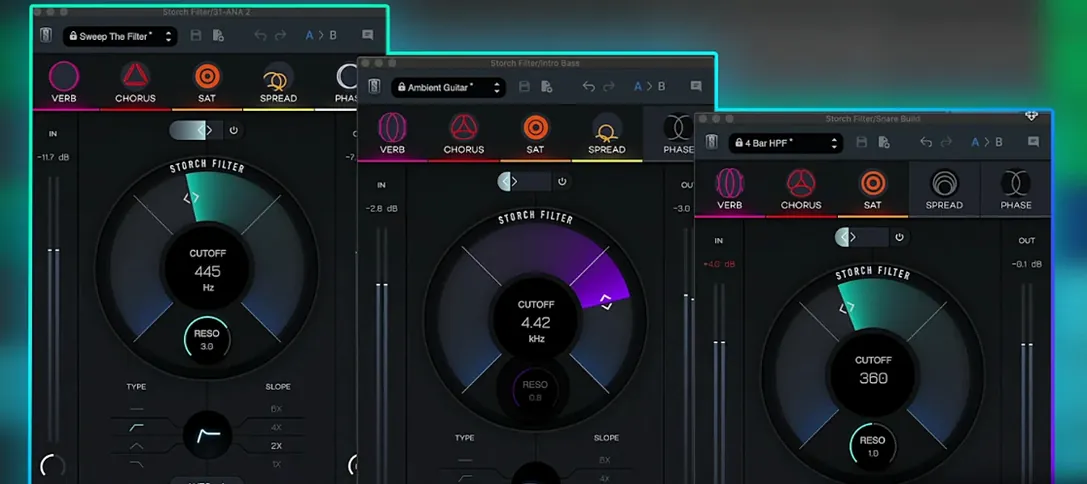 Slate Digital Storch Filter
Sweeps a resonant analog-style filter with built-in drive and modulation.
7 steps saved
 Slate Digital Submerge
Creates tempo-synced ducking and pumping without routing a sidechain compressor.
5 steps saved
 ShaperBox
Shapes volume, filter, pan and time with drawn LFO waves on any track.
8 steps saved
 Sonic Academy KICK
Sculpts the transient, body, and sub layer of a kick drum independently.
13 steps saved
 Updated
Serum
Lets you build and warp wavetables to place a sound precisely in a mix.
20 steps saved
 Serato Sample
Splits a stereo mix into isolated stems for sampling and remixing.
13 steps saved
 Serato Hex FX
Chains up to fifty effects in a custom order inside a single plugin.