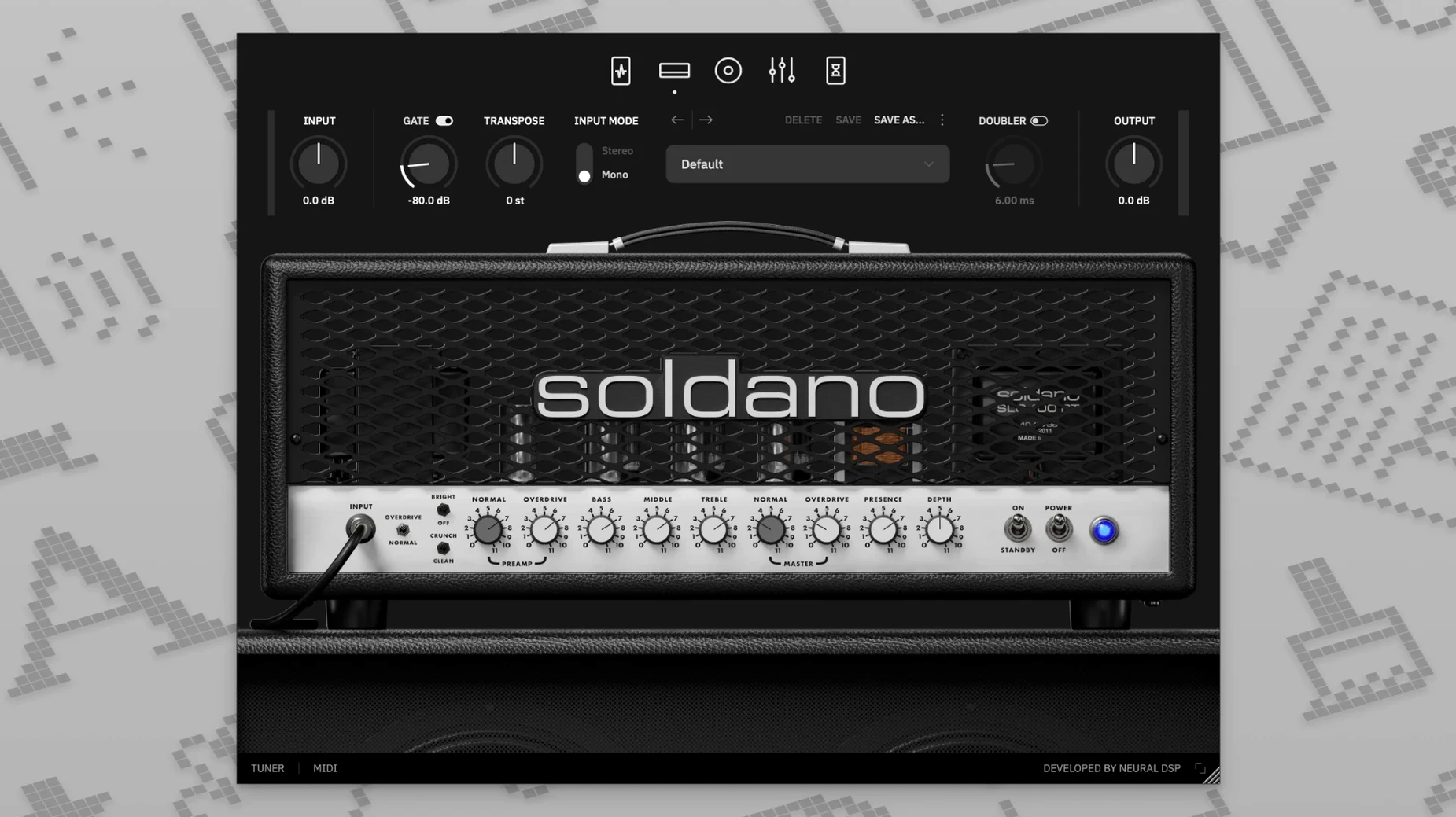
Nine bands of EQ. That is the first thing you notice when you open the SLO-100 X on a channel strip. A full parametric section with dedicated high-pass and low-pass filters sits right after the power amp, giving you surgical control before the signal ever hits a cabinet impulse response.
On a guitar track, the transposition control handles tuning offsets so you can pitch a part down a whole step without touching the instrument. The plug-in loads its own cabinet simulation by default, but you can drag in user IR files when a session calls for a specific room sound or a blend of mics.
On a bus, the same tool works differently. Feed it a dry DI signal for re-amping, or place it on an aux to process doubled parts with the stereo power amp section. The updated X modelling keeps the gain structure tight across the full sweep, from edge-of-breakup crunch to the saturated lead channel.
Standalone mode means you can open it outside a DAW for practice or tone crafting, then drop the same preset into a Pro Tools session via AAX, or into Logic as an AU. It runs native on Apple Silicon and Intel, macOS 10.15 and later, in 64-bit hosts only.
DI recordists get a mic'd-amp sound instantly
Home recordists tracking DI guitars through an interface get an immediate lift. The plug-in gives them a finished amp tone without a microphone, a treated room, or a cabinet at stage volume. Pair it with a clean preamp and the four amp modes cover everything from a tight funk scratch to a sustained lead that sits in a dense mix without extra processing.
Mix engineers who inherit poorly captured amp tracks lean on the nine-band EQ and the cabinet section. Swapping a thin DI re-amp or replacing a muddy cab IR often salvages a part that would otherwise need a full retrack. The transposition control also lets them shift a doubled rhythm part up or down to create width without phasing issues.
Producers building layered guitar textures use the doubling effect and the vintage chorus in the preamp stage. Running the SLO-100 X on two aux channels with slightly offset cab IRs produces a wall of gain that still leaves room for vocals and snare. Students and session players who practise through headphones keep the standalone app open for late-night tone shaping, then recall the preset when the DAW session starts.
Swap the stock cab for a 4x12 IR
Disable the default cab and load an IR you trust. The stock cabinet is usable, but the power amp section opens up when you feed it an impulse response that matches your monitoring setup. Start with a 4x12 with SM57 and ribbon mics blended, then adjust the high-pass filter in the EQ section to clean up low-end mud around 80 Hz.
Drop the input gate threshold. The factory setting can choke quiet single-note lines and volume-rolled clean parts. Set the gate so it closes only when you stop playing, not between phrases. On a Crunch-mode preset, a lower threshold preserves the pick attack that defines the SLO-100 character.
Map the transposition to a MIDI controller. When you want to audition a riff in drop tuning without switching guitars, the transpose knob does it cleanly. Assign it to a footswitch or a knob on your interface and you can shift tuning mid-session. The plug-in keeps latency low enough that the feel stays immediate, even on fast alternate-picked runs.
- New — Updated X modelling technology that revisits the entire amplifier simulation.
- macOS 10.15 or later
- Intel or Apple Silicon Mac
- 64-bit host software (for plug-in use)
Questions I get before install
Does the SLO-100 X let me load my own cabinet files?
Yes. The plug-in supports loading user impulse response files alongside its built-in cabinet simulation with hundreds of preset options.
Comments 0
Sign in to leave a comment.Sign inCreate an account
No comments yet. If a step is still there after you install it, say so.
More in VST Plugins
All in VST Plugins Neural DSP Parallax X
Processes bass through three distinct tube-modelled distortion bands.
18 steps saved
 Neural DSP Fortin Nameless Suite X
Produces an articulate, percussive guitar overdrive that cuts through a dense mix.
6 steps saved
 Neural DSP Archetype Rabea X
Models Rabea Massaad's amp rig, from clean chords to heavy riffs.
11 steps saved
 Neural DSP Archetype Petrucci
Recreates John Petrucci's amps and pedals for lead and rhythm guitar.
7 steps saved
 Neural DSP Archetype Nolly X
Models Nolly Getgood's rig for punchy, mix-ready rhythm guitar.
21 steps saved
 Neural DSP Archetype Misha Mansoor X
Models Misha Mansoor's amps, pedals and cabs for tight modern metal tones.
19 steps saved
 noteGRABBER
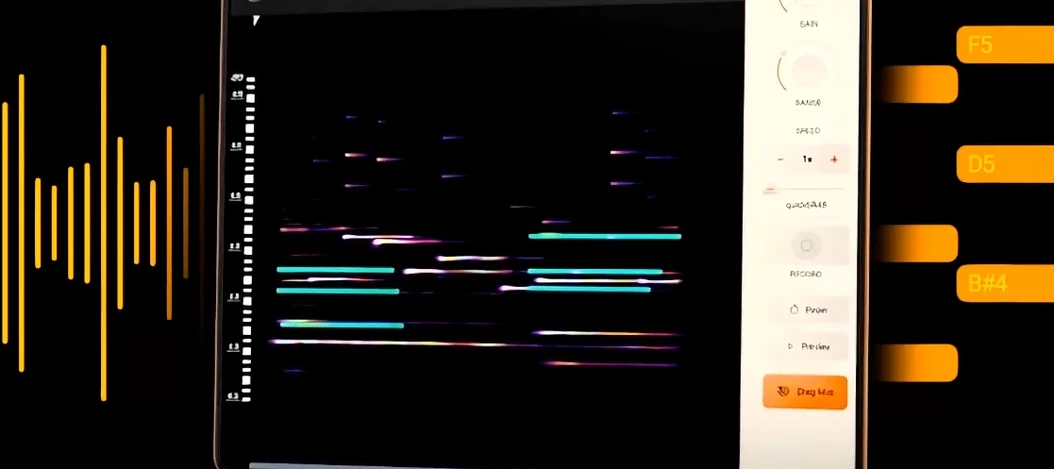
Converts a melody from any audio source into editable MIDI data.
21 steps saved
 Native Instruments Noire KONTAKT
Loads a responsive concert grand with a particle engine for felt textures.