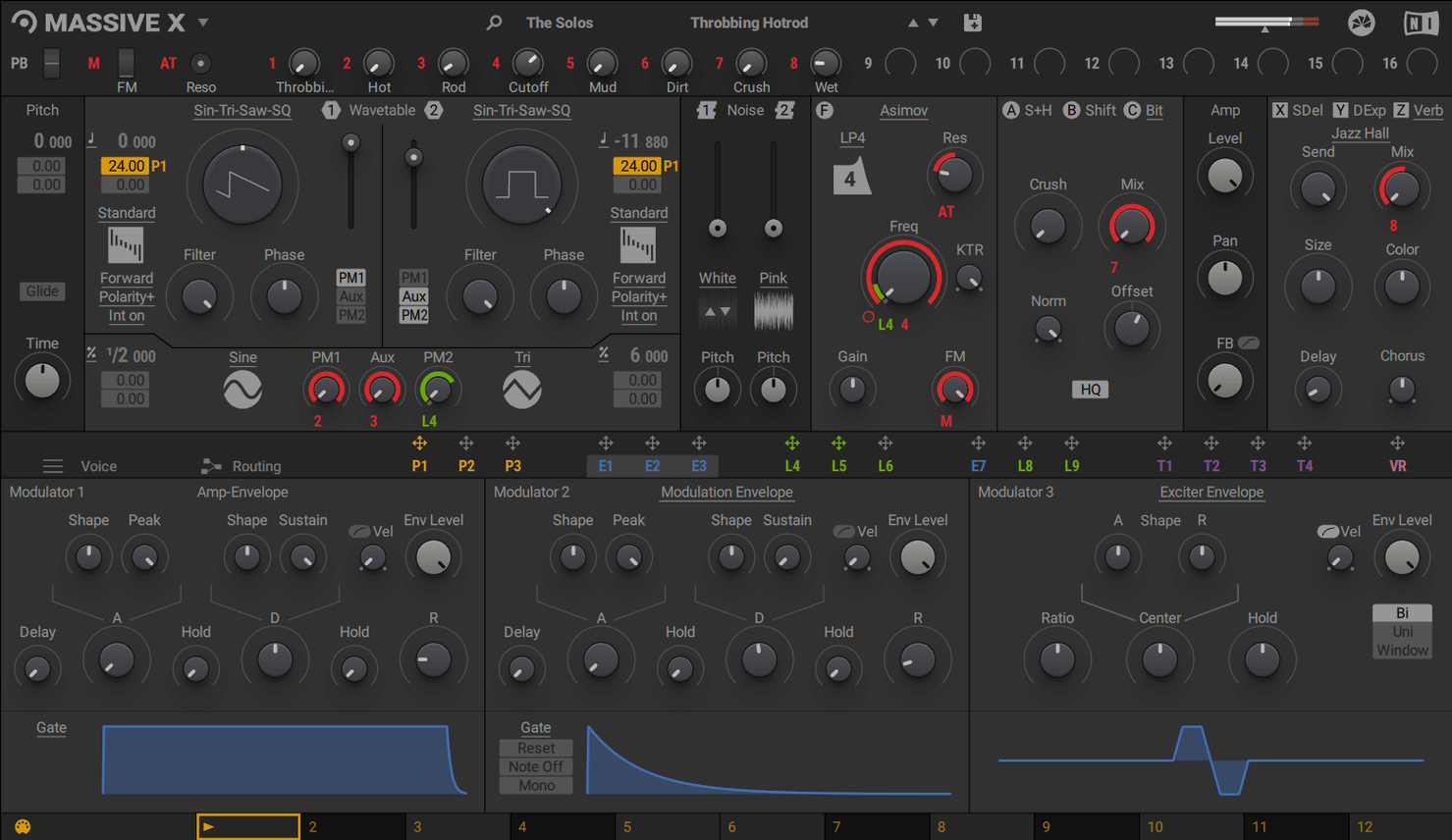
Most soft synths lose body the moment a mix gets busy. Massive X attacks that problem at the oscillator level. The new wavetable section runs ten playback modes, so a single table can move from glassy to aggressive without layering three patches. Two phase modulation generators add metallic overtones that stay clear even against guitars and drums.
The Performer is where patches stop sounding static. Draw a modulation pattern, assign it to filter cutoff or wavetable position, and the sound shifts on its own. It works like an extra pair of hands moving a knob in time with the track.
Routing matters less until you need it, then it matters completely. Any output connects to any input, so an envelope can push a wavetable, a performer can duck an effect, or a random source can nudge pitch. It removes the usual fixed architecture limits.
For older projects, Massive X coexists with Massive. Existing sessions still load, and the original sound set remains available. The new synth covers new ground without breaking what already works.
Building a modulated bass from scratch
Start with an init patch. Pick a wavetable that leans low — something from the Bass category with a solid fundamental. Set Oscillator 1 to a clean saw-table and switch playback mode to Formant. Dial the wavetable position knob to about 11 o'clock. The tone thickens without turning muddy.
Route Oscillator 1 through Filter 1. Choose a 24 dB low-pass ladder and pull the cutoff down to 180 Hz. Add a touch of resonance — just enough to give the note attack a knock. Assign Envelope 1 to filter cutoff with a fast decay (around 300 ms) and zero sustain. Every key press now punches.
Open the Performer section. Draw a four-step pattern: high, low, mid, low. Assign Performer 1 to wavetable position on Oscillator 1, depth at roughly 30%. The sound now cycles through four distinct timbres with each beat. Dial the rate to 1/16 notes. Sync it to the DAW clock. You now have a bassline that moves by itself in perfect time.
For grit, add Phase Modulator A. Route it to Oscillator 1 and set the modulator's own ratio to 2:1. Blend it in just under 20%. The result is a metallic edge that cuts through a dense mix without eating headroom. Save the patch. The whole process takes under four minutes.
Filling Multiple Frequency Slots from a Single Patch
Electronic producers working in dense arrangements benefit first. The two phase modulation generators and ten wavetable playback modes let a single patch fill multiple frequency slots without stacking layers. That keeps mix counts low and CPU manageable.
Film and game sound designers find the routing grid invaluable. Connecting a noise source to a wavetable parameter, or letting a random LFO nudge an insert effect, produces evolving textures that stay interesting across long cues. The 780 presets also give quick starting points for risers, impacts and atmospheric beds.
Keyboard players who perform live use the Remote Octave control to trigger Performer patterns from the keyboard. A single key press can launch a rhythmic modulation sequence, turning a held chord into a shifting pad without touching a MIDI controller knob.
Producers migrating old Massive sessions keep their existing library intact. Massive X opens alongside Massive in any DAW that hosts VST, VST3, AU or AAX instruments. Old projects load as they did; new tracks pull from the 170 wavetables and expanded modulation engine.
Hunting for Wavetables That React Dramatically to the Position Knob
Audition the wavetables first. Open an init patch and step through the 170 tables with a single oscillator active. Listen for the ones that react dramatically to the wavetable position knob. Those become your workhorses. Mark ten favourites in a note; you will return to them across projects.
Map the Performer early. Draw a simple pattern and assign it to filter cutoff or wavetable position. Change the rate from 1/8 to 1/32 and listen. The Performer is what makes Massive X patches feel alive. Getting comfortable with it on day one pays off in every future session.
Ignore the full routing grid at first. Use the default signal path for the first five patches. Add one modulation source per patch — an envelope, an LFO, a Performer. Once those feel automatic, open the grid and try routing the Performer to an insert effect parameter. The grid rewards gradual exploration.
Save a template patch. Build a clean init with Oscillator 1 routed to Filter 1, a quick amp envelope, and a Performer mapped to wavetable position. Save it to the user library. Starting from that template cuts five minutes off every new bass or lead patch.
Reference against a busy mix early. Design a patch soloed, then drop it into a track with drums, guitars and vocals. Adjust the phase modulation blend and the filter cutoff until the patch holds its place. Massive X patches tend to sound larger in context than in isolation, so trust the mix check.
Massive X 2.0.0 is now available. The official release notes detail the full set of changes.
- macOS 13 or later
- Apple Silicon or Intel 64-bit
Questions I get before install
Does Massive X replace Massive for old projects?
No. Massive X coexists with Massive, so existing DAW projects stay intact and Massive sounds remain available.
What plugin formats does Massive X support on Mac?
It runs as a VST, VST3, AU, and AAX instrument on macOS 13 with Apple Silicon or Intel processors.
Comments 0
Sign in to leave a comment.Sign inCreate an account
No comments yet. If a step is still there after you install it, say so.
More in VST Plugins
All in VST Plugins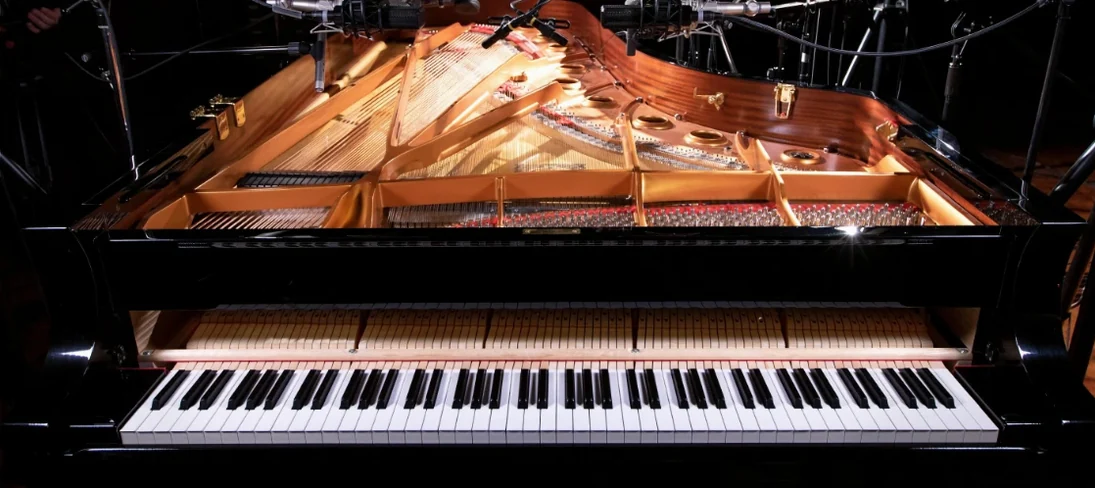 Native Instruments Noire KONTAKT
Loads a responsive concert grand with a particle engine for felt textures.
21 steps saved
 Neural DSP Archetype Misha Mansoor X
Models Misha Mansoor's amps, pedals and cabs for tight modern metal tones.
7 steps saved
 Neural DSP Archetype Nolly X
Models Nolly Getgood's rig for punchy, mix-ready rhythm guitar.
11 steps saved
 Neural DSP Archetype Petrucci
Recreates John Petrucci's amps and pedals for lead and rhythm guitar.
6 steps saved
 Neural DSP Archetype Rabea X
Models Rabea Massaad's amp rig, from clean chords to heavy riffs.
18 steps saved
 Neural DSP Fortin Nameless Suite X
Produces an articulate, percussive guitar overdrive that cuts through a dense mix.
17 steps saved
 Neural DSP Parallax X
Processes bass through three distinct tube-modelled distortion bands.
17 steps saved
 Neural DSP Soldano SLO-100 X
Recreates the Soldano SLO-100 high-gain amp with cabs and effects.