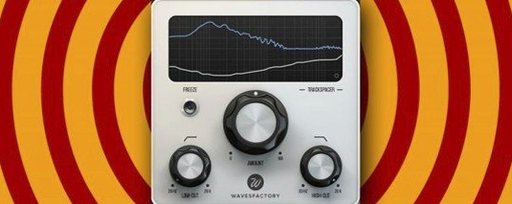
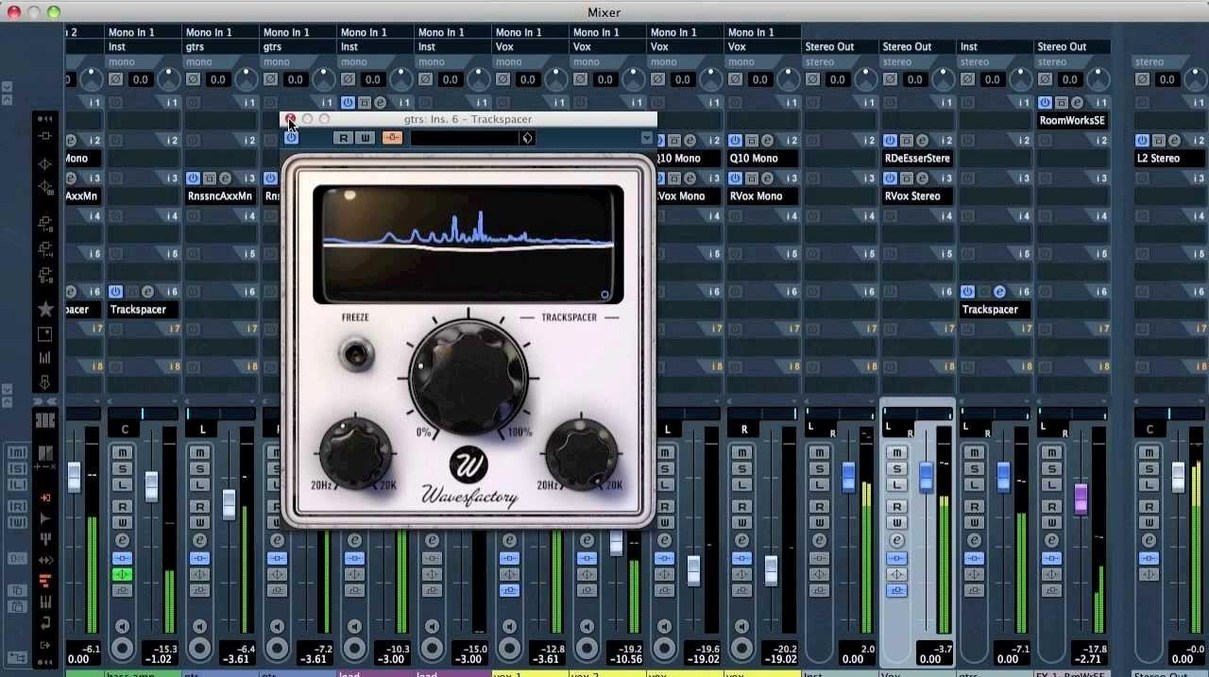
The 32-band EQ display is the heart of it. While the source track plays, Trackspacer reads the sidechain signal's full spectrum and draws a reversed curve in real time. You see exactly which frequencies it ducks, as it ducks them — no guessing, no sweeping. The main knob controls how much space gets carved. Push it clockwise and the competing track steps back; pull it back and the effect softens. Attack and release trimmers let you dial in how fast the ducking grabs and lets go, so bass collisions feel tight while vocal gaps stay smooth. A sidechain filter restricts the analysis to a specific band — cut everything below 120 Hz on a kick drum feed, for instance, and only the low-end gets carved out of the bassline. The result is cleaner than a static EQ and faster than automating faders.
| Key detail | |
|---|---|
| Developer | Wavesfactory |
| Current version | 2.5.10 |
| Processing | 32-band spectral sidechain EQ |
| Architecture | Apple Silicon & Intel 64-bit |
Who it's for: mix engineers who spend too long on static EQs and volume rides just to stop a vocal and a synth from fighting. What it replaces: a bus compressor and a parametric EQ trying to do the same thing at half the speed.
First days with Trackspacer
Start with a simple two-channel scenario — kick and bass, or lead vocal and piano — before routing four or five sources. That way you learn how the attack and release trimmers shape the pocket without juggling too many variables.
Keep the main knob around 30% for the first few passes. Full separation sounds impressive soloed but can leave a mix feeling scooped. Dial it back until the competing track steps aside only where it actually masks.
The sidechain filter is not just a convenience. Narrow it aggressively on a bass source and you carve only the sub-lows, leaving the harmonics untouched so the bassline keeps its character above 200 Hz. For vocals fighting a dense pad, set the filter wide but drop the main knob further — gentle broadband ducking preserves the pad's body while the consonants cut through.
Group your Trackspacer instances on a single bus if you process multiple competing elements. That makes it easy to bypass every instance at once during A/B checks, so you hear exactly what the plugin is doing across the whole mix.
Sidechain carving across the whole spectrum instead of one band at a time
Wavesfactory Trackspacer vs. FabFilter Pro-Q 3. Pro-Q 3 does dynamic EQ with surgical precision, and its sidechain mode lets a band react to an external signal. But it works band by band — you set thresholds and ranges manually. Trackspacer gives you a continuous 32-band curve from a single sidechain feed, which is faster for broad masking problems and less useful for notching a single resonance.
Wavesfactory Trackspacer vs. Sound Radix SurferEQ. SurferEQ tracks pitch and shifts filter bands to follow a melodic line. It is a creative, pitch-aware tool, not a masking fix. Trackspacer does not care about pitch — it reads the full spectrum and ducks accordingly. For vocal-piano separation, Trackspacer is the more direct choice; for a synth bass that needs a moving high-pass, SurferEQ does what Trackspacer cannot.
Wavesfactory Trackspacer vs. iZotope Neutron. Neutron's Masking Meter highlights collisions, then waits for you to fix them with its own EQ or dynamic modules. It is an assistant. Trackspacer is the fix itself — set the sidechain, turn the knob, problem solved. Engineers who work fast often run Trackspacer for the heavy lifting and save Neutron for tonal shaping elsewhere.
- macOS 10.9 or later
- Apple Silicon or Intel 64-bit processor
- 64-bit host DAW
Questions I get before install
What does Trackspacer actually do?
It analyzes the spectrum of a sidechain signal and applies a reversed 32-band EQ curve to another track, removing only the frequencies the source track needs.
Comments 0
Sign in to leave a comment.Sign inCreate an account
No comments yet. If a step is still there after you install it, say so.
More in VST Plugins
All in VST Plugins Waves Ultimate
Collects over 230 Waves plugins for mixing, mastering and sound design.
13 steps saved
 WaveLab Pro
Keeps every mastering decision visible across a clean, non-destructive workspace.
14 steps saved
 VocalSynth 2
Layers synthetic texture onto a vocal using blendable colour modules.
6 steps saved
 VocalNet
Reshapes a dry vocal into a new performance directly on the track.
11 steps saved
 XLN Audio Life
Turns a door slam or coffee shop clatter into a rhythmic bed without manual slicing.
17 steps saved
 XLN Audio XO
Organizes your entire sample collection by sound so kicks cluster with kicks.
17 steps saved
 Xpand!2
Layers up to four independent sound parts inside a single multitimbral patch.
20 steps saved
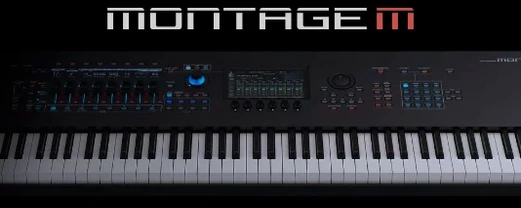 Yamaha Expanded Softsynth Plugin for MONTAGE M
Puts the MONTAGE M sound engine inside your DAW for offline rendering and cable-free recall.